JavaScript Playground
This online JavaScript playground puts an editor, a live preview and a console in your browser. Write JavaScript, HTML and CSS, add npm packages and watch the page change as you type. Sign in to save and share a link. It’s part of Playcode Classic, Playcode’s free code tools.
Free. No account needed to start.

Change a line. See it on the page.
Edit HTML, CSS or JavaScript and the preview updates straight away. The console sits beside it.
Start from a template

- JavaScriptA page, a script and a console.Open
- HTML, CSS and JavaScriptThree files, one live page.Open
- TypeScriptTypes checked as you write.Open
- ReactComponents with a live preview.Open
- VueSingle-file components, live.Open
- Tailwind CSSUtility classes, instant preview.Open
- Three.js3D in the browser.Open
- CanvasDraw and animate with code.Open
Add packages from npm
Import a package, press Install, and it loads. No build setup.

Code together, live
Invite someone into your project and edit the same files at the same time. On the free plan, two people can work in a project at once.

Make the editor yours
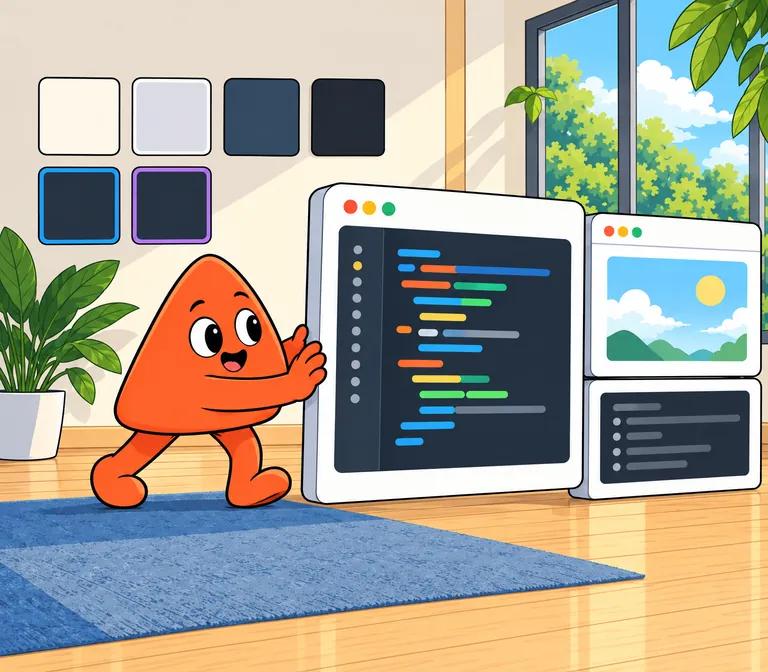
Pick a light or dark theme, including One Dark Pro and Darcula, and arrange the panels the way you like.
Start on your laptop. Keep going on your phone.
Sign in on your phone’s browser and open the same project.

Watch it run
A minute in the editor: write code, see the preview, read the console.
Playground, compiler, sandbox or REPL?
| Tool | Use it to |
|---|---|
| JavaScript PlaygroundYou are here | Build something with HTML, CSS and packages, and see it live. |
| JavaScript Compiler | Run a snippet and read its output. |
| JavaScript Sandbox | Test a snippet in isolation. |
| JavaScript REPL | Type one expression and see what it returns. |
Part of Playcode Classic
Playcode began in 2016 as a browser coding environment. This playground is one of its free code tools, which we now call Playcode Classic.
Playcode today is an AI platform for building and running websites and apps.

Questions people ask
What is a JavaScript playground?
A JS playground is a place to write JavaScript and see it run straight away, without setting up a project. This one gives you an editor, a live preview and a console in your browser.
Is the JavaScript playground free?
Yes. Writing and running code is free and needs no account. Saving and sharing need a free account, which keeps up to three saved projects, public or private.
Do I need to install anything?
No. Open the playground and start typing. It runs in your browser.
Can I use npm packages?
Yes. Import a package and the editor offers to install it from npm.
Which frameworks can I use?
Start from a JavaScript, TypeScript, React, Vue or Tailwind CSS template, or plain HTML, CSS and JavaScript.
How do I share my code?
Sign in and save the project. In its Share tab, set Anyone with the link to Can view, then copy the link. Anyone with the link can open it.
Can I publish my project as a website?
Yes. Publish it as a static page with hosting and HTTPS. A custom domain depends on your plan.
Does the playground work on a phone?
Yes, in a phone’s browser. Longer code is easier on a bigger screen.
Is there AI help in the editor?
Yes. The AI chat can write, explain and fix code. It uses credits: eligible new accounts get trial credits, and paid plans add a monthly allowance.
Is this playground part of Playcode?
Yes. This playground is part of Playcode Classic, Playcode’s free code tools. Playcode began in 2016 as a browser coding environment. Today it is an AI platform for building and running websites and apps.
More free code tools
- JavaScript Compiler
Run a snippet, read the output.
- JavaScript Sandbox
Try a snippet in isolation.
- JavaScript REPL
Type an expression, see the result.
- TypeScript Playground
Types checked as you write.
- HTML Editor
Build a page and see it live.
- React Playground
Components with a live preview.
- JSON Formatter
Tidy and check JSON.
- Regex Tester
Test a pattern against your text.
Open the playground.