HTML Runner
This HTML code runner turns your code into a web page in your browser, on a phone or a computer. Paste your HTML, CSS and JavaScript and the page appears, changing as you type. No app to install. Sign in to save it and share a link. It’s part of Playcode Classic, Playcode’s free code tools.
Free. No account needed to start.

How to run HTML code on your phone
- Open this page in your phone’s browser and tap Run your HTML.
- Open index.html from the files and paste your code.
- Switch to the page to see it. Change a line and it changes.
On a phone the editor shows one panel at a time - the AI chat, your code, the page or the console - and opens on the chat.
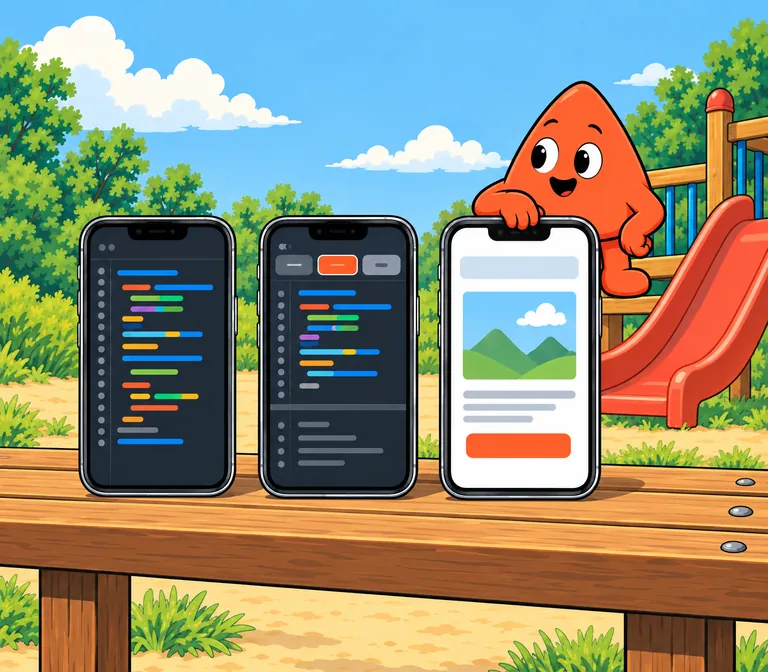
Paste it. See the page.
Got HTML from a lesson, a book or an AI chat? Paste it into index.html and the page appears: beside your code on a computer, one tap away on a phone. Change a line and the page changes with it.

What this HTML runner can do
| HTML, CSS and JavaScript | In one file, or in separate files linked from the page |
|---|---|
| Tailwind CSS | Ready in the starter page |
| Live preview | The page changes as you type |
| Phone | Yes, in your phone’s browser: code, page and console one at a time |
| Full screen | Open the page in its own tab |
| A file you already have | Paste its code into index.html, or sign in and upload it |
| Images | Sign in to upload them, or link to images online |
| Share | Sign in, save, turn the link on and send it |
| Publish | On a Playcode address with Playcode branding, free; a custom domain on a paid plan |
| Download | The whole project as a ZIP, on a paid plan |
| PHP and other server code | No: the runner shows pages, it doesn’t run a server |
See it full screen. Send someone the link.
- Full screen.
- Open the page in its own tab and see it the way a visitor will.
- A link.
- Sign in, save the project, turn its link on in the Share tab and send it. They open your page and your code.

Want it changed? Ask the AI.
Tell the editor’s AI chat what you want, a bigger heading, a dark theme, a contact form, and it changes the code. It uses credits; eligible new accounts get trial credits.

Part of Playcode Classic
Playcode began in 2016 as a browser coding environment. This runner is one of its free code tools, which we now call Playcode Classic.
Playcode today is an AI platform for building and running websites and apps.

Questions people ask
How do I run HTML code on my phone?
Open this page in your phone’s browser and tap Run your HTML. Open index.html from the files, paste your code, then switch to the page to see it. There’s no app to install.
Is this HTML runner free?
Yes. Running your HTML is free and needs no account. Saving and sharing need a free account, which keeps up to three saved projects, public or private; downloads need a paid plan; the AI chat uses credits.
Is there an app?
No app to install. The runner works in your phone’s browser, so you can run HTML code on mobile without an HTML code runner app.
Can I run an HTML file I already have?
Yes, it works as an HTML file runner. Open the file, copy its code and paste it into index.html, or sign in and upload the file to your project.
Does it run CSS and JavaScript?
Yes. Put them in the page or in their own files and link them, as on any website. The starter page has Tailwind CSS ready.
Can I see my page full screen?
Yes. Open the page in its own tab to see it the way a visitor will.
Can I add images?
Yes. Sign in and upload them to your project, or link to images that are online. A free account uploads up to 4 MB in all; a paid plan takes 128 MB a file and 1 GB in all.
Can I download my page?
On a paid plan you can download the whole project as a ZIP. On any plan you can copy the code, or publish the page and share its link.
Can it run PHP?
No. The runner shows web pages: HTML, CSS and JavaScript. It doesn’t run server code such as PHP.
Is this runner part of Playcode?
Yes. This runner is part of Playcode Classic, Playcode’s free code tools. Playcode began in 2016 as a browser coding environment. Today it is an AI platform for building and running websites and apps.
More free code tools
- HTML Editor
Build a page and see it live.
- JavaScript Playground
HTML, CSS and JavaScript with a live preview.
- Tailwind Playground
Utility classes, instant preview.
- JavaScript Compiler
Run JavaScript, read the console.
- Code Playground
Every language in one place.
- JSON Formatter
Tidy and check JSON.
Got some HTML? Run it.