WordPress powers roughly 40% of the web. It has been the default choice for websites since the mid-2000s. But in 2026, a new category has matured enough to challenge that dominance: AI website builders. Tools like Playcode can generate a complete, production-ready website from a plain-English description in minutes - no themes to install, no plugins to configure, no security patches to worry about.
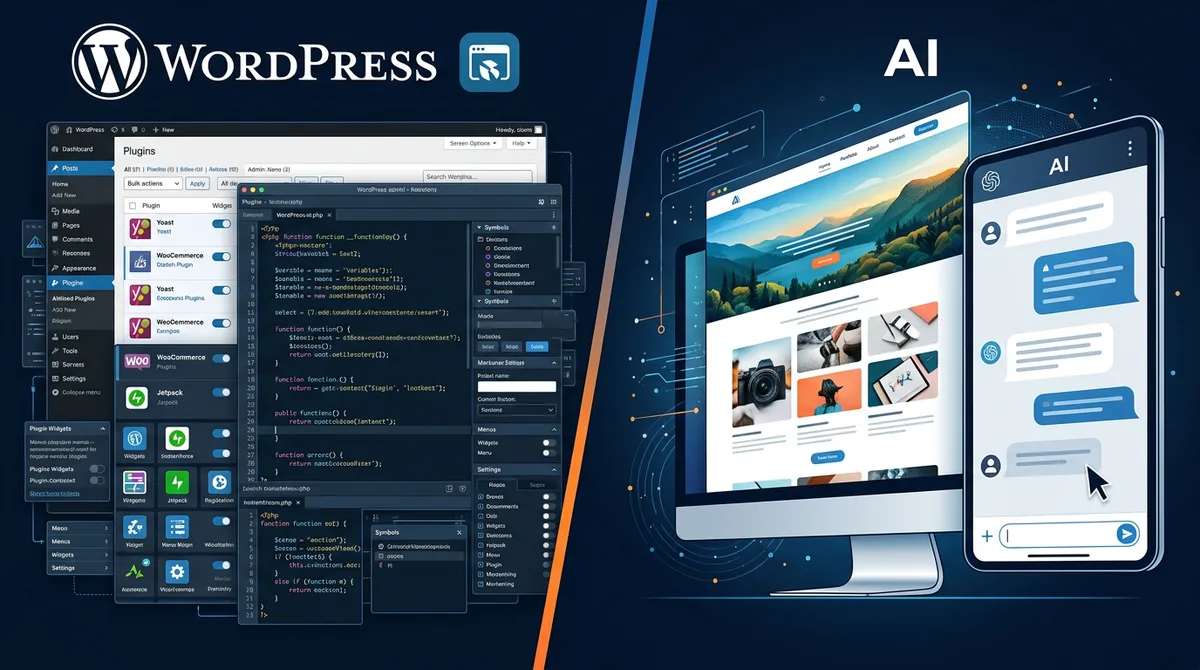
So should you still reach for WordPress? Or is an AI builder the smarter move? The honest answer: it depends on what you are building. This guide breaks down both options fairly so you can make the right call for your situation.
Want a broader comparison? See our best no-code website builders for 2026 or the full AI website builder comparison .
Quick Comparison Table
Before we dive into details, here is a side-by-side snapshot of the two approaches across the dimensions that matter most.
| Factor | WordPress | AI Website Builder |
|---|---|---|
| Speed to launch | Days to weeks | Minutes to hours |
| Ease of use | Moderate learning curve | Describe what you want |
| Customization | 60,000+ plugins | AI-guided, growing |
| Ongoing cost | $100-300+/year (self-hosted) | $21-300/year |
| Maintenance | You handle updates, security, backups | Fully managed |
| SEO | Mature (with plugins) | Built-in, modern standards |
| Plugin ecosystem | Massive | AI generates what you need |
| Security | Your responsibility | Handled by platform |
| Portability | Full (open source) | Full (export with Playcode) |
Neither column is all green. That is the point. Each tool wins in different scenarios. Let us look at where each one shines.
What WordPress Does Better
WordPress earned its dominance for real reasons. Here is where it still has a genuine edge over AI builders.
Massive plugin ecosystem
Need a booking system, membership portal, LMS, multilingual support, or advanced e-commerce? WordPress likely has a battle-tested plugin for it. With over 60,000 plugins and decades of community development, there is a solution for almost every niche requirement. AI builders are catching up fast, but they cannot yet match the sheer breadth of WordPress's plugin library.
Community and documentation
WordPress has the largest web-development community on the planet. Every error message has a Stack Overflow answer. Every customization has a YouTube tutorial. When you get stuck, help is everywhere. AI builders are newer, and while their communities are growing, they are not at WordPress scale yet.
Deep flexibility for developers
If you have a PHP developer on your team, WordPress gives them virtually unlimited control. Custom post types, hooks, filters, REST API, custom themes - there is no ceiling on what a skilled developer can build on top of WordPress.
Content management at scale
Running a publication with 5,000 articles, multiple authors, editorial workflows, and complex taxonomies? WordPress was literally built for this. Its content management system is mature, flexible, and proven at enormous scale - from personal blogs to enterprise newsrooms.
What AI Builders Do Better
AI website builders solve the problems that have plagued WordPress users for twenty years.
Speed: minutes instead of days
With WordPress, launching a professional site takes days at minimum. You need to choose hosting, install WordPress, pick a theme, customize it, install plugins, configure settings, and test everything. With an AI builder like Playcode, you describe what you want and get a production-ready site in minutes. Not a rough draft. A real, polished website you can publish immediately.
Zero maintenance burden
This is the big one. WordPress requires constant attention: core updates, plugin updates, theme updates, PHP version upgrades, security patches, database optimization, backup management. Skip any of these and you risk getting hacked - and WordPress sites are the number one target for web attacks precisely because so many site owners neglect updates. AI builders handle all of this for you. There is nothing to update, nothing to patch, nothing to worry about.
No security headaches
A 2025 Sucuri report found that WordPress accounted for over 90% of cleaned hacked CMS sites. Outdated plugins are the primary attack vector. With an AI builder, there are no plugins to become outdated, no PHP vulnerabilities to exploit, no database to inject into. The entire security surface area is smaller by orders of magnitude.
Modern design and code quality
WordPress themes often rely on bloated page builders, legacy CSS, and jQuery-era JavaScript. The result: slow load times and designs that look like they are from 2018. AI builders generate clean, modern code - React, Tailwind CSS, optimized assets - that scores well on Core Web Vitals out of the box. No performance plugins needed.
No technical knowledge required
WordPress.com (hosted) simplifies things, but you still need to understand themes, widgets, menus, and plugin settings. Self-hosted WordPress demands even more: hosting configuration, SSL certificates, FTP/SFTP, database management. With Playcode, you describe your website in plain English and the AI builds it. Zero technical knowledge. Zero configuration.
Cost Comparison: The Full Picture
WordPress is often called "free," but the real cost depends heavily on how you use it. Here is an honest breakdown.
WordPress.com (hosted)
| Plan | Monthly cost | What you get |
|---|---|---|
| Free | $0 | WordPress.com subdomain, WordPress ads, limited storage |
| Personal | $4/mo | Custom domain, no ads, 6GB storage |
| Premium | $8/mo | Premium themes, monetization tools, 13GB storage |
| Business | $25/mo | Plugins, themes, 50GB storage, SFTP access |
Self-hosted WordPress (WordPress.org)
- Hosting: $5-30/month for shared hosting, $20-80/month for managed WordPress hosting
- Domain: $10-15/year
- Premium theme: $50-200 one-time
- Essential plugins: $50-300/year (SEO, security, backups, caching, forms)
- Your time: 2-5 hours/month on updates and maintenance (priceless, or costly - depending on how you value your time)
Realistic annual cost for a self-hosted WordPress business site: $200-600/year plus your time for ongoing maintenance.
AI website builder (Playcode)
- Annual plan: $21/year - includes hosting, included subdomain, AI credits included, SSL
- Monthly plan: $25/month
- Custom domain: Bring your own (typically $10-15/year from any registrar)
- Maintenance: $0 - fully managed
- Your time: Minutes to build, zero ongoing maintenance
Realistic annual cost with Playcode: $21-315/year with zero maintenance time.
The cost difference is significant, but the time difference is even more significant. Every hour you spend updating WordPress plugins is an hour you are not spending on your actual business.
Who Should Use WordPress
WordPress is still the right choice in specific scenarios. Be honest with yourself about whether these apply to you.
- Content-heavy publications: If you are running a blog or magazine with hundreds or thousands of articles, multiple authors, and complex editorial workflows, WordPress's CMS is purpose-built for this.
- WooCommerce stores with complex needs: If you need advanced inventory management, multi-vendor marketplaces, subscription boxes, or integration with specific ERP/CRM systems, WooCommerce's plugin ecosystem is hard to beat.
- Sites requiring specific plugins: If your project depends on a particular WordPress plugin that has no AI-builder equivalent - a specific booking system, LMS, or membership platform - WordPress is the practical choice.
- Teams with WordPress developers: If you already have PHP/WordPress developers on staff, leveraging their existing expertise makes sense.
- Multisite networks: If you manage dozens or hundreds of related sites (franchise locations, university departments), WordPress Multisite is a proven solution.
Who Should Use an AI Builder
For a growing number of use cases, an AI builder is not just equal to WordPress - it is strictly better.
- Small business websites: A local business, consultancy, or professional service firm does not need 60,000 plugins. It needs a clean, fast, professional website that shows up in search results. An AI builder delivers this in minutes with zero ongoing maintenance.
- Landing pages and marketing sites: When you need to launch fast, test messaging, and iterate quickly, AI builders are unmatched. Describe what you want, publish, measure results, adjust. No theme customization rabbit holes.
- Portfolios and personal sites: Designers, photographers, freelancers, and consultants benefit from the speed and modern design that AI builders produce. And you will never have to worry about your portfolio site getting hacked because a plugin was outdated.
- Startups validating ideas: If you need an MVP or landing page to test a hypothesis, spending days on WordPress setup is time wasted. Use Playcode to get something live in minutes, validate your idea, then decide on long-term infrastructure.
- Non-technical founders: If you do not have (or want) a developer on your team, an AI builder eliminates the need for one. You describe your vision, the AI builds it, you publish. Done.
- Anyone who values their time: Even if WordPress would technically work for your project, consider the ongoing time cost. If your time is better spent on your business than on WordPress maintenance, an AI builder pays for itself immediately.
Can You Switch Later?
One common worry: what if I pick the wrong one? The good news is that migration in either direction is feasible.
WordPress to AI builder
For sites under 50 pages, this is straightforward. Export your WordPress content, describe your new design to the AI builder, and let it rebuild your site with modern code and design. You will likely end up with a faster, better-looking site. For large content sites (500+ posts), migration is more involved - you will need to plan for content restructuring and URL redirects.
AI builder to WordPress
With Playcode, you are never locked in. You can export your entire site at any time. If you later decide you need WordPress's plugin ecosystem, you can take your content and design assets and rebuild on WordPress. There is no vendor lock-in.
The hybrid approach
Some teams use both. They run their content blog on WordPress (because it handles 1,000+ articles well) while using an AI builder for their marketing landing pages (because speed matters there). There is no rule saying you must pick only one.
FAQ
Is WordPress still worth using in 2026?
Yes, for specific use cases. If you need a massive plugin ecosystem, complex e-commerce with WooCommerce, or you are managing a content-heavy publication, WordPress remains excellent. But for small business sites, landing pages, portfolios, and startups, AI builders deliver better results faster and with zero maintenance.
Are AI website builders better than WordPress?
For speed, maintenance, security, and ease of use - yes. For plugin variety, community size, and content management at massive scale - not yet. The right choice depends on your specific needs. Most small businesses and startups are better served by an AI builder like Playcode.
Can I migrate from WordPress to an AI website builder?
Yes. For sites under 50 pages, it is straightforward - export your content, describe your new design, and the AI rebuilds it with modern code. For large sites (500+ posts), plan more time for content restructuring and URL redirects.
How much does WordPress really cost compared to AI builders?
Self-hosted WordPress realistically costs $200-600/year plus your maintenance time. WordPress.com plans range from $0 (with their branding and ads) to $25/month for full features. Playcode starts at $21/year with hosting, SSL, and zero maintenance included.
Do I need technical knowledge to use WordPress vs an AI builder?
WordPress.com (hosted) requires moderate technical knowledge - you still need to understand themes, widgets, and plugin settings. Self-hosted WordPress demands significantly more: hosting setup, security management, database maintenance. AI builders like Playcode require zero technical knowledge. Describe what you want, and the AI builds it.
What about WordPress's SEO advantages?
WordPress has excellent SEO through plugins like Yoast and RankMath. But this is no longer a unique advantage. AI builders generate clean, semantic HTML with proper meta tags, structured data, fast load times, and mobile-responsive design - all factors that Google cares about. Modern AI builders often score higher on Core Web Vitals out of the box than WordPress sites loaded with plugins.
Can an AI builder handle e-commerce?
For basic e-commerce (product catalogs, checkout, payment processing), yes. Playcode can build online stores with payment integration. For advanced e-commerce (multi-vendor marketplaces, complex inventory, subscription management), WooCommerce on WordPress still has the edge.
The Verdict: There Is No Wrong Answer
This is not a "WordPress is dead" article. WordPress is a remarkable piece of software that has powered the web for two decades. It will continue to power millions of sites for years to come.
But the world has changed. For a large and growing number of use cases, AI website builders are simply the better tool. They are faster to launch, easier to maintain (because there is nothing to maintain), more secure by default, and produce cleaner, more modern code.
Choose WordPress if: you need its plugin ecosystem, manage content at massive scale, or have WordPress developers on your team.
Choose an AI builder if: you value speed, want zero maintenance, need modern design, or simply want to spend your time on your business instead of your website.
If you are leaning toward an AI builder, try Playcode. It works like a top agency - guides you through clarifying your idea, builds production-ready results, and lets you publish instantly with your custom domain. No credit card required to start. Describe your idea and see what it builds in minutes.