
A production Telegram bot needs more than a BotFather token and a reply function. You need a server-side secret boundary, one update receiver, durable update identity, explicit retry behavior, a consent and privacy boundary, a safe outbound-message path, and enough monitoring to know when Telegram cannot reach the webhook.
This guide uses an order-status bot with a locally reproduced Node.js handler. The artifact verifies Telegram's webhook secret header, processes each `update_id` once after successful delivery, returns non-2xx on a simulated send failure, and accepts a deterministic retry. Live BotFather registration and provider message delivery remain separate manual checks.
QUICK ANSWER
How do you create a Telegram bot?
Create the bot with BotFather, store its token only in server-side secrets, choose webhooks or long polling, and build a handler for Telegram Update objects. For a webhook, deploy HTTPS, validate `X-Telegram-Bot-Api-Secret-Token`, deduplicate by `update_id`, return non-2xx for retryable failures, register the URL with `setWebhook`, and finish with a real chat plus `getWebhookInfo` smoke test.
Prepare the bot, data boundary, and recovery path
Start with fictional order data and one narrow command. Decide what a Telegram user is allowed to learn before connecting the bot to a real customer or order system.
- A Telegram account and BotFather brief: Choose the bot name, username, `/start` message, supported commands, and one owner who can revoke or rotate access through BotFather. Do not promise commands the first handler does not implement.
- A public HTTPS endpoint: The endpoint must receive raw JSON POST requests, read the secret-token header, return a bounded response quickly, and expose no token in its public path, rendered error, or routine logs.
- A durable update record: Store `update_id`, processing state, attempt count, completion time, and a bounded error code. The sample uses memory only for deterministic tests; production needs a database transaction or equivalent durable claim.
- An authorized order lookup: Define the public identifier, allowed response fields, not-found behavior, rate limit, and whether the chat identity must be linked to a customer. An order number alone may not be adequate authorization for real shipment details.
- A privacy, retention, and contact rule: Publish the policy the bot will actually follow, name who handles deletion requests, decide how long bounded chat and order-link records remain, and keep replies user-initiated unless the person explicitly permits a defined notification. Provide a durable opt-out before enabling proactive sends.
Credentials and access
| Credential | Minimum access | Storage and rotation |
|---|---|---|
| Telegram bot token BotFather-issued token used for Bot API method calls | The token controls the one bot. Use it only in the server-side adapter that calls required Bot API methods such as `sendMessage`, `setWebhook`, and `getWebhookInfo`. | Store as a Playcode server-side secret such as `TELEGRAM_BOT_TOKEN`. Never ship it to the browser, commit it, put it in an image, print the full Bot API URL, or include it in application logs. Use BotFather's `/token` command to generate a replacement after exposure or an ownership change, update the server secret, re-register the webhook if needed, and verify the old token no longer works. |
| Telegram webhook secret Random `secret_token` value echoed in the webhook header | The webhook handler and the server-side registration task need the same value. No browser, chat user, or unrelated job needs access. | Store separately as a server-side secret such as `TELEGRAM_WEBHOOK_SECRET`; compare it before parsing or processing the body and never log the supplied value. Generate a new allowed value, update the server secret and `setWebhook` configuration together, then reject the old value and inspect `getWebhookInfo` for delivery errors. |
Telegram Bot API constraints
- Re-checked July 19, 2026 against Telegram Bot API 10.2, current BotFather guidance, the Bots FAQ, and the Bot Platform Developer Terms. Re-check these first-party sources again before registration or publication because setup, limits, and policy terms can change.
- BotFather creates and administers the bot identity. Treat the bot token like a password: keep it server-side, never put it in browser code, a screenshot, a repository, or a logged request URL.
- Telegram supports either `getUpdates` long polling or an outgoing webhook for updates, not both at the same time. The reproduced artifact uses the webhook model.
- A webhook must use HTTPS. Telegram currently documents ports 443, 80, 88, and 8443, retries non-2xx responses for a bounded number of attempts, and retains incoming updates for no longer than 24 hours.
- `secret_token` is 1-256 characters using letters, digits, underscore, or hyphen. Telegram sends it in `X-Telegram-Bot-Api-Secret-Token`; it authenticates the configured webhook but does not replace input validation or access control for your business records.
- Telegram requires an easily accessible privacy policy that describes collected data, purpose, and storage. If Telegram's standard policy does not match the bot, configure a suitable policy through BotFather, delete data on request or when it is no longer needed, and document the retention owner.
- Do not send unsolicited messages, buy or import chat identifiers, or bypass Telegram moderation and rate limits. Keep the default order-status flow user-initiated; any proactive notification needs specific permission, a working opt-out, and suppression of queued sends after revocation.
Official references: Telegram bots and BotFather, Telegram Bot API Update object, Telegram Bot API setWebhook, Telegram Bot API getWebhookInfo, Telegram Bot API sendMessage, Telegram Bot Platform Developer Terms, Telegram Standard Privacy Policy for Bots and Mini Apps
Choose webhook delivery or long polling
Telegram exposes two mutually exclusive update receivers. The right choice depends on where the bot runs and how much operational control you need.
| Approach | Best for | Tradeoff |
|---|---|---|
| HTTPS webhook | A deployed bot with a stable public endpoint and server-side secrets. | Telegram pushes updates without a polling worker, but you must validate the secret header, handle retries and concurrency, monitor TLS and webhook health, and respond fast enough. |
| getUpdates long polling | Local experiments or a continuously running worker without a public inbound endpoint. | Setup can be simpler during development, but the worker must maintain offsets, avoid concurrent pollers, recover within Telegram's retention window, and switch off any existing webhook first. |
Recommended:Use a webhook for a Playcode-hosted production bot because HTTPS and the handler can run with the app. Use long polling only when you intentionally operate a worker. In either model, persist `update_id` and business writes so a retry cannot duplicate the outcome.
Create a Telegram order-status bot
Create the provider identity, implement and test a secret-validated idempotent webhook, deploy it, register it with Telegram, and operate it safely.
STEP 01
Define the command and authorized record
Write the bot contract before exposing any customer data.
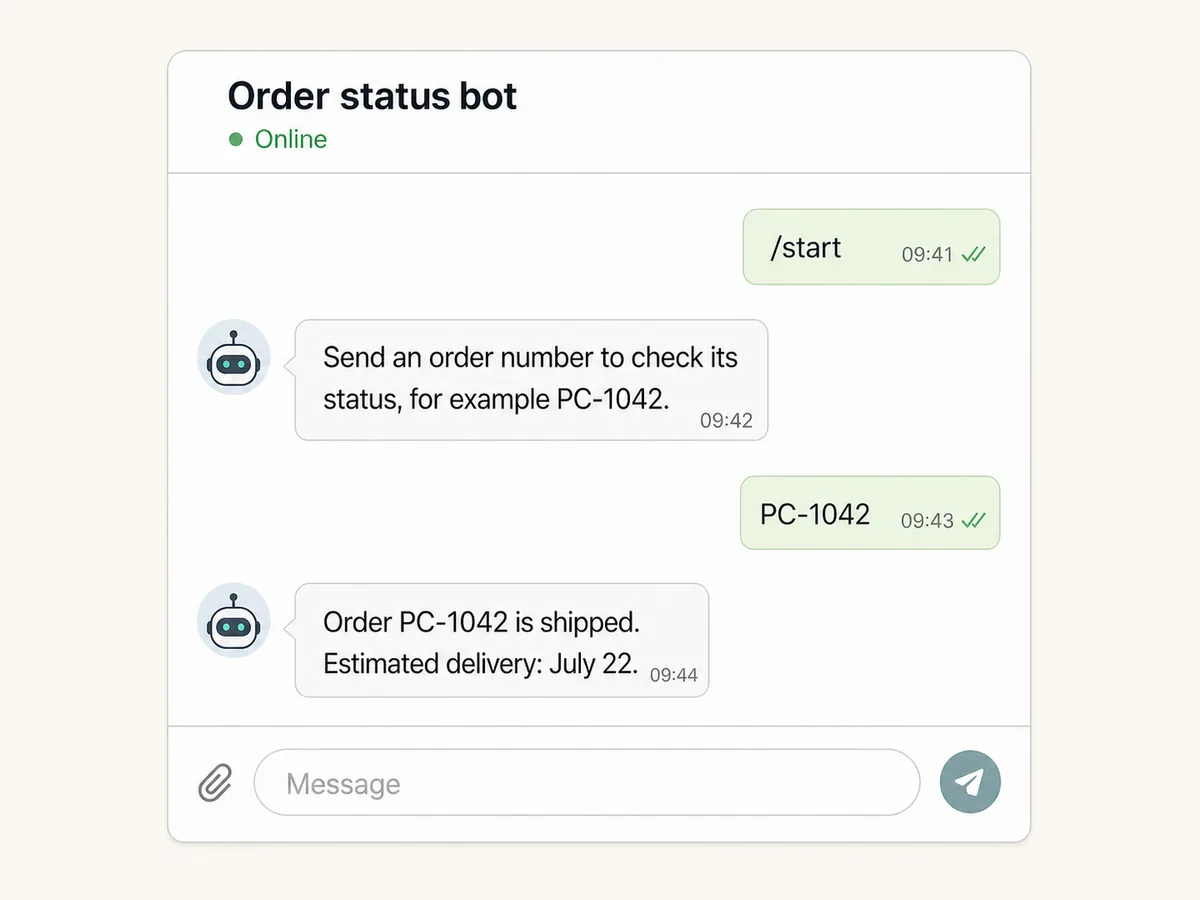
For the fixture, `/start` asks for an order number and `PC-1042` returns only a status and estimated delivery date. Unknown formats and missing orders get different responses.
For real records, decide whether a guessed order number could expose personal data. Add a customer link, one-time code, signed lookup token, or authenticated web handoff when the response is not safely public.
Expected result: The first version has an explicit command, input format, allowed output fields, not-found response, and authorization decision.
Verify it: Review four written fixtures: `/start`, valid authorized order, invalid format, and valid-looking order that the chat is not allowed to view.
STEP 02
Create the bot with BotFather and secure the token
Create one bot identity and move its credential directly into server secrets.
Open the official BotFather account, run `/newbot`, choose the display name and username, and record which team member owns recovery. Configure commands only after their handlers exist.
Copy the bot token once into `TELEGRAM_BOT_TOKEN` in the server-side secret store. Do not paste it into the Playcode chat, a client environment variable, source code, an issue, or a screenshot.
Expected result: BotFather shows the new bot and the deployed server can read its token without rendering or logging it.
Verify it: Confirm the token is absent from git diff, browser bundles, screenshots, query strings, and routine log output. Do not make a provider call during this inspection.
STEP 03
Set the privacy, consent, and anti-spam boundary
Decide what the bot stores and when it is allowed to contact a chat.
Publish an accessible privacy policy that names the data, purpose, retention period, deletion path, and responsible owner. If Telegram's standard policy does not match the real workflow, configure the bot's own policy through BotFather.
Keep this order-status bot request-response by default. If you later add shipment alerts, record specific permission for that message class, expose `/stop` or an equivalent opt-out, and suppress queued sends immediately after revocation. Never import chat IDs or message users who did not ask for the contact.
Expected result: The team can point to one current privacy policy, retention schedule, deletion owner, consent record, and opt-out behavior before the bot stores real user data or sends a proactive message.
Verify it: Open the policy as a signed-out user, submit a deletion request with fixture data, revoke a fixture notification permission, and verify that the chat receives no queued or future proactive send.
STEP 04
Validate the webhook secret before parsing
Reject requests that do not carry the configured Telegram secret header.
Generate a separate `TELEGRAM_WEBHOOK_SECRET` that follows Telegram's allowed character set. Compare the incoming `X-Telegram-Bot-Api-Secret-Token` before JSON parsing, and bound the body size.
After authentication, parse the Update object and require a non-negative safe-integer `update_id`. Treat message and non-message updates as different input shapes rather than assuming every update has text.
const supplied = headers.get('x-telegram-bot-api-secret-token')
if (!sameSecret(supplied, env.TELEGRAM_WEBHOOK_SECRET)) {
  return Response.json({ ok: false }, { status: 401 })
}

const update = JSON.parse(rawBody)
if (!Number.isSafeInteger(update.update_id) || update.update_id < 0) {
  return Response.json({ ok: false }, { status: 400 })
}
Expected result: Wrong-secret, oversized, malformed, and invalid-identity requests stop before business lookup or outbound delivery.
Verify it: Run the artifact test that supplies a wrong secret with invalid JSON and confirm it returns 401 without sending a message.
STEP 05
Claim update_id and make failures retryable
Separate technical delivery identity from the order business key.
Claim `update_id` in durable storage before applying a business effect. A completed duplicate returns 2xx without sending again; a concurrent processing claim returns non-2xx so Telegram can retry later.
When outbound `sendMessage` fails, record a bounded error code and return non-2xx. Do not mark the update complete. A later delivery of the same `update_id` can acquire the retryable record and attempt the response again.
A real production design should use a transaction and durable outbox when the business write and outbound Telegram call must remain consistent across a process crash.
Expected result: The same completed update produces one reply, while a failed attempt remains eligible for a controlled retry.
Verify it: Run the duplicate and failed-send fixtures. Confirm the store records one completed response, two attempts for the failure case, and no duplicate message.
STEP 06
Run deterministic handler fixtures
Prove the handler boundary without using a real provider credential.
Download the same-release artifact, extract it, and run `node --test telegram-handler.test.mjs` from the `order-status-webhook` directory.
Inspect the injected `sendMessage` and `lookupOrder` functions. They make the security, idempotency, and retry tests deterministic, but they do not prove the Telegram network path.
Expected result: Five tests pass for authentication, start command, completed duplicate, retry after send failure, and malformed input.
Verify it: Read the test names and assertions, not only the final exit code. Confirm no Bot API request or real token exists in the source.
STEP 07
Deploy HTTPS and register setWebhook server-side
Publish the handler, then bind Telegram to the exact endpoint and secret.
Deploy the bot on Playcode with `TELEGRAM_BOT_TOKEN` and `TELEGRAM_WEBHOOK_SECRET` as server-side secrets. Verify the endpoint is HTTPS and rejects a request without the secret.
Run a protected server-side administration task that constructs Telegram's token-bearing Bot API URL in memory, calls `setWebhook` with the endpoint URL, `secret_token`, and only needed `allowed_updates`, and never prints the request URL or token.
Do not use `drop_pending_updates` casually. Dropping pending updates can discard user actions; decide and record whether the current queue should be processed before switching receiver modes.
Expected result: `setWebhook` returns success and `getWebhookInfo` shows the intended HTTPS URL, allowed update types, and no current delivery error.
Verify it: Read the parsed provider response from the protected task with credentials redacted, then inspect `pending_update_count` and error fields via `getWebhookInfo`.
STEP 08
Run a real chat smoke and monitor delivery
Complete the provider boundary with a controlled Telegram account.
From a test account, open the bot, send `/start`, an invalid value, `PC-1042`, and the same order twice. Verify the visible replies and durable update records.
Monitor accepted, rejected, duplicate, retryable, and completed counts; response latency; `pending_update_count`; and the last webhook error. Log `update_id` and bounded error codes, not tokens, full message text, or customer records.
Expected result: The real Telegram client receives the expected replies, retries do not duplicate completed effects, and operators can diagnose a delivery problem without sensitive logs.
Verify it: Capture a redacted smoke record with UTC time, bot username, command cases, update IDs, provider health fields, and result. Keep it separate from the local artifact evidence.
Test security, business input, retries, and the published path
A green local reply test is not enough. Test both the unauthenticated webhook boundary and the provider-controlled delivery path.
| Test | Scenario | Expected result |
|---|---|---|
| happy path | A valid secret and new fixture `update_id` carry `PC-1042` from an allowed chat. | The lookup returns shipped status, one outbound reply is recorded, the update becomes completed, and the handler returns 2xx. |
| invalid input | Send a wrong secret, malformed JSON, invalid `update_id`, bad order format, and a valid-looking unauthorized order. If proactive notifications exist, revoke permission before a queued fixture send. | Transport errors stop before lookup; business errors return bounded user guidance without leaking whether a protected record exists; the revoked chat receives no proactive message. |
| retry | Make the first outbound send fail, deliver the same `update_id` again, then deliver it once more after completion. | The first request returns non-2xx, the second sends once and completes, and the final completed duplicate returns 2xx without another send. |
| production smoke | Register the deployed HTTPS URL, use a controlled Telegram account, and inspect `getWebhookInfo` after `/start` and one order lookup. | Both replies appear in the client, the endpoint records completed update IDs, pending delivery stays bounded, and provider error fields are empty. |
Diagnose Telegram bot failures from the boundary inward
Start with provider delivery health, then authentication, update state, business lookup, and outbound delivery. Avoid rotating permissions or secrets without evidence.
| Symptom | Likely cause | Check | Fix |
|---|---|---|---|
| The bot exists but receives no updates. | The webhook URL is missing, unreachable, redirected, has invalid TLS, or long polling is still the active receiver. | Call `getWebhookInfo` server-side and inspect the URL, pending count, last error date, and last error message; check bounded endpoint logs by UTC time. | Restore a direct supported HTTPS endpoint, remove redirects, correct TLS or receiver mode, re-run `setWebhook`, and repeat the controlled chat smoke. |
| Every webhook returns 401. | The server secret and the `setWebhook secret_token` value differ after setup or rotation. | Compare secret version identifiers in protected configuration and registration records without printing either value. | Generate one new allowed value, update server configuration and `setWebhook` together, reject the old value, and smoke again. |
| Users receive duplicate replies. | The handler sends before claiming `update_id`, marks failures complete, or stores idempotency only in process memory across restarts. | Group bounded logs and database rows by `update_id`; compare attempt, processing, completed, and outbound-provider states. | Use a durable transactional claim and outbox, complete only after the intended boundary, and return 2xx for already-completed updates. |
| Pending updates rise while requests return 503. | The order source or `sendMessage` adapter is failing, rate-limited, or timing out. | Inspect error-code counts, latency, provider response class, and the age of retryable updates without logging tokens or message bodies. | Repair the failing dependency, apply bounded backoff, replay only retryable update IDs, and confirm the backlog decreases without duplicate completions. |
| A user receives an unwanted proactive notification. | The sender lacks a specific permission record, ignores an opt-out, or dispatches a queued message after consent was revoked. | Trace the bounded message-attempt ID to the permission version, opt-out time, queue claim, and sender result without exposing chat text or personal data. | Stop the sender, suppress pending attempts for the affected chat, honor the deletion or opt-out request, correct the consent check, and test revocation again before resuming. |
Operate the bot as a small production service
Deploy
Deploy the webhook and secrets together, reject unsigned traffic before parsing, and register only the exact HTTPS URL. Treat receiver-mode changes and `drop_pending_updates` as reviewed operations because they can affect queued user actions.
Use a test bot or controlled chat for the first environment smoke. Re-check Telegram's current BotFather, webhook, port, retry, and policy terminology on the day you register or publish.
Monitor
Track request count by status class, secret rejection, invalid payloads, new/completed/duplicate/retryable update counts, handler latency, outbound provider status, queue age, and `getWebhookInfo` pending/error fields.
Track denied or opted-out proactive attempts and Bot API 429 responses as safety signals. Honor `retry_after` rather than bypassing Telegram rate limits, and stop a notification campaign when permission or queue-state checks fail.
Use `update_id` and an internal request ID for correlation. Keep bot tokens, webhook secrets, full chat text, names, order details, consent payloads, and raw provider URLs out of routine logs.
Recover
For an outbound outage, repair the adapter and replay only durable retryable updates. For token exposure, revoke through BotFather, rotate server secrets, re-register, and verify the old token fails.
For a bad release, restore the app to a known point, then reconcile post-checkpoint update and business records separately. Whole-app restore and record-level replay solve different problems.
Protect credentials, chat identity, and business records
The webhook secret authenticates the configured delivery path; it does not authorize a chat to read an order. Apply both boundaries.
- Keep the BotFather token and webhook secret server-side, rotate after exposure, and never render or log a token-bearing Bot API URL.
- Validate the secret header before parsing, bound request size and text length, allow only expected update types, and treat every field as untrusted.
- Authorize order lookup separately from input format. Avoid exposing customer names, addresses, phone numbers, or exact delivery details to a guessed identifier.
- Persist update identity and state durably. Use transactions or an outbox when a process crash between business writes and message delivery could duplicate or lose an effect.
- Keep the bot user-initiated unless a person explicitly permits a defined proactive message. Store the permission version and revocation time, provide an opt-out, and suppress queued sends after revocation. Never purchase or scrape chat IDs.
- Publish an accessible privacy policy, minimize retained chat data, delete it on request or when no longer needed, define deletion ownership, redact logs, rate-limit abusive lookups, and review Telegram policy plus applicable privacy obligations before real customer use.
Telegram bot setup questions
Do I need to code a Telegram bot?
You need a server-side handler and business rules, but Playcode AI can build and change that app from a clear brief. You still own BotFather setup, credentials, data permissions, live testing, and provider-policy compliance.
Should I use a webhook or getUpdates?
Use a webhook for a deployed app with stable HTTPS and monitoring. Long polling can suit a local experiment or intentional worker. Telegram allows only one receiver model at a time, and both require update identity handling.
How do I verify that a webhook came from my bot setup?
Pass a random `secret_token` when calling `setWebhook`, store it server-side, and compare Telegram's `X-Telegram-Bot-Api-Secret-Token` header before parsing. Reject mismatches and never log either secret.
Why does Telegram send the same update again?
Telegram retries unsuccessful webhook delivery. Use `update_id` as technical identity, return non-2xx only for retryable failures, and acknowledge an already-completed update without repeating its effect.
Can I put the bot token in frontend JavaScript?
No. Anyone who receives the browser bundle can recover it. Keep the token in server-side secrets and put every Bot API call behind an authenticated or narrowly scoped server path.
Does the included artifact prove a live Telegram bot?
No. It proves the local handler behavior with deterministic fixtures. A real BotFather token, deployed webhook registration, Telegram delivery, chat behavior, and provider health still require a separate redacted live smoke.
Can a Telegram bot send marketing or status notifications?
Only with a lawful, specific permission and a working opt-out. Do not send unsolicited messages or import chat IDs. Record what the person agreed to receive, suppress queued sends after revocation, respect Telegram rate limits, and keep the order-status bot request-response by default.
Build the handler with Playcode
Describe the Telegram bot and its safety boundaries
Playcode AI can build the webhook, database records, tests, and operator views. You provide the Telegram account, credentials, permissions, and final provider smoke.
Build an app with AITelegram setup, credentials, provider policies, and any external API costs remain your responsibility.