Creating a website used to take weeks. You either learned HTML and CSS yourself, hired a developer for thousands of dollars, or spent days fighting with a template builder that never quite looked the way you wanted. That entire process has changed. Today, you can describe the website you need in plain English, and AI will create it for you in minutes - complete with layout, content, styling, and responsive design.
This guide walks you through the entire process from start to finish. Whether you want a business website, a personal portfolio, a landing page, or an online store, you will learn exactly how to create a website with AI - no coding experience required. We will use Playcode's AI website builder for this tutorial, but the principles apply to any AI website creation tool.
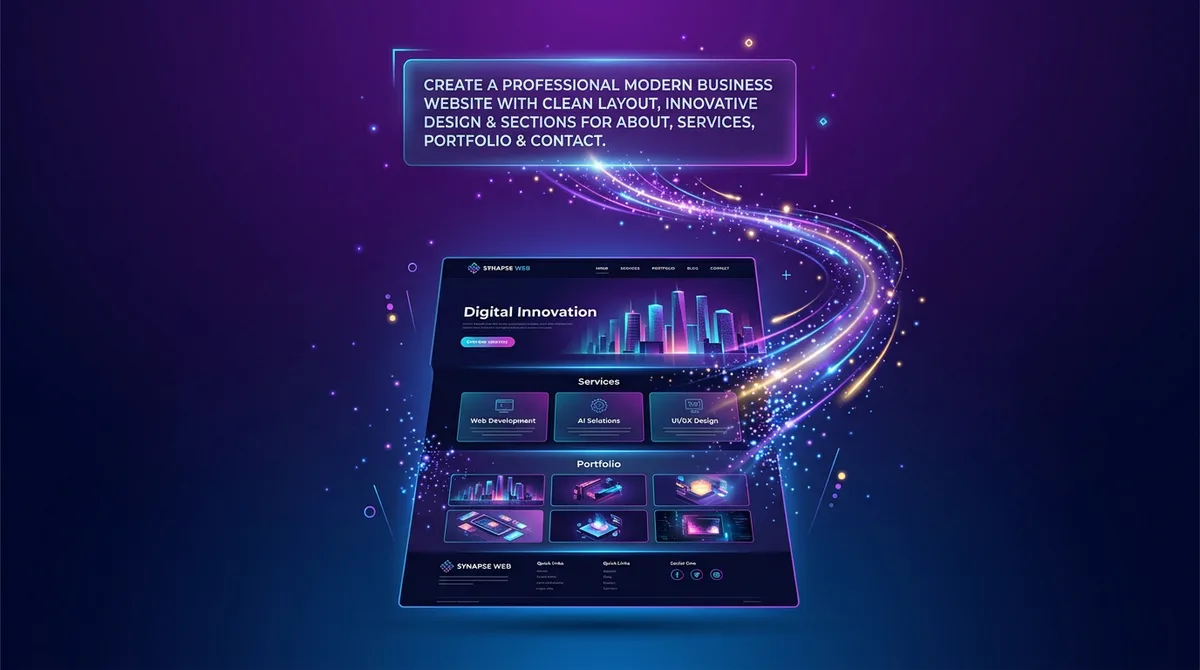
By the end of this guide, you will understand how AI website builders work, how to write effective prompts, how to customize your site, and how to publish it live on your own domain.
What Is an AI Website Builder?
An AI website builder is a tool that generates a complete website from a text description. Instead of dragging and dropping pre-made blocks or writing code from scratch, you tell the AI what you want - your business type, your audience, your preferred style - and it creates the website for you.
Behind the scenes, the AI generates a complete, professional website using modern web technologies. The result is not a limited template locked inside a proprietary platform. It is a real website with unique design, responsive layout, and polished content - built specifically for your description.
The key difference from traditional website builders like Wix or Squarespace is that AI does not force you into a pre-made mold. Every website it generates is unique because it is built from scratch based on your specific description. You can also continue refining it through conversation - just tell the AI what to change, and it updates the code instantly.
Tools like Playcode take this further with agency-style guidance - the AI asks clarifying questions and helps refine your idea before building. You get a live preview as the AI works, vibe coding capabilities for iterating through conversation, and a visual editor where you can click on any element to change it.
Step 1: Describe Your Website
The first step is the most important one. You need to tell the AI what kind of website you want. Think of this as briefing a designer - the more context you provide, the better the result.
When you open Playcode, you will see a chat interface. Type your description in plain English. Here is a basic example:
Create a website for a coffee roastery called "Summit Beans." We roast single-origin coffee beans and sell them online. The vibe should be warm, modern, and earthy. Include a home page, about page, product showcase, and contact page.
That prompt will produce a solid website. But you can get significantly better results by adding more detail. Here are the key things to include in your description:
Your business and what it offers
Be specific about your products or services. Instead of "I sell clothes," try "I sell handmade linen clothing for women, focused on minimalist Scandinavian design." The AI uses these details to generate appropriate content, choose the right visual tone, and structure pages that make sense for your business.
Your target audience
Knowing who the website is for helps the AI choose the right language, layout complexity, and visual style. A website targeting corporate executives will look very different from one targeting college students or young parents.
Design preferences
Mention colors, mood, and style. "Clean and minimal with lots of white space" gives a very different result than "bold, colorful, and energetic." If you have specific brand colors, include their hex codes. You can also reference websites you admire: "I like the clean feel of Apple's website" gives the AI a strong visual direction.
Pages and sections you need
List the pages explicitly: home, about, services, pricing, contact, blog, FAQ. For each page, you can mention what content should be there. "The pricing page should have three tiers: Starter at $29/month, Professional at $79/month, and Enterprise with custom pricing."
Here is an example of a detailed prompt that will produce excellent results:
Create a website for "Bright Path Tutoring," an online tutoring service for high school students. We offer one-on-one tutoring in math, science, and English. Our tutors are college graduates with teaching experience. Target audience is parents of students aged 14-18. The website should feel trustworthy, professional, and approachable. Use a blue and white color scheme. Include a home page with hero section and testimonials, a "How It Works" page, a pricing page with three plans, an "Our Tutors" page, and a contact page with a booking form.
Step 2: Review What AI Generated
After you submit your description, the AI gets to work. In Playcode, you will see the website appear in the live preview panel as it is being built - in real time. This typically takes 30-60 seconds for a multi-page site.
Here is what to look for when reviewing the initial output:
- Overall structure - Does the page layout make sense? Are the right sections in the right order? The hero section should be prominent, navigation should be clear, and the content flow should feel natural.
- Content quality - The AI generates placeholder text tailored to your business. Read through it. Is the tone right? Does it accurately describe what you offer? Some of this text might be usable as-is; other parts you will want to rewrite.
- Visual design - Check the colors, fonts, spacing, and overall aesthetic. Does it match what you described? Is it visually balanced? Does it look professional on both desktop and mobile?
- Navigation - Click through the pages. Do all links work? Is the menu structure logical? Can a visitor find what they need within two clicks?
- Responsive design - Resize your browser window or use the responsive preview toggle to check how the site looks on different screen sizes. AI-generated websites are typically responsive out of the box, but it is worth verifying.
Do not expect perfection on the first generation. Think of the AI output as a strong first draft - often 70-80% of the way there. The next step is where you refine it into something you are fully happy with.
Step 3: Customize and Refine
This is where your website goes from "good" to "yours." Playcode gives you three ways to make changes, and the best approach is to use all three depending on the situation.
Use AI chat for structural changes
For bigger changes - adding new sections, rearranging the layout, changing the overall color scheme, or adding entire new pages - the fastest approach is to tell the AI what you want.
Add a testimonials section to the home page with three customer quotes. Make the hero section taller. Add a FAQ page with 8 common questions about our tutoring service.
The AI updates the code and you see the changes instantly in the preview. You can go back and forth as many times as you need. Each message refines the website further.
Use visual editing for quick fixes
For small text changes, color tweaks, or font adjustments, visual editing is faster than typing a prompt. Click on any element in the preview and edit it directly. Change a headline, fix a typo, adjust padding - it works like editing a document.
Let AI generate images and icons
Playcode can automatically generate images, icons, and logos for your website. Instead of hunting for stock photos or hiring a graphic designer, describe what you need and the AI creates visuals that match your brand. This is especially useful for hero images, feature icons, and brand logos.
You can also paste a competitor's URL and tell Playcode to modernize the style or draw inspiration from it. This gives you a strong visual starting point without starting from scratch. And if you need deeper customization later, you can always hire a developer - your site is built with standard web technologies, not proprietary formats.
Step 4: Connect Your Domain and Publish
Once you are happy with your website, it is time to make it live. Publishing with Playcode takes a single click.
You have two options for your website address:
- Included subdomain - Your site gets a URL like
yoursite.playcode.io. This is included and works immediately. It is a good option for personal projects, testing, or when you are still deciding on a domain name. - Custom domain - Connect your own domain name like
www.yourbusiness.com. You will need to purchase a domain from a registrar (like Namecheap, Google Domains, or Cloudflare) and then point it to Playcode. The setup takes a few minutes and Playcode handles the SSL certificate automatically.
After publishing, your website is live on the internet. It loads fast, works on all devices, and is served over HTTPS. You can continue making changes at any time - just edit in Playcode and republish with one click.
AI vs Traditional Website Building
If you are still deciding whether AI is the right approach for your website, here is how it compares to the traditional methods.
| AI Website Builder | Hiring a Developer | Template Builder (Wix, Squarespace) | Coding It Yourself | |
|---|---|---|---|---|
| Time to launch | 5-30 minutes | 2-8 weeks | 1-3 days | 1-4 weeks |
| Cost | $21/year - $25/month | $2,000 - $20,000+ | $15 - $50/month | Free (your time) |
| Coding skills needed | None | None (you hire someone) | None | Advanced |
| Design uniqueness | High - built from scratch | High - custom designed | Low - shared templates | High - fully custom |
| Portability | Yes - export and host anywhere | Full (if contracted) | None - locked in | Full |
| Ease of changes | Instant - describe changes in chat | Slow - depends on developer availability | Moderate - within template limits | Fast if you know the code |
| Flexibility | High - any layout or feature | Unlimited | Limited to template options | Unlimited |
AI website builders offer the best balance of speed, cost, and quality for most people. You get a custom-designed website in minutes without spending thousands of dollars or learning to code. And with Playcode, you get agency-style guidance that ensures the result is right for your specific situation.
The main scenario where hiring a developer still makes sense is when you need highly complex functionality - custom e-commerce logic, integrations with internal business systems, or applications with complex user accounts and workflows. For everything else, AI gets you there faster and cheaper.
Tips for Getting the Best Results from AI
The quality of your AI-generated website depends heavily on how you communicate with the AI. Here are practical tips that make a real difference.
Be specific, not vague
"Make it look good" gives the AI almost nothing to work with. "Use a dark color scheme with emerald green accents, clean sans-serif fonts, and generous white space between sections" gives it a clear direction. The more specific your description, the closer the first output will be to what you want.
Describe the purpose, not just the appearance
Tell the AI what each page or section should accomplish. "The pricing page should make it easy to compare plans and push users toward the Professional tier" is more useful than "add a pricing page." When the AI understands the goal, it can make better design and content decisions.
Iterate in small steps
Do not try to describe your entire perfect website in one massive prompt. Start with the basics, review the result, then refine. "Add a sticky header" is one prompt. "Change the hero image to a gradient background" is another. Small, focused changes are more reliable than rewriting everything at once.
Use reference points
Mentioning websites or brands you admire gives the AI powerful context. "I want the typography feel of Medium" or "the product grid should look similar to how Notion displays their templates" communicates more than paragraphs of abstract description.
Try different AI models
Playcode supports 15+ AI models including Claude, GPT-4, and Gemini. Different models have different strengths when it comes to design aesthetics, code quality, and creativity. If the first result is not quite right, try switching models before rewriting your prompt. You might find that one model consistently produces results closer to your taste.
What Types of Websites Can AI Build?
AI website builders handle a surprisingly wide range of website types. Here are the most common ones, with notes on what to expect.
Business websites
The most popular use case. Whether you run a restaurant, consulting firm, dental practice, or fitness studio, AI can generate a professional multi-page website with all the standard sections: hero, services, about, team, testimonials, and contact. These tend to come out well on the first try because there are clear conventions the AI has learned from millions of existing business websites.
Portfolios
Designers, photographers, writers, and freelancers need websites that showcase their work. AI excels at creating clean portfolio layouts with image grids, project case studies, and about sections. Mention your field specifically - a photography portfolio needs a very different layout than a UX design portfolio.
Landing pages
Single-page websites designed to convert visitors into customers or leads. AI is particularly good at these because landing pages follow well-established patterns: headline, value proposition, features, social proof, and call to action. Describe your offer and your audience, and the AI will structure a high-converting page.
E-commerce and product showcases
AI can build product catalog pages, pricing tables, and shopping interfaces. For simple e-commerce (displaying products with prices and a "buy" button that links to a payment page), AI handles it well. For full-featured online stores with cart management, inventory tracking, and checkout flows, you may need to integrate additional tools or have a developer extend the AI-generated foundation.
Blogs and content sites
AI generates clean, readable blog layouts with proper typography, navigation, and content structure. You can describe the categories, the visual style, and the type of content, and the AI will create a layout optimized for reading.
Event and campaign pages
Need a website for a conference, product launch, wedding, or fundraiser? These are typically single-purpose sites with a clear deadline and call to action. AI builds them quickly, and the short lifespan means you do not need to worry about long-term maintenance.
Frequently Asked Questions
How long does it take to create a website with AI?
The AI generates your initial website in under a minute. Most people spend an additional 5-20 minutes customizing the design, refining the content, and adding their own images and branding. From opening the tool to having a published website, the entire process typically takes 10-30 minutes.
Do I need coding skills to create a website with AI?
No. You describe what you want in plain English, and the AI handles all the technical work. Playcode guides you like a design agency would - asking clarifying questions and helping refine your idea. Visual editing lets you click on any element to change it without writing code.
Is an AI-built website good enough for a real business?
Yes. AI-generated websites use the same professional technologies (React, Tailwind CSS, modern JavaScript) that developers use for client projects. The sites are responsive, fast, and production-ready. Many businesses use AI-built websites as their primary online presence. The quality of the output depends on the quality of your input - a detailed, specific prompt produces professional results.
Can I edit the website after the AI creates it?
Absolutely. You can edit through AI chat (describe what to change) or through visual editing (click and modify any element directly). There is no limit to the number of changes you can make. Your website is a living project, not a one-time generation.
Will my AI-generated website rank on Google?
AI-generated websites produce clean, semantic HTML that search engines can crawl and index. Playcode generates proper heading structures, meta tags, and responsive layouts - all factors that contribute to SEO. However, ranking well on Google also depends on your content quality, backlinks, domain authority, and keyword strategy. The AI gives you a technically sound foundation; you still need good content and an SEO strategy.
Can I use my own domain name?
Yes. You can connect any custom domain to your Playcode website. You can also start with an included yoursite.playcode.io subdomain and add a custom domain later. SSL certificates are included automatically.
What happens if I want to move my website to a different host later?
Playcode does not lock you in. You can export your entire website and host it anywhere - on Vercel, Netlify, AWS, your own server, or any other hosting provider. Your site is built with standard web technologies, so you always have the freedom to move.
Start Creating Your Website
The barrier between having an idea for a website and having an actual website has never been lower. You do not need to learn to code. You do not need to hire anyone. You do not need to spend days wrestling with templates.
Open Playcode, describe the website you want, and watch it appear in front of you. Customize it until it feels right. Publish it when you are ready. The entire process takes less time than most meetings.
If this is your first time creating a website, you might also find our step-by-step guide to building a website with AI helpful for a more condensed walkthrough. And if you want to understand the technical side of how AI generates code from text descriptions, read about vibe coding - the conversational approach to software development that powers modern AI builders.
Your website is one prompt away. Go create it.