Not every website needs ten pages, a blog, and a complex navigation menu. Sometimes you need one page that says exactly what you do, shows your best work, and gives visitors a single clear action to take. A one-page website does this perfectly - and with AI, you can build one in seconds instead of hours.
One-page websites have exploded in popularity because they work. They load fast, they focus visitor attention, and they convert better than sprawling multi-page sites for many use cases. Portfolios, event promotions, product launches, personal brands, coming soon pages - all of these are better served by a single, well-crafted page than a generic five-page template.
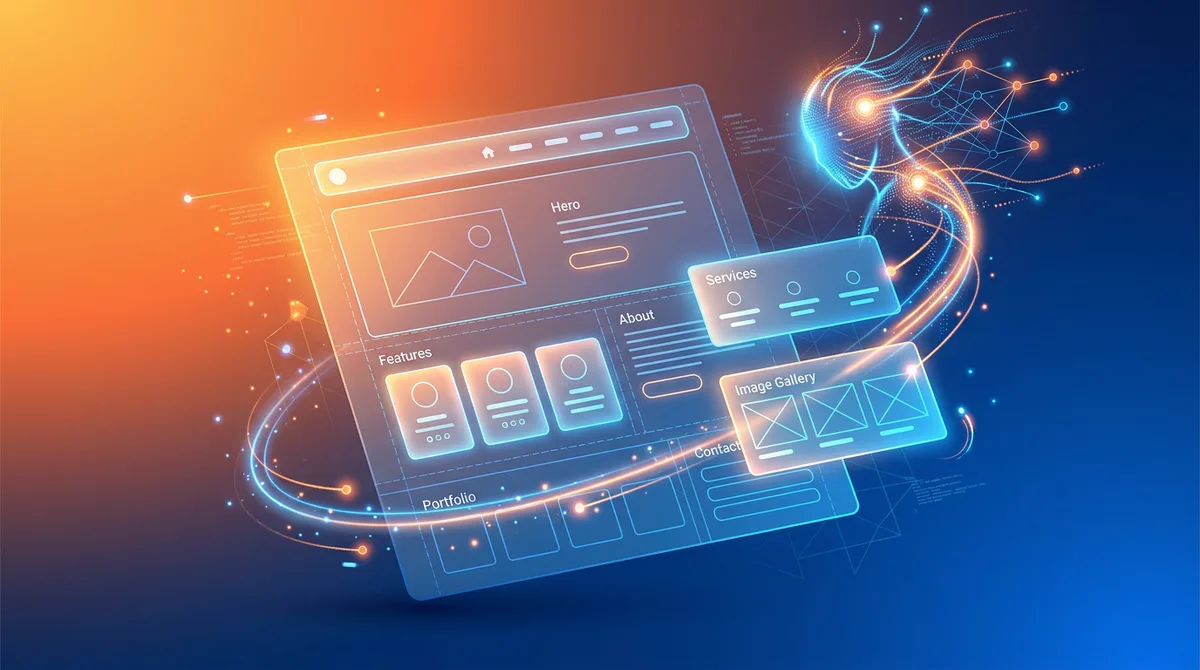
The challenge was always design. A one-page site needs to be visually compelling because everything lives on that single scroll. With an AI website builder, you describe what you need, and AI creates a polished one-page site with smooth sections, responsive design, and a clear visual hierarchy. No design skills needed. No templates to wrestle with. Just your idea, turned into a live website.
When One-Page Websites Work Best
One-page sites are not for everyone, but for the right use cases, they outperform multi-page sites in every metric - conversion rate, bounce rate, time on page, and user satisfaction. Here is where they shine:
Portfolios and Creative Showcases
Designers, photographers, illustrators, and developers use one-page sites to showcase their best work in a curated scroll. Visitors see your strongest pieces without clicking through multiple gallery pages. The format itself communicates something about you: confident, focused, and respectful of people's time. A photographer's portfolio that scrolls through 15 stunning images with a contact form at the bottom converts better than a complex site with nested galleries.
Events and Conferences
An event page needs to answer: what, when, where, who, and how to register. That is five sections on one page. Visitors scroll from the event description to speakers to schedule to venue details to registration - a natural flow that multi-page sites break by forcing clicks between each section. One-page event sites have higher registration rates because the path from "What is this?" to "I am in" has zero friction.
Product Launches and Pre-Launch Pages
Launching a new product? A one-page site with the product story, key features, pricing, and a buy button (or waitlist signup) is all you need. Apple does this for every product launch - a single long-scroll page that builds excitement and ends with a purchase CTA. You can create the same effect with AI in minutes.
Personal Brands and Resumes
Freelancers, consultants, and job seekers use one-page sites as living resumes. Your bio, skills, selected work, testimonials, and contact info - all on a single page that you can share with a link. It is more memorable and professional than a PDF resume and infinitely more flexible than a LinkedIn profile.
Coming Soon and Waitlist Pages
Building something that is not ready yet? A coming soon page with a compelling description and email signup captures interest while you finish building. One page is all you need - a headline, a paragraph about what is coming, and a form to collect emails. AI generates this in seconds.
Restaurant and Cafe Menus
A restaurant does not always need a multi-page website. A single page with the menu, hours, location, photos, and a reservation link covers everything a hungry customer needs. The one-page format works especially well for mobile - customers searching "Italian restaurant near me" want instant answers, not a navigation maze.
Building a One-Page Site with Playcode: Step by Step
Here is exactly how to go from idea to a live one-page website using Playcode. The entire process takes under 10 minutes.
- Describe your page in one paragraph: Tell the AI what the page is for, who it is for, and what you want visitors to do. Be specific. For example: "I am a freelance UX designer based in Berlin. I need a one-page portfolio site with a brief intro about me, a grid of my 8 best projects with thumbnails, a skills section, client testimonials, and a contact form. Modern, minimal, dark theme."
- Review the generated page: Playcode's AI creates your complete one-page site in seconds - hero section, content blocks, visual styling, responsive layout. Scroll through it on desktop and mobile to check the flow.
- Refine the sections: Tell the AI what to adjust. "Make the project grid 3 columns instead of 2." "Add a subtle scroll animation between sections." "Change the accent color to teal." Each instruction updates the page immediately.
- Replace placeholder content: Swap in your real text, images, links, and contact details. The AI gives you a perfect structure - you fill it with your actual content.
- Connect your domain: Point yourdomain.com to your new page. Playcode provides an included subdomain while you set this up, so you can share your site immediately.
- Publish: One click. Your one-page site is live and ready to share.
Pro tip: The best one-page sites follow a storytelling arc: hook (hero section), context (what you do), proof (work examples or testimonials), and action (contact or buy). When writing your AI prompt, structure your description in this order and the output will have a natural flow.
One-Page Site Anatomy: What Makes It Convert
A one-page website is not just a multi-page site crammed onto one scroll. It has its own design principles and conversion logic. Here is what the best one-page sites include:
Hero Section
The first thing visitors see. It needs to communicate who you are, what you do, and why it matters - in under 5 seconds. A strong headline, a one-line subheading, and a clear CTA button. Background image or video optional but effective. This section determines whether visitors scroll or leave.
Social Proof
Testimonials, client logos, stats, or review badges. Place these early - ideally the second section after the hero. Visitors need reassurance before they invest time scrolling through the rest of your content. Three short testimonials outperform one long one.
Content Sections
The body of your page. For a portfolio, this is your work. For a product, these are features and benefits. For an event, it is speakers and schedule. Each section should have a clear heading, be visually distinct from adjacent sections (alternating backgrounds work well), and flow logically into the next.
Sticky Navigation
Even on a one-page site, visitors need orientation. A sticky header with anchor links to each section lets users jump to what interests them. It also signals the page's structure at a glance. AI builders like Playcode generate this navigation automatically based on your sections.
Call to Action
The final section - and the whole point of the page. A contact form, a buy button, a signup field, a calendar booking link. Make it obvious, make it simple, and make it the natural conclusion of everything above it. The best one-page sites repeat the CTA 2-3 times: once in the hero, once mid-page, and once at the bottom.
AI One-Page Builder vs Other Options
How does using AI compare to other ways of building a one-page site?
| Option | Cost | Time | AI Design Experience | Design Quality | Customization |
|---|---|---|---|---|---|
| Playcode (AI) | From $21/yr | Minutes | Premium AI agent | Professional | Unlimited |
| Carrd | $19/yr | 30 min | No | Template-based | Limited |
| Linktree/Bio sites | $5-24/mo | 10 min | No | Basic | Minimal |
| Freelance designer | $500-3,000 | 1-2 weeks | Usually | Custom | Full |
| Code it yourself | $0-10/mo | Hours-days | Full | Varies | Full |
Playcode hits the sweet spot: a premium AI design agency experience with the speed of a template builder. Unlike Carrd or Linktree, you are not constrained by a rigid template system - the AI agent clarifies your ideas and creates something unique. Unlike hiring a designer, you get results in minutes at a fraction of the cost. Click anything to edit it visually, and the AI generates images and icons automatically.
One-Page SEO: Ranking with a Single URL
Can a one-page website rank on Google? Yes, but you need to approach SEO differently than a multi-page site.
The One-Page Advantage
All your content, backlinks, and authority concentrate on a single URL. There is no dilution across dozens of pages. For a focused keyword - "Berlin UX designer" or "2026 AI conference Austin" - a one-page site can rank faster than a multi-page site because Google sees one authoritative page instead of scattered signals across many pages.
The One-Page Limitation
You can only realistically target 1-3 keywords. A multi-page site can rank for hundreds of keywords across different pages. If you need to rank for many different search terms, a one-page site is not the right format. But for a single brand, product, or event - one page is often the optimal approach.
SEO Best Practices for One-Page Sites
- One clear H1: Your main heading should contain your primary keyword. Only use one H1 on the page.
- Section headings as H2s: Each section gets an H2 with relevant secondary keywords. This gives Google a clear picture of your page structure.
- Fast loading: One-page sites should load in under 2 seconds. Since all content is on one page, lazy-load images below the fold and keep your code lean. Playcode's AI output is optimized for speed by default.
- Mobile-first: Google uses mobile-first indexing. Your one-page site must be flawless on phones. Sections should stack cleanly, text should be readable without zooming, and buttons should be easy to tap.
- Internal linking from other pages: If you have other web properties, link to your one-page site. This builds authority and helps Google discover and rank it.
Text to Website: The Fastest One-Page Workflow
The fastest way to create a one-page site is Playcode's text-to-website feature. You type a description, and AI generates a complete, styled, responsive page. No clicking through templates. No dragging elements around. Just words in, website out.
Here are example prompts that produce excellent one-page sites:
- Portfolio: "One-page portfolio for a product designer. Dark theme, minimal. Hero with name and title, 6-project grid with hover effects, about section, skills list, testimonial carousel, contact form."
- Event: "Landing page for a tech conference called 'FutureStack 2026' on September 15 in San Francisco. Hero with countdown timer, speaker lineup with photos, schedule with two tracks, venue map, sponsor logos, early-bird ticket CTA."
- Product launch: "One-page site for a new wireless noise-canceling headphone called 'SoundPure Pro'. Premium feel, lots of white space. Hero with product image, key features with icons, comparison to competitors, customer reviews, pricing section with buy button."
- Restaurant: "Single-page website for 'Nori Sushi Bar' in Portland. Elegant, dark background with warm accent colors. Sections: hero with food photo, about the chef, menu highlights, gallery, location and hours, reservation button."
Each of these prompts produces a complete, professional one-page site in seconds. You refine it with follow-up instructions, add your real content, and publish. The entire workflow is under 10 minutes for most people.
The AI Agency Advantage
Most one-page website builders - Carrd, Linktree, About.me - lock you into their platform. You get a rigid template system with limited customization. You are renting a page, not creating something truly yours.
With Playcode, the AI agent works like a premium design agency. It clarifies your ideas, creates wireframes, and builds your page with a level of care that template builders cannot match. Here is why this matters:
- Visual editor: Click anything on your page to edit it directly. Change colors, spacing, text, images - no menus to navigate, no settings panels to find. Just click and change.
- Auto-generated assets: The AI creates images, icons, and logos automatically as part of the design process. No need to source assets from stock photo sites or hire a graphic designer separately.
- No vendor lock-in: Export your site and host it anywhere - Netlify, Vercel, your own server, any hosting provider. If Playcode disappeared tomorrow, your site would still be yours.
- Voice input in any language: Describe changes using professional voice input - speak in English, Spanish, Japanese, or any language. The AI understands and implements your requests instantly.
One-Page vs Multi-Page: Making the Right Choice
Before building, make sure a one-page site is actually what you need. Here is the decision framework:
Choose One-Page When:
- You have a single, focused message or call to action
- Your content fits comfortably in 5-8 sections
- Visitors need to understand everything without navigating
- You want maximum conversion on one specific goal
- Speed of creation matters (launching an event, product, or campaign quickly)
- You are targeting 1-2 specific keywords
Choose Multi-Page When:
- You need a blog or regularly updated content
- You sell multiple products that each need dedicated pages
- You need to rank for many different keywords (SEO breadth)
- Your content is too extensive for a single comfortable scroll
- You need separate sections with complex functionality (booking system, member portal)
Many businesses start with a one-page site and expand later. This is a smart approach - launch fast with one page, validate your idea, then grow into a multi-page site when the need is clear. With Playcode, expanding from one page to many is straightforward - just tell the AI agent to add new pages, and the visual editor keeps everything consistent.
Real Examples: One-Page Sites That Work
Freelancer Portfolio
A freelance developer creates a one-page portfolio with Playcode: hero section with name and specialization, a grid of 6 recent projects, a brief about section, tech stack badges, two client testimonials, and a contact form. Total creation time: 8 minutes. The result looks like a $1,500 custom design. They share the link in job applications and client proposals. Having their own site with a custom domain signals professionalism that a LinkedIn profile cannot match.
Product Launch
A startup launching a new SaaS tool needs a landing page fast. They use Playcode to generate a one-page site with a compelling hero, feature highlights, pricing comparison, customer testimonials, and a signup CTA. They run ads pointing to this page. Within a week, they have 500 signups. The one-page format keeps visitors focused on one action: signing up.
Event Promotion
A community organizer creates a page for a local tech meetup: event name and date in the hero, speaker bios, schedule, venue with embedded map, sponsor logos, and a registration button connected to Eventbrite. The single-page format means attendees get all the information in one scroll and register without navigating away. Registration rate: 40% of page visitors.
Personal Brand
A consultant builds a one-page personal site: professional headshot and tagline in the hero, three core services with descriptions, selected case studies, media mentions, a speaking reel embed, and a calendar booking link. They use it as their email signature link and social media bio URL. The focused format means every visitor sees their complete story without getting lost in navigation.
FAQ
What is the best AI one-page website builder?
Playcode is the best AI one-page website builder because the AI agent works like a premium design agency - it clarifies your ideas, creates a polished single-page site, and lets you click anything to edit it visually. Unlike template-based tools like Carrd, Playcode creates unique designs tailored to your description and generates images and icons automatically. Starts at $21/year (annual) or $25/month with AI credits included to start.
When should I use a one-page website instead of a multi-page site?
One-page websites work best for portfolios, event promotions, product launches, personal brands, coming soon pages, and any situation where you have a single clear message or call to action. If your content fits in 5-8 sections and you are targeting 1-2 keywords, a one-page site is likely the better choice. If you need a blog, multiple product pages, or to rank for many keywords, go with a multi-page site.
Can a one-page website rank on Google?
Yes, but with a focused strategy. One-page sites concentrate all authority on a single URL, which can rank well for 1-3 targeted keywords. For a specific brand name, product, or event, one-page SEO works well. The limitation is breadth - you cannot target dozens of keywords like a multi-page site can. Playcode generates fast-loading pages that give one-page sites a speed advantage that helps with rankings.
How much does a one-page website cost to build?
With an AI builder like Playcode, a one-page website costs as little as $21/year on the annual plan, or $25/month. Hiring a designer for a custom one-page site typically costs $500-3,000. Template builders like Carrd charge $19/year but offer limited customization. Playcode gives you a premium AI design agency experience with a visual editor and auto-generated images - all at a fraction of the cost of hiring a real agency.
Can I expand a one-page site into a multi-page site later?
Yes, and this is one of the smartest ways to launch. Start with a focused one-page site, get it live, validate your idea, then expand. With Playcode, just tell the AI agent to add new pages and it handles the rest. You are not starting over - you are growing what you already have. If you ever need a developer, you can export the project at any time.
Do I need any technical skills to use a one-page website builder?
No. With Playcode, you describe your page in plain English - or use voice input in any language - and the AI generates everything. No coding, no design skills, no template configuration. The visual editor lets you click anything to change it. Start simple, and the AI handles the complexity for you.
Build Your One-Page Site Now
A one-page website is the fastest way to establish a professional web presence. Whether you are showcasing your portfolio, promoting an event, launching a product, or building your personal brand, a single focused page outperforms a generic multi-page template every time.
Try Playcode's AI website builder - describe your one-page site in a sentence, watch AI build it in seconds, and publish it today. No credit card required to get started. No coding needed. Just your idea and 60 seconds.