You started a business to do what you love - not to learn web development. But every small business needs a website, and hiring a designer costs $2,000 to $10,000+. That used to be your only option for a professional result. Not anymore.
AI website builders let small business owners create professional, mobile-friendly websites in minutes instead of weeks. You describe what you need in plain English. AI builds it. You publish. Done.
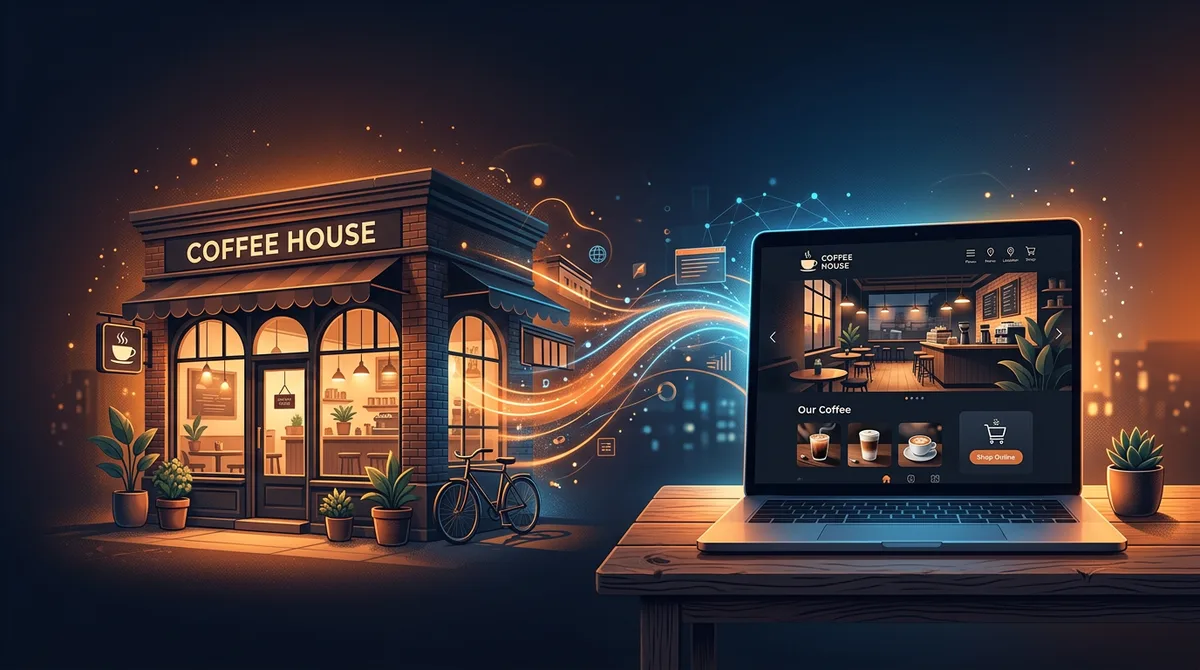
This guide covers everything you need to know: which AI website builder is best for small business, what features matter, how to get started, and how to make sure your site actually brings in customers.
Why Small Businesses Are Switching to AI Website Builders
The old way of building a small business website had three options, and none of them were great:
- Hire a web designer ($2,000-10,000+): Professional results, but expensive and slow. Most small businesses cannot justify this cost, especially when starting out.
- DIY with a template builder ($15-30/month): Cheaper, but you spend hours fighting drag-and-drop editors. The result looks like every other template site.
- Do nothing: Surprisingly common. Nearly 30% of small businesses still have no website because the other options feel too expensive or too complicated.
AI website builders change this equation completely. Instead of dragging boxes around a screen or paying thousands for a designer, you describe your business in a few sentences. The AI creates a complete, professional website - layout, content, images, mobile responsiveness - all in minutes.
The cost? Typically $15-25/month, with no upfront investment. And unlike template builders, AI creates something unique for your business rather than giving you the same layout as everyone else.
The shift is happening fast. Small business owners who were previously priced out of having a professional web presence can now compete with bigger companies. A local bakery's AI-built site can look just as polished as a chain restaurant's $15,000 custom build.
What to Look for in an AI Website Builder
Not all AI builders are created equal. Here is what actually matters for a small business:
Must-Haves
- Custom domain support: Your site should live at yourbusiness.com, not something.buildername.com. A custom domain looks professional and builds trust with customers.
- Mobile-responsive design: Over 60% of web traffic comes from phones. If your site does not look great on mobile, you are losing customers.
- Fast loading speed: Google penalizes slow sites in search rankings, and visitors leave if a page takes more than 3 seconds to load. Your builder should produce fast, clean code.
- SEO-friendly output: Your website needs to show up when people search for your type of business. That means proper headings, meta tags, clean URLs, and fast performance.
- Affordable pricing: You should not need to spend more than $25/month for a small business website. Anything over $50/month and you are overpaying.
Nice-to-Haves
- AI guidance: The best builders work like a design agency - they ask clarifying questions, suggest improvements, and guide you to the right result instead of just executing whatever you type.
- AI editing and iteration: The best builders let you refine your site with follow-up instructions like "make the header darker" or "add a testimonials section."
- No platform lock-in: If you can export your site, you are never stuck. You can move to any hosting provider if your needs change.
Best AI Website Builders for Small Business
Here is how the top AI website builders compare for small business owners. For a deeper breakdown of each platform, see our full AI website builder comparison.
| Builder | Best For | Custom Domain | Code Export | SEO | Price |
|---|---|---|---|---|---|
| Playcode | Full control + ease | Yes | Full (ZIP) | Excellent | $21/mo |
| Wix AI | Beginners | Yes | No | Basic | $17/mo |
| Squarespace AI | Visual brands | Yes | No | Good | $16/mo |
| Framer | Design-focused | Yes | Limited | Good | $15/mo |
| Webflow | Advanced users | Yes | Full | Excellent | $18/mo |
Playcode - Best Overall for Small Business
Playcode is the best choice for small business owners who want a professional website without the complexity. Describe your business, and Playcode's AI builds a complete site - then guides you through refining it until it is exactly right.
What sets Playcode apart is the agency-style experience. Most AI builders just execute whatever you type. Playcode asks clarifying questions, helps you think through the structure, and generates images and icons automatically. You can click on any element to edit it visually, connect a custom domain, and publish with one click. If you ever need to move, you can export your site.
Price: $21/month. One-click publishing with custom domain included.
Wix AI - Easiest for Absolute Beginners
Wix walks you through a questionnaire, then generates a site based on your answers. It is simple and beginner-friendly, but the results tend to look generic. Every Wix site has that recognizable "Wix look." You also cannot export your site - you are locked to the Wix platform forever.
Price: Free with Wix branding. Paid plans from $17/month.
Squarespace AI - Best for Visual Brands
Squarespace has beautiful templates and their AI helps customize them to your brand. If your business relies on strong visuals - photography, art, fashion - Squarespace makes you look polished. The downside: limited flexibility and no code export.
Price: From $16/month.
Framer - Best for Design-Forward Businesses
Framer produces stunning designs with smooth animations. Great for creative agencies, portfolios, and businesses where design is the product. However, it is template-based and the AI mainly handles content rather than structure. Not ideal if you need custom functionality.
Price: Free for 1 site. Pro from $15/month.
Webflow - Most Powerful but Steepest Learning Curve
Webflow gives you maximum control over every pixel. But that power comes with complexity. It is built for designers and developers, not small business owners who want something quick. The AI features are still basic compared to dedicated AI builders.
Price: Free for 2 projects. Paid from $18/month.
How to Build Your Small Business Website with AI
Here is a simple step-by-step process that works with most AI website builders. We will use Playcode for small business as the example since it covers the full workflow.
- Describe your business: Tell the AI what you do, who your customers are, and what you want the website to accomplish. For example: "I run a family-owned Italian restaurant in Austin, Texas. I need a website with our menu, hours, location, and a way for customers to make reservations."
- Review the first draft: The AI generates a complete website in under a minute. Look at the layout, colors, content, and overall feel.
- Refine with instructions: Tell the AI what to change. "Make the color scheme warmer." "Add a photo gallery section." "Include customer testimonials." Each instruction updates the site immediately.
- Add your real content: Replace placeholder text with your actual business information - real phone number, real address, real menu items, real customer quotes.
- Connect your domain: Point yourbusiness.com to your new site. Most builders make this a one-click process.
- Publish: Hit the publish button. Your site is live and ready for customers.
The entire process takes 15-30 minutes for most small businesses. Compare that to 2-4 weeks with a web designer or an entire weekend wrestling with a template builder.
Pro tip: Before you start, gather your business basics: your business name, what you do in one sentence, your address/service area, phone number, business hours, and 2-3 things that make you different from competitors. Having these ready makes the AI output better on the first try.
Real Use Cases: Small Businesses Built with AI
AI website builders are not just for tech companies. Here are the types of small businesses that benefit the most:
Restaurants and Cafes
A restaurant website needs a menu, hours, location map, and a reservation or ordering system. AI handles all of this in one prompt. You get a site that looks like you paid a designer, but it took 20 minutes instead of 3 weeks. See our restaurant website builder for a detailed walkthrough.
Salons and Spas
Salons need booking functionality, service menus with pricing, before/after galleries, and staff bios. AI can create a stylish, on-brand website that reflects the aesthetic your clients expect. Check out our salon website builder for specifics.
Consulting and Professional Services
Consultants, accountants, lawyers, and coaches need credibility above all else. A clean, professional site with your credentials, services, case studies, testimonials, and a contact form builds trust immediately. Potential clients will Google you before scheduling that first call - and what they find determines whether they reach out.
AI gets the tone right - professional without being stuffy. Describe the feeling you want to convey, and the AI adjusts the design, language, and layout to match. A therapist's site feels different from a corporate consultant's site, and AI understands that distinction.
Retail and Local Shops
Even if you sell primarily in-store, a website helps customers find you, check your hours, browse products, and read reviews. AI can create a storefront site with product showcases and location details in minutes.
Professional Services (Plumbers, Electricians, Contractors)
Service businesses need to show up in local search results. A fast, SEO-optimized website with your service area, contact information, and customer reviews is often the difference between getting the call or losing it to a competitor.
For trade professionals, the website does not need to be fancy - it needs to be findable and trustworthy. Clear service descriptions, your service area, before/after project photos, and an easy way to call or request a quote. AI builders nail this format because it is straightforward to describe and generate.
Cost Comparison: AI Builder vs Web Designer vs DIY
Here is what each option actually costs when you factor in time and money:
| Option | Upfront Cost | Monthly Cost | Time to Launch | Quality |
|---|---|---|---|---|
| AI Website Builder | $0 | $15-25 | 30 minutes | Professional |
| Freelance Designer | $2,000-5,000 | $20-50 (hosting) | 2-4 weeks | Professional |
| Design Agency | $5,000-20,000+ | $50-200 (hosting + support) | 4-12 weeks | Premium |
| DIY Template Builder | $0 | $12-30 | 1-2 weekends | Generic |
| Build It Yourself (Code) | $0 | $5-20 | Weeks to months | Varies wildly |
For most small businesses, an AI website builder provides the best balance of cost, speed, and quality. You get a result comparable to a freelance designer at a fraction of the price and time.
The math is straightforward: if an AI builder costs $21/month and replaces a $3,000 designer project, it pays for itself immediately. Even after a full year ($252), you have spent less than 10% of what a designer would charge - and you can update your site anytime without paying for revisions.
SEO Tips for Your AI-Built Business Website
Building a great-looking website is only half the battle. You need people to find it. Here are the SEO basics every small business owner should handle:
1. Claim Your Google Business Profile
This is free and takes 10 minutes. Your Google Business Profile controls how you appear in Google Maps and local search results. Add your website URL, hours, photos, and business category. This single step drives more local traffic than almost anything else.
2. Use Location-Specific Keywords
Instead of just "plumber," use "plumber in Denver, Colorado" throughout your site. Include your city and neighborhood in your page titles, headings, and content. This helps Google show your site to people searching in your area.
3. Write Unique Page Titles and Descriptions
Every page should have a unique title tag and meta description. Your homepage might be "Joe's Italian Kitchen - Authentic Italian Restaurant in Austin, TX" while your menu page is "Menu - Joe's Italian Kitchen | Pasta, Pizza & More in Austin." AI builders usually generate these for you, but review and customize them.
4. Get Your Site Speed Right
Google measures how fast your site loads and uses it as a ranking factor. AI builders that produce clean code (like Playcode) have an advantage here. Avoid builders that load heavy frameworks or excessive scripts - they slow everything down.
5. Add Your Business to Online Directories
List your business on Yelp, industry-specific directories, and local business directories. Make sure your name, address, and phone number are identical everywhere. These listings create backlinks to your site and improve your local search ranking.
6. Ask Customers for Google Reviews
Reviews directly impact your local search ranking. After a positive interaction, send customers a direct link to leave a Google review. Businesses with more reviews consistently rank higher in local search results.
FAQ
What is the best AI website builder for small business?
Playcode is the best AI website builder for small business owners who want both ease of use and professional results. It works like a premium design agency - clarifies your idea, builds your website, and guides you through refining it until it is exactly right. Visual editing lets you click on any element to change it. Starts at $21/month with custom domain and hosting included.
How much does an AI website builder cost for a small business?
AI website builders range from $15-50/month. Playcode starts at $21/month including AI generation, custom domains, and hosting. This is a fraction of hiring a web designer ($2,000-10,000+). For most small businesses, an AI builder is the most cost-effective way to get a professional website.
Can a small business website built with AI rank on Google?
Yes. AI-built websites are standard HTML, CSS, and JavaScript. Google treats them the same as any website. What matters is the quality of the output: clean code, fast loading, proper SEO structure. Playcode produces clean, optimized code that is inherently SEO-friendly. Combine that with good content and a Google Business Profile and you will rank for local searches.
Do I need any technical skills to use an AI website builder?
No. The entire point of an AI website builder is that you describe what you want in plain English. If you can write an email explaining your business, you can build a website with AI. Technical skills are optional - they let you customize further, but they are not required.
Can I switch from my current website to an AI-built one?
Yes. If you already have a domain name, you simply point it to your new AI-built site. The process takes about 15 minutes. Your email and other services are not affected - you are only changing where your website is hosted.
What if I outgrow my AI-built website?
With Playcode, you are never locked in. You can export your entire website and hand it to a developer for advanced customization anytime. With other builders like Wix or Squarespace, you would need to rebuild from scratch if you outgrow their platform.
Get Your Small Business Online Today
Every day without a website is a day potential customers cannot find you. AI has made it possible to go from zero to a professional website in under an hour, for less than the cost of a business lunch.
Try Playcode's AI website builder - describe your business, let the AI build your site, and publish it today. No coding needed. No designers needed. Just your idea and 30 minutes.