Landing pages are the workhorses of digital marketing. They turn visitors into leads, leads into customers, and campaigns into revenue. But creating a landing page that actually converts has always been a bottleneck - hire a designer, wait for revisions, pay for expensive tools, or settle for a generic template. AI changes all of that. With an AI website builder, you can describe your offer in plain English and have a conversion-optimized landing page ready in minutes, not days.
This guide walks you through everything you need to know about using AI to build landing pages that convert - from the anatomy of a great page to step-by-step instructions, real prompt examples, and best practices that separate high performers from the rest.
What Is an AI Landing Page Builder?
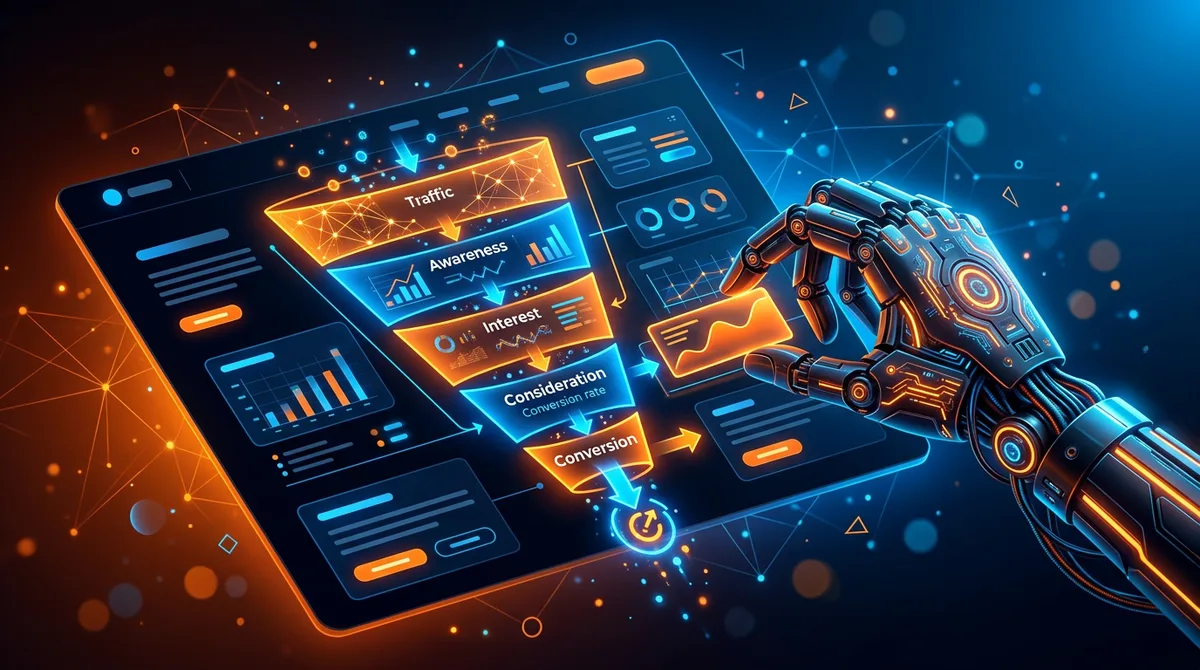
An AI landing page builder is a tool that generates complete, ready-to-publish landing pages from text descriptions. Instead of dragging blocks around or writing code from scratch, you tell the AI what your product is, who your audience is, and what action you want visitors to take. The AI generates the entire page - layout, copy, styling, and structure - using proven conversion patterns.
Unlike traditional page builders that give you a blank canvas or a rigid template, AI builders like Playcode's landing page builder create custom pages tailored to your specific offer. The AI understands marketing principles: it knows how to structure a hero section, where to place social proof, how to write benefit-driven copy, and when to insert calls to action. The result is a page that looks like it was designed by a conversion specialist - because in a way, it was.
What makes modern AI landing page builders particularly powerful is the agency-style experience. Playcode does not just execute your prompt - it asks clarifying questions, helps you refine your offer, and generates a page with proven conversion patterns. You can click on any element to edit it visually, and the AI even generates custom images and icons to match your brand.
What Makes a High-Converting Landing Page
Before you prompt AI to build anything, it helps to understand what separates a landing page that converts at 3% from one that converts at 15%. Every high-performing landing page shares the same core anatomy, regardless of industry or offer.
Hero section
The hero is the first thing visitors see - and you have roughly 5 seconds to convince them to stay. A strong hero includes a clear headline that communicates your value proposition, a supporting subheadline that adds context, and a prominent call-to-action button. The best heroes answer one question immediately: "What's in it for me?"
Benefits section
Features tell, benefits sell. This section translates what your product does into why it matters. Instead of "Cloud-based storage," you write "Access your files from anywhere, on any device." Typically structured as 3-4 cards or columns with icons, short titles, and one-line descriptions. Keep it scannable - most visitors skim rather than read.
Social proof
Testimonials, customer logos, case study snippets, review scores, or user counts. Social proof reduces anxiety and builds trust. The most effective social proof is specific: "We increased signups by 47% in the first month" beats "Great product!" every time. If you have numbers, use them. If you have recognizable brand logos, display them.
Call to action (CTA)
A landing page should have one primary action. Not three. Not five. One. Whether it's "Start Free Trial," "Book a Demo," or "Get the Guide," your CTA should appear multiple times on the page - in the hero, after the benefits, and at the bottom. Use action-oriented, specific language. "Get My Free Report" outperforms "Submit" by a wide margin.
Urgency and scarcity
Countdown timers, limited-time offers, "Only 12 spots left" messaging - these elements push visitors from "I'll think about it" to "I'll do it now." Use them honestly. Fake urgency damages trust. Real urgency - a genuine deadline, limited inventory, early-bird pricing - drives action without manipulation.
When you understand these building blocks, you can give your AI much better instructions. The AI already knows these patterns, but being explicit about which elements you want ensures you get exactly the page you need.
How to Create a Landing Page with AI
Here's a step-by-step walkthrough using Playcode. The entire process takes about 10-15 minutes from start to published page.
Step 1: Define your goal
Before you type a single word, get clear on what this page needs to accomplish. Landing pages serve different purposes, and the structure changes accordingly:
- Lead generation - collect emails, phone numbers, or demo requests
- Product launch - build excitement and capture early interest
- Event registration - drive signups for webinars, conferences, or workshops
- Direct sales - sell a product or service directly from the page
- App download - drive installs from mobile or desktop users
Your goal determines the CTA, the content hierarchy, and the overall tone. A lead-gen page for a B2B SaaS product looks very different from a launch page for a new sneaker brand.
Step 2: Describe your offer to the AI
Open Playcode and describe your landing page in the chat. Be specific about your product, audience, and desired action. The more context you provide, the better the result. Here's what to include:
- What you're offering - product, service, lead magnet, or event
- Who it's for - target audience, their pain points, what they care about
- What action you want - sign up, buy, download, register
- Tone and style - professional, playful, minimalist, bold
- Specific sections - hero, features, pricing, testimonials, FAQ
Hit send and watch the AI build your page in real-time. You'll see the live preview update as each section is generated - hero, benefits, social proof, CTA, and footer, all in under a minute.
Step 3: Customize the design
The AI gives you a strong first draft, but landing pages are all about details. Use the chat to request changes - "Make the hero background darker," "Add a pricing comparison table," or "Change the CTA text to Get Early Access." You can also click on any element in the preview to edit it visually - change text, swap colors, adjust spacing. This visual editing makes fine-tuning fast and intuitive.
Step 4: Add your real content
Replace placeholder text with your actual copy. Upload your product screenshots, team photos, or logo. Add real testimonials from customers. The AI-generated copy is a solid starting point - it follows copywriting best practices - but your authentic voice and real data always convert better than generic text.
Step 5: Publish and test
Connect your custom domain or use an included Playcode subdomain. Publish with one click. Your landing page is live, fast, and mobile-responsive. From here, monitor your conversion rate and iterate. Need an A/B variant? Just ask the AI to create an alternative version with a different headline or layout.
Landing Page Prompt Examples
The quality of your landing page depends heavily on the quality of your prompt. Here are concrete examples for different use cases that you can adapt for your own projects.
SaaS product launch
Create a landing page for "TaskFlow," a project management tool for remote teams. Target audience: startup founders and team leads who are frustrated with Jira's complexity. Value proposition: simple task management that takes 2 minutes to set up, not 2 weeks. Include a hero with headline and CTA "Start Free Trial," a 3-column benefits section (simplicity, speed, integrations), a screenshot showcase, customer testimonials, pricing table with Free and Pro tiers, and an FAQ. Modern, clean design with a blue and white color scheme.
Local business
Build a landing page for "Fresh Roots," a farm-to-table restaurant in Austin, Texas. We want to promote our weekend brunch menu and drive reservations. Target audience: foodies aged 25-40 who care about locally sourced ingredients. Include a hero with a warm food photo background, the brunch menu highlights, chef's story section, customer reviews from Google, a reservation form (name, email, date, party size), and location map embed. Earthy, warm aesthetic - greens, cream, and wood tones.
Event registration
Create a landing page for "DesignCon 2026," a 2-day virtual design conference on April 15-16. Target audience: UI/UX designers and product managers. Include a hero with event name, dates, and "Register Free" CTA. Add a speaker lineup section with 6 speaker cards (photo, name, title, talk topic), an agenda/schedule section for both days, sponsor logos, an early-bird pricing section ($0 free tier, $49 VIP with recordings), and a countdown timer to the event. Bold, creative design with dark background and vibrant accent colors.
Product launch with waitlist
Build a pre-launch landing page for "AirBuds Ultra," premium wireless earbuds with active noise cancellation and 40-hour battery life. Target: tech enthusiasts and commuters who want the best audio quality. Include a hero with product render and "Join the Waitlist" email capture, a features section highlighting noise cancellation, battery life, and water resistance, a comparison table vs AirPods Pro and Sony WF-1000XM6, press quotes from TechCrunch and The Verge (placeholder), and a "Be first to know" email signup at the bottom. Sleek, premium, Apple-inspired dark theme.
Lead magnet download
Create a landing page for a free ebook: "The 2026 Guide to SEO for Small Businesses." Target audience: small business owners who want more organic traffic but don't have a marketing team. Include a hero with the ebook cover image and "Download Free Guide" CTA with email capture form, 4 bullet points of what's inside the guide, author bio section, 3 testimonials from readers, and a "What you'll learn" checklist section. Professional but approachable, blue and white color scheme.
Notice the pattern: each prompt specifies the product, audience, desired action, specific sections, and visual style. You can use Playcode's text-to-website feature to turn any of these prompts into a live page instantly.
AI vs Traditional Landing Page Creation
How does building a landing page with AI compare to the traditional approaches? Here's a direct comparison across the factors that matter most.
| Factor | AI Builder | Hiring a Designer/Dev | Template Builder |
|---|---|---|---|
| Time to launch | 10-30 minutes | 1-4 weeks | 2-8 hours |
| Cost | $21/month (unlimited pages) | $500-5,000+ per page | $74-200/month |
| Customization | Full (visual editor + AI chat) | Full (but slow iterations) | Limited to template options |
| Portability | Yes - export and host anywhere | Depends on contract | No - locked to platform |
| A/B testing speed | Minutes per variant | Days per variant | Hours per variant |
| Design quality | Professional (follows best practices) | Expert-level | Template-dependent |
| Technical skill needed | None | None (you hire someone) | Low-medium |
| Iteration speed | Instant (describe changes in chat) | Slow (back-and-forth emails) | Moderate (manual drag-and-drop) |
The biggest advantage of AI isn't just speed - it's iteration speed. Traditional landing page creation front-loads all the decision-making. You have to get the brief right, approve wireframes, review mockups, and go through rounds of revisions before anything goes live. With AI, you launch a first version in minutes and improve it based on real data. You can test five different headlines in the time it would take to write one creative brief.
For teams running paid campaigns, this changes the math entirely. When creating a landing page variant costs minutes instead of days, you test more aggressively, find winners faster, and stop wasting ad spend on underperforming pages.
Best Practices for AI-Generated Landing Pages
AI gives you a massive head start, but there are specific techniques that separate good AI-generated pages from great ones.
Write prompts like creative briefs
The more specific your prompt, the better the output. Don't just say "make a landing page for my product." Include your unique value proposition, target audience pain points, competitive differentiators, and the exact action you want visitors to take. Think of your prompt as a creative brief - the same document you'd hand to a designer or copywriter.
Always replace placeholder content
AI-generated copy is well-structured but generic. Replace every testimonial with a real one. Swap stock-style descriptions for your actual product details. Use your real pricing, real customer names, and real results. Authenticity is the single biggest conversion driver that AI can't generate for you.
Keep one CTA per page
It's tempting to add "Follow us on Twitter" and "Read our blog" and "Watch the demo video" alongside your primary CTA. Don't. Every additional action competes with your main goal. Landing pages convert best when every element points toward one action.
Optimize for mobile first
Over 60% of landing page traffic comes from mobile devices. AI builders like Playcode generate responsive pages by default, but always preview on mobile. Check that buttons are thumb-friendly, text is readable without zooming, and forms are easy to fill on a small screen.
Test aggressively
The real power of AI landing pages is how fast you can create variants. Don't settle for your first version. Ask the AI to generate alternative headlines, rearrange sections, or try a completely different visual approach. Create 3-5 variants and split-test them with real traffic. Let data decide the winner, not your gut feeling.
Add tracking before launch
A landing page without analytics is guesswork. Add your tracking pixel, conversion tracking code, and UTM parameters before you drive traffic. You can paste tracking scripts directly into the code or ask the AI to add them for you.
FAQ
Can AI create an effective landing page?
Yes. AI landing page builders generate pages with proven conversion elements - compelling headlines, benefit-driven copy, social proof sections, and strategically placed CTAs. The AI follows patterns from millions of high-performing landing pages. While you'll want to customize the content with your real data and testimonials, the structure and design quality are professional out of the box.
How much does an AI landing page builder cost?
Costs vary widely. Dedicated landing page tools like Unbounce start at $74/month, and Leadpages at $37/month. AI-first builders like Playcode start at $21/month and include unlimited landing pages, custom domains, and full code access. For comparison, hiring a freelance designer typically costs $500-2,000 per landing page.
Do I need coding skills to use an AI landing page builder?
No. You describe what you want in plain English and the AI builds it. Playcode guides you through the process like a design agency would. You can customize through chat ("Make the headline bigger," "Change the button color to green") or click on any element to edit it visually. No technical skills required.
Can I connect my own domain?
Yes. Playcode supports custom domains with one-click setup and automatic SSL certificates. You can also start with an included subdomain and add your custom domain later. Your landing page works on any domain you own.
How do AI landing pages perform compared to hand-coded ones?
In terms of conversion rates, AI-generated landing pages perform comparably to professionally designed ones - because they follow the same conversion principles. The AI generates clean, semantic HTML with optimized load times. The key differentiator isn't who built the page, but whether the copy, offer, and audience alignment are right. AI gives you the structure; your content and offer determine the conversion rate.
Can I create multiple landing pages for A/B testing?
Absolutely. This is one of the biggest advantages of AI builders. You can generate a new variant in minutes - different headline, different layout, different CTA. Test them against each other with real traffic and iterate on the winner. With Playcode's unlimited pages, there's no extra cost for creating variants.
Start Building Landing Pages with AI
Every day you spend manually building landing pages is a day your competitors are launching and testing new ones with AI. The math is simple: faster pages mean faster feedback, faster optimization, and faster growth.
Try Playcode's AI builder and create your first landing page in the next 10 minutes. Describe your offer, let the AI build the page, customize it with your content, and publish. No design skills. No coding. No waiting for a developer to get back to you.
The best landing page is the one that's live and collecting data while you're still perfecting the one in your head.