TL;DR - Quick Answer
Framer is a designer's paradise - stunning templates, smooth animations, and a canvas that gives you pixel-level control. But it rewards those who already know what good design looks like. Start from scratch with zero design background and you'll spend hours staring at a blank canvas.
Playcode skips the design phase entirely. Describe what you want and the AI generates a complete, professional-looking site in seconds. No design skills, no canvas juggling, no templates to customize.
Bottom line: Framer is the best tool for designers who want control. Playcode is the best tool for everyone else who just wants a great site, fast.
What is Framer?
Framer is a web design and publishing platform that grew out of the prototyping tool world. It combines a visual canvas editor with powerful animation capabilities and clean hosting. Designers love it because it feels like Figma with a publish button.
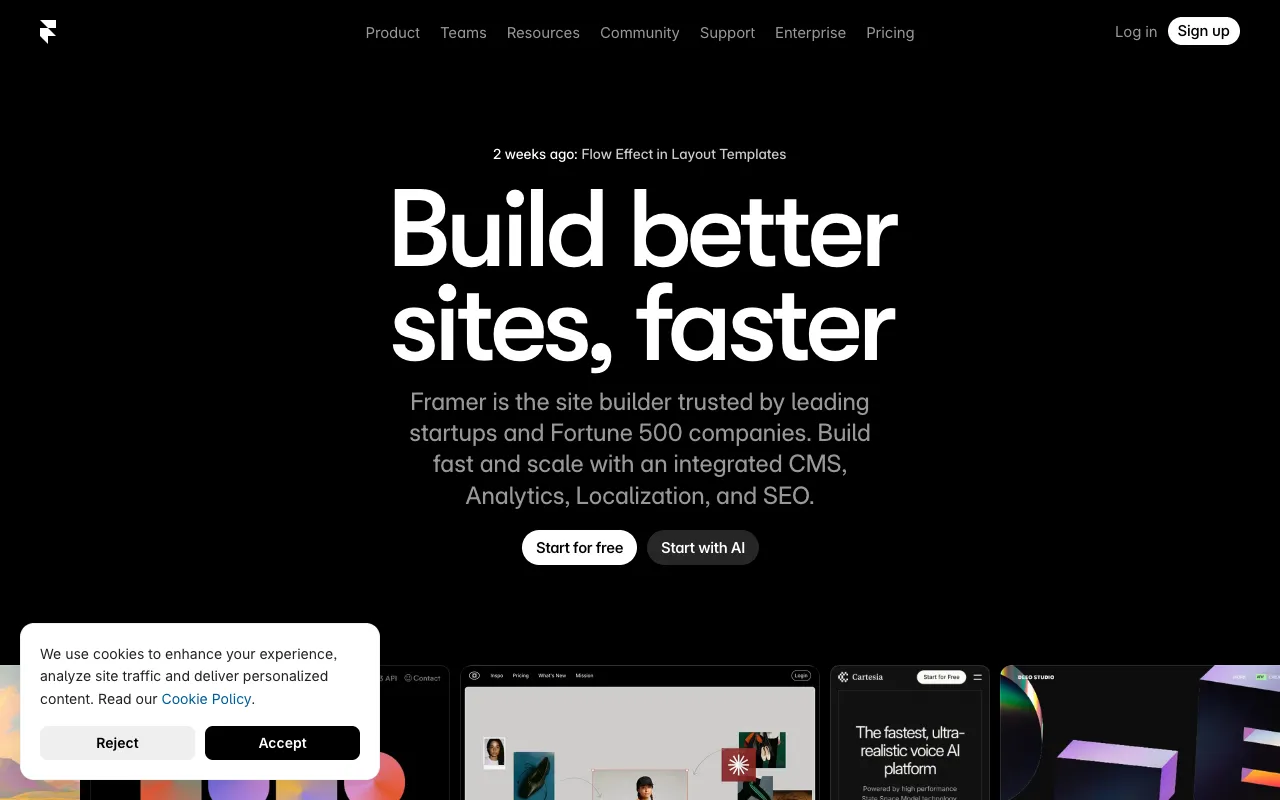
The appeal is real: Framer templates are genuinely beautiful, the animation system is class-leading, and published sites are fast. For a design-focused team launching a marketing site, it can be the right call.
But Framer has a hard prerequisite: design intuition. Without it, the canvas becomes a source of frustration rather than power.
Framer's Strengths
- Beautiful templates - Best-in-class design starting points
- Animation system - Smooth, professional motion with minimal effort
- Designer-friendly - Feels familiar if you know Figma
- Fast publishing - Optimized hosting with good Core Web Vitals
- CMS built-in - Manage content without a separate tool
Framer's Problems
- Requires design skills - Without them, results look amateurish
- Limited AI features - AI assistance is basic; still very manual
- Marketing sites only - Not built for web apps or dynamic functionality
- Locked ecosystem - No direct code export; you're tied to Framer
- Add-on pricing - CMS, custom domains, and staging all cost extra
- Steep learning curve - Canvas approach takes time to master
The frustrating pattern with Framer for non-designers: you spend 80% of your time on layout decisions that a designer would make instinctively in 5 minutes.
What is Playcode?
Playcode is an AI-first website builder. Instead of opening a canvas and making design decisions, you describe what you want to build - and the AI handles everything: layout, colors, content structure, animations, and code.
The workflow is fundamentally different from Framer:
- Describe your website in plain English
- The AI generates a complete site with real code
- Use the visual editor to refine any detail
- Publish with one click - hosting, SSL, and custom domain included
- Keep iterating with AI or edit the code directly
The key insight: you don't need to know what looks good. The AI does. Over 1.1 million people have used Playcode precisely because it removes the design bottleneck entirely.
Playcode's Strengths
- AI-native generation - Full site from a text prompt, no canvas needed
- No design skills required - AI handles layout, color, and typography
- Builds anything web - Marketing sites, web apps, SaaS tools, portfolios
- Full code access - See, edit, and export the real code anytime
- All-inclusive hosting - CDN, SSL, custom domains in base price
- Multiple AI models - Claude, GPT-4, and Gemini for best results
- Visual editor - Click-to-edit for fine-tuning without code
Playcode's Limitations
- Less design control - The canvas gives Framer users more granular control
- Animation presets - Animations are AI-generated, not manually choreographed
- Newer platform - Smaller template library than Framer's curated collection
The Key Differences
Both tools can produce a beautiful marketing site. The difference is how you get there - and who can get there at all.
Design-First vs AI-First
Framer's philosophy: Give designers a powerful canvas and get out of the way. The tool is exceptional - if you already know design. If you don't, it's a canvas with infinite ways to make something look wrong.
Playcode's philosophy: Let AI make the design decisions. Describe your intent, not your layout. This works for anyone, regardless of design background.
Speed to Live Site
Framer is fast if you're a designer picking from templates. Customizing those templates to match your brand and content can take hours of canvas work - adjusting spacing, font sizes, breakpoints, and animation timing.
Playcode is fast for everyone. The AI generates a custom site in under a minute. A few rounds of refinement and you're publishing - total time measured in minutes, not hours.
What You Can Build
Framer is purpose-built for marketing sites and portfolios. It does this beautifully but stops there. Need a user login system, a dashboard, or dynamic data? You're building that elsewhere and embedding it.
Playcode builds anything web. Marketing sites, web applications, interactive tools, SaaS products - the AI generates real code that can do anything a developer could build.
Code Ownership
Framer does not give you exportable code. Your site lives on Framer's platform. If Framer changes pricing or shuts down, your options are limited.
Playcode generates real HTML, CSS, and JavaScript that you own completely. Export it anytime, host it anywhere. No lock-in.
AI Capabilities
Framer has added some AI features - AI copy generation, AI image fill, basic layout suggestions. These are helpful additions to a design tool but AI is not the core workflow.
Playcode is built AI-first from the ground up. The entire site generation, iteration, and refinement process is AI-driven. It uses Claude, GPT-4, and Gemini depending on the task - multiple frontier models, not one.
Side-by-Side Comparison
When Framer Works Better
Framer is genuinely excellent in specific situations. It deserves credit where it's due:
You're a Designer or Work with One
If you have design skills or a designer on your team, Framer's canvas gives you control that AI-generated layouts can't match. Pixel-precise adjustments, custom animation curves, and a Figma-like workflow are real advantages.
Your Brand Requires Unique Motion Design
Framer's animation system is the best in the no-code world. If your brand identity relies on signature interactions and transitions that need to be hand-crafted, Framer gives you that control.
You're Already in the Framer Ecosystem
If your team knows Framer well and has invested in templates, components, and workflows, switching has a real cost. Expertise in a tool is valuable, even if another tool might work better for a newcomer.
Simple Portfolio or Agency Site
For a straightforward portfolio or small agency site where a designer is driving the project, Framer's templates and publishing workflow are hard to beat on pure design quality.
When Playcode Works Better
Playcode wins in these scenarios - and they cover most use cases:
You Don't Have a Designer
This is the most common situation for founders, freelancers, marketers, and small business owners. Playcode removes the design bottleneck entirely. You describe your site and get professional results without hiring a designer or learning design yourself.
You Need to Build Fast
AI generation is measured in seconds, not hours. If you're launching a product, testing a landing page, or responding to a client request, Playcode's speed is a genuine competitive advantage. Building a Framer site from scratch takes significantly longer.
You Need More Than a Marketing Site
The moment you need user accounts, dynamic data, API integrations, or any real application logic - Framer stops being an option. Playcode generates real code that can handle all of it. Build your marketing site and your web app in the same tool.
You Want to Own Your Code
Playcode generates standard web code you control completely. No platform lock-in, no dependency on Framer's infrastructure, no risk if pricing changes. Your site is yours.
You're a Non-Technical Founder or Marketer
Framer assumes design literacy. Playcode assumes nothing. Describe what you want in plain language and iterate until it's right. This makes it accessible to anyone who can type.
Pricing Breakdown
Framer's entry price looks low, but the true cost emerges as you need real features:
Framer
$5-30/month
- Free plan available (Framer subdomain)
- Custom domain requires paid plan
- CMS is a paid add-on
- Staging environments cost extra
- Beautiful templates included
- No code export
- Design skills required
Playcode
$25/month or $21/mo yearly
- AI site generation included
- CDN hosting included
- Custom domain included
- SSL certificate included
- Multiple AI models
- Full code access and export
- No design skills needed
A Framer plan with a custom domain, CMS, and staging can easily reach $25-30/month - the same as Playcode, but without code ownership or AI-native generation. For most non-designers, Playcode delivers more value at the same price point.
My Verdict
After spending significant time with both tools, the honest answer is this:
Framer is the best website builder for designers. If you have design skills, Framer's canvas, animation system, and template library produce genuinely beautiful results. The tool rewards expertise.
Playcode is the best website builder for everyone else. If you're a founder, marketer, freelancer, or small business owner without a design background - or if you simply want to build faster - Playcode's AI-native approach removes the biggest bottleneck in website building: knowing how to make something look good.
The world has far more non-designers who need websites than designers. Playcode was built for them. If you've bounced off Framer because the canvas felt overwhelming or the results looked off, Playcode is built specifically for that situation.
See how fast AI can build your site. No design skills required.
Try Playcode FreeFrequently Asked Questions
Is Playcode a good Framer alternative?
Yes. Playcode is an excellent Framer alternative if you want AI to do the heavy lifting. While Framer requires design skills and knowledge of its canvas, Playcode generates your entire website from a text prompt - no design experience needed.
Can Playcode build the same kind of sites as Framer?
Playcode can build marketing sites, landing pages, and portfolios just like Framer - plus full web apps, SaaS dashboards, and interactive tools that Framer cannot. Playcode gives you access to the real code, so there are no platform limitations.
How does Framer pricing compare to Playcode?
Framer starts at $5/month for basic use but charges $15-30/month for features like custom domains, CMS, and password protection. Playcode costs $25/month and includes hosting, CDN, custom domains, and SSL with no add-ons required.
Do I need design skills to use Playcode?
No. That's the biggest difference from Framer. Playcode AI generates your site from a description - layout, colors, content, and all. You can then use the visual editor to tweak details without touching code.
Can I migrate from Framer to Playcode?
The easiest path is to describe your existing site to Playcode AI and let it rebuild it. Since Playcode generates standard HTML/CSS/JS code, the output is fully yours to keep. Many users find the rebuild faster than manually exporting from Framer.
Does Playcode have animations like Framer?
Playcode AI can add smooth animations and transitions to your site. While Framer is known for its motion design tools, Playcode achieves professional-looking results through AI-generated CSS and JavaScript animations without requiring you to configure them manually.
Is Playcode suitable for client projects?
Yes. Playcode is well suited for client work. You get full code ownership, custom domain hosting, and the speed of AI generation. Building a client site in minutes instead of days is a real competitive advantage.
Does Playcode support CMS content like Framer?
Playcode gives you full code access, so you can integrate any CMS you prefer - Contentful, Sanity, Notion, or a custom backend. Unlike Framer which locks you into its own CMS, Playcode works with whatever content management solution fits your project.