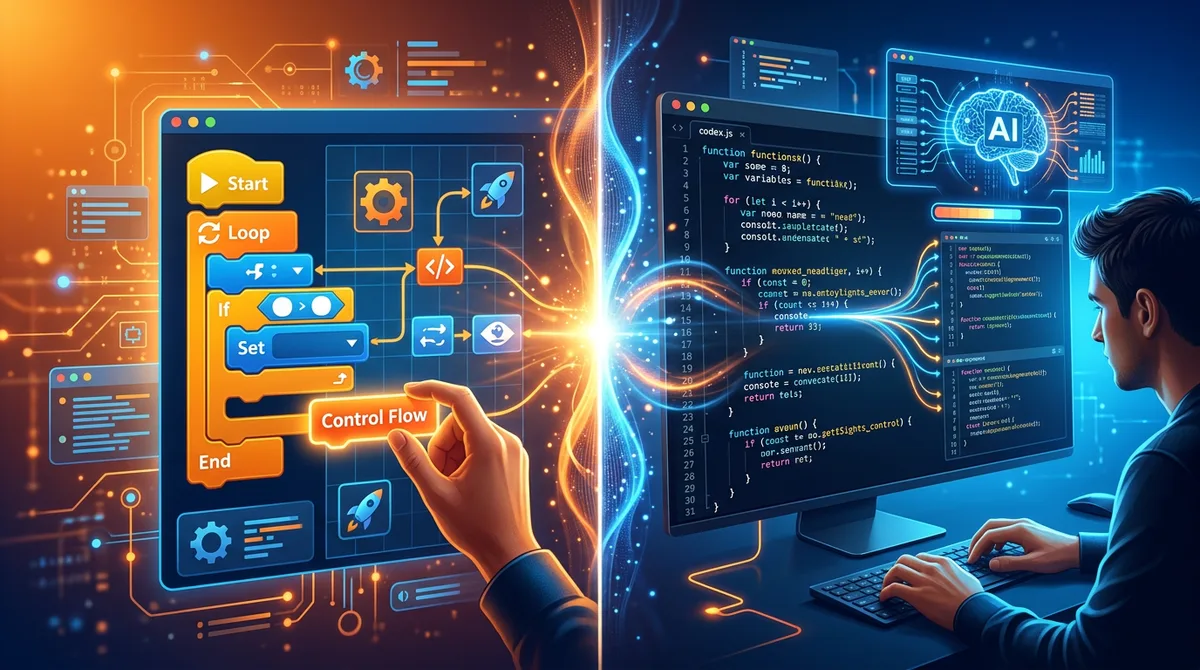
You want to build a website without writing code from scratch. You search for tools and immediately run into two categories that sound similar but work in fundamentally different ways: AI website builders and no-code builders. Both promise to get you a working website without traditional development. But the approach, the workflow, and the results are nothing alike.
This article breaks down the real differences between AI website builders and no-code builders across every dimension that matters - how you interact with them, what they produce, how fast they work, and what you can do with the output. By the end, you'll know exactly which approach fits your situation and why you might want to use both.
The distinction matters more than most comparison articles suggest. Choosing the wrong tool doesn't just cost you time - it shapes what your final website can become. A tool built for visual assembly gives you a different ceiling than a tool built for AI-driven generation. Understanding that difference upfront saves you from hitting walls later.
What Is a No-Code Website Builder?
No-code website builders are visual tools where you construct a website by dragging and dropping pre-built components onto a canvas. Think Webflow, Wix, Squarespace, or Bubble. You select a template or start from a blank canvas, then add headers, text blocks, images, buttons, forms, and other elements by placing them visually. Each element has a properties panel where you configure its appearance, behavior, and content.
The "no-code" label means you never write HTML, CSS, or JavaScript directly. Instead, you manipulate a visual abstraction layer that generates code behind the scenes. Some no-code builders like Webflow expose more of the underlying CSS properties (flexbox settings, spacing values, typography controls), while others like Squarespace keep the technical details almost entirely hidden.
The workflow is fundamentally manual and visual. You decide where every element goes, how it looks, and what it does. The builder provides the components and handles the code generation, but the creative and structural decisions are yours.
What Is an AI Website Builder?
AI website builders take a completely different approach. Instead of manually assembling components, you describe what you want in plain English and the AI generates a complete website. You type something like "build a landing page for a fitness app with a hero section, feature comparison, pricing table, and testimonials" - and the AI produces a fully designed, responsive website with real code in seconds.
The underlying technology is a large language model (LLM) that has been trained on millions of websites and understands the patterns, conventions, and best practices of web design. It doesn't select from templates - it generates original HTML, CSS, and JavaScript for each prompt. The result is unique code tailored to your specific description.
The workflow is conversational. After the initial generation, you refine the result by giving the AI follow-up instructions: "make the hero section darker," "add a fourth pricing tier," "change the font to something more playful." Each instruction produces a targeted update without affecting the rest of the site.
The best AI builders - like Playcode - go much further than basic prompt-and-generate. Playcode works like a premium design agency: the AI clarifies your idea first, creates wireframes, builds with custom images and icons, and gives you a visual editor where you can click anything to change it. This agency-style experience is what separates capable builders from limited ones.
The Core Differences, Explained
The gap between these two approaches isn't just about interface design. It reflects fundamentally different philosophies about how websites should be built. Here's how they compare across the dimensions that actually affect your results.
Input Method: Visual vs. Conversational
No-code builders require visual input. You click, drag, resize, align, and configure. Every element on the page exists because you placed it there and set its properties. This gives you precise control but demands significant time and design skill.
AI builders accept natural language input. You describe what you want in words, and the AI translates your description into a complete design. This is dramatically faster but requires you to be specific enough in your descriptions to get the result you want.
Speed: Hours vs. Minutes
Building a professional landing page with a no-code builder typically takes 4-8 hours for someone experienced with the tool. For a beginner, it can take days. Every section needs to be designed, styled, and made responsive across breakpoints.
The same landing page from an AI builder takes under 5 minutes for the initial generation, plus another 10-30 minutes of refinement through follow-up prompts and code edits. Even accounting for iteration, AI builders are an order of magnitude faster for most website types.
Design Control: Pixel-Perfect vs. Prompt-Guided
No-code builders give you pixel-level control. You can set exact padding values, choose precise colors, control every breakpoint, and position elements to the pixel. If you have a specific design in mind (or a Figma mockup to match), no-code builders let you implement it exactly.
AI builders give you prompt-guided control plus visual editing. You describe what you want, and the AI makes design decisions for you. You can influence those decisions through more specific prompts ("use 32px padding, Inter font, and a blue-to-purple gradient"), or click any element on the page and adjust it visually. The best builders, like Playcode, combine conversational AI with click-to-edit functionality for precise control without technical knowledge.
Output: Proprietary vs. Portable
This is one of the most consequential differences. Most no-code builders store your website in a proprietary format. Your site lives inside their platform, rendered by their engine. If you want to leave, exporting is either impossible or produces bloated, unusable files.
AI builders like Playcode produce real, standard websites that you own. You can publish with one click on a custom domain, and if you ever want to leave, you can export the project and host it anywhere. This is a fundamental ownership difference. Your website is not locked into any platform.
Learning Curve: Steep vs. Gentle
No-code builders have a moderate to steep learning curve. You need to understand the tool's interface, its component library, its styling system, and its responsive design approach. Tools like Webflow are powerful but notoriously complex for beginners. Even "easy" builders like Wix require hours of tutorial-watching to use effectively.
AI builders have a gentle learning curve for basic use - you type what you want and get a result. The learning curve steepens when you want precise control, which requires either mastering prompt engineering or learning enough code to make direct edits. But the starting point is accessible to anyone who can describe a website in words.
Side-by-Side Comparison
Here's how AI website builders and no-code builders compare across the criteria that matter most when choosing a tool.
| Criteria | AI Website Builder | No-Code Builder |
|---|---|---|
| Primary input | Natural language prompts | Visual drag-and-drop |
| Time to first version | Under 5 minutes | 4-8 hours (experienced user) |
| Design precision | Prompt-guided + code editing | Pixel-perfect visual control |
| Output ownership | Portable website you own | Proprietary format (usually) |
| Learning curve | Low to start, moderate for mastery | Moderate to steep |
| Customization ceiling | Unlimited (AI + visual editor + export) | Limited to platform capabilities |
| Responsive design | Automatic (AI generates responsive code) | Manual (configure each breakpoint) |
| Iteration speed | Seconds per change (prompt or code edit) | Minutes per change (visual manipulation) |
| Portability | High - export and host anywhere | Low - locked to the platform |
| Best for | Landing pages, portfolios, marketing sites | Complex apps, custom workflows, e-commerce |
When an AI Website Builder Wins
AI builders are the better choice in several clear scenarios. If any of these describe your situation, start with an AI builder.
You Need a Website Fast
If you're launching a product next week, pitching to investors tomorrow, or need a landing page for a campaign that starts Monday, an AI builder gets you from zero to published faster than anything else. The speed difference isn't marginal - it's the difference between hours and minutes.
You Want to Own Your Website
If ownership matters to you - because you want to host the site yourself, hand it to a developer later, or simply not be dependent on any platform - an AI builder with export capability is the obvious choice. Playcode lets you publish with one click and export your entire project anytime. No vendor lock-in, no proprietary formats, no export fees.
You're Building Content-Driven Pages
Landing pages, portfolio sites, marketing pages, business homepages, event pages, resume sites - these are all content-driven websites where the AI's speed and design sense shine. The AI understands these patterns deeply because it has learned from millions of similar sites.
You Want to Iterate Quickly
AI builders excel at rapid iteration. "Make the hero bigger." "Change the color scheme to something warmer." "Add a testimonial section." Each change takes seconds, not minutes. This fast feedback loop means you can explore more variations and end up with a better result.
You Want AI That Understands Your Vision
If you want an AI that actually guides you through the process - asking clarifying questions, creating wireframes, generating custom images and icons - Playcode works like a premium design agency. You describe your vision, the AI helps you refine it, and you get a website that genuinely represents your business, not just a generic template.
When a No-Code Builder Wins
No-code builders remain the better choice for specific use cases where their visual approach provides advantages that AI generation can't match.
You're Building a Complex Web Application
If your project involves user authentication, databases, workflow automation, or custom business logic, no-code builders like Bubble are purpose-built for this. They provide visual logic builders, database designers, and API integrators that go far beyond what an AI website builder produces. AI builders generate frontend code; no-code app builders handle full-stack application logic.
You Need Pixel-Perfect Brand Compliance
If you have a Figma design that must be implemented exactly as specified - precise spacing, exact colors, specific font sizes at specific breakpoints - a no-code builder like Webflow gives you the visual precision to match it. AI builders can approximate a design through detailed prompts and code edits, but visual builders make pixel-matching faster for designers who think visually.
You're Managing a Large Content Site
No-code builders with built-in CMS capabilities (Webflow, Wix) are better suited for sites with hundreds of pages, dynamic collections, and content that non-technical team members need to update regularly. AI builders are optimized for creating individual pages, not managing large content libraries.
You Need Built-In E-Commerce
If you're selling products online and need inventory management, payment processing, shipping calculations, and order management, no-code e-commerce platforms (Shopify, Wix, Squarespace) provide these as integrated features. AI builders can create beautiful product pages and storefronts, but the backend commerce infrastructure requires a dedicated platform.
The AI Quality Differentiator
There's a factor that doesn't show up in most comparison articles but matters enormously in practice: the quality of the AI agent experience. This is where the AI builder category splits into two camps, and the difference changes everything about the long-term value of your choice.
Some AI builders are basic prompt-and-generate tools. You describe what you want, get a generic result, and that's it. Refining means rephrasing your prompt over and over, hoping the AI figures out what you actually need. The visual result might look okay, but it doesn't truly represent your business.
AI builders with an agency-style experience - like Playcode - guide you through the entire process. The AI clarifies your idea, creates wireframes, generates custom images and icons, and gives you a visual editor to refine everything. This means you can:
- Click any element on your site and edit it visually - no technical skills needed
- Have the AI generate custom images, icons, and logos that match your brand
- Paste a competitor's URL and say "I want something like this for my business"
- Speak your changes in any language using professional voice input
- Publish with one click and connect your own custom domain
This is what separates a tool you can grow with from a tool you'll outgrow. An agency-style AI builder is your creative partner, not just a starting point. No-code builders, by contrast, are both the starting point and the ceiling - you can only do what the platform's visual interface allows.
Can You Use Both?
Yes, and increasingly people do. The smartest approach is to use each tool for what it does best.
Use an AI builder for the initial creation. Describe your site, let the AI guide you through the process, and watch it generate the structure, layout, and styling in seconds. Refine through conversation and visual editing until everything is right.
Use a no-code builder when you need features that go beyond static website generation - dynamic content management, e-commerce functionality, user accounts, or database-driven features. Some teams use an AI builder for their marketing site and landing pages (where speed matters) and a no-code builder for their web application (where complexity matters).
The key insight is that AI builders and no-code builders aren't competing for the same job. They overlap in the "simple website" space, but they diverge significantly for anything more specific. Understanding which job you're trying to do is the real decision, not which category of tool is "better."
How to Choose: The Decision Framework
Here's a practical framework for deciding which approach to use for your specific project.
Start with what you're building. If it's a landing page, portfolio, business site, or marketing page - use an AI builder. If it's a web application with databases, user accounts, and custom logic - use a no-code app builder. If it's an e-commerce store - use a dedicated e-commerce platform.
Consider your timeline. If you need something live this week, an AI builder is the only realistic option. If you have weeks or months to build and refine, a no-code builder's longer setup time is less of a penalty.
Think about ownership. If you want to own your website and be free to host it anywhere, an AI builder with export capability is the only category that provides this. No-code builders keep your site in their ecosystem.
Factor in your skills. If you're comfortable with visual design tools, a no-code builder leverages that skill. If you prefer describing things in words or want to learn by reading generated code, an AI builder matches your working style better.
Evaluate total cost. No-code builders typically charge $15-50/month with additional costs for premium features, custom domains, and e-commerce capabilities. AI builders like Playcode start at $21/year on an annual plan or $25/month, with AI credits included to start and an included subdomain for publishing. For simple websites, the total cost of an AI builder is often significantly lower.
Where This Is Heading
The line between AI builders and no-code builders is blurring, but not disappearing. No-code platforms are adding AI features - Wix has an AI site generator, Webflow is integrating AI assistants. Meanwhile, AI builders are adding more visual editing capabilities alongside their conversational interfaces.
But the core philosophical difference will persist. No-code builders are fundamentally about visual manipulation with AI as an assistant. AI builders are fundamentally about generation with visual/code editing as a refinement tool. These are different workflows optimized for different outcomes.
The most significant trend is the rise of AI generation replacing template-based approaches entirely. As AI models improve, the quality of generated websites continues to increase, making the speed advantage of AI builders even more compelling. No-code builders will evolve too, but their strength will remain in complex applications rather than content-driven websites.
Frequently Asked Questions
Can I use an AI website builder if I have no coding experience?
Yes. AI website builders are designed for people who want to describe what they need in plain English and get a working website. You don't need to know HTML, CSS, or JavaScript to use one. Playcode makes it especially easy with a visual click-to-edit interface and voice input in any language, so you can build without any technical knowledge at all.
Are no-code builders becoming obsolete because of AI?
No. No-code builders serve a different purpose. They excel at building complex, interactive applications with visual logic builders, database integrations, and workflow automation. AI builders are faster for content-driven websites like landing pages and portfolios, but no-code tools remain better for projects that require custom business logic, e-commerce functionality, or dynamic content management. The two categories are converging in some areas but remain distinct in their core strengths.
Which is faster - an AI website builder or a no-code builder?
For creating a complete website from scratch, AI builders are significantly faster. You can go from a text description to a finished site in under five minutes. No-code builders typically require hours of manual design work - dragging components, configuring properties, styling each element individually. However, no-code builders can be faster for very specific, highly detailed customizations where you need pixel-level visual control over every element.
Can I switch from a no-code builder to an AI builder?
It depends on the platforms involved. Most no-code builders use proprietary formats that don't export clean, usable code. If your no-code builder can export HTML and CSS, you could bring that into an AI builder for further development. Otherwise, you would likely need to recreate the site from your existing design as a reference. AI builders that generate standard code make future migrations easier since you always have portable source files.
What is the main advantage of an AI website builder over a no-code builder?
Speed and AI quality. With an AI builder like Playcode, you describe what you want in natural language and the AI guides you through the process - clarifying your vision, generating custom visuals, and producing a complete website in minutes. You own your site and can export it anytime. No-code builders require manual assembly and typically store your site in a proprietary format. The tradeoff is that no-code builders give you more granular visual control and built-in features for complex applications.
The Bottom Line
AI website builders and no-code builders solve different problems with different approaches. AI builders are faster, offer superior creative guidance, and excel at content-driven websites. No-code builders offer more manual visual control, built-in application features, and established ecosystems for complex projects.
For most people building a landing page, portfolio, business site, or marketing page, an AI builder is the better starting point. It's faster to get started, the results are immediately professional, and if you choose a builder with an agency-style AI experience like Playcode, you have unlimited room to customize and grow.
The best approach isn't choosing one category forever - it's matching the tool to the job. Use AI builders for speed, creative guidance, and professional results. Use no-code builders for complex applications and manual visual precision. And always choose tools that let you take your work with you when you leave.
See the difference for yourself. Try Playcode's AI website builder - describe your vision, get guided through the process, and click anything to edit it visually. No credit card required.