TL;DR - Quick Answer
Cursor is an AI-powered code editor for developers who want to write code faster. It's VS Code with superpowers.
Playcode is an AI website builder for non-developers who want to create websites without coding. You describe what you want, it builds it.
Bottom line: If you're a developer who enjoys coding, use Cursor. If you want a website without learning to code, use Playcode. They solve different problems.
What is Cursor?
Cursor is an AI-enhanced code editor built on top of VS Code. It launched in 2023 and quickly became popular among developers who wanted AI assistance without leaving their familiar coding environment.
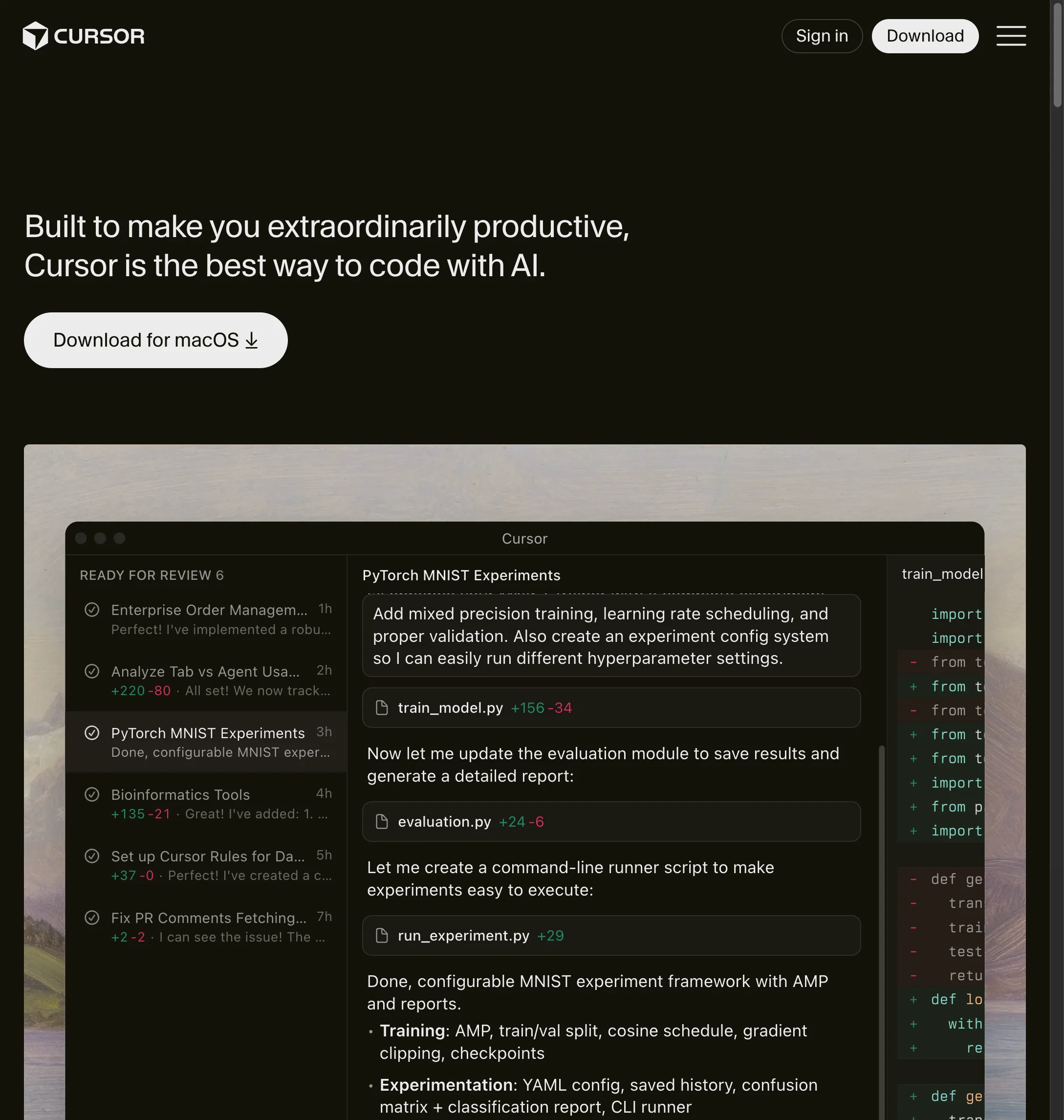
The core idea is simple: you write code, and AI helps you write it faster. You can:
- Ask the AI to explain code you don't understand
- Get autocomplete suggestions that understand your entire codebase
- Use natural language to edit multiple files at once
- Chat with AI about your code and get contextual help
Cursor is genuinely impressive for what it does. I've used it for months on real projects, and it can feel like having a knowledgeable colleague looking over your shoulder. The AI understands context remarkably well.
Cursor's Strengths
- Deep codebase understanding - It reads your entire project and gives contextual suggestions
- Familiar environment - If you know VS Code, you already know how to use Cursor
- Powerful for refactoring - Can make changes across multiple files intelligently
- Active development - New features ship regularly
Cursor's Limitations
- You still need to know how to code - It helps you code faster, but you need to understand what it's doing
- Desktop only - Requires downloading and installing an app
- No deployment - You get code, but hosting and deployment is your problem
- Setup required - Projects need configuration, dependencies, environment setup
What is Playcode?
Playcode is an AI website builder that works entirely in your browser. Instead of writing code, you describe what you want in plain English, and the AI builds it for you.
The key difference from tools like Cursor: Playcode is designed for people who don't want to code. You're not asking AI to help you write code faster. You're asking AI to build something for you while you focus on what it should do, not how it should work.
Here's what a typical Playcode session looks like:
- You describe your website: "I need a bakery website with online ordering"
- The AI asks clarifying questions and suggests approaches
- You see a working preview in seconds
- You refine by describing changes: "Make the header more colorful"
- One click to publish with hosting included
Over 1.1 million people have used Playcode. Most are entrepreneurs, small business owners, and creators who need websites but don't have time (or interest) to learn coding.
Playcode's Strengths
- No coding required - Genuinely none. Describe what you want in plain English
- Works on any device - Full editor on phone, tablet, or computer
- Hosting included - One-click publish with CDN, SSL, and custom domains
- Code access when needed - Unlike some builders, you can see and edit the actual code
- Best AI models - Uses Claude, GPT-4, and Gemini depending on the task
Playcode's Limitations
- Not for complex applications - Great for websites, landing pages, and simple apps. Not for enterprise software
- Less control for developers - If you want to micromanage every line of code, Cursor gives more control
- Internet required - It's a web app, so you need to be online
The Key Differences
Let me be clear about something: comparing Cursor and Playcode directly is a bit like comparing a professional camera to a smartphone camera. They're both "cameras" but designed for completely different users.
Different Users, Different Goals
Cursor's user is a developer who already knows how to code. They want to be more productive. They understand React, know what a dependency is, and can debug errors when they appear. Cursor makes their existing workflow faster.
Playcode's user is someone who needs a website but doesn't want to become a developer. They might be a coach launching an online course, a restaurant owner who needs an ordering system, or a founder validating a business idea. They care about the outcome, not the code.
Different Outputs
When you use Cursor, you get code. Good code, written faster than you could write it alone, but still just code. You then need to deploy it somewhere, set up hosting, configure domains, handle SSL certificates.
When you use Playcode, you get a working website. It's live, hosted, and shareable immediately. The code exists (and you can export it), but most users never look at it.
Different Mental Models
With Cursor, you're thinking: "How do I implement this feature? What library should I use? How do I structure this component?"
With Playcode, you're thinking: "What should this page do? What should visitors see first? How should the booking flow work?"
This is the fundamental difference. One tool helps you build code. The other helps you build a product.
Side-by-Side Comparison
When Cursor is the Better Choice
I want to be fair here. Cursor is an excellent tool, and there are scenarios where it's clearly the better option:
You're Already a Developer
If you write code professionally and enjoy it, Cursor is fantastic. It speeds up your existing workflow without changing how you work. You keep full control, can use any framework or library, and the AI becomes a powerful assistant rather than a replacement.
You're Building Complex Software
For enterprise applications, complex backends, or software with intricate business logic, you need the precision that comes from writing code directly. Cursor helps you do this faster while maintaining control over architecture decisions.
You Want Maximum Control
Some developers want to decide every detail: which state management library, how components are structured, exact API patterns. Cursor gives you this control while still providing AI assistance.
You Need to Work with Existing Codebases
If you're joining an existing project with established patterns and conventions, Cursor excels at understanding that context and helping you contribute effectively.
When Playcode is the Better Choice
Playcode shines in different scenarios. Here's when it makes more sense:
You Don't Know How to Code (and Don't Want to Learn)
This is the biggest one. If you're a business owner, marketer, coach, or creator who needs a website but has no interest in learning JavaScript, Playcode lets you skip that entirely. You describe what you want, see it built, and refine until it's right.
You Need Results Fast
With Cursor, "fast" means writing code faster than you would without AI. With Playcode, "fast" means going from idea to live website in an hour. No setup, no deployment configuration, no hosting decisions. Just describe and publish.
You Want Everything in One Place
With Cursor, building a website means: write code, choose hosting provider, configure deployment, set up domain, handle SSL. With Playcode: describe website, click publish. Everything is included.
You Work from Multiple Devices
I edit client sites from my phone while traveling. Try doing that with Cursor. Being browser-based means your work is accessible anywhere, on any device.
You're Validating a Business Idea
Need to test if people will sign up for your service? Build a landing page in 20 minutes with Playcode, start collecting emails, and validate before investing weeks into development.
Pricing Comparison
Both tools have similar pricing, but what you get is different:
Cursor
$20/month
- AI code assistance
- Unlimited completions
- Chat with codebase
- Multi-file editing
- Hosting not included
- Domain not included
Playcode
$25/month or $21/mo yearly
- AI website building
- Multiple AI models
- Hosting included (CDN)
- Custom domain included
- SSL certificate included
- Works on all devices
The $5 difference gets you a complete solution vs. just the coding tool. If you're a developer, that $5 doesn't matter because you'd need to handle hosting anyway. If you're not, Playcode's all-inclusive approach saves significant time and hassle.
My Verdict
After using both tools extensively, here's my honest take:
Cursor is better if you're a developer who loves coding and wants AI to make you faster. It's one of the best AI coding assistants available and genuinely improves productivity.
Playcode is better if you want a website without becoming a developer. It's not trying to help you code better. It's trying to eliminate the need for you to code at all.
The mistake people make is treating these as competitors. They're not. They serve different people with different needs. A professional photographer doesn't need "iPhone vs Canon" comparisons. They need both for different situations.
My recommendation: If you're reading this trying to decide which to use, ask yourself one question: Do you want to learn to code?
- If yes (or you already know) → Cursor
- If no → Playcode
It really is that simple.
Want to see what Playcode can do? Try building something in 5 minutes. No credit card needed.
Try Playcode FreeFrequently Asked Questions
Can I use both Cursor and Playcode?
Yes, and some people do. They use Playcode for quick websites and landing pages, then Cursor for more complex development work. The tools complement each other rather than compete.
Is Playcode really no-code? Can I see the actual code?
It's no-code in the sense that you don't need to write or understand code. But unlike some builders that hide everything, Playcode lets you view and edit the code whenever you want. Developers who try it are often surprised by the code quality.
What if I start with Playcode and later want to customize with code?
You can export your code anytime and continue development elsewhere, or edit the code directly in Playcode. You're never locked in.
Is Cursor free?
Cursor has a free tier with limited AI features. The full experience requires the $20/month Pro plan.
Is Playcode free?
Playcode has a free tier that lets you explore and build. Publishing to a custom domain and advanced features require a paid plan starting at $25/month.
Can I build a mobile app with either tool?
Cursor can help you write code for mobile apps (React Native, Flutter, etc.). With Playcode you describe it instead: a project can carry an iPhone and Android app beside the website, sharing one backend and one sign-in, and the store build runs in the cloud so no Mac is needed. You submit it from your own Apple and Google developer accounts.