A ChatGPT app is an MCP-backed app that ChatGPT can discover and call. It is different from a standalone app that calls the OpenAI API: a ChatGPT app uses ChatGPT as the host and exposes its capabilities through MCP tools, while a standalone API app owns its interface and sends requests to OpenAI models itself. For the Apps SDK path, the required foundation is your MCP server; an embedded interface is optional.
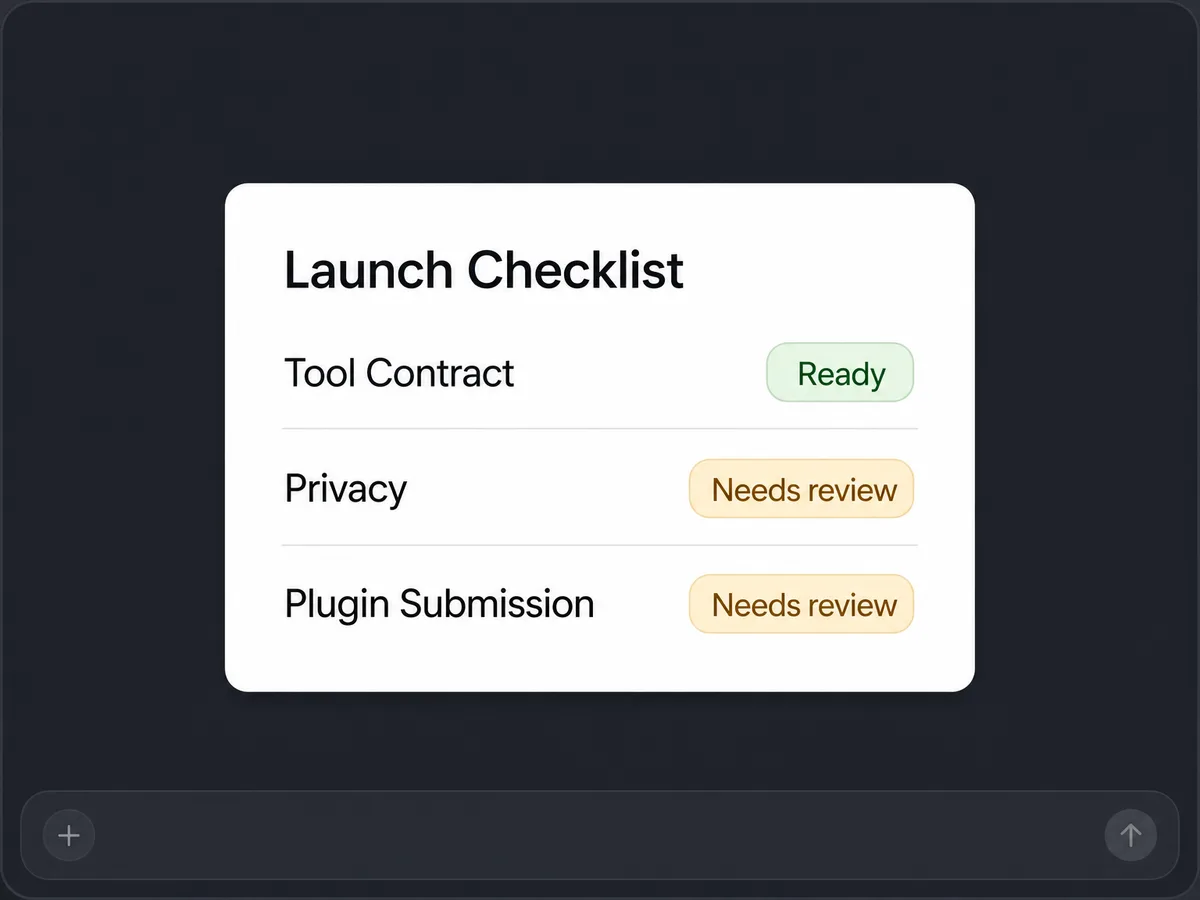
This guide follows OpenAI documentation rechecked on July 19, 2026 and includes a same-release Launch Checklist starter. The local tests prove MCP discovery, validation, payload separation, and the UI resource. They do not claim a live ChatGPT Developer Mode connection, review, approval, or publication.

QUICK ANSWER
How do you build a ChatGPT app?
For an app that runs inside ChatGPT, define one user job and build an MCP server with typed tools, accurate impact annotations, validated outputs, and secure data handling. Add a versioned MCP Apps UI only when interaction helps. Test with a client and Inspector, deploy to HTTPS, then exercise it in ChatGPT Developer Mode. Use the OpenAI API instead when a standalone product owns its interface and model requests.
Prepare the job, endpoint, and account boundary
A current dependency does not rescue a vague tool contract. Decide what the user is trying to accomplish, what data the model may see, whether a UI adds value, and who owns hosting, privacy, authentication, Developer Mode, and submission before implementation.
- One narrow user job: Write five to ten direct, indirect, and negative prompts. One tool should clearly own each intended prompt, while negative prompts should remain outside the app unless the user explicitly opts in.
- A tool and data inventory: For every tool, name inputs, output fields, read or write impact, retry behavior, rate limit, authentication, model-visible fields, widget-only fields, logs, retention, and deletion.
- A public HTTPS plan: Choose the final /mcp endpoint, exact widget network domains, health and latency monitoring, dependency patching, and the person responsible for the privacy policy and review test account.
- Current official dependencies: The included starter pins @modelcontextprotocol/sdk 1.29.0, @modelcontextprotocol/ext-apps 1.7.4, and zod 4.4.3, the current registry versions checked on July 19, 2026. Recheck official docs and versions before starting a later release.
Credentials and access
| Credential | Minimum access | Storage and rotation |
|---|---|---|
| OAuth client configuration, only for protected tools OAuth 2.1 issuer, resource metadata, client registration, scopes, and server-only token verification settings | Only scopes required by each protected tool; keep anonymous tools explicitly noauth where appropriate | Server environment or secret manager, never widget JavaScript, structuredContent, _meta, source control, screenshots, or URLs Use provider revocation and rotation procedures, support stale-token reauthorization, and remove compromised values immediately |
OpenAI ChatGPT Apps SDK constraints
- ChatGPT needs a publicly reachable HTTPS MCP endpoint. Localhost is suitable for MCP client and Inspector work, but Developer Mode needs a tunnel or deployed HTTPS URL.
- Public distribution currently uses the plugin submission portal: submit the plugin that contains the MCP-backed app. Organization verification, app-management permissions, a real MCP URL, CSP, tool scanning, privacy and company URLs, test prompts, review, approval, and publication are separate account steps.
- OAuth is needed for user-specific private data or authorized actions. OpenAI recommends an established identity provider; your server remains responsible for token signature, issuer, audience, expiry, scope, and app-policy checks.
- Review timing, approval, directory placement, and proactive distribution are not guaranteed. Tool metadata and impact annotations must describe actual behavior, including indirect writes.
Official references: Build your MCP server, Define tools, Build your ChatGPT UI, Authentication, Security and privacy, Prepare and maintain an app for plugin submission, Responses API for standalone AI applications
Choose tool-only or MCP server plus UI
Both paths begin with the same MCP server. A tool-only app is enough when the result is a lookup, calculation, validation, or concise structured answer. Add UI for comparison, selection, editing, or visualization that is materially clearer inside a widget.
| Approach | Best for | Tradeoff |
|---|---|---|
| Tool-only MCP app | Lookups, calculations, validations, and short cited or structured answers. | The smallest contract and review surface, but less useful when the user must compare, select, or manipulate several items. |
| MCP app with an embedded UI | Boards, selectors, comparison cards, editors, charts, or repeated local interactions. | Adds accessibility, state, CSP, versioning, bridge, caching, host, mobile, screenshot, and review work. |
| Separate data and render tools | Flows where the model should reason over complete data before mounting a final component. | Clearer model reasoning and reusable data, but more metadata and sequencing to design and test. |
Recommended:Start with one read-only tool and no UI. Once direct, indirect, and negative prompts select correctly and the structured result is useful, add one versioned widget only if it makes a real decision or interaction clearer.
Build and prepare a ChatGPT app
Create a typed MCP server, optional MCP Apps UI, deterministic tests, HTTPS endpoint, Developer Mode test plan, and plugin submission checklist.
STEP 01
Draft direct, indirect, and negative prompts
Define when the app should and should not be selected.
Direct prompts name the outcome or product. Indirect prompts describe the problem in ordinary language. Negative prompts ask for nearby work that should not call the app, ask the app to make unsupported claims, or explicitly request a non-app path.
Map each intended prompt to exactly one tool. If two tools appear equally valid, split the user job or make names, descriptions, and parameters more specific before coding.
Expected result: A small fixture with a clear expected tool or do-not-call decision for every prompt.
Verify it: Read each prompt without implementation context and confirm the chosen tool description contains enough information to make the same decision.
STEP 02
Build one typed, accurately annotated MCP tool
Make the contract self-describing and safe to retry.
Use @modelcontextprotocol/sdk with Zod input and output schemas. Include an action-oriented name, human title, a description that begins with when to use the tool, parameter descriptions, and readOnlyHint, destructiveHint, and openWorldHint values that match actual side effects.
Validate again inside the server boundary. Keep read handlers idempotent. For writes, separate preview from execution, obtain confirmation, re-check identity and permission, and require an idempotency key.
registerAppTool(server, 'launch_checklist', {
title: 'Create a launch-readiness checklist',
description: 'Use this when a user asks for a read-only launch checklist.',
inputSchema: { product: z.string(), stage: z.enum(['prototype', 'private', 'submission']) },
outputSchema: { product: z.string(), checks: z.array(z.object({ id: z.string(), status: z.string() })) },
annotations: { readOnlyHint: true, destructiveHint: false, openWorldHint: false },
_meta: { ui: { resourceUri: 'ui://widget/launch-checklist-v1.html' } },
}, handler)Expected result: An MCP client discovers one tool with the expected schemas, annotations, and optional resource URI.
Verify it: Call listTools, compare every returned field with the brief, then call valid, invalid, oversized, repeated, and unauthorized inputs.
STEP 03
Separate structuredContent, content, and _meta
Send the model only what it needs to reason and narrate.
Return concise model-visible JSON in structuredContent. Use content for optional short narration. Put large or widget-only detail in _meta, which is not sent to the model, while still minimizing it because the widget receives it.
Never put tokens, private debug records, unnecessary user identifiers, raw logs, or secrets in any response field. Data separation does not replace server authorization or accurate privacy disclosures.
Expected result: The model-visible result is small and sufficient while widget-only detail has no duplicate path into narration.
Verify it: Serialize the raw response and assert allowlisted keys in structuredContent and content plus the absence of every widget-only fixture marker.
STEP 04
Register an optional versioned MCP Apps UI
Use the open bridge by default and keep network access exact.
Register the resource with @modelcontextprotocol/ext-apps and RESOURCE_MIME_TYPE. Point the tool to it with _meta.ui.resourceUri. Treat the URI as a cache key and change it when the bundle changes incompatibly.
Use the MCP Apps JSON-RPC bridge for tool input, results, and calls. Declare only the exact connect, resource, and frame domains required by the widget. Subframes are blocked by default and add review scrutiny.
Expected result: The resource reads as text/html;profile=mcp-app, renders the structured result, and makes no undeclared network request.
Verify it: Read the resource through an MCP client, then load it in MCP Inspector and inspect CSP, console, network, empty, error, and mobile-width states.
STEP 05
Run deterministic MCP and prompt-contract tests
Prove protocol behavior before involving the ChatGPT host.
Use an in-memory MCP client and server pair to test discovery, valid calls, invalid schemas, output shape, annotations, resource MIME, CSP, UI linkage, payload separation, retry behavior, and secret markers.
Run direct, indirect, and negative prompt fixtures as metadata rehearsal. A deterministic classifier or reviewer can catch obvious gaps, but it is not a substitute for real model selection in Developer Mode.
Expected result: The same source and lockfile pass from a clean install with no credentials or external network calls after dependency installation.
Verify it: Run npm ci and npm test from a clean unzip, record the test count, then compare the ZIP file list and hashes with the allowlisted source tree.
STEP 06
Deploy the exact artifact to public HTTPS
Exercise the final transport and hosting environment.
Start locally and use MCP Inspector against /mcp. For ChatGPT Developer Mode, expose the endpoint through HTTPS with a temporary tunnel or deploy it to a stable low-latency host. Production should use the final host, exact CSP, monitoring, patching, and privacy policy.
Repeat list, call, resource, invalid-input, auth, timeout, retry, and health checks against the deployed version. Do not infer production behavior from a local in-memory transport alone.
Expected result: The public /mcp endpoint serves the same tool and resource contract as the clean tested package.
Verify it: Compare version, tool schemas, annotations, server instructions, resource contents, CSP, and test outputs between local and deployed endpoints.
STEP 07
Connect and exercise the app in ChatGPT Developer Mode
Test real model selection, host rendering, auth, and conversation behavior.
Use your OpenAI account to create the Developer Mode connection to the public HTTPS MCP endpoint. Run the exact direct, indirect, and negative prompt set, plus auth, refusal, retry, write-confirmation, UI, web, and mobile cases.
Capture the actual selected tool, arguments, response, narration, widget behavior, and errors. A local artifact cannot automate or claim this account-scoped evidence unless the host test was genuinely run.
Expected result: ChatGPT selects the intended tool, avoids negative prompts, renders the optional UI, and respects authentication and confirmation rules.
Verify it: Record each prompt and observed result on web and mobile, then fix metadata or behavior and rerun the complete set after every relevant change.
STEP 08
Prepare the plugin submission and maintenance plan
Keep public review separate from local and Developer Mode proof.
Current OpenAI docs say to submit the plugin that contains the app through the plugin submission portal. Verify the organization and permissions, use a real public MCP URL, define exact CSP, scan tools, review imported metadata, complete privacy and company URLs, provide test prompts and optional UI screenshots, then submit for review.
Approval does not publish automatically. Publish only after approval, monitor the endpoint and real tool behavior, and submit a new version when reviewed metadata or behavior changes.
Expected result: A reviewable draft whose scanned tools, annotations, schemas, security schemes, instructions, UI metadata, CSP, disclosures, and prompts match the deployed app.
Verify it: Re-scan after metadata changes, rerun submitted prompts on web and mobile, inventory all returned user-related fields, and keep approval and Publish status as explicit external states.
What the result can look like

Test the contract, then the real host
Local protocol tests answer whether the server is deterministic and self-consistent. Developer Mode tests answer whether ChatGPT selects and renders it correctly. Submission review answers a different question again. Keep those evidence levels separate.
| Test | Scenario | Expected result |
|---|---|---|
| happy path | Discover the tool and resource, call with valid input, inspect structuredContent and _meta, then render the widget. | Schemas, annotations, result fields, narration, MIME, CSP, resource URI, and visible content match the contract. |
| invalid input | Send a missing field, unknown enum, oversized value, insufficient OAuth scope, and a negative prompt. | The server rejects invalid or unauthorized calls without secrets or side effects, and ChatGPT does not select the app for the negative prompt. |
| retry | Repeat a read call, retry after a transport interruption, and repeat one confirmed write with the same idempotency key. | Reads remain deterministic and the confirmed write applies at most once to the exact authorized target. |
| production smoke | Connect the deployed HTTPS endpoint in Developer Mode and run direct, indirect, negative, auth, UI, web, and mobile prompts. | The real host behavior matches the prompt set with no unexpected selection, CSP, console, auth, privacy, or rendering failure. |
Diagnose metadata, resource, and review failures separately
Most failures sit at one of four boundaries: tool metadata, MCP transport, widget resource and CSP, or the external OpenAI account and review flow. Inspect the boundary that actually failed before changing code.
| Symptom | Likely cause | Check | Fix |
|---|---|---|---|
| The app is not selected for a clear direct prompt | The name, description, parameter annotations, or neighboring tools do not give the model one unambiguous choice. | Inspect the tool metadata visible in Developer Mode and replay one prompt at a time while recording the selected tool and arguments. | Narrow the tool to one job, clarify when to use it and required inputs, re-scan metadata, and rerun direct, indirect, and negative prompts. |
| The widget is blank, stale, or blocked | The resource MIME, URI, bridge listener, cache key, deployed bundle, or exact CSP domains do not match. | Read the resource with Inspector and inspect MIME, text, resourceUri, console, network, CSP, and the currently deployed URI. | Correct the resource, version its URI, deploy referenced assets together, use exact allowlists, and reconnect the updated app. |
| Private or internal data appears in the model response | The handler returned widget-only or debugging detail in structuredContent or content, or logging happened before redaction. | Capture the raw MCP result and inventory every field received by the model, widget, logs, and review tool scan. | Minimize structuredContent, move only necessary UI detail to _meta, redact before logs, update privacy disclosures, and add leakage regression fixtures. |
| Plugin review rejects annotations or privacy disclosures | Server-advertised behavior differs from the written justification, or returned user-related fields are unnecessary or undisclosed. | Compare scanned annotations, schemas, security schemes, _meta, instructions, CSP, and actual side effects with every returned field. | Correct behavior and server metadata, remove unnecessary data, update disclosures when truly needed, redeploy, re-scan, and rerun all submitted prompts. |
Operate the MCP server like production software
Deploy
Pin and audit dependencies, build from a clean lockfile, deploy the exact tested package to a stable HTTPS /mcp URL, version UI resources, and repeat MCP checks against the deployed endpoint.
Keep Developer Mode, organization verification, submission, approval, and publication credentials and actions with the responsible account owner. Do not copy them into source, screenshots, logs, or client-side code.
Monitor
Track availability, latency, error class, tool name, outcome, auth failure, rate limit, and safe correlation IDs. Avoid raw prompts, tokens, private payloads, internal account IDs, or unnecessary user fields in routine logs.
Monitor prompt-selection quality from repeated test sets, not one anecdote. Review tool descriptions, parameter failures, retries, widget errors, mobile behavior, and submitted test cases after relevant changes.
Recover
Keep the previous server and versioned widget artifact available for rollback. Because the resource URI is a cache key, restore matching server metadata and bundle together.
If privacy, auth, or unintended write behavior fails, disable the affected tool or endpoint, revoke credentials, preserve bounded evidence, notify the owner, repair the contract, and rerun the full local plus Developer Mode set before returning it.
Keep authority in the server
Assume malicious prompts and retrieved text will reach the app. The model and widget are interfaces, not authorization authorities. Validate identity, scope, input, current state, confirmation, and side-effect policy on the server every time.
- Request least-privilege scopes and exact widget network domains. Subframes are blocked by default; add frame domains only when essential and reviewable.
- Keep tokens and private credentials in server-side secret storage. Never expose them in tool results, _meta, widget source, URLs, screenshots, repository files, or routine logs.
- Use OAuth 2.1 for protected user data or actions and verify signature, issuer, audience or resource, expiry, scopes, and app policy on every request.
- Require human confirmation for irreversible or externally visible actions, separate preview from execution, and use idempotency keys and audit events.
- Publish retention and deletion rules, minimize all returned user-related fields, redact PII before logging, and keep the privacy policy aligned with actual tool payloads.
- Patch SDKs and build tooling, validate archive contents, and rerun protocol, prompt, auth, injection, CSP, web, and mobile tests before each reviewed version.
ChatGPT app implementation questions
Is the UI required for a ChatGPT app?
No. The MCP server and its tools are the foundation. Add an embedded MCP Apps UI only when interaction, comparison, selection, editing, or visualization materially improves the outcome.
Is a ChatGPT app the same as an app that calls the OpenAI API?
No. A ChatGPT app is hosted by ChatGPT and exposes capabilities through an MCP server, with an optional embedded UI. A standalone app owns its own interface and calls OpenAI models through an API such as the Responses API. Choose one architecture based on where the user experience should live.
Which packages does the TypeScript starter use?
The same-release starter pins @modelcontextprotocol/sdk 1.29.0, @modelcontextprotocol/ext-apps 1.7.4, and zod 4.4.3. These registry versions and the official install line were checked on July 19, 2026.
Can _meta contain secrets because the model cannot see it?
No. _meta is for widget-only detail, not a secret vault. Minimize it, because the widget receives it. Keep credentials in server-side secret storage and apply authorization before constructing any response.
How do I test tool selection?
Draft direct, indirect, and negative prompts, rehearse metadata locally, then run the exact set in ChatGPT Developer Mode. Local deterministic fixtures catch obvious mistakes but cannot prove the real host model will select a tool.
What URL does ChatGPT need?
ChatGPT needs a publicly reachable HTTPS MCP endpoint. Use localhost for unit and Inspector tests, a temporary HTTPS tunnel for development if appropriate, and a stable production host with monitoring and exact CSP for review.
Is an app submitted directly or as a plugin?
Current OpenAI documentation says to submit the plugin that contains the MCP-backed app through the plugin submission portal. The app and MCP server requirements remain part of that review.
Does a successful local test mean the app is approved?
No. Local tests prove the artifact contract. Developer Mode proves account-scoped host behavior. OpenAI review evaluates the deployed plugin and app requirements. Approval and publication remain external states with no guarantee.
Build the MCP contract first
Describe one useful ChatGPT tool and make every boundary inspectable.
Playcode can build the MCP server, optional UI, tests, package, and HTTPS app. You keep control of the OpenAI account, Developer Mode exercise, privacy policy, and submission.
Build with Playcode AINo credit card required. AI credits included.