How to Create a Discord Bot with Secure Slash Commands

Playcode Team
17 min read
#Discord bot #slash commands #Ed25519 #Playcode

A small Discord command app can work without a persistent Gateway connection or broad bot permissions. The HTTP interactions model gives you a narrow endpoint, but it must verify the exact raw request, answer Discord's PING, acknowledge commands within three seconds, and keep slow work outside that initial-response path.

This guide uses a locally reproduced `/status` interaction handler. Deterministic Ed25519 fixtures prove invalid-signature rejection, PING/PONG, an immediate private command response, a deferred slow-work boundary, and invalid command input. A live Developer Portal application, endpoint registration, installation, and slash-command invocation remain separate manual checks. If the command itself needs model-generated answers, use the separate Discord bot with AI guide; it adds grounding, provider, and model-failure controls instead of replacing this Discord request-verification flow.

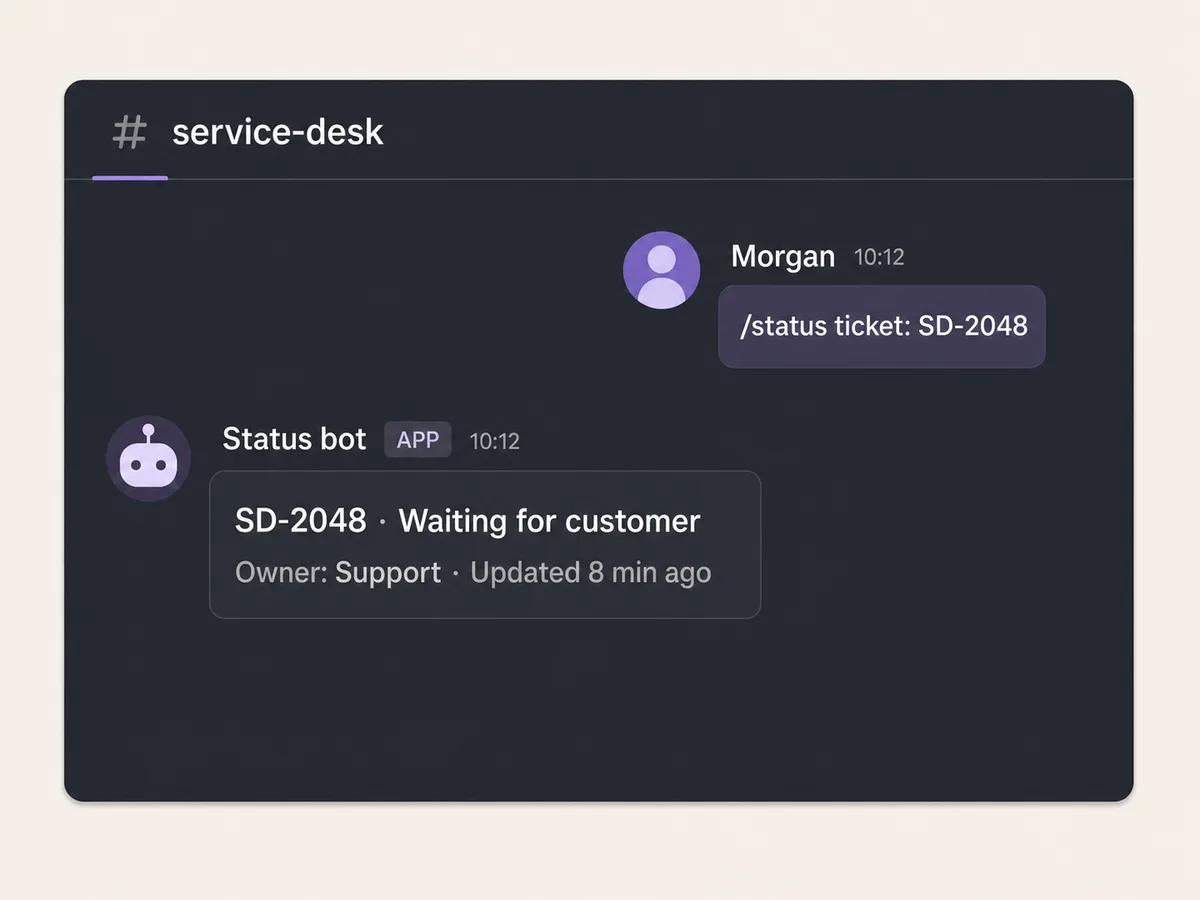
Illustrative service desk slash command returning a private ticket status reply
Illustrative command concept, not a product screenshot or provider test. The actual result depends on your brief, command model, permissions, and Discord setup.

QUICK ANSWER

How do you create a Discord bot?

Create an application in the Discord Developer Portal, decide between HTTP interactions and the Gateway, and request only the installation scopes and permissions the workflow needs. For HTTP slash commands, verify `X-Signature-Ed25519` over the exact timestamp plus raw body, answer PING with PONG, send or defer the initial response within three seconds, register a test command, deploy HTTPS, and complete a real installation smoke.

Prepare the application, raw-body path, and command scope

Start with one read-only command and fictional ticket records. A broad bot permission set is not a substitute for a clear interaction contract.

  • A Discord Developer Portal application: Create one application with a named owner and recovery path. Record the Application ID and Application Public Key; the public key verifies requests and is not a secret.
  • A raw HTTPS request body: Your server must preserve the exact request bytes until after Ed25519 verification. Parsing JSON and then serializing it again changes bytes and invalidates the signature contract.
  • One command and access decision: Define `/status ticket: SD-2048`, whether it works in a server, bot DM, or private channel, who may invoke it, and whether its response should be private. The fixture returns an ephemeral response.
  • A latency and long-work boundary: Classify commands that can respond immediately and commands that must defer before database, provider, or AI work. Never start slow work and hope it finishes before Discord's initial-response deadline.

Credentials and access

CredentialMinimum accessStorage and rotation
Discord Application Public Key
Ed25519 public key from the Developer Portal
The interaction server needs only the public key for request verification. It does not grant API access and should not be treated as a substitute for signature validation.Store in server configuration such as `DISCORD_APPLICATION_PUBLIC_KEY`. It is public material, but keeping one configured source prevents accidental use of a different application's key. Update configuration and signed fixtures when moving to another application or when Discord changes the application key. Reject requests signed for the old application after cutover.
Discord command-registration credential
Server-side client secret or bot token used to obtain command API access
Prefer the narrow command-registration path documented for the chosen application. For a command-only app, install with `applications.commands`; do not add `bot` or guild permission bits without a feature that uses them.Keep client secrets, bot tokens, and access tokens in server-side secrets. Never put them in browser code, command JSON, screenshots, source archives, URLs, or routine logs. Reset the exposed credential in the Developer Portal, update server configuration, invalidate old access where supported, and re-run command registration plus the live smoke.

Discord Developer Platform constraints

  • Discord can deliver interactions through the Gateway or an HTTP outgoing webhook; the two receivers are mutually exclusive for interactions. The artifact uses HTTP and does not maintain a Gateway connection.
  • An HTTP Interactions Endpoint URL must validate `X-Signature-Ed25519` and `X-Signature-Timestamp` against the exact raw body and return 401 for invalid signatures. Discord sends intentional invalid-signature checks.
  • The endpoint must answer an interaction PING (`type: 1`) with PONG (`type: 1`). Initial command response must be sent within three seconds; interaction tokens remain valid for follow-ups for 15 minutes under the current docs.
  • A command-only app can install with `applications.commands` without the `bot` scope or a permission bitfield. Add a bot user, Gateway intents, or guild permissions only when the implemented workflow requires them.
  • Provider terminology, installation contexts, command registration, review, and policy paths can change. Re-check the official Developer Platform docs and record the verification date before setup or distribution.

Official references: Discord Interactions Overview, Receiving and Responding to Interactions, Discord Application Commands, Discord OAuth2 and Permissions

Choose HTTP interactions or a Gateway connection

Discord supports a narrow request-response model and a persistent event model. Choose from the actual events and latency your bot needs.

ApproachBest forTradeoff
HTTP interactions endpointSlash commands, components, and modals that can respond or defer through webhooks.No persistent connection is required, but exact raw-body signature verification, PING, public HTTPS, and the three-second initial-response boundary are mandatory.
Gateway connectionBots that must receive Gateway events such as message or member events beyond interaction callbacks.A persistent WebSocket client adds reconnect, resume, shard, intent, and privileged-intent operations. Do not choose it for one slash command merely because older tutorials do.

Recommended:Use HTTP interactions for the `/status` command because it needs no Gateway event and can reply immediately. Install with `applications.commands` only. Add a bot user, permission bitfield, or Gateway intents later only when a separately tested feature requires them. For a comparable HTTP webhook architecture on Meta Pages, use the Facebook Messenger bot guide; its Page access, signature, permission, versioning, and policy requirements are provider-specific and do not carry over to Discord.

Create a secure Discord status command

Create a Discord application, verify signed HTTP interactions, handle PING and response deadlines, register least-privilege commands, deploy, test, and monitor the flow.

STEP 01

Define the command, contexts, and visible data

Model the command before requesting installation access.

The fixture accepts one string option named `ticket` and returns status, owner role, and relative update time. It disables mentions and uses the ephemeral response flag so the result is visible only to the invoking user.

Decide supported installation types and interaction contexts explicitly. A server command, user-installed command, bot DM command, and private-channel command do not have identical authorization or data boundaries.

Expected result: The brief names command, option types, contexts, actor checks, response visibility, allowed record fields, and slow-work behavior.

Verify it: Review valid, invalid, not-found, unauthorized, DM, and server fixtures before opening the Developer Portal permission generator.

STEP 02

Create the Discord application with least privilege

Create the application identity without adding a bot user the command does not need.

In the Developer Portal, create an application and copy the Application ID and Application Public Key into server configuration. The public key verifies interactions; it is not the bot token or client secret.

For this command-only app, prepare an install path with `applications.commands` only. Do not select `bot`, Administrator, Send Messages, or a Gateway intent unless a later implemented feature proves the need.

Expected result: The app has one owner, one public key configured on the server, and an installation design with no unused bot scope or permission bits.

Verify it: Inspect the generated install configuration and confirm `applications.commands` is the only requested scope for the reproduced workflow.

STEP 03

Verify Ed25519 over timestamp plus raw body

Authenticate every interaction before JSON parsing.

Read `X-Signature-Ed25519`, `X-Signature-Timestamp`, and the untouched body bytes. Verify the signature over the timestamp bytes followed by the raw body with the application public key.

Return 401 for missing, malformed, or invalid signatures. Discord intentionally sends invalid signatures while validating and monitoring endpoints, so accepting a probe can remove the URL.

discord-handler.mjs
const signature = headers.get('x-signature-ed25519')
const timestamp = headers.get('x-signature-timestamp')
const verified = verify(
  null,
  Buffer.concat([Buffer.from(timestamp), rawBody]),
  applicationPublicKey,
  Buffer.from(signature, 'hex'),
)

if (!verified) return Response.json({}, { status: 401 })

Expected result: Only a payload signed for the configured application reaches JSON parsing or command lookup.

Verify it: Run one fixed signed fixture and the same fixture with one signature byte changed. Expect PONG for the first and 401 for the second.

STEP 04

Answer PING and keep command output private

Implement the required handshake and one immediate command.

Return `{ "type": 1 }` for an interaction PING. For `/status`, validate the option format, look up the authorized record, and return callback type 4.

Set the ephemeral flag when the response is intended only for the invoker, and set `allowed_mentions.parse` to an empty array so record text cannot accidentally ping a role or user.

Expected result: A signed PING gets PONG, a valid status command returns one private result, and invalid input returns bounded guidance without a provider error.

Verify it: Assert response types, status code, flag 64, exact fixture text, and empty mention parsing in the deterministic test.

STEP 05

Defer slow work before starting it

Make the three-second initial-response boundary structural.

Discord currently requires the initial response within three seconds. If a command needs a slow provider, AI, report, or database workflow, return callback type 5 immediately and run work only after the HTTP response has been sent.

The artifact returns an `afterResponse` function for `/report`; the adapter must write the deferred response first, store the interaction token in an encrypted expiring vault, then enqueue only an opaque reference plus bounded identifiers.

Treat that interaction token as an expiring sensitive capability. Never log or queue the raw value; give queued work an earlier expiry, restrict worker access, delete it after success or expiry, and sweep a vault reference whose queue write never completes.

Expected result: Slow work cannot block creation of the initial deferred response, and the queued job has an opaque token reference plus the interaction identifiers needed for the follow-up path.

Verify it: Run the fixture and assert the vault and queue have not been called when the response is returned. Invoke `afterResponse`, then assert the vault receives the token once and the queued job contains only its opaque reference.

STEP 06

Run deterministic signed interaction fixtures

Prove cryptographic and response behavior without a provider credential.

Download and extract the same-release artifact, then run `node --test discord-handler.test.mjs` in the `status-command` directory.

The fixed private key is labeled test-only and signs only fictional local fixtures. The artifact makes no Discord request and does not contain a live application secret, token, or installation.

Expected result: Five tests pass for invalid signature, PING/PONG, immediate private status, deferred work ordering, and invalid command input.

Verify it: Inspect the raw-body signature construction and each assertion. Confirm the private fixture key is not referenced by runtime source.

STEP 07

Deploy HTTPS and set the Interactions Endpoint URL

Publish the exact raw-body handler and let Discord validate it.

Deploy on Playcode with the Application Public Key in server configuration. Confirm the request adapter passes untouched body bytes to the verifier before any JSON middleware consumes them.

Paste the HTTPS Interactions Endpoint URL into the current Developer Portal setup path. Discord sends PING and signature checks; the URL should save only when PONG and invalid-signature handling are correct.

Expected result: The Developer Portal accepts the endpoint and local logs show a valid PING plus 401 responses for intentional invalid-signature probes.

Verify it: Record a redacted UTC setup result with endpoint host, application ID suffix, response classes, and current official setup terminology. Do not log signatures or interaction tokens.

STEP 08

Register a guild command and install only its scope

Use a test server for immediate command iteration before global registration.

Register `/status` as a guild command first because Discord documents guild command updates as immediate. Keep registration credentials in a protected server-side task and never render their request headers.

Install the application into the controlled test context with `applications.commands` only. Review integration types, command contexts, and any default member permissions rather than inheriting a broad copied URL.

Expected result: The command appears in the intended test context and the authorization screen requests no bot scope or unused guild permission.

Verify it: Inspect the registered command JSON and installation grant, then compare them with the exact fields and contexts in the brief.

STEP 09

Run a live slash-command smoke and monitor deadlines

Finish the provider path with a controlled account and server.

Invoke valid, invalid, and not-found status cases. Confirm only the invoker sees ephemeral output, no mentions fire, and an unauthorized actor cannot retrieve a protected ticket.

Track signature rejection, command count, initial-response latency, deferred count, queue age, follow-up success, 401/4xx/5xx rates, and provider errors. Keep raw payloads, tokens, usernames, and ticket contents out of routine logs.

Expected result: The real client shows the expected private responses, initial acknowledgements remain below the deadline, and operators can diagnose a failure with bounded identifiers.

Verify it: Capture a redacted smoke record with UTC time, command version, installation scopes, contexts, response visibility, latency, and result. Keep it separate from local artifact evidence.

Test signatures, command input, response timing, and installation

The most dangerous false positive is a handler that works with hand-built JSON but fails Discord's raw-body signature check or initial-response deadline.

TestScenarioExpected result
happy pathA correctly signed `status` interaction carries ticket `SD-2048` from an allowed context and actor.The handler returns callback type 4 immediately, output is ephemeral, mentions are disabled, and only authorized fixture fields appear.
invalid inputMutate one signature byte, omit a signature header, send malformed JSON with a valid signature, and provide ticket `2048`.Signature failures return 401 before parsing, malformed JSON returns 400, and bad command input returns a private validation message.
retryInvoke the deferred report fixture, send the initial response, then simulate one queue failure and a controlled replay keyed by interaction ID.The initial defer is not repeated publicly, the job remains identifiable, and retry policy does not create two follow-up reports for one interaction.
production smokeSave the HTTPS endpoint, register a guild command, install with `applications.commands`, and invoke valid plus invalid cases from the test context.Endpoint validation passes, the command appears, responses are private and timely, no extra scope is granted, and bounded monitoring records the result.

Diagnose Discord interaction failures in order

Start with the endpoint contract and signature bytes, then response timing, command registration, installation contexts, and business authorization.

SymptomLikely causeCheckFix
The Developer Portal rejects the Interactions Endpoint URL.PING is wrong, the signature uses parsed JSON instead of raw bytes, invalid signatures do not return 401, or HTTPS is unreachable.Trace one setup attempt by UTC time and response class; locally replay a signed PING and a one-byte-mutated signature through the deployed adapter.Preserve raw bytes, verify timestamp plus body before parsing, return type 1 PONG for PING and 401 for invalid signatures, then save the URL again.
Users see “application did not respond.”Database, provider, or AI work starts before the initial response and crosses Discord's three-second deadline.Measure time from request receipt to initial HTTP response and split signature, parsing, lookup, and dependency durations.Return an immediate response or callback type 5 defer first, enqueue slow work after the response, and send a bounded follow-up within the token lifetime.
The command is missing from the intended server or DM.The command was registered in the wrong guild/global scope, integration type or context is unsupported, or the install lacks `applications.commands`.Fetch registered command JSON and compare application ID, guild ID, integration types, contexts, and installation grant with the brief.Register a guild command in the test server first, correct contexts and installation scope, then move to global only after the controlled smoke.
A user can query a ticket they should not see.The handler validates the ticket format but does not authorize the interaction actor, installation owner, guild, channel, or record scope.Replay the known ticket ID from two ordinary accounts and contexts; inspect server-side authorization decisions with bounded actor and record IDs.Derive actor and installation context from the verified interaction, enforce record scope on the server, and return the same bounded not-available response for unauthorized records.

Operate commands with a narrow provider contract

Deploy

Deploy raw-body verification and PING before saving the endpoint. Register commands in a controlled guild first, install only `applications.commands`, and promote globally only after signature, timing, context, and authorization smokes pass.

Re-check and record the current Discord terminology, setup location, installation model, scopes, response deadlines, and distribution or review path on the day of provider configuration. Do not reuse stale tutorial labels.

Monitor

Measure signature rejection by class, PING success, command count and version, initial-response latency percentiles, defer rate, queue age, follow-up result, provider response class, and authorization denial.

Correlate with a stable internal request ID and interaction ID suffix. Never log interaction tokens, signatures, raw request bodies, usernames, message contents, or sensitive ticket fields.

Recover

For a leaked registration credential, reset it in the Developer Portal, update server secrets, invalidate old access, and repeat endpoint plus command smokes. The public verification key is configured separately.

For a bad release, restore the app, then reconcile queued jobs and follow-up records by interaction ID. Do not re-run every deferred job without checking which follow-ups already succeeded.

Protect the interaction endpoint and ticket records

A valid Discord signature authenticates the provider request. It does not automatically authorize the invoking user to read a business record.

  • Verify Ed25519 against timestamp plus exact raw body before JSON parsing, reject malformed headers, bound request size, and return 401 for every invalid signature probe.
  • Request `applications.commands` only for the command-only artifact. Add bot scope, guild permissions, Gateway intents, or privileged intents only with an implemented and separately reviewed need.
  • Derive actor, installation owner, guild, channel, and context from the verified interaction; enforce ticket access server-side and keep private results ephemeral.
  • Keep client secrets, bot tokens, access tokens, and interaction tokens server-side. Disable mentions in generated content and never put credentials or raw payloads in logs or screenshots.
  • Minimize deferred-job payloads. Attach an expiry earlier than the provider follow-up window, encrypt a persisted interaction token, restrict consumers, reject expired jobs, and delete the token after success or expiry.
  • Use stable interaction or job identity for deferred-work retry, minimize retained user and ticket data, define deletion ownership, and re-check Discord policy before public distribution.

Discord bot setup questions

Do I need a bot token for a Discord slash command?

Not for verifying incoming HTTP interactions. That uses the Application Public Key. Command registration still needs an authorized server-side credential. A command-only install can use `applications.commands` without the `bot` scope.

Why must I keep the raw request body?

Discord signs the timestamp followed by the exact body bytes. Parsing and re-serializing JSON can change whitespace or ordering, so verify before body middleware transforms the request.

How quickly must a Discord bot respond?

Discord's current interactions documentation requires an initial response within three seconds. If work may be slow, defer immediately, run it after the HTTP response, and use the interaction token for a follow-up within its documented lifetime.

Should I request Administrator permission?

No for this command. Request only what each implemented action needs. The reproduced `/status` flow needs `applications.commands` for installation and no bot permission bitfield.

When should I use the Gateway instead of HTTP interactions?

Use the Gateway when the bot must receive Gateway events beyond interactions and you are ready to operate a persistent connection, intents, reconnect, resume, and possibly shards. One slash command is usually simpler over HTTP.

Does the artifact prove a live Discord bot?

No. It proves local signature and response behavior with test-only keys and fictional fixtures. A live application, accepted endpoint, command registration, installation, provider invocation, and authorization smoke remain separate evidence.

Build the command with Playcode

Describe the Discord workflow and permission boundary

Playcode AI can build the signed endpoint, command logic, database, tests, and operator views. You provide the Discord application, credentials, scopes, and final provider smoke.

Build an app with AI

Discord setup, installation, credentials, provider policy, and any external services remain your responsibility.

Have thoughts on this post?

We'd love to hear from you! Chat with us or send us an email.