QUICK ANSWER
What is the best customer portal software in 2026?
SuiteDash fits service businesses wanting an all-in-one client operation. Clinked fits document and project collaboration across separate client spaces. Plutio fits smaller teams combining projects, messages, and billing. Clientjoy fits sales-to-delivery workflows with proposals and invoices. Zendesk fits support-request portals. Pilot account isolation, approval records, export, offboarding, and the full production meter before choosing.
The best customer portal software is the one that gives each client a dependable path through status, files, requests, decisions, and billing without creating an unowned second system. This comparison evaluates the client experience and the operator controls behind it, including account isolation, export, failure recovery, and offboarding.
We reviewed official product, pricing, and support pages for SuiteDash, Clinked, Plutio, Clientjoy, and Zendesk on September 5, 2026. Prices and packages can change, and one Clinked page showed conflicting Premium figures, so this guide records the exact production meters and unresolved questions. No paid account or hands-on workflow benchmark was used.
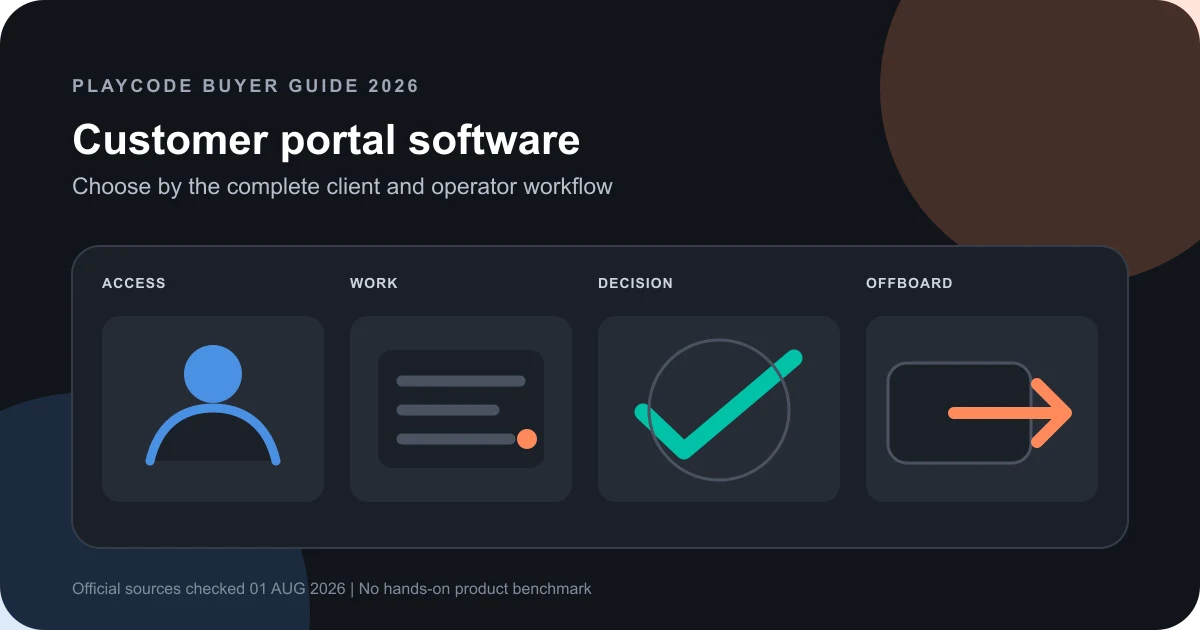
Pilot one complete client journey
Use the same fictional client, documents, project, request, approval, invoice, and offboarding checklist in every finalist. A feature-tour demo cannot prove the operating boundary.
Freeze the client and staff roles
Define one account with two client users, an account owner, a delivery operator, and an internal-only collaborator. Write which records each role can view, change, approve, download, and export.
Sources: [suitedash-pricing], [clinked-product], [clientjoy-pricing]
Run a real service workflow
Invite the client, publish status, exchange a file, open a request, capture a decision, issue a billing document, correct a mistake, and close access. Record every manual workaround and notification gap.
Sources: [clinked-product], [plutio-portal], [zendesk-portal]
Calculate the production meter
Price the actual client accounts, client users, staff, storage, custom domain, automation, support seats, and required add-ons at the intended billing cadence.
Sources: [suitedash-pricing], [clinked-pricing], [plutio-pricing], [clientjoy-pricing], [zendesk-pricing]
Prove export and offboarding
Export the pilot records and attachments, inspect completeness, revoke every client session, preserve the decision trail, and rehearse recovery from an accidental change. Treat undocumented behavior as procurement risk.
Sources: [suitedash-pricing], [clinked-pricing], [plutio-portal]
What this customer portal comparison covers
The shortlist covers packaged portals for ongoing business-to-client service, collaboration, and support. It does not rank every community, intranet, commerce, or custom application platform.
Included
- Authenticated client spaces with separate account and staff views
- Projects, status, files, requests, messages, decisions, invoices, and operator controls where documented
- Current first-party prices and the meters that can change production cost
- A repeatable pilot for isolation, export, correction, and offboarding
Not included
- A hands-on security, accessibility, performance, payment, uptime, support, or migration benchmark
- A universal product ranking, fabricated score, or outcome guarantee
- A custom client portal builder or tutorial for implementing a portal
- Consumer account centers, ecommerce storefront accounts, social communities, and employee intranets
- Compliance, data-residency, privacy, or security approval for any vendor
- Guaranteed retention, response time, revenue, client satisfaction, or cost reduction
Nine criteria that expose the portal operating contract
Every option covers the same nine rows. When a reviewed first-party page did not document a required behavior, the row states the missing proof instead of assigning a hidden score.
Client account and access model
A portal must isolate each client while keeping invitations, roles, revocation, and staff access understandable to operators.
Project and status visibility
Clients need a current answer about work, dates, owners, and blockers without exposing another account or internal-only notes.
Files and business documents
Uploads, statements of work, proposals, invoices, and deliverables need explicit visibility, retention, and download behavior.
Requests and messaging
A useful portal turns questions and service requests into owned work instead of becoming another unmonitored inbox.
Approvals and decision records
Teams need to know what was approved, by whom, against which version, and what changed after the decision.
Operator controls and automation
Templates, workflows, permissions, branding, and automations determine whether staff can run the portal consistently at scale.
Export and integration boundary
A portal is part of a larger operating system, so teams need tested handoffs and a credible path to leave with their records.
Actual production meter
Client accounts, users, staff, storage, branded domains, support seats, and add-ons can matter more than the starting price.
Recovery and client offboarding
Operators need a safe correction path plus a repeatable way to revoke access, preserve records, export data, and close an account.
Customer Portal Software Selection Matrix
This list is unordered. Each product serves a different client workflow, and all findings are limited to the dated official source registry.
SuiteDash
Best for: Service businesses wanting CRM, client portals, projects, files, billing, forms, automations, and branded delivery in one system.
SuiteDash publishes plan-level client, staff, storage, portal, automation, and ticketing boundaries. Its all-in-one scope is the core fit decision, not just its starting price.
| Criterion | Finding |
|---|---|
| Client account and access model | The pricing page lists unlimited CRM contacts, staff and team members, and client portals on Start, with white-label settings and granular roles described across the platform. Sources: [suitedash-pricing] |
| Project and status visibility | Projects, tasks, calendar, dashboards, onboarding, and client-facing portal modules are part of the suite; task dependencies are listed on Pinnacle. Sources: [suitedash-pricing] |
| Files and business documents | The plans include file storage, proposals, estimates, contracts, invoices, forms, and e-signature surfaces. Validate per-record visibility and retention in the pilot. Sources: [suitedash-pricing] |
| Requests and messaging | Messaging and portal communication are documented; support tickets are listed at the Pinnacle tier. Prove ownership, notification, and escalation behavior. Sources: [suitedash-pricing] |
| Approvals and decision records | Contracts and e-signatures can capture formal acceptance. The reviewed page does not define approval history for arbitrary project files or tasks. Sources: [suitedash-pricing] |
| Operator controls and automation | Custom branding, CRM, forms, onboarding, automation, and plan-dependent workflows give operators broad control. Test template changes against existing client spaces. Sources: [suitedash-pricing] |
| Export and integration boundary | The reviewed pricing page lists integrations and broad data modules but does not establish one complete export for projects, messages, files, contracts, invoices, and audit history. Sources: [suitedash-pricing] |
| Actual production meter | Published monthly prices are USD 19 for Start with 100 GB, USD 49 for Thrive with 500 GB, and USD 99 for Pinnacle with 2 TB. Plans advertise unlimited clients and staff. Sources: [suitedash-pricing] |
| Recovery and client offboarding | The reviewed source does not define deleted-record restore or a full client offboarding package. Rehearse revocation, export, retention, file access, and invoice preservation. Sources: [suitedash-pricing] |
Tradeoffs
- One broad platform can reduce handoffs, but it also concentrates CRM, delivery, billing, files, and support configuration in one vendor.
- The reviewed pricing page does not prove the completeness of data export, version recovery, or account-offboarding logs.
Clinked
Best for: Organizations centered on secure client workspaces for files, tasks, calendars, discussions, chat, approvals, and project updates.
Clinked organizes work into separate client spaces and publishes member, storage, domain, audit, and collaboration plan boundaries. Its pricing page showed a Premium price conflict at review time.
| Criterion | Finding |
|---|---|
| Client account and access model | Clinked describes separate branded client spaces with member permissions and plan-based member allowances. Validate guest, client, group, and administrator boundaries directly. Sources: [clinked-product], [clinked-pricing] |
| Project and status visibility | Tasks, calendar, activity, discussions, and project updates are named collaboration surfaces inside each client workspace. Sources: [clinked-product], [clinked-pricing] |
| Files and business documents | File sharing, document collaboration, full-text search, comments, and storage allowances are documented. Test version, retention, download, and external-share controls. Sources: [clinked-product], [clinked-pricing] |
| Requests and messaging | Discussions, chat, comments, notifications, and task activity support client communication. The reviewed pages do not define a formal service-request queue. Sources: [clinked-product], [clinked-pricing] |
| Approvals and decision records | The product page names approvals alongside files and collaboration. Prove approver identity, version binding, rejection, correction, and export in a pilot. Sources: [clinked-product] |
| Operator controls and automation | Custom branding and domain, workspace permissions, audit trail, full-text search, and member controls appear across published plans. Sources: [clinked-pricing], [clinked-product] |
| Export and integration boundary | The reviewed pages mention integrations and data portability surfaces but do not prove a complete machine-readable export across files, tasks, messages, approvals, and audit history. Sources: [clinked-pricing], [clinked-product] |
| Actual production meter | Start Up is listed at USD 11 per user with 200 GB. Standard is USD 239 monthly for 100 members and 1 TB. Premium displayed conflicting USD 599 and USD 479 figures, so cadence must be confirmed. Sources: [clinked-pricing] |
| Recovery and client offboarding | Audit and file history support investigation, but the reviewed pages do not prove whole-workspace restore or offboarding export. Test revocation, archive, download, and retention. Sources: [clinked-pricing], [clinked-product] |
Tradeoffs
- The collaboration focus is coherent for document-heavy client delivery, but it is less of an end-to-end CRM and billing suite.
- The reviewed page displayed USD 599 monthly in one Premium surface and USD 479 in its comparison block, so billing cadence and quote require confirmation.
Plutio
Best for: Freelancers and small service teams wanting projects, tasks, files, messages, proposals, contracts, invoices, and client portals together.
Plutio presents the portal as a client-specific workspace over its broader service-business system. Plans combine monthly account pricing with team and custom-domain boundaries.
| Criterion | Finding |
|---|---|
| Client account and access model | Every client receives a dedicated portal with configurable visibility. The reviewed pages describe client access but not a full role and session-control matrix. Sources: [plutio-portal], [plutio-pricing] |
| Project and status visibility | Projects, tasks, milestones, calendars, time tracking, and client-specific views can be presented through the portal. Sources: [plutio-portal], [plutio-pricing] |
| Files and business documents | Clients can access shared files, proposals, contracts, invoices, forms, and project records according to portal visibility settings. Sources: [plutio-portal], [plutio-pricing] |
| Requests and messaging | Messages, comments, inbox, forms, tasks, and notifications support client exchanges. A formal ticket queue and service-level controls are not established by the reviewed pages. Sources: [plutio-portal], [plutio-pricing] |
| Approvals and decision records | Proposals and contracts can capture acceptance, while comments support discussion. Test whether arbitrary file and project approvals bind identity and version. Sources: [plutio-portal], [plutio-pricing] |
| Operator controls and automation | Templates, automations, forms, branding, custom fields, workflows, and per-client visibility are documented across the service platform. Sources: [plutio-pricing], [plutio-portal] |
| Export and integration boundary | The reviewed pricing and portal pages list integrations but do not establish a complete export of project, message, file, contract, invoice, and approval history. Sources: [plutio-pricing], [plutio-portal] |
| Actual production meter | Published monthly plans are USD 19 Core, USD 49 Pro, and USD 199 Max. Pro includes unlimited clients and team collaboration; custom domain is USD 9 monthly on Core or Pro and included on Max. Sources: [plutio-pricing], [plutio-portal] |
| Recovery and client offboarding | The reviewed pages do not define whole-account restore or a client offboarding bundle. Rehearse access revocation, document export, payment records, message history, and retention. Sources: [plutio-portal], [plutio-pricing] |
Tradeoffs
- The unified small-business workflow can be faster to operate than several tools, but complex governance and high-volume service queues need direct proof.
- A custom domain costs extra on Core and Pro and is included on Max, so the visible portal experience is part of the production meter.
Clientjoy
Best for: Agencies and service teams wanting a sales-to-delivery client workspace around proposals, statements of work, invoices, files, status, and chat.
Clientjoy makes client accounts and client users explicit plan meters. Its published workflow joins leads, proposals, documents, invoices, payment status, and a branded portal.
| Criterion | Finding |
|---|---|
| Client account and access model | Starter supports 25 client accounts and 50 client users; Premium supports 100 client accounts and unlimited client users. Team-member allowances differ by plan. Sources: [clientjoy-pricing] |
| Project and status visibility | The portal exposes client activity, documents, invoice status, and service information. The reviewed page does not establish a full project dependency or portfolio model. Sources: [clientjoy-pricing] |
| Files and business documents | Proposals, statements of work, files, invoices, and other client documents are named portal records. Test versioning and download retention. Sources: [clientjoy-pricing] |
| Requests and messaging | Portal chat and shared client activity support communication. A dedicated support queue, routing model, and service-level controls are not documented on the reviewed page. Sources: [clientjoy-pricing] |
| Approvals and decision records | Proposals and statements of work create formal commercial decision surfaces. Prove version-bound approval and correction behavior for other portal records. Sources: [clientjoy-pricing] |
| Operator controls and automation | Custom domain, CSS, fields, portal records, pipeline, email, proposals, invoices, and team access provide operator configuration with plan-dependent limits. Sources: [clientjoy-pricing] |
| Export and integration boundary | The pricing page describes integrations and business records but not one complete export covering accounts, contacts, proposals, files, chat, invoices, and approvals. Sources: [clientjoy-pricing] |
| Actual production meter | Starter is listed at USD 44 monthly on annual billing or USD 49 monthly for up to five team members, 25 client accounts, and 50 client users. Premium is USD 89 annual-cadence or USD 99 monthly. Sources: [clientjoy-pricing] |
| Recovery and client offboarding | The reviewed pricing page does not document deleted-record restore or a complete offboarding package. Test session revocation, export, invoice retention, files, and message history. Sources: [clientjoy-pricing] |
Tradeoffs
- The sales-to-payment workflow is useful when the portal follows an agency pipeline, but it may not replace a deep project-management or support-ticket platform.
- Client-account and team limits can trigger a plan jump before storage or portal functionality does.
Zendesk customer portal
Best for: Support organizations whose portal job is primarily knowledge self-service, submitting requests, and tracking support tickets inside Zendesk Suite.
Zendesk includes a customer request portal inside its help center and connects it to ticketing, messaging, knowledge, and the agent workspace. It is support-led rather than project-led.
| Criterion | Finding |
|---|---|
| Client account and access model | The help center can give customers an authenticated place to submit and track requests while agents work in Zendesk. Validate organization and end-user visibility rules. Sources: [zendesk-portal], [zendesk-pricing] |
| Project and status visibility | Zendesk exposes support-request status rather than a general project plan. Choose it when the client-facing unit is a ticket, not a milestone portfolio. Sources: [zendesk-portal] |
| Files and business documents | Knowledge articles and request attachments are part of the support experience. The reviewed pages do not describe a general governed client document library. Sources: [zendesk-portal] |
| Requests and messaging | Ticketing, messaging, email, help-center requests, and agent workspace are the central documented workflow. Sources: [zendesk-portal], [zendesk-pricing] |
| Approvals and decision records | Ticket state and replies record support handling, but the reviewed pages do not establish version-bound approvals for proposals, files, or deliverables. Sources: [zendesk-portal] |
| Operator controls and automation | Suite combines ticket routing, messaging, agent workspace, help-center knowledge, reporting, and plan-dependent roles and service controls. Sources: [zendesk-portal], [zendesk-pricing] |
| Export and integration boundary | Zendesk is integration-oriented, but the reviewed introduction and pricing pages do not prove one portal-complete export of end users, tickets, attachments, knowledge, and audit history. Sources: [zendesk-portal], [zendesk-pricing] |
| Actual production meter | Suite Team is listed at USD 55 per agent monthly when paid yearly. The bill is driven by support agent seats and any higher-plan or AI requirements, not customer portal users alone. Sources: [zendesk-pricing] |
| Recovery and client offboarding | The reviewed pages do not define a complete client offboarding or whole-portal restore. Test end-user suspension, request retention, attachment export, corrections, and organization closure. Sources: [zendesk-portal], [zendesk-pricing] |
Tradeoffs
- The support workflow is mature and focused, but it does not become a general project, contract, deliverable, or invoice portal merely because customers can sign in.
- Agent seats and broader Suite packaging can be excessive when the requirement is only document collaboration or project status.
Choose the product whose primary record matches the client job
Start with what the client is trying to complete. A portal centered on the wrong record creates manual reconciliation even when its feature list looks complete.
The same team must manage leads, onboarding, projects, files, billing, support, and branded client spaces in one system
Choose: Pilot SuiteDash first.
Tradeoff: You accept broad platform configuration and must prove export, recovery, and offboarding across several modules.
The client relationship revolves around secure document exchange, tasks, discussions, approvals, and project updates
Choose: Pilot Clinked first.
Tradeoff: Confirm the pricing cadence and add separate commercial or ticketing tools if those workflows are required.
A freelancer or small service team needs projects, messages, contracts, invoices, and a client-specific view together
Choose: Pilot Plutio first.
Tradeoff: Prove role depth, formal approvals, high-volume operations, export, and recovery before scaling it.
An agency journey begins with leads and proposals and continues through statements of work, invoices, files, and client chat
Choose: Pilot Clientjoy first.
Tradeoff: Client-account and team limits shape cost, while deep project and support operations may stay elsewhere.
Customers mainly need knowledge self-service plus a place to submit and track support requests
Choose: Pilot the Zendesk customer portal first.
Tradeoff: Do not treat a support-request portal as a general project, deliverable, contract, or billing workspace.
No packaged portal can model the required domain records, account isolation, approval state, or integration boundary
Choose: Document the missing contract before considering custom software.
Tradeoff: A custom portal adds product ownership, security, accessibility, support, hosting, migration, monitoring, and recovery work.
RUN THE PILOT
Test one client journey before buying the portal feature list
Freeze the roles, records, workflow, production meter, export, and offboarding requirement. Use the same acceptance sheet with every finalist.
Start BuildingUse Playcode when the result needs to become custom software, not as evidence that a packaged portal passed this comparison.
Limits of this comparison
This is a dated source review and pilot design, not independent product certification or a procurement approval.
- No paid account was purchased and no real client, payment, account-isolation, accessibility, notification, export, or restore workflow was tested.
- Prices are public USD snapshots where available. Tax, currency, annual commitments, negotiations, add-ons, storage, onboarding, support, and payment fees can change the bill.
- Clinked displayed conflicting Premium prices on the same reviewed pricing page, so a current written quote and billing cadence are required.
- Official pages can omit plan gates or use broad product language. Treat every undocumented behavior as a pilot question.
- Security, privacy, compliance, data residency, availability, support quality, and accessibility need separate review with current evidence.
- The five-product roster is deliberately bounded and represents distinct operating shapes, not an exhaustive market directory.
First-party vendor corpus reviewed September 5, 2026
Source IDs appear on the methodology and matrix rows. Access dates are verification dates, not invented revision dates. Recheck every volatile source after October 6, 2026.
[suitedash-pricing] SuiteDash:SuiteDash pricing and plan comparison
Checked September 5, 2026. Supports: Published monthly plan prices, unlimited clients and staff claims, storage, portals, CRM, projects, documents, billing, automations, support tickets, task dependencies, and plan boundaries.
[clinked-pricing] Clinked:Clinked pricing
Checked September 5, 2026. Supports: Per-user and bundled plan prices, member and storage limits, custom domain, audit, full-text search, tasks, calendar, discussions, chat, and the conflicting Premium price display.
[clinked-product] Clinked:Clinked client portal product overview
Checked September 5, 2026. Supports: Separate client spaces plus files, tasks, approvals, messages, permissions, collaboration, and project-update product claims.
[plutio-pricing] Plutio:Plutio pricing
Checked September 5, 2026. Supports: Current Core, Pro, and Max monthly prices; clients, team collaboration, projects, proposals, contracts, invoices, forms, messaging, workflows, and plan boundaries.
[plutio-portal] Plutio:Plutio client portal
Checked September 5, 2026. Supports: Per-client visibility, tasks, files, invoices, messages, branding, portal inclusion, and custom-domain pricing or inclusion by plan.
[clientjoy-pricing] Clientjoy:Clientjoy pricing
Checked September 5, 2026. Supports: Annual-cadence and monthly prices, team members, client accounts, client users, portal domain and CSS, files, proposals, statements of work, invoices, payment status, chat, and fields.
[zendesk-pricing] Zendesk:Zendesk pricing
Checked September 5, 2026. Supports: Current Suite Team annual per-agent price plus ticketing, messaging, help center, agent workspace, and service-suite inclusion.
[zendesk-portal] Zendesk:Getting started with Zendesk Suite
Checked September 5, 2026. Supports: Help-center knowledge and customer request portal relationship with tickets, messaging, support channels, and agent workspace.
Customer portal software questions
What should I test before buying customer portal software?
Use one fictional client account. Test invitation, isolation, roles, status, files, requests, messages, a version-bound approval, invoice visibility, notification ownership, export, correction, session revocation, and account closure. Price the exact client accounts, users, staff, storage, custom domain, support seats, and add-ons needed for that journey.
What is the difference between a client portal and a customer portal?
The terms often overlap. Client portal commonly describes an ongoing professional-service relationship around projects, documents, approvals, and invoices. Customer portal often emphasizes self-service, account information, or support requests. Define the primary record and workflow instead of selecting a product from the label alone.
How should I compare customer portal pricing?
Model the production meter rather than only the lowest plan. Count client accounts, client users, staff seats, support agents, storage, custom domains, automation, white labeling, integrations, payment fees, and required upgrades. Record annual versus monthly cadence and rerun the model at realistic account growth.
Can a support portal replace a project client portal?
Only when the client-facing unit is a request or ticket. A support portal can handle knowledge, messages, attachments, and request status, but it may not model projects, deliverable versions, contracts, approvals, invoices, or portfolio milestones. Pilot the exact record set before consolidating tools.
What portal data should be exportable?
At minimum, test accounts, users, role assignments, projects or requests, messages, comments, files and versions, proposals, contracts, approvals, invoices, status history, custom fields, audit events, and stable identifiers. Inspect the export, attachments, timestamps, relationships, and a practical import or archive path.
When should a business build a custom customer portal?
Consider custom software only after a controlled pilot proves that packaged products cannot model a required domain record, account-isolation rule, approval, integration, export, or recovery boundary. A custom portal adds long-term ownership for design, security, accessibility, hosting, migrations, monitoring, support, and recovery.
CUSTOM IS A SEPARATE DECISION
Describe the missing portal contract, then prove one bounded slice
If the pilot exposes a real gap, give Playcode the client records, roles, account boundaries, state changes, integrations, failure paths, export, and recovery requirement. Build one complete journey before replacing a packaged system.
Start BuildingNo credit card required. AI credits are included to start; production plan limits and operating responsibilities still apply.