A useful Messenger bot is not a floating chat script. It is a server application connected to a Facebook Page, with three separate trust boundaries: Meta verifies your callback, your server authenticates POST deliveries, and your business authorizes what each Page-scoped user may read or change.
This guide builds a bounded Page-support workflow: a customer asks about fictional order NS-1042, receives a status response during the allowed reply window, and can request a person. The same-release fixture proves webhook and retry behavior without pretending that a real Meta app, Page, permission review, subscription, or customer delivery was completed.
QUICK ANSWER
How do you create a Facebook Messenger bot?
Create or select a Facebook Page and Meta app, choose the correct access path, deploy an HTTPS webhook, pass the GET callback challenge, verify signed POST bytes with the Meta App Secret, persist each Messenger `message.mid` before HTTP 200, and reply through the Send API with a server-side Page access token. Start with Meta’s current overview and finish with a real two-account smoke test.
What you need before building
Prove the Page, app, permission, and policy path before polishing dialogue. A local webhook can be correct while the provider setup still blocks every real user.
- Meta developer and Page ownership: Use an owned Meta developer account, create or select the correct Meta app, and record the Facebook Page, Business, app roles, Page tasks, and responsible operator. Do not build around a personal profile inbox.
- One bounded conversation: Choose one user-initiated job with a human fallback. This fixture accepts an order reference, returns a fictional status, and supports `HUMAN`; it does not collect payment, identity documents, health data, or an open-ended marketing opt-in.
- Public HTTPS and durable state: Plan one stable HTTPS callback, a raw-body request path, a unique constraint on provider message identity, a pending-work table or queue, bounded logs, and a worker retry path before subscribing the Page.
- Policy, privacy, and access decision: Read the current Messenger policies, decide retention and deletion ownership, document the 24-hour response boundary and human handoff, and identify whether public users trigger Advanced Access or review.
Credentials and access
| Credential | Minimum access | Storage and rotation |
|---|---|---|
| Webhook verification token Random secret chosen by you for the GET callback challenge | Known only to the webhook service and the matching Meta callback configuration. | Store server-side. Never place it in browser code, screenshots, URLs, or routine logs. Replace both service and Meta callback configuration, then repeat the GET verification smoke. |
| Meta App Secret App-level signing secret for webhook payload authentication | Webhook verifier only. It is not a Page access token or a business authorization decision. | Keep in an encrypted server secret store with restricted process and operator access. Rotate in Meta app settings, update the server secret, reject the old signature, and rerun signed fixtures plus one provider smoke. |
| Page access token Bearer token used by the server to call the Messenger Send API for the Page | Use the Page, Page task, and permissions needed for the reproduced messaging flow, including current `pages_messaging` requirements. | Keep server-side and send in the Authorization header. Never append it to a URL or expose it to the client. Revoke or replace the token through the current Meta ownership path, update the server, and rerun a controlled Send API smoke. |
Meta Messenger Platform constraints
- A Facebook Page is required, and the person must initiate the conversation. Meta describes the inbound webhook and 24-hour reply flow in the current overview.
- Standard Access is initially limited to people with an app or claimed-Page role. Serving people without those roles can require Advanced Access, App Review, and Business Verification. Test access does not prove public access.
- The Page access token must come from a person with the required Page task. The app needs the current permissions for its exact flow, including `pages_messaging`; do not request every Page or business permission by default.
- Messaging rules, access terms, rate limits, review requirements, dashboard paths, and Graph API versions change. Re-check first-party Meta documentation before implementation and again immediately before publication.
- Meta currently describes the Messenger Platform itself as free to use. Playcode, hosting, review work, monitoring, support operations, and any external provider still have their own cost and plan boundaries.
Official references: Messenger Platform overview, Messenger webhooks, Messenger Send API, Messenger policy and usage guidelines, Meta Messenger Platform API collection
Choose where the reply work happens
Meta needs a prompt webhook acknowledgement, while your business needs durable, retryable effects. The choice is not webhook versus polling here; Messenger uses webhooks for inbound Page events. The real choice is whether you perform work inside the request or claim it and continue from a worker.
| Approach | Best for | Tradeoff |
|---|---|---|
| Reply inside the webhook request | A short private prototype with no durable business side effect. | Less infrastructure, but a Send API timeout delays the provider acknowledgement and makes crash, retry, and duplicate behavior harder to prove. |
| Claim the message, acknowledge, then run a worker | Production Page support, bookings, order lookup, lead triage, or any effect that must survive process failure. | Requires durable state and monitoring, but retries resume the same message record instead of repeating the customer action. |
Recommended:Persist the authenticated `message.mid` and safe fingerprint under a unique constraint, create pending work, return HTTP 200, then let a bounded worker authorize and send. Use a transactional outbox when one business write and one outbound reply must remain coordinated across a crash.
Create the Messenger Page-support bot in eight steps
The sequence separates provider ownership, callback authentication, message identity, business authorization, outbound sending, testing, and live delivery so one green check cannot hide another missing boundary.
STEP 01
Define the job, records, and reply policy
Write the smallest useful conversation before touching Meta settings.
For the fixture, a person sends `ORDER NS-1042`. The app stores one inbound message, looks up a fictional order the Page is allowed to expose, returns a bounded status, and offers `HUMAN`. The bot never changes an order or requests payment.
Define the message record: provider message ID, Page ID, Page-scoped sender ID, provider timestamp, safe fingerprint, status, attempts, last bounded error, created time, retention, and authorized business reference. Define the human-handoff record separately.
Write the allowed reply window, opt-out behavior where relevant, escalation owner, response expectation, retention, deletion, and incident owner. A model-generated sentence cannot override these deterministic rules.
Expected result: A one-page contract names the accepted intent, durable records, allowed response, human fallback, prohibited actions, privacy scope, and responsible operators.
Verify it: Review the contract with the Page owner and test it against an unknown order, another customer, a repeated message, a closed reply window, and a provider outage.
STEP 02
Create the Meta app and connect the intended Page
Record each provider asset and access boundary by its real responsibility.
Create or select the Meta app and add the current Messenger setup. Select the intended Facebook Page, confirm app and Page roles, record the Page ID, and generate the Page access token through an authorized person.
Start with Standard Access and role-based testers. If people without app or Page roles must use the bot, follow the current Advanced Access, App Review, and Business Verification path. Do not describe a successful test-user message as public approval.
Request only the permissions and Page tasks used by the workflow. The current overview lists Page messaging dependencies; verify the exact list in your app type and login flow on the implementation date.
Expected result: The correct app, Page, operators, access level, requested permissions, Page tasks, token owner, and review boundary are recorded without exposing credentials.
Verify it: Use one authorized tester and one unrelated account to confirm which actions work under Standard Access and which remain blocked before public review.
STEP 03
Pass the GET callback challenge
Prove callback ownership with the verification token you chose.
Expose a GET route on the final callback path. Require `hub.mode=subscribe`, compare `hub.verify_token` with the configured verification token using a safe comparison, and return the exact `hub.challenge` as plain text.
Reject a missing or wrong token with 403. Do not accept the Meta App Secret or Page access token in its place, and do not log query values.
if (query['hub.mode'] !== 'subscribe') return forbidden()
if (!safeEqual(query['hub.verify_token'], env.MESSENGER_VERIFY_TOKEN)) return forbidden()
return text(query['hub.challenge'], { status: 200 })
Expected result: A correct GET request receives the exact challenge; a wrong token receives 403.
Verify it: Run both deterministic cases locally, then complete the callback verification in the current Meta dashboard only after the final HTTPS URL is live.
STEP 04
Authenticate POST bytes before parsing
Treat signed webhook delivery and JSON validity as separate gates.
Capture the exact raw POST body. Calculate `sha256=` plus HMAC-SHA256 with the Meta App Secret and compare it with `X-Hub-Signature-256` before calling `JSON.parse`.
Include a wrong-signature fixture whose body is malformed JSON. A 401 response proves authentication ran first. A correctly signed malformed body may then return 400.
Check `object=page`, the subscribed Page entry ID, and the recipient Page ID. A valid app signature proves the Meta delivery, not that this service may process every Page or every customer record.
const rawBody = await readRawBody(request)
const expected = 'sha256=' + hmacSha256(env.META_APP_SECRET, rawBody)
if (!safeEqual(request.headers.get('x-hub-signature-256'), expected)) return unauthorized()
const payload = JSON.parse(rawBody.toString('utf8'))
Expected result: Unsigned or wrongly signed deliveries stop at 401 without parsing, storing, scheduling, or revealing a secret.
Verify it: Run the signed fixture, the wrong-signature plus malformed-JSON fixture, the valid-signature plus malformed-JSON fixture, and an unexpected-Page fixture.
STEP 05
Claim message identity before HTTP 200
Make retries harmless and processing recoverable.
For each inbound customer message, require `message.mid`, Page-scoped sender ID, intended recipient Page ID, and provider timestamp. Validate every message in a delivery before the first insert or claim the whole batch transactionally.
Insert the stable message ID and safe fingerprint under a unique constraint with `pending` status before acknowledgement. An exact duplicate returns HTTP 200 without scheduling another effect; changed content under the same ID is an integrity conflict.
Ignore or route echo, delivery, read, postback, and other event classes explicitly. Do not accidentally treat your Page reply or delivery receipt as a new customer request.
Expected result: One authenticated customer message produces one durable pending record and one scheduled worker action before the provider receives HTTP 200.
Verify it: Deliver the same signed message twice, a changed payload under the same ID, an echo, a delivery receipt, and a batch with an invalid later message. Confirm one record and no partial inserts.
STEP 06
Authorize the lookup and build the Send API request
Keep Page access and business-record access separate.
Resolve the Page-scoped sender from the authenticated message record, then authorize the requested order against server state. Never trust an order ID or account ID merely because it arrived in a valid Meta webhook.
Build the response using a pinned current Graph API version, the Page ID, the recipient PSID, `messaging_type: RESPONSE`, and a bounded text message. Meta’s Messenger Platform API collection shows the current bearer-token and Send API shape.
Keep the Page access token in the Authorization header on the server. Record the Meta request ID, bounded error code, recipient hash, message record ID, and attempt without logging the token or full conversation.
await fetch(`https://graph.facebook.com/${GRAPH_VERSION}/${PAGE_ID}/messages`, {
  method: 'POST',
  headers: { authorization: `Bearer ${PAGE_ACCESS_TOKEN}`, 'content-type': 'application/json' },
  body: JSON.stringify({
    recipient: { id: senderPsid },
    messaging_type: 'RESPONSE',
    message: { text: safeReply },
  }),
})
Expected result: An authorized pending message creates one Send API attempt with no credential in the URL or browser, while an unauthorized lookup sends nothing.
Verify it: Inspect the deterministic request builder, test an unrelated customer and Page, and confirm the artifact’s authorization-denied case leaves the message reviewable without sending.
STEP 07
Run, inspect, and package the deterministic artifact
Prove handler behavior before connecting a real Page.
Run `npm test` with Node.js 22. The ten fixtures cover GET verification, signature-before-parse, record-before-ack, duplicates, worker recovery, event filtering, all-or-nothing identity checks, Page targeting, Send API construction, and business authorization.
Create an allowlisted ZIP containing only source, tests, package metadata, and README. Run archive integrity, source-byte comparison, fresh-unzip tests, and credential-pattern scans. Record the exact SHA-256.
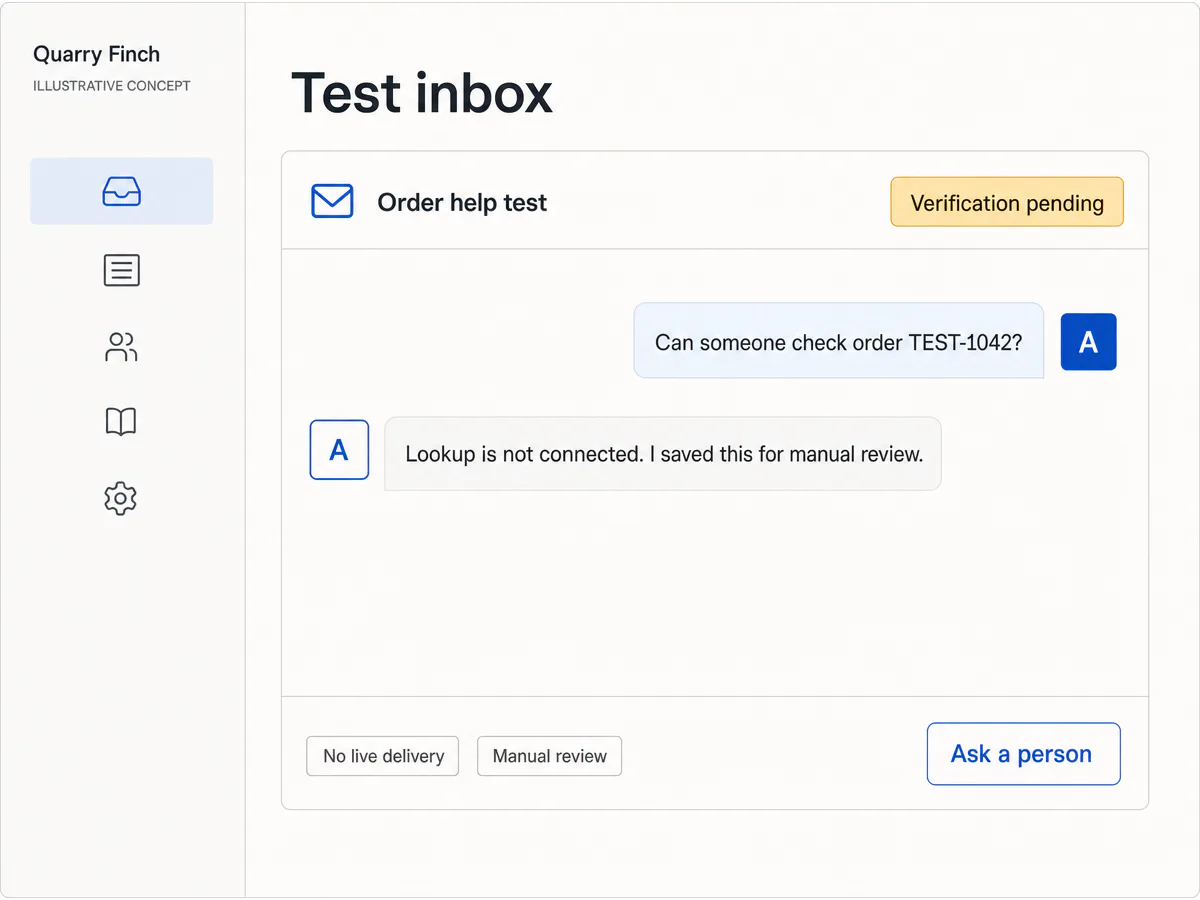
Use only unmistakably fictional Page IDs, sender IDs, order references, timestamps, tokens, messages, and errors. Generated UI is a concept and never appears in the evidence package.
Expected result: Ten deterministic tests and fresh-unzip tests pass, the file list is exact, the secret scan is empty, and the archive hash matches the evidence note.
Verify it: Compare the downloaded archive with the page-local source and verify SHA-256 `5f38af77c09d01f099226064b3acfb447e97313b67f23cae71528eb228a57206`.
STEP 08
Deploy HTTPS, subscribe the Page, and run a real smoke
Finish the provider boundary in the target environment.
Deploy the GET verifier, raw-body POST verifier, durable message store, worker, Send API adapter, and privacy-safe monitoring on Playcode. Use one stable HTTPS callback and separate server-side secrets.
In the current Meta setup, verify the callback, subscribe the intended Page and required message fields, and confirm the app, Page, token, access level, tasks, permissions, and Graph API version all refer to the same environment.
From an authorized test account, message the Page with `ORDER NS-1042`; verify one inbound webhook, one durable record, one authorized response, and one visible human-handoff path. Then repeat from an unrelated account to validate the current access or review boundary.
Expected result: The intended test account receives one Page response, an unauthorized or unapproved account is handled according to the documented access state, and no duplicate business effect appears.
Verify it: Capture a redacted smoke record with environment, UTC time, app and Page IDs, Graph API version, message ID hash, request ID, access state, response visibility, and operator. Keep tokens and message text out.
What the result can look like
Test the webhook, retry, authorization, and live provider boundary
A green callback check proves only one boundary. Keep local deterministic handler evidence separate from Page ownership, access approval, subscription, Send API delivery, and the two-account production smoke.
| Test | Scenario | Expected result |
|---|---|---|
| happy path | Send one correctly signed fictional Page message with a new `message.mid`, intended Page ID, known PSID, and authorized order reference. | The handler claims one pending record before HTTP 200, the worker authorizes it, and one bounded Send API response request is produced. |
| invalid input | Send malformed JSON with a wrong signature, then a valid signature targeting another Page and a multi-message payload with a missing later `message.mid`. | Authentication fails before parsing, unexpected Page data is rejected, and invalid batch identity leaves no partial record. |
| retry | Deliver the identical signed message twice, then fail the first outbound worker attempt and scan pending work again. | One durable record remains, the duplicate schedules no second effect, the failed record stays pending, and the next worker scan completes the same record. |
| production smoke | Message the subscribed Page from one allowed test account and one unrelated account, then reply once inside the current standard response window. | The provider delivers one authenticated event and one visible response for the allowed account; the unrelated account demonstrates the real Standard, Advanced, review, or business-verification state without bypass. |
Common Facebook Messenger bot failures
Diagnose callback ownership, POST authentication, Page subscription, access level, business authorization, response-window rules, and Send API delivery separately. They fail for different reasons and need different fixes.
| Symptom | Likely cause | Check | Fix |
|---|---|---|---|
| Meta cannot verify the callback URL | The route is not public HTTPS, the verification tokens differ, `hub.mode` is ignored, the challenge is wrapped in JSON, or the response is too slow. | Inspect method, final callback path, TLS, status, mode, safe token-match result, exact plain-text body, and latency without logging the token. | Deploy the matching verification token and return the exact challenge promptly only for `subscribe` mode. |
| Every signed POST returns 401 | The server uses the GET verification token instead of the Meta App Secret, parses before hashing, receives modified bytes, or has the secret for another app. | Compare app ID, secret source, raw-body capture order, body byte count, `sha256=` header shape, and proxy behavior without exposing secret or body. | Use the matching Meta App Secret and compute HMAC-SHA256 over the untouched delivered bytes before parsing. |
| The callback verifies but no Page messages arrive | The wrong app or Page is configured, message fields are not subscribed, the Page role or task is missing, or the account is outside Standard Access. | Check the current app, Page ID, Page subscription, selected fields, app mode, test role, Page task, access level, and provider diagnostics. | Correct the exact asset, role, subscription, or access mismatch. Complete review or verification when public users require it instead of testing around it. |
| One customer message produces duplicate replies | `message.mid` is not unique in durable storage, the claim happens after HTTP 200 or after sending, or your Page echo is treated as a customer message. | Trace message ID, fingerprint, record insert, acknowledgement, worker attempts, Send API request IDs, and echo flag in bounded logs. | Claim message identity before acknowledgement, filter echo events, and retry the same pending record instead of creating another action. |
| Send API returns a permission or recipient error | The Page access token, Page ID, Page task, permission, PSID, Graph API version, response-window state, or app access level does not match the conversation. | Inspect the redacted Meta error, request ID, token owner, Page, permission, access state, recipient source, messaging type, and Graph API version. | Correct the specific token, Page, recipient, permission, review, or policy boundary. Never put the token in a URL or reuse another Page’s identifiers. |
Operate the bot as a Page-support system
Deploy
Deploy one stable HTTPS callback with separate verification-token, App-Secret, and Page-access-token configuration. Pin a current Graph API version and record the owner, purpose, Page, app, environment, and rotation date for each credential.
Subscribe only after the record-before-ack path, pending worker, authorization check, retry controls, human handoff, retention, deletion, and bounded observability are ready. A green GET verification is not a release decision.
Monitor
Track GET failures, signature failures, accepted and duplicate message IDs, invalid event classes, pending age, worker attempts, authorization denials, Send API status and request IDs, response latency, rate-limit signals, handoff age, and policy incidents.
Use hashed or redacted identifiers and bounded error context. Do not log verification tokens, App Secrets, Page access tokens, Authorization headers, full PSIDs, raw webhooks, customer messages, or order data by default.
Recover
Recover acknowledged but unfinished work by scanning durable pending records. Do not assume Meta will retry after your service returned HTTP 200, and do not create a new message record merely because the worker restarts.
For a credential exposure, identify which credential leaked, rotate only the affected boundary, confirm old access is revoked, reverify or resubscribe when required, and rerun signed fixtures plus a controlled two-account provider smoke.
Use record repair or worker replay for a bounded message problem. A whole-app saved-point restore also moves the message database backward and can make an already processed provider event appear new unless identity and post-checkpoint reconciliation are handled.
Protect secrets, Page access, customer data, and message consent
A valid Meta signature authenticates the delivery from the configured app. It does not prove that the Page is entitled to reveal an order, that a customer owns the supplied reference, or that an outbound message is allowed now.
- Keep the verification token, Meta App Secret, Page access token, app ID, Page ID, and Graph API version as separate named configuration values with different responsibilities and rotation paths.
- Verify HMAC on raw bytes before parsing, validate the intended Page, claim each provider message ID once before HTTP 200, and process effects from recoverable pending state.
- Derive business authorization from server state. Never let the Page-scoped sender ID, a message-supplied order ID, or model output authorize access or an external action by itself.
- Minimize stored message text and customer data, bound input length, redact routine logs, define retention and deletion owners, and protect list, detail, export, replay, handoff, and correction paths on the server.
- Respect user initiation, the current reply window, human-agent and automated-message rules, opt-out where applicable, review state, rate limits, Platform Terms, Messenger policies, and Community Standards. Do not build unsolicited bulk messaging.
- Use the official Messenger Platform. Do not automate a personal Facebook account, scrape inboxes, share tokens between customers, or bypass app, Page, review, verification, or access controls.
Facebook Messenger bot questions
Do I need a Facebook Page to create a Messenger bot?
Yes. The Messenger Platform connects a Meta app to a Facebook Page for Page-to-person conversations. A personal profile inbox is not the bot surface described by the official platform.
Is the webhook verification token the Meta App Secret?
No. You choose the verification token for the GET callback challenge. The Meta App Secret authenticates signed POST payloads. The Page access token authorizes Send API calls. Keep all three separate and server-side.
Why must the webhook use the raw request body?
The signature covers the exact bytes Meta delivered. Parsing and re-serializing JSON can change those bytes. Capture the raw body, verify `X-Hub-Signature-256` with the App Secret, then parse.
Can I test a Messenger bot without App Review?
Usually you can develop with Standard Access for people who hold an app or claimed-Page role. Public users outside those roles can require Advanced Access, App Review, and Business Verification. Re-check the current app-specific path.
Can the bot message anyone on Facebook?
No. The person initiates the Page conversation, and outbound replies remain subject to current response-window, permission, policy, access, and content rules. Do not use Messenger for unsolicited bulk messaging.
What is a Page-scoped ID?
It identifies a person for one Page and app context. Treat it as a routing identifier, not proof that the person owns an order, account, or other private record. Business authorization still comes from your server.
Does the downloadable artifact prove a live Messenger integration?
It proves ten deterministic webhook, identity, retry, request-building, and authorization behaviors plus archive integrity. It does not prove Meta assets, permission approval, subscription, a real Page message, Send API delivery, rate limits, or policy compliance.
Build the webhook boundary first
Create the Messenger workflow as inspectable code
Describe the conversation, Page assets, records, access rules, provider boundaries, tests, handoff, and failure recovery. Playcode can build and host the application while you keep the source.
Build with Playcode AINo credit card required. Meta accounts, Page ownership, credentials, permissions, review, policies, public subscription, and live delivery remain yours.