QUICK ANSWER
What is the difference between a website builder and web hosting?
A website builder is software for creating and managing a site. Web hosting stores or runs the site and serves it to visitors. They are complementary layers, not strict substitutes. Choose a builder with bundled hosting for one managed workflow; choose separate hosting plus a site stack when you need more runtime control and can own the added operations.
SAME LAUNCH BRIEF, TWO RESPONSIBILITY MAPS
Harbor & Pine launch brief
The visitor outcome stays constant. What changes is who owns the path from editing to publishing, serving, maintenance, monitoring, and recovery. These are fictional planning scenarios, not product screenshots or completed deployments.
- Five public service pages, a regularly updated journal, and an inquiry form
- A domain the business controls, HTTPS, mobile checks, and indexable public pages
- A named content owner and a recoverable handoff when the original builder leaves
BUNDLED
Managed builder with bundled hosting
The site owner works in one platform while the platform operates its documented hosting layer.
Prerequisites
- Confirm the selected plan currently includes publishing and hosting for the required site type.
- Confirm the editor supports the required pages, journal, form behavior, domain connection, permissions, and content workflow.
- Record export, backup, rollback, account recovery, billing, and handoff limits before building.
Deployment sequence
- Build and review the pages inside the managed editor.
- Publish to the platform preview or managed site destination.
- Connect the controlled domain using the platform-specific DNS instructions.
- Verify HTTPS, critical pages, the inquiry journey, indexability, mobile layout, and owner access.
Operator owns
- Content, design approval, permissions, billing, domain control, provider settings, and acceptance tests
- A handoff record plus any exports, backups, or recovery evidence the platform supports
- Provider boundary
- Only the hosting, publishing, maintenance, security, recovery, and support duties promised by the current service and plan documentation.
- Limitation
- A bundled account reduces assembly work but can couple the editor, content model, runtime, billing, and migration path. Verify the exact platform rather than assuming every builder works the same way.
SEPARATE
Separate site stack plus web hosting
The site owner selects the software or code and a compatible host, then owns the integration between them.
Prerequisites
- Freeze the site software, runtime, database, storage, build, deployment, and update requirements.
- Select hosting that supports those requirements and decide which duties are managed by the provider.
- Define source control, secrets, backups, logs, monitoring, restore, rollback, domain, and account owners.
Deployment sequence
- Build the pages in the chosen CMS, framework, or codebase.
- Provision a compatible host and configure the release path, application state, HTTPS, and environment settings.
- Point the controlled domain to the tested destination using reviewed DNS changes.
- Verify the same content, inquiry, indexability, mobile, observability, restore, and owner-access checks.
Operator owns
- The site stack, dependency updates, deployment contract, provider configuration, data, monitoring, restore evidence, and incident response not covered by the host
- Coordination across source, CMS, host, domain, DNS, email, forms, analytics, and any external services
- Provider boundary
- Only the infrastructure and managed-service duties stated in the selected hosting contract and documentation.
- Limitation
- Separate hosting can expose more runtime and migration control, but it creates more integration and operating work. A managed host may absorb some of that work, so read the exact responsibility boundary.
A website builder and web hosting do different jobs. The builder is the creation and management layer for a site. Hosting is the service or infrastructure that stores or runs the site and answers browser requests. A public site needs to be created somehow and served somewhere, so the layers are complements rather than strict substitutes.
The practical choice is whether one managed platform should bundle the editor, publishing workflow, and hosting, or whether your team should assemble a CMS or codebase with a separate host. Bundling can reduce setup and maintenance work. Separation can expose more runtime control and portability while assigning more integration, security, monitoring, and recovery work to the operator.
This guide freezes that responsibility decision. It does not rank providers, estimate universal prices, or decide whether the project should be a content-led website or a stateful application. Use the website vs web app guide first when the product boundary is still unclear.
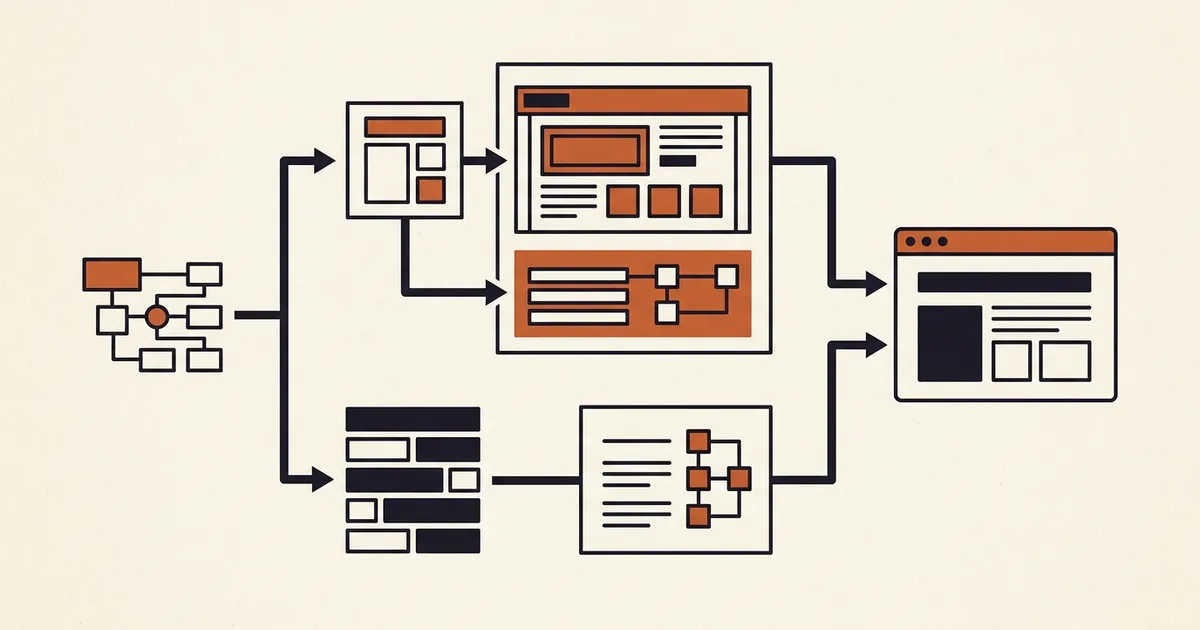
Compare responsibilities before comparing providers
Use one launch brief for both paths. Keep the visitor outcome constant, then map which layer and owner creates, publishes, serves, maintains, monitors, and recovers the site.
Freeze the site and runtime requirements
List public pages, content editing, forms, commerce, identity, server-side behavior, data, files, background work, traffic shape, regions, integrations, domain, accessibility, SEO, and recovery needs. A static page and a dynamic application do not require the same serving stack.
Sources: [mdn-web-server], [wordpress-requirements]
Map the creation and publishing workflow
For a managed builder, document the editor, permissions, preview, publish action, content model, hosting inclusion, and provider-specific limits. For a separate stack, document the CMS or source repository, build, compatible runtime, deploy process, environment settings, and release owner.
Sources: [squarespace-hosting], [wix-comparison], [wordpress-requirements], [playcode-cloud]
Assign every operating and recovery duty
Name owners for accounts, billing, domains, DNS, certificates, access, software updates, dependencies, backups, logs, monitoring, forms, external services, incident response, export, restore, and support escalation. A managed service only owns the duties its current documentation and plan actually promise.
Sources: [rfc9110], [playcode-domain], [playcode-cloud]
Test launch, migration, and handoff evidence
Publish a representative build, verify HTTPS and critical journeys, record the release, test owner access, and review the exit path. A future hosting move requires a tested destination, DNS cutover, traffic monitoring, and controlled shutdown of the old infrastructure.
Sources: [google-host-move], [playcode-domain]
What this comparison covers
The matrix compares a managed builder with bundled hosting against a separately selected site stack and host. It focuses on ownership and operations rather than brands or introductory prices.
Included
- The distinct creation, publishing, serving, runtime, account, security, maintenance, monitoring, recovery, and handoff responsibilities
- Managed builder hosting, standalone hosting, managed hosting, and the possibility that a host bundles a CMS or builder
- Static sites and dynamic server-backed sites at the level needed to select an operating model
- Two paired fictional deployment paths for the same small-business launch brief
Not included
- Domain registration and DNS ownership details, which belong to the separate domain vs website hosting guide
- The website vs web app product decision, no-code website-builder rankings, provider rankings, and career guidance
- Current or universal prices, savings claims, performance benchmarks, market-share claims, or a claim that one model is always cheaper
- A claim that every builder bundles hosting, every host supplies a builder, or every managed service owns the same maintenance duties
- Guaranteed uptime, security, rankings, traffic, migration, portability, recovery, launch speed, or business outcomes
Ten criteria that expose the real operating boundary
Read both columns for every row. The names describe responsibility patterns, not fixed product categories: a hosting provider may bundle a builder or managed CMS, and a builder may expose code or runtime controls.
Core job
Separates creating and managing a site from storing, running, and serving it to browsers.
Creation workflow
Shows whether editing happens in an integrated visual or AI workflow, a CMS, or a separate codebase.
Publish and serving boundary
Makes the path from an approved change to the HTTP response visible and testable.
Bundle and account boundary
Reveals whether editing, hosting, billing, permissions, support, and recovery share one provider account.
Runtime and site-type fit
Prevents a content editor or server plan from being selected before the site behavior and state are known.
Control and configuration
Clarifies which build, server, network, storage, database, and deployment settings the operator can change.
Maintenance and security
Assigns updates, patches, certificates, access, dependencies, backups, and incident work to named owners.
Portability and migration
Tests what can be exported, rebuilt, transferred, redirected, restored, and verified when the platform changes.
Monitoring and recovery
Makes logs, alerts, version history, backups, restore tests, rollback, and support escalation part of selection.
Ownership and cost boundary
Compares the complete operating responsibility instead of one headline subscription or hosting line item.
Bundled Website Builder vs Separate Web Hosting Matrix
Both paths can publish a site. The difference is how much of the creation-to-serving chain one platform manages and how much your team assembles and operates.
Website builder with bundled hosting
Best for: Teams that want one managed creation, editing, publishing, and serving workflow and whose site requirements fit the platform capabilities and limits.
The site is created and managed inside a platform that also provides its documented hosting path. Squarespace and Wix are representative first-party examples of products that include hosting; Playcode combines building and publishing with static hosting or a managed application runtime under current plan limits.
| Criterion | Finding |
|---|---|
| Core job | Combines a site-creation and management tool with a hosting service that serves the published result. The editor and server remain distinct roles even when one vendor packages them together. Sources: [wix-comparison], [mdn-web-server] |
| Creation workflow | Uses the platform editor, templates, AI workflow, content tools, preview, permissions, and publish action exposed by the selected product. Exact capabilities and collaboration rules are provider-specific. Sources: [squarespace-hosting], [wix-comparison], [playcode-cloud] |
| Publish and serving boundary | Publishing hands the approved site to the platform hosting layer. Browsers still send requests and receive responses from an HTTP server; the platform hides some or most of that path from the editor user. Sources: [rfc9110], [mdn-web-server], [playcode-cloud] |
| Bundle and account boundary | Editing, publishing, hosting, billing, permissions, and support can share one service account. Squarespace states that its site subscriptions include content hosting; Wix states that its builder includes hosting. Sources: [squarespace-hosting], [wix-comparison] |
| Runtime and site-type fit | Fits when the platform supports the required site type, content workflow, integrations, server behavior, state, storage, and traffic under its current limits. Do not infer custom runtime support from the word builder. Sources: [mdn-web-server], [playcode-cloud] |
| Control and configuration | Exposes only the build, editor, domain, runtime, data, network, and deployment controls designed by the platform. That can simplify operation and can also limit unsupported configuration. Sources: [wix-comparison], [playcode-cloud], [playcode-domain] |
| Maintenance and security | The provider can manage documented hosting maintenance and security controls, while the customer remains responsible for account security, content, permissions, settings, integrations, domain access, and safe use of supported features. Sources: [squarespace-hosting], [wix-comparison], [playcode-cloud] |
| Portability and migration | Portability depends on the platform export, code, content, data, domain, redirect, and backup capabilities. A host change still needs destination testing, DNS work, traffic monitoring, and retirement of the old path. Sources: [google-host-move], [playcode-domain], [playcode-cloud] |
| Monitoring and recovery | Uses the platform status, history, backup, rollback, logs, alerts, and support tools it actually provides. The customer should record which evidence is available and rehearse the supported recovery path. Sources: [playcode-cloud] |
| Ownership and cost boundary | Can consolidate several responsibilities into one subscription and account. Compare current plan limits, renewals, add-ons, usage, support, operator time, exit work, and business dependencies without assuming one universal total. Sources: [squarespace-hosting], [playcode-cloud] |
Tradeoffs
- One account and publish flow can reduce assembly work, but the editor, content model, hosting, billing, permissions, and support path can become coupled.
- The platform can absorb documented infrastructure work while the customer still owns content, configuration, access, domain control, acceptance tests, exports, and handoff decisions.
Separate site stack plus web hosting
Best for: Teams that need a specific CMS, framework, runtime, database, network, deployment, portability, or operating boundary and can own the integration work.
The site is created in a CMS or codebase and deployed to a compatible hosting service. The host may manage selected infrastructure duties, but the operator connects source, build, runtime, data, domain, monitoring, recovery, and updates across the chosen stack.
| Criterion | Finding |
|---|---|
| Core job | Uses hosting to store static assets or run software that generates responses. The host serves the site; the CMS, framework, codebase, or authoring workflow creates and manages what is served. Sources: [rfc9110], [mdn-web-server] |
| Creation workflow | Editing occurs in the selected CMS, repository, local tool, or separate builder. Hosting alone does not define that authoring workflow, although a hosting product may bundle installation or management tools. Sources: [mdn-web-server], [wordpress-requirements] |
| Publish and serving boundary | A build, upload, deployment, or CMS release moves approved changes to the host. The operator must define the release identity, environment configuration, rollback unit, and checks before traffic reaches it. Sources: [rfc9110], [google-host-move] |
| Bundle and account boundary | Source, CMS, hosting, domains, DNS, email, forms, analytics, and monitoring can live in separate accounts. A host can also bundle some of them, so record the real account and support map. Sources: [google-host-move], [playcode-domain] |
| Runtime and site-type fit | The host must support the selected software and its runtime, database, HTTPS, storage, and server requirements. WordPress, for example, publishes current PHP, database, and HTTPS requirements for hosts. Sources: [wordpress-requirements], [mdn-web-server] |
| Control and configuration | Can expose more choice over builds, runtime versions, server behavior, storage, networking, data, and deployment. The available control depends on shared, managed, platform, virtual-server, or self-managed service boundaries. Sources: [mdn-web-server], [wordpress-requirements] |
| Maintenance and security | The operator owns every update, patch, dependency, certificate, backup, access, and incident duty not explicitly managed by the host or another provider. Software requirements and end-of-life versions need ongoing review. Sources: [wordpress-requirements] |
| Portability and migration | May allow source, content, and hosting to move independently when formats and runtime requirements are portable. The migration still requires a prepared destination, DNS cutover, traffic monitoring, and safe old-host shutdown. Sources: [google-host-move] |
| Monitoring and recovery | Requires a deliberate set of logs, metrics, availability checks, backups, restore tests, release records, and support contacts across the selected services. More control does not create recovery evidence by itself. Sources: [google-host-move], [mdn-web-server] |
| Ownership and cost boundary | Can split billing across software, hosting, storage, traffic, databases, monitoring, support, and operator time. Compare the current complete stack and exit work rather than the host plan alone. Sources: [wordpress-requirements] |
Tradeoffs
- The team can choose the site software and hosting boundary independently, but compatibility, deployment, updates, security, observability, and recovery require explicit ownership.
- A managed host or hosted CMS can reduce that burden, so separate does not automatically mean unmanaged or self-hosted hardware.
Choose the smallest operating model that meets the launch brief
Select from the real site requirements and the team that will operate them. A bundled path and a separate path can both be valid at different stages.
The project is a standard marketing, service, portfolio, journal, or commerce site and the selected builder supports its content, integration, domain, accessibility, and SEO needs.
Choose: Use a managed builder with bundled hosting, then document owner access, plan limits, exports, backups, recovery, and the domain handoff before launch.
Tradeoff: You reduce assembly and routine infrastructure work while coupling the site workflow and exit path to the platform capabilities.
The project needs a specific framework, server runtime, database, network behavior, compliance boundary, deployment system, or unsupported extension.
Choose: Choose the site stack first, select compatible hosting, and assign named owners for deployment, updates, security, monitoring, backups, restore, and incidents.
Tradeoff: You gain configuration choice and a separable stack while accepting more integration and operating responsibility.
A hosting provider includes a builder, managed CMS, or application platform that already fits the requirement.
Choose: Treat it as a bundle and map its exact editor, hosting, account, support, maintenance, migration, and recovery boundary instead of classifying it by the sales label.
Tradeoff: The hybrid can reduce work, but ambiguous labels make it easy to assume controls or duties that the current service does not provide.
The team expects a provider move, agency handoff, acquisition, or long-lived archive requirement.
Choose: Prioritize exportable source and content, controlled domains, documented data formats, release records, tested backups, redirect capability, and a rehearsed migration path.
Tradeoff: Portability work costs time before launch, but it makes the future operating and exit boundary observable.
The requirements are still vague or the site may actually need durable application behavior and server-owned state.
Choose: Pause the provider decision and classify the product with the website vs web app guide before choosing a builder or hosting plan.
Tradeoff: The decision takes longer, but it avoids selecting a content tool or server plan before the product boundary exists.
Next decision
Compare builders only after choosing the bundled path
Use the no-code website builder selection guide to compare workflow, control, portability, maintenance, and evidence for the exact site you need.
Compare No-Code BuildersProvider features and plans change. Recheck first-party documentation before purchase or migration.
Map domain, DNS, and hosting ownership before launch or handoff.A bundled provider can manage several layers, but the registered name, DNS records, and site runtime remain distinct responsibilities.
What this comparison cannot decide for you
Builder and hosting products change often, and category labels hide different responsibility boundaries. Recheck the exact provider and plan before purchase, migration, or renewal.
- A website builder may include static hosting, a managed application runtime, a CMS, commerce, email, domains, or none of those in the exact combination described by another provider.
- Standalone hosting ranges from highly managed platforms to self-operated servers. This guide does not treat every separate host as the same operating burden.
- The Harbor & Pine scenarios are fictional responsibility maps, not executed deployments, provider endorsements, timelines, or evidence of feature availability.
- Exporting source code does not automatically export provider-managed databases, files, identities, forms, commerce records, analytics, secrets, logs, DNS, or operational history.
- Neither model guarantees security, availability, performance, rankings, traffic, portability, successful migration, recovery, compliance, or business results.
- Legal terms, licenses, data-processing terms, jurisdiction, accessibility obligations, taxes, procurement, and provider-specific support contracts require separate review.
Current standards and first-party documentation
These references were reviewed together on 2026-08-01. Provider facts are scoped to the named service; confirm current plan terms and documentation for the exact product you select.
[rfc9110] RFC Editor:RFC 9110: HTTP Semantics
Checked August 1, 2026. Supports: HTTP client and server roles, resources, requests, responses, and the serving boundary beneath any published website.
[mdn-web-server] MDN Web Docs:What is a web server?
Checked August 1, 2026. Supports: Hardware and software meanings of web server, HTTP delivery, hosted files, and the distinction between static and dynamic serving stacks.
[wordpress-requirements] WordPress.org:WordPress Requirements
Checked August 1, 2026. Supports: A first-party example of separately hosted website software with current PHP, database, HTTPS, server, and security requirements.
[squarespace-hosting] Squarespace Help Center:Is hosting included?
Checked August 1, 2026. Supports: A first-party example stating that Squarespace plans include bandwidth and hosting for sites and their content, with provider-specific domain options.
[wix-comparison] Wix:Website builder vs web hosting
Checked August 1, 2026. Supports: A first-party bundled-provider explanation that a builder creates and manages a site, hosting serves it, and the practical choice is bundled versus separate.
[google-host-move] Google Search Central:Changing Your Web Hosting and SEO
Checked August 1, 2026. Supports: Preparing and testing new hosting, changing DNS, monitoring old and new traffic, and shutting down old infrastructure after a host move.
[playcode-cloud] Playcode:Playcode Cloud: Backend, Database and Hosting
Checked August 1, 2026. Supports: Current Playcode-specific hosting, database, publishing, custom-domain, HTTPS, snapshot, rollback, runtime, export, and stated limit boundaries.
[playcode-domain] Playcode Help:How to connect your own domain
Checked August 1, 2026. Supports: Current Playcode-specific distinction between static-site and cloud-app publishing paths plus provider-specific DNS and domain verification steps.
Website builder vs web hosting questions
Do I need both a website builder and web hosting?
A public website must be created somehow and served somewhere, but it does not require a commercial website-builder product. You can use a builder that includes hosting, a CMS or codebase deployed to a separate host, or another reviewed publishing stack that meets the site requirements.
Does every website builder include hosting?
No universal rule applies. Many managed builders bundle hosting, while other tools export files or code for deployment elsewhere. Check the current plan, supported site type, domain path, runtime limits, data handling, maintenance duties, export capability, and recovery tools for the exact builder.
Can web hosting build my website?
Hosting by itself is the serving or runtime layer, not the authoring workflow. A hosting provider may bundle a builder, managed CMS, templates, installer, or application platform. If it does, evaluate that combined product by its real creation, hosting, maintenance, and migration responsibilities.
Is separate web hosting better for developers?
Sometimes. Separate hosting can fit a required framework, runtime, database, network, deployment, or observability model. It also assigns more compatibility, update, security, monitoring, backup, recovery, and incident work to the team unless a managed service explicitly covers those duties.
Is a website builder cheaper than web hosting?
There is no universal answer. Compare the current complete operating model: builder or software plan, hosting, traffic, storage, database, domains, add-ons, monitoring, support, maintenance time, migration work, and required expertise. A low hosting line item does not represent the whole separate stack.
Can I move a builder website to another host later?
It depends on what the builder exports and what the destination can run. Check source, content, assets, data, forms, identities, commerce, redirects, domains, and operational history separately. A host move also needs destination testing, DNS cutover, traffic monitoring, and a safe shutdown plan.
Where do domains fit into the builder and hosting decision?
The domain is a separate registered name, and DNS routes it to the published service. A builder or host may sell domain services, but keep registrant access, renewal, DNS ownership, recovery, and transfer responsibilities documented independently from the site editor and hosting account.
Build and run in one workspace
Describe the site and keep the publishing boundary visible
Use Playcode to plan, build, review, and publish a site. Static hosting or Playcode Cloud can run the result under current plan and runtime limits, with the domain, release, data, and recovery responsibilities kept explicit.
Start BuildingPlaycode supports bundled build and hosting paths. Verify the required site type, current plan, runtime limits, export path, and domain setup before launch. This informational article does not grant AI signup credits.