QUICK ANSWER
What is the best approval workflow software in 2026?
Choose Approveit for approval-specific chat and finance workflows, Zoho Creator for configurable record-based apps, Power Automate Approvals for Microsoft-centered automation, Kissflow for governed enterprise workflows, or DocuWare for document-centered approvals. There is no universal winner. Test one real request, every authority boundary, export, recovery, and the complete production meter before buying.
Approval workflow software should preserve a reviewable request from intake through decision and recovery. A polished approve button is not enough. The useful comparison covers routing, authority, delegation, version-bound decisions, audit evidence, notifications, integrations, exports, failure handling, and the production pricing meter.
This guide compares five different operating models using official product, help, and pricing pages checked on September 5, 2026. The order is intentionally non-ranking. We did not buy every plan or run a controlled hands-on benchmark, so undocumented behavior remains a trial gate rather than a negative score.
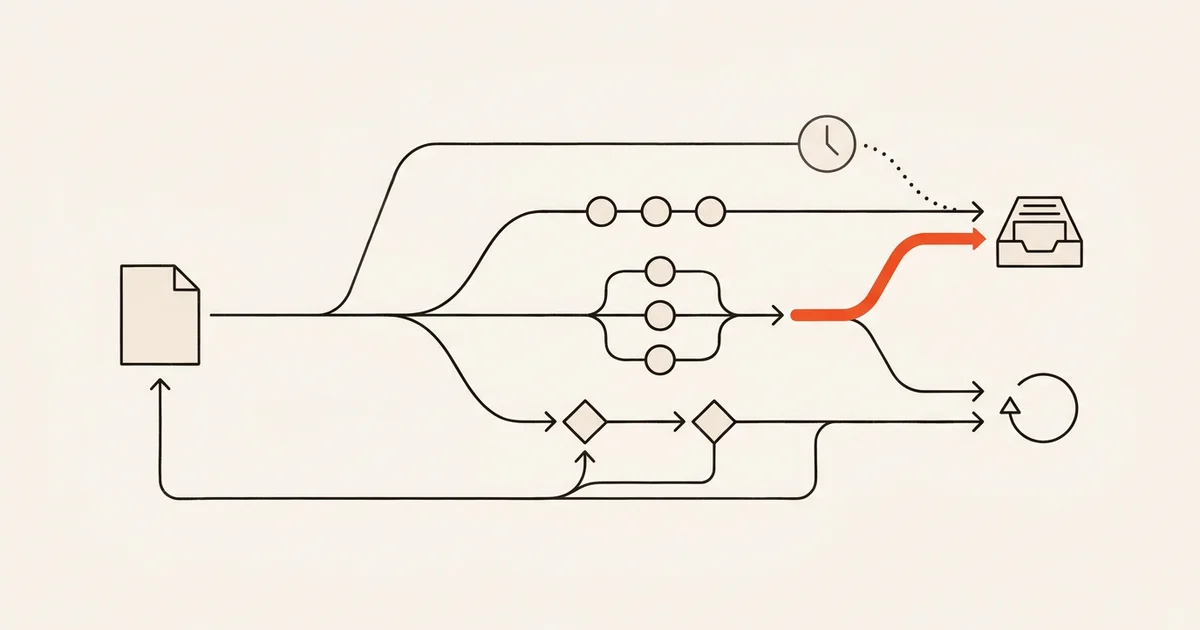
How we compared approval workflow software
Start with one versioned request and follow it through each decision, side effect, export, and repair path. Marketing feature lists are useful discovery evidence, but only a production-shaped pilot can prove that the exact policy survives concurrency, absence, integration failure, and offboarding.
Freeze one request and authority contract
Name the request fields, reviewed subject version, requester, approvers, roles, delegation rules, allowed decisions, attachments, deadlines, and terminal states. Use the same contract in every finalist.
Sources: [approveit-workflow-guide], [zoho-approval-management], [microsoft-approvals], [kissflow-process-design], [docuware-designer]
Exercise every route and absence case
Run sequential, parallel, conditional, first-response, all-response, delegation, out-of-office, rejection, request-changes, cancellation, and escalation cases where the product documents them. Treat every unavailable pattern as a product boundary, not a configuration detail.
Sources: [approveit-workflow-guide], [zoho-approval-management], [microsoft-business-approvals], [kissflow-process-design], [docuware-invoice-workflow]
Inspect evidence, export, and failure recovery
Change a request after review, remove an approver, fail one notification or integration, and inspect what remains authoritative. Export configuration, records, attachments, decisions, audit events, and stable identifiers separately, then rehearse a bounded repair.
Sources: [approveit-request-changes], [zoho-backup], [microsoft-solutions], [kissflow-admin-actions], [docuware-trash-recovery]
Price the production month and operating owner
Count requesters, approvers, administrators, workflow users, runs, integrations, storage, audit retention, environments, support, implementation, and regional or on-premises requirements. Recheck the live quote or checkout instead of comparing only headline prices.
Sources: [approveit-pricing], [zoho-pricing], [microsoft-pricing], [kissflow-pricing], [docuware-pricing]
What this approval-software comparison owns
This page serves teams selecting packaged approval workflow software. For the underlying state, authority, retry, audit, and recovery design, use the approval workflow guide. For broader work tracking and project execution, use the workflow management software comparison.
Included
- Structured request intake, approval routing, roles, delegation, decision evidence, notifications, integrations, exports, and recovery boundaries.
- Current documented pricing models and the users, workflows, requests, runs, storage, environments, services, and support that can move production cost.
- Approval-specific products, configurable low-code platforms, automation suites, and document-centered systems with materially different operating models.
Not included
- A generic workflow-management, project-management, document-management, or automation-platform ranking.
- Hands-on performance, reliability, support, migration, security, or recovery results that we did not reproduce.
- Separate invoice, document, content, marketing, or purchase-approval URL owners. Those are use cases inside this comparison until distinct evidence supports another owner.
- A claim that Playcode is packaged approval workflow software. A custom internal tool is a separate build-versus-buy decision.
Ten criteria for a production approval system
Every option below covers the same ten questions. A documented capability is not automatically a pass: validate the exact plan, role, record type, integration, and recovery path with fictional data before exposing a real business process.
Request intake
Forms, attachments, validation, external requesters, and the authoritative record determine what approvers actually review.
Sequential, parallel, and conditional routing
The engine must express the real policy, including quorum, branching, thresholds, rejection, and escalation behavior.
Roles and delegation
Requesters, approvers, auditors, administrators, guests, substitutes, and absent owners need explicit authority boundaries.
Version-bound decisions
An approval should identify the exact request or document version reviewed so later edits cannot inherit stale authority.
Audit history
Operators need actor, time, input, state change, comment, and configuration evidence without rebuilding the story from messages.
Integrations
Approval often reads from or writes to finance, identity, document, CRM, ERP, HR, and collaboration systems.
Notifications and escalation
Delivery failure must remain visible and repairable without changing or duplicating the underlying decision.
Exports and portability
Records, decisions, attachments, audit events, configuration, identifiers, and relationships may leave through different paths.
Recovery
Record repair, notification replay, integration reconciliation, configuration rollback, and whole-environment restore are different operations.
Production pricing meter
Seats, workflow users, requests, runs, storage, integrations, environments, implementation, and support can scale independently.
Five approval workflow products, compared by fit
The sequence below follows the research worksheet and is not a rank, score, or endorsement. Each product serves a different operating model. Unknown means the reviewed first-party pages did not establish the behavior, so the buyer must prove it during a trial or procurement review.
Approveit
Best for: Teams that want an approval-specific product with Slack, Microsoft Teams, email, web intake, and finance-oriented workflows.
Approveit centers the product around requests, approval steps, conditional routing, chat-based action, decision history, and downstream finance or Zapier integrations.
| Criterion | Finding |
|---|---|
| Request intake | Official product copy documents tailored forms and request submission through Slack, Microsoft Teams, and the web application. Sources: [approveit-product] |
| Sequential, parallel, and conditional routing | The no-code builder documents sequential multi-step approvals, per-step conditions, workflow access limits, and post-approval actions. Delegation, escalation, and parallel all-versus-one semantics remain a trial gate. Sources: [approveit-workflow-guide] |
| Roles and delegation | Approveit documents custom roles, restricted workflow access, separate audit permissions, and multiple roles per user. The reviewed pages do not define every delegation or out-of-office case. Sources: [approveit-permissions] |
| Version-bound decisions | Approveit documents a new request version, retained earlier versions, and restart from step one after requested changes. Verify that every decision and API-originated edit follows the same exact version boundary. Sources: [approveit-request-changes] |
| Audit history | Approveit documents a record of decisions, comments, attachments, changes, timestamps, and earlier request versions plus read-only audit permissions. Sources: [approveit-product], [approveit-request-changes], [approveit-permissions] |
| Integrations | The product lists finance-system synchronization, while the official Zapier guide documents outbound request data and post-approval actions. Sources: [approveit-product], [approveit-zapier] |
| Notifications and escalation | Requests and decisions can surface in Slack, Microsoft Teams, email, and the web app. Confirm retry and failure visibility under the selected plan. Sources: [approveit-product], [approveit-workflow-guide] |
| Exports and portability | Approveit describes audit-log reporting and outbound data through email, Zapier, or its API. Verify a complete export of records, attachments, decision history, roles, and workflow definitions. Sources: [approveit-industries], [approveit-zapier] |
| Recovery | The data-processing addendum describes backups and deletion or return of personal data at termination. The reviewed pages do not define customer-operated backup, request-level repair, workflow rollback, or restore objectives. Sources: [approveit-data-processing], [approveit-request-changes] |
| Production pricing meter | Checked 2026-09-05: the Free plan lists one workflow and 20 requests per month, Starter lists USD 400 per month with two workflows and 100 requests, and Pro uses custom pricing starting at USD 850 per month. Confirm users, requests, integrations, implementation, and support in the quote. Sources: [approveit-pricing] |
Tradeoffs
- The public pricing surface combines a small free allowance, a USD 400 per month Starter tier, and a materially larger custom Pro starting point, so price the real request volume and implementation scope.
- The reviewed pages do not establish exact subject-version binding or operator-level record recovery semantics.
- Finance capabilities and integrations may be broader than a team needs for a simple departmental approval.
Zoho Creator
Best for: Teams that need a configurable low-code approval application with forms, record logic, portals, reports, integrations, and workflow customization.
Zoho Creator combines an approval-management application with a broader application platform, making it suitable when approvals are one part of a custom operational record system.
| Criterion | Finding |
|---|---|
| Request intake | The Approval Management application documents structured records, conditional fields, validation, attachments, spreadsheet import, and portals for non-employees. Sources: [zoho-approval-management] |
| Sequential, parallel, and conditional routing | Zoho documents sequential, parallel, conditional, branching, exception, approval-matrix, automatic, and manual routing patterns. Sources: [zoho-approval-management], [zoho-approval-process] |
| Roles and delegation | Approvers can be selected by user, role, or hierarchy; the approval-management app documents role-based access, field-level boundaries, out-of-office handling, and employee or non-employee access. Sources: [zoho-approval-workflow], [zoho-approval-management] |
| Version-bound decisions | Workflow properties include record lock and recall controls, and audit history records old and new values. The reviewed docs do not prove that every approval decision identifies one immutable subject version. Sources: [zoho-approval-process], [zoho-audit-trail] |
| Audit history | Paid-plan audit trail records changes by users, workflows, and APIs, including old and new values, actor, time, record, and export activity. Retention differs by event type. Sources: [zoho-audit-trail], [zoho-app-management] |
| Integrations | Zoho documents integrations with CRMs, payment gateways, external databases, and APIs, plus Deluge functions for connecting third-party services beyond the built-in list. Sources: [zoho-approval-workflow] |
| Notifications and escalation | The approval workflow page documents email and SMS actions, while the Approval Management application documents notifications, mentions, and automatic escalation or de-escalation. Sources: [zoho-approval-workflow], [zoho-approval-management] |
| Exports and portability | Records can be exported in multiple formats, and audit logs can be exported separately. Validate attachments, relationships, workflow definitions, roles, and identifiers in a migration rehearsal. Sources: [zoho-approval-management], [zoho-audit-trail] |
| Recovery | Zoho documents manual or scheduled application backups and restore, with exclusions that can include files, portal users, integration-field data, and nonproduction environments. Reconcile those exclusions before treating the backup as complete. Sources: [zoho-backup] |
| Production pricing meter | The current comparison page meters users, applications, permission sets, roles, email, APIs, functions, audit trail, storage, and developer environments by plan. Verify local currency and billing cadence at checkout. Sources: [zoho-pricing] |
Tradeoffs
- The platform is broader than an approval-only product, so the team owns application design, permissions, workflows, reports, and maintenance.
- Feature and quota availability varies by plan, including audit trail, roles, APIs, email, backups, and environments.
- A configurable platform can reproduce a flawed policy faithfully; the buyer must still define version and recovery semantics.
Microsoft Power Automate Approvals
Best for: Organizations already centered on Microsoft 365, Teams, SharePoint, Dataverse, Entra ID, and Power Platform administration.
Power Automate supplies approval actions inside a general automation platform, with Microsoft collaboration surfaces, Dataverse persistence, connectors, solution packaging, and environment administration.
| Criterion | Finding |
|---|---|
| Request intake | An approval can start from a Power Automate trigger such as Microsoft Lists or SharePoint, and approval records are persisted in Dataverse. The authoritative source record remains an architecture choice. Sources: [microsoft-approvals], [microsoft-modern-approvals] |
| Sequential, parallel, and conditional routing | Microsoft documents everyone-must-approve, first-response, custom-response, sequential approvals, plus staged and conditional branches in the Business Approvals kit. Sources: [microsoft-approvals], [microsoft-business-approvals] |
| Roles and delegation | Approvals can target tenant users, Microsoft 365 groups, and accepted guests with Dataverse roles. Microsoft also documents reassignment and cancellation; timeout and out-of-office handling depend on the flow or Approvals kit design. Sources: [microsoft-approvals], [microsoft-approvals-howto] |
| Version-bound decisions | The approval action accepts request details, but the reviewed documentation does not automatically bind a decision to a SharePoint document, Dataverse row, or external record version. Design and test that reference explicitly. Sources: [microsoft-modern-approvals] |
| Audit history | Responses persist in approval history, while Dataverse auditing can record configured table and column changes and expose logs through the API or SDK. Audit coverage must be enabled and scoped. Sources: [microsoft-approvals], [microsoft-auditing] |
| Integrations | Power Automate can combine approval actions with Microsoft and third-party connectors. The standard Approvals connector has documented guest, attachment, sender, and response limitations. Sources: [microsoft-modern-approvals], [microsoft-connector] |
| Notifications and escalation | Approvers can respond through Outlook email, Teams adaptive cards, the Power Automate action center, or app. Guest and actionable-email behavior has documented constraints. Sources: [microsoft-approvals], [microsoft-connector] |
| Exports and portability | Power Platform solutions can package flow configuration for export and import. That package is not a complete export of runtime requests, attachments, approval history, connections, credentials, or external source records. Sources: [microsoft-solutions] |
| Recovery | Power Platform documents environment backup and restore boundaries, but only flows inside Dataverse solutions are included. Rehearse approval-instance repair, flow replay, connection restoration, and downstream reconciliation separately. Sources: [microsoft-environment-recovery] |
| Production pricing meter | Checked 2026-09-05: Premium lists USD 15 per user per month paid yearly, Process USD 150 per bot, and Hosted Process USD 215 per bot. Model qualifying Microsoft licenses, connectors, Dataverse capacity, requests, environments, AI, and administration. Sources: [microsoft-pricing] |
Tradeoffs
- Licensing, connectors, Dataverse capacity, request limits, environments, and managed governance can create a more complex production meter than one approval-product subscription.
- Flow configuration and source records may live across multiple services, so export and recovery require explicit environment and solution design.
- Connector limitations, guest behavior, mail behavior, and large all-response payloads need scenario-specific testing.
Kissflow
Best for: Enterprise teams that want one governed low-code platform for cross-department approval workflows, integrations, dashboards, and administration.
Kissflow positions approval workflows inside a broader enterprise low-code platform with structured intake, visual routing, role-based control, escalations, audit evidence, APIs, and fixed annual agreements.
| Criterion | Finding |
|---|---|
| Request intake | Kissflow documents structured request forms, field validation, attachments, and workflow-specific intake as the start of an approval process. Sources: [kissflow-approvals] |
| Sequential, parallel, and conditional routing | Kissflow documents sequential steps, parallel branches, conditions, first/all/quorum assignment preferences, role-based routing, and SLA escalation. Sources: [kissflow-approvals], [kissflow-process-design] |
| Roles and delegation | Kissflow documents role-based access, segregation of duties, policy governance, and role-based routing. Prove delegation and out-of-office behavior for the intended workflow. Sources: [kissflow-approvals] |
| Version-bound decisions | Kissflow documents how workflow changes affect existing items, but the reviewed pages do not establish immutable binding between each decision and the exact reviewed item or attachment version. Make that a pilot gate. Sources: [kissflow-process-design] |
| Audit history | Kissflow documents flow-level and item-level audit fields, filtering, and export for the last 90 days. Verify longer retention and configuration-change coverage. Sources: [kissflow-audit-log] |
| Integrations | The official pages document native enterprise connectors plus REST API and webhook paths, with systems of record remaining authoritative. Sources: [kissflow-approvals], [kissflow-integrations] |
| Notifications and escalation | The workflow model includes reminders, SLA escalation, approver tasks, and status visibility. Force failed delivery and absent-owner cases before accepting the operating model. Sources: [kissflow-approvals] |
| Exports and portability | Kissflow documents workflow export and a 90-day audit export. Require separate evidence for process records, decisions, attachments, roles, longer history, and stable identifiers. Sources: [kissflow-process-design], [kissflow-audit-log] |
| Recovery | Admins can restore deleted process items for 30 days, but the reviewed pages do not specify notification replay, configuration rollback, whole-account backup, or customer-operated restore. Put each operation in the contract. Sources: [kissflow-admin-actions] |
| Production pricing meter | Kissflow documents fixed annual agreements, unlimited applications and integrations in the enterprise offer, and separately purchased services. Obtain a quote covering users, transaction tier, hosting, implementation, support, and custom connectors. Sources: [kissflow-pricing], [kissflow-pricing-faq] |
Tradeoffs
- Current pricing is sales-led and value-oriented rather than a public self-serve per-seat table, so procurement must obtain a workload-shaped quote.
- The platform includes applications, workflows, integrations, analytics, governance, and services, which may exceed a narrow approval-only requirement.
- The reviewed public pages do not define complete configuration export, record export, version-bound decision, or record-repair semantics.
DocuWare Workflow Manager
Best for: Document-centered approvals where capture, indexing, routing, task lists, document history, archiving, and invoice workflows belong in one system.
DocuWare Workflow Manager sits inside the DocuWare document platform and emphasizes document triggers, business rules, roles, substitutions, task lists, escalations, workflow history, and cloud or on-premises deployment.
| Criterion | Finding |
|---|---|
| Request intake | Workflow triggers can include web-form submission, document storage, status changes, and due dates; document workflows can capture and index incoming files. Sources: [docuware-workflow-manager], [docuware-automation] |
| Sequential, parallel, and conditional routing | The visual manager documents business rules, employee decisions, metadata routing, task assignment, deadlines, escalation, and amount-based document approval paths. Sources: [docuware-designer], [docuware-invoice-workflow] |
| Roles and delegation | Tasks can target specific employees or roles, with substitution rules and next-available assignment documented for absence handling. Sources: [docuware-workflow-manager] |
| Version-bound decisions | Published workflow configurations are versioned and running instances remain on their starting workflow version. The reviewed pages do not prove that each decision is immutably bound to one exact document-content version. Sources: [docuware-designer-dashboard], [docuware-features] |
| Audit history | Workflow history shows which users made decisions, with activity start and completion times. History can be exported as CSV for audit or internal evaluation. Sources: [docuware-workflow-manager], [docuware-history-export] |
| Integrations | DocuWare documents posting approved data to systems including SAP, Sage, Microsoft Dynamics, and QuickBooks as part of document automation. Sources: [docuware-automation] |
| Notifications and escalation | The product documents task lists, email updates, automatic escalations, due dates, and substitution rules. Verify failed-email visibility and replay separately. Sources: [docuware-workflow-manager] |
| Exports and portability | Workflow history can be exported as CSV. Require separate evidence for document binaries and versions, metadata, workflow definitions, roles, integrations, and stable relationships. Sources: [docuware-history-export] |
| Recovery | Deleted documents can be restored for 30 days, but restoration does not retrigger workflows or notifications. Rehearse instance repair, replay, document reconciliation, and cloud disaster recovery with the implementation partner. Sources: [docuware-trash-recovery] |
| Production pricing meter | The current UK pricing page says Cloud pricing varies mainly by named users and storage, Workflow Manager is included in Cloud, and on-premises Workflow Manager is an add-on. Treat its GBP examples as regional, dated inputs and obtain a local quote including services. Sources: [docuware-pricing] |
Tradeoffs
- Document management is the center of gravity, so it may be heavier than a simple request-and-decision workflow.
- Cloud and on-premises packaging differ, and implementation or partner services can materially affect production cost.
- Workflow-history export does not by itself prove a complete export of documents, configuration, roles, integrations, and recovery state.
Choose from the approval system of record
Shortlist from the authoritative record and operating owner, then run the same acceptance sheet in every finalist. A missing mandatory boundary should stop the purchase even when the product has more features elsewhere.
Approvals should happen primarily in Slack, Microsoft Teams, or email
Choose: Shortlist Approveit and Power Automate Approvals, then compare source-record ownership, guest behavior, routing, audit export, integration repair, and the complete meter.
Tradeoff: Chat convenience can hide that the authoritative request, attachments, configuration, and decision history live in several systems.
The approval is one part of a custom operational application
Choose: Shortlist Zoho Creator or Kissflow when forms, records, portals, dashboards, integrations, and policy administration must be configured together.
Tradeoff: A broader platform gives more control but creates more application, permission, testing, governance, and maintenance ownership.
The reviewed object is a document and archive integrity is central
Choose: Shortlist DocuWare Workflow Manager and test document versions, metadata, routing, substitutions, decision history, export, and restore as one document-centered contract.
Tradeoff: A document platform may be disproportionate when the real subject is a small structured request with no archive requirement.
No packaged finalist can model one mandatory record, authority, integration, export, or recovery boundary
Choose: Write the failed acceptance case first, then evaluate a custom internal tool rather than rebuilding every packaged feature.
Tradeoff: Custom software replaces vendor constraints with long-term ownership for product decisions, security, accessibility, hosting, migrations, monitoring, support, and recovery.
RUN THE PILOT
Test one real approval contract before buying the feature list
Freeze the request version, actors, routes, failures, export, recovery, and production meter. Use the same acceptance sheet with every finalist.
Explore Custom Internal ToolsUse Playcode only when the result needs to become custom software, not as evidence that a packaged vendor passed this comparison.
Download the non-ranking approval-software selection scorecard.Locally reproduced with dated source IDs; public HTTP verification remains pending deployment.
What this comparison cannot prove
First-party documentation can establish documented capability and pricing structure. It cannot prove the exact plan, configuration, integration, data set, policy, operator, or failure path will work for your organization.
- We did not buy every plan, measure performance or availability, inspect vendor source code, compare support response, or operate the same workflow for multiple weeks.
- Official pages can omit plan gates, regional prices, negotiated terms, add-ons, service fees, retention, connector limits, or recent product changes. Recheck every quote and contract.
- Unknown means the reviewed official sources did not establish the capability. It is not proof that the product lacks it.
- A configuration export is not automatically a runtime-record export, and a whole-environment restore is not automatically safe transaction repair.
- No vendor order, phrase, or schema position is a score, rating, endorsement, or universal recommendation.
- Playcode is not ranked as packaged approval workflow software. It appears only as a possible custom-build path after a named packaged-product requirement fails.
First-party approval-software sources
All product facts below use official vendor pages checked on September 5, 2026. Product and pricing surfaces are volatile; review them again by October 6, 2026 and before any purchase.
[approveit-product] Approveit:Approveit approval software overview
Checked September 5, 2026. Supports: Forms, channels, routing, decision records, audit history, finance integrations, and operating model.
[approveit-workflow-guide] Approveit:Approveit workflow setup guide
Checked September 5, 2026. Supports: Forms, dynamic fields, sequential approver steps, conditional logic, workflow access limits, and outbound actions.
[approveit-request-changes] Approveit:Approveit requested-changes version guide
Checked September 5, 2026. Supports: New request versions, retained history, restart from the first approval step, and reporting boundary.
[approveit-pricing] Approveit:Approveit pricing
Checked September 5, 2026. Supports: Current Free allowance, Starter price, Pro starting point, and quote boundary.
[approveit-permissions] Approveit:Approveit granular access permissions guide
Checked September 5, 2026. Supports: Custom roles, workflow access, request access, and audit permissions.
[approveit-zapier] Approveit:Approveit outbound Zapier integration guide
Checked September 5, 2026. Supports: Outbound data options and post-approval integration examples.
[approveit-industries] Approveit:Approveit industry workflows and audit controls
Checked September 5, 2026. Supports: Audit-log reporting, role separation, export language, and workflow use cases.
[approveit-data-processing] Approveit:Approveit data processing addendum
Checked September 5, 2026. Supports: Processing scope, audit metadata, backups, and termination return or deletion boundary.
[zoho-approval-management] Zoho:Zoho Creator Approval Management
Checked September 5, 2026. Supports: Records, routing patterns, roles, portals, notifications, audit trail, and exports.
[zoho-approval-workflow] Zoho:Zoho Creator approval workflows
Checked September 5, 2026. Supports: Conditions, approvers, role hierarchy, actions, email, SMS, and integrations.
[zoho-approval-process] Zoho:Zoho Creator approval-process help
Checked September 5, 2026. Supports: Multiple levels, approver types, record lock, recall, and workflow properties.
[zoho-audit-trail] Zoho:Zoho Creator audit-trail help
Checked September 5, 2026. Supports: Audit availability, record changes, API actions, export activity, and audit export.
[zoho-app-management] Zoho:Zoho Creator application management
Checked September 5, 2026. Supports: Audit retention, downloadable backups, application restore contents, and recovery boundary.
[zoho-backup] Zoho:Zoho Creator backup and restore help
Checked September 5, 2026. Supports: Manual and scheduled backup, download and restore behavior, and exclusions for files, portals, integration fields, and environments.
[zoho-pricing] Zoho:Zoho Creator pricing comparison
Checked September 5, 2026. Supports: Plan quotas for users, roles, APIs, email, audit, storage, and environments.
[microsoft-approvals] Microsoft:Get started with Power Automate approvals
Checked September 5, 2026. Supports: Approval types, Dataverse prerequisite, assignees, guest behavior, channels, and licensing.
[microsoft-modern-approvals] Microsoft:Create and test a Power Automate approval workflow
Checked September 5, 2026. Supports: Source triggers, approval action, service integrations, and response surfaces.
[microsoft-approvals-howto] Microsoft:Manage Power Automate approval requests
Checked September 5, 2026. Supports: Reassignment, cancellation, multi-person modes, and Teams notification behavior.
[microsoft-business-approvals] Microsoft:Configure preset approvals
Checked September 5, 2026. Supports: Stages, nodes, sequential execution, response models, and conditional branching.
[microsoft-connector] Microsoft:Power Automate Approvals connector reference
Checked September 5, 2026. Supports: Connector tier, recipient rules, mail behavior, attachments, and response limitations.
[microsoft-auditing] Microsoft:Manage Dataverse auditing
Checked September 5, 2026. Supports: Audit configuration, record changes, access logs, storage, API, and SDK access.
[microsoft-solutions] Microsoft:Create and export a Power Platform solution
Checked September 5, 2026. Supports: Solution packaging, versioning, export, backup, and cross-environment import boundary.
[microsoft-environment-recovery] Microsoft:Power Platform environment backup and restore
Checked September 5, 2026. Supports: Environment backup retention, restore restrictions, and the solution-only flow coverage boundary.
[microsoft-pricing] Microsoft:Power Automate pricing
Checked September 5, 2026. Supports: Premium, Process, Hosted Process, and sales-contact pricing structure.
[kissflow-approvals] Kissflow:Kissflow approval workflow software
Checked September 5, 2026. Supports: Structured intake, routing patterns, roles, escalation, audit history, integrations, and operating model.
[kissflow-integrations] Kissflow:Kissflow workflow integrations
Checked September 5, 2026. Supports: Native connectors, APIs, webhooks, systems-of-record boundary, and integration audit.
[kissflow-process-design] Kissflow:Kissflow process-workflow design guide
Checked September 5, 2026. Supports: Forms, sequential and parallel paths, conditions, assignment preferences, email actions, workflow export, and existing-item behavior.
[kissflow-audit-log] Kissflow:Kissflow process audit log
Checked September 5, 2026. Supports: Flow and item audit fields, filtering, and the 90-day audit export boundary.
[kissflow-admin-actions] Kissflow:Kissflow process administrator actions
Checked September 5, 2026. Supports: Reassignment, controller actions, and the 30-day deleted-item restore boundary.
[kissflow-pricing] Kissflow:Kissflow pricing
Checked September 5, 2026. Supports: Annual agreement, platform scope, hosting, services, and current quote boundary.
[kissflow-pricing-faq] Kissflow:Kissflow pricing-plan FAQ
Checked September 5, 2026. Supports: User definition, transaction tiers, hosting, support, services, and custom connectors.
[docuware-workflow-manager] DocuWare:DocuWare Workflow Manager
Checked September 5, 2026. Supports: Triggers, visual rules, assignments, roles, substitutions, notifications, escalation, history, and packaging.
[docuware-designer] DocuWare:DocuWare Workflow Designer introduction
Checked September 5, 2026. Supports: Users, roles, substitutions, escalation, history, task email, external data, and task-list export.
[docuware-automation] DocuWare:DocuWare business process automation
Checked September 5, 2026. Supports: Document capture, routing, archiving, notifications, and ERP or accounting integrations.
[docuware-invoice-workflow] DocuWare:DocuWare invoice-approval workflow example
Checked September 5, 2026. Supports: Document triggers, amount conditions, approval tasks, decisions, and downstream actions.
[docuware-designer-dashboard] DocuWare:DocuWare Workflow Designer dashboard
Checked September 5, 2026. Supports: Workflow configuration versions, published-version behavior, revert, and JSON import or export.
[docuware-features] DocuWare:DocuWare features and capabilities
Checked September 5, 2026. Supports: Document versioning, task control, workflow automation, archive, and exceptions.
[docuware-history-export] DocuWare:DocuWare workflow-history export
Checked September 5, 2026. Supports: Workflow status, activity timing, decision history, and CSV history export.
[docuware-trash-recovery] DocuWare:DocuWare deleted-document restore
Checked September 5, 2026. Supports: Thirty-day deleted-document restore and the boundary that restore does not retrigger workflows or notifications.
[docuware-pricing] DocuWare:DocuWare Cloud pricing factors
Checked September 5, 2026. Supports: Regional Cloud price examples, named users, workflow users, storage, packaging, and services.
Approval workflow software questions
What should I test before buying approval workflow software?
Use one versioned request and separate requester, approver, auditor, and administrator accounts. Exercise sequential, parallel, conditional, delegation, rejection, change, stale-decision, duplicate, notification-failure, export, and recovery cases. Inspect the final record and evidence, then price the exact production users, requests, integrations, storage, environments, services, and support.
What is the difference between approval workflow and workflow management software?
Approval software centers a request, approval policy, authorized decision, evidence, and downstream action. Workflow management software is broader and can include projects, tasks, dependencies, portfolios, schedules, collaboration, dashboards, and many non-approval states. A broad suite may include approvals, but test whether its decision and audit model satisfies the actual policy.
Does approval workflow software need version-bound decisions?
Yes when the reviewed subject can change. The decision should identify the request, document, policy, and version that the approver actually saw. If an edit, resubmission, attachment replacement, or restored record can inherit an earlier approval without a new decision, the workflow can show authority that was never granted for the changed content.
How should I compare approval workflow software pricing?
Price the production meter instead of the entry plan. Count requesters, approvers, workflow users, administrators, guests, workflows, requests or runs, integrations, storage, audit retention, environments, support, implementation, hosting, and regional terms. Use one realistic high-volume month and verify the current quote, billing cadence, minimum commitment, and upgrade gates.
What approval data should be exportable?
Test requests, versions, fields, attachments, assignments, roles, delegations, decisions, comments, audit events, timestamps, workflow and policy definitions, integration attempts, notification history, and stable identifiers. Exporting configuration or a CSV report alone may omit document binaries, relationships, credentials, runtime history, or the information needed to reconcile a migration.
Is backup and restore enough for approval workflow recovery?
No. A whole-environment restore can rewind later valid decisions and repeat integrations. Separate record correction, compensating audit events, notification replay, failed-integration reconciliation, configuration rollback, authorized export, and disaster restore. Rehearse each operation with fictional data and verify downstream systems before calling the approval process recoverable.
When should a team build a custom approval tool?
Consider custom software only after a controlled pilot shows that packaged products cannot model a mandatory record, authority rule, version boundary, integration, export, or recovery requirement. A custom tool adds long-term responsibility for product design, access control, accessibility, hosting, migrations, monitoring, support, retention, incident response, and recovery.
CUSTOM IS A SEPARATE DECISION
Describe the missing approval boundary, then prove one bounded slice
If every packaged pilot fails a named requirement, give Playcode the request records, roles, transitions, version rules, integrations, failure paths, export, and recovery contract. Build one complete path before replacing the broader system.
Start BuildingEligible new users receive AI credits to start; production plan limits and operating responsibilities still apply.