QUICK ANSWER
What is the best workflow management software in 2026?
Choose Asana for cross-functional project workflows and portfolios, monday.com for flexible board-based processes and dashboards, ClickUp for an all-in-one task and automation workspace, Smartsheet for spreadsheet-shaped operations and approval workflows, or Jira for configurable issue workflows and technical teams. The best choice depends on record structure, permissions, automation behavior, audit and export needs, and the full production meter.
Workflow software should preserve a business record from intake to completion, not merely display a board. Forms, states, ownership, approvals, permissions, automations, failures, audit evidence, reporting, and export determine whether a process remains trustworthy at production volume.
This guide compares five established products using current first-party pricing and documentation. It does not invent scores or collapse different operating models into one ranking. Prototype one complete workflow in every finalist, force failures, and price the real team and automation volume before choosing.
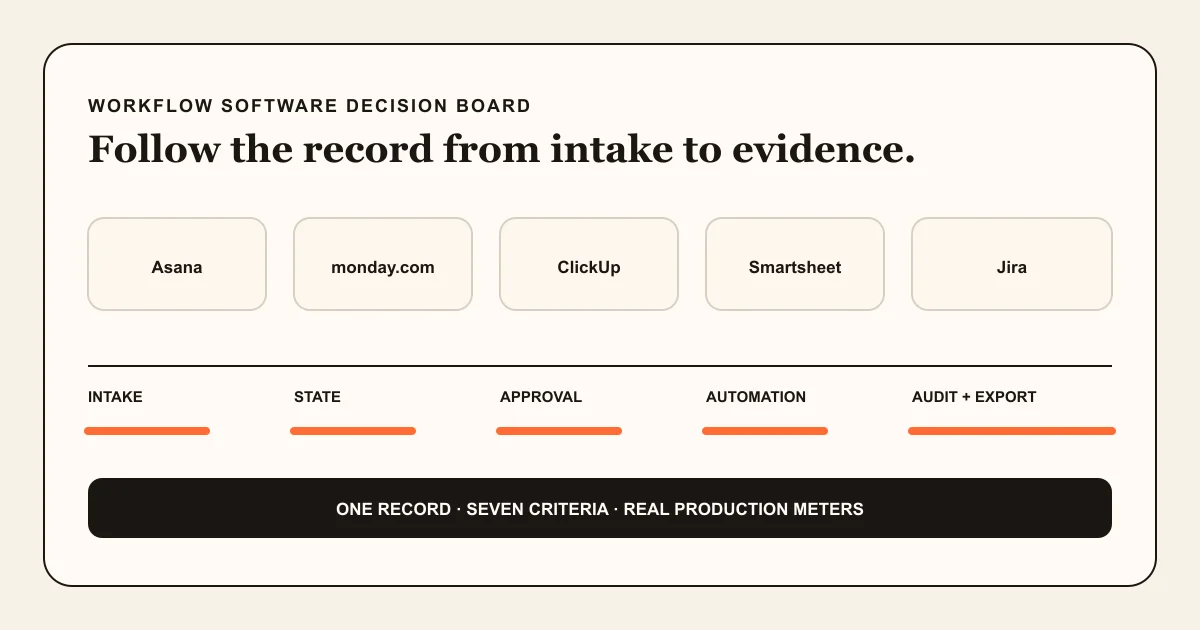
How we compared workflow-management products
The comparison starts with one versioned work record and its failure paths. A template gallery or automation count is not enough if unauthorized users can change a decision, a retry duplicates work, or the audit trail cannot explain the final state.
Define one complete workflow contract
Name the request or work item, required fields, owner, states, transitions, approval points, due rules, attachments, and completion evidence. Test the same intake-to-close sequence in each finalist.
Sources: [asana-workflows], [monday-pricing], [clickup-automations], [smartsheet-workflows], [jira-pricing]
Test permissions and automation failures
Use separate requester, worker, approver, auditor, guest, and administrator accounts. Change the automation owner, remove access, exceed a monthly run allowance, send invalid input, and retry one action. Confirm that failure is observable and does not appear as success.
Sources: [asana-permissions], [monday-permissions], [clickup-permissions], [smartsheet-permissions], [jira-audit]
Price one production month
Count paid members or seats, guests, automation runs or actions, AI usage, storage, portfolios, integrations, add-ons, external collaborators, and administrative controls. Use the exact billing interval and user tier selected at checkout.
Sources: [asana-pricing], [monday-pricing], [clickup-pricing], [smartsheet-pricing], [jira-pricing]
Export and reconcile the workflow
Export the work records, fields, comments, attachments, configuration, rules, and audit evidence the product actually supports. Reconcile counts and identifiers against the live system. A CSV of rows or tasks may omit dashboards, automations, permissions, and app data.
Sources: [asana-export], [monday-export], [clickup-export], [smartsheet-activity], [jira-export]
What this software comparison owns
This owner serves teams choosing packaged workflow-management software. For products centered on triggers, actions, credentials, retries, and run meters, use the workflow automation software comparison. This page separates product selection from workflow design, project-management category breadth, and the later decision to build a custom operational app.
Included
- Work items, fields, states, assignments, dependencies, forms, views, comments, files, dashboards, and approvals where documented.
- Permissions, guests, administrators, automation ownership, run or action limits, audit evidence, and failure visibility.
- Documented exports, backups, portability gaps, and the reconciliation work required before migration.
- Current public subscription prices plus seat, member, automation, AI, storage, add-on, and support meters.
Not included
- A generic project-management software ranking, time-tracking roundup, process template library, or workflow-examples article.
- Operational approval-workflow design, which remains with the dedicated approval workflow guide.
- Hands-on speed, reliability, support, accessibility, migration, or automation-correctness results we did not measure.
- A custom workflow builder comparison. Custom software is a separate build-versus-buy decision after a packaged trial fails a named requirement.
Seven criteria for a production workflow
Use the criteria below as acceptance tests. The right product must preserve the record, permissions, transition evidence, and operating cost for your specific process.
Work and state model
Tasks, rows, issues, projects, fields, statuses, dependencies, and hierarchies determine whether the real process can be represented without hidden side systems.
Intake and approvals
Forms, required fields, assignment, review, approval, request-changes, and closeout need explicit states rather than comments that people must interpret.
Permissions and collaboration
Internal members, guests, requesters, approvers, editors, viewers, and administrators must receive the least access required by the workflow.
Automation and integrations
Triggers, actions, run ownership, limits, provider access, failures, retries, and logs determine whether automation is dependable or silent debt.
Reporting and audit
Dashboards summarize work, while activity and audit records explain who changed configuration or state. These are different evidence jobs.
Export and recovery
Records, comments, attachments, rules, dashboards, permissions, app data, identifiers, and audit history often leave through different paths.
Production pricing meter
Per-user pricing is only the start when plans also gate guests, automations, AI, audit logs, portfolios, storage, APIs, add-ons, or enterprise controls.
Five workflow-management products, compared by fit
The following verdicts are source-backed editorial fit judgments. They are not scores, paid placements, or a claim that one product wins every workflow.
Asana
Best for: Cross-functional teams coordinating projects, recurring workflows, goals, portfolios, and external guests with a task-centered operating model.
Asana combines tasks, projects, custom fields, forms, rules, views, dashboards, portfolios, goals, and workflow bundles. Its strongest fit is coordinated knowledge work where ownership and dependencies matter more than spreadsheet calculation or engineering issue depth.
| Criterion | Finding |
|---|---|
| Work and state model | Tasks and projects support custom fields, sections, dependencies, timelines, Gantt, dashboards, portfolios, and goals, with higher tiers adding cross-department planning and standardized bundles. Sources: [asana-pricing], [asana-workflows] |
| Intake and approvals | The customization toolkit includes forms, rules, custom fields, sections, task templates, and bundles. Use explicit fields and states for approval outcomes instead of relying on comments alone. Sources: [asana-workflows] |
| Permissions and collaboration | Asana documents project admin, editor, commenter, and viewer roles. Permissions can be additive, and tasks associated with multiple projects can inherit the highest available access. Sources: [asana-permissions] |
| Automation and integrations | Starter includes workflow builder and rules, while AI Studio uses additional purchasable credits and Enterprise bundles standardize fields, rules, sections, and templates across projects. Sources: [asana-pricing], [asana-workflows] |
| Reporting and audit | Starter includes project dashboards, Advanced adds goals and portfolio management, and the Compliance Management boundary adds audit-log and resource-export APIs or CSV audit export. Sources: [asana-pricing], [asana-audit] |
| Export and recovery | Projects can be exported as JSON or CSV. Full organization export is an Enterprise+ boundary, so teams must verify comments, attachments, rules, dashboards, permissions, integrations, and deleted-item coverage separately. Sources: [asana-export] |
| Production pricing meter | Checked 2026-09-06: Starter is $10.99 per user per month billed annually and Advanced $24.99. Model paid users, guests, AI credits, portfolios, bundles, compliance add-ons, and enterprise controls. Sources: [asana-pricing] |
Tradeoffs
- Starter and Advanced are billed per user even though the pricing page describes unlimited users as a plan capability; treat that wording as no plan cap, not free seats.
- Project exports are available as JSON or CSV, while complete organization export and audit capabilities are higher-tier or add-on boundaries.
- Object-based and additive permissions need testing when tasks appear in multiple projects or guests receive narrow access.
monday.com Work Management
Best for: Teams that want flexible boards, columns, views, dashboards, forms, and automations for processes that vary across departments.
monday.com treats boards and items as configurable building blocks for projects, operations, and lightweight business apps. Its flexibility is useful, but permissions, board relationships, automation actions, dashboard sources, and product-specific pricing need disciplined governance.
| Criterion | Finding |
|---|---|
| Work and state model | Boards contain configurable items and columns, with docs, views, dashboards, forms, templates, and higher-plan private boards, workload, formulas, and portfolio features. Sources: [monday-pricing] |
| Intake and approvals | WorkForms can create items and automations can move, assign, notify, or integrate from board state. Model approval as explicit status and decision data and verify the exact recipe in a trial. Sources: [monday-pricing] |
| Permissions and collaboration | Main, private, and shareable boards establish reach; board, column, workspace, dashboard, and Enterprise account permissions further constrain actions. Dashboard widgets honor source-board access. Sources: [monday-permissions] |
| Automation and integrations | Standard lists 250 automation and 250 integration actions per month, Pro 25,000, and Enterprise up to 250,000, with separate AI credits and API boundaries. Sources: [monday-pricing] |
| Reporting and audit | Dashboards can combine more boards on higher plans. Enterprise account permissions and audit-log access add administrative evidence beyond board updates and activity. Sources: [monday-pricing], [monday-audit] |
| Export and recovery | Administrators can export boards and uploaded files, but the official account export excludes archived boards, workdocs, dashboards, and the Emails & Activities timeline. Automated restore is presented through a separate app. Sources: [monday-export] |
| Production pricing meter | Checked 2026-09-06 for Work Management annual billing: Basic is $9, Standard $12, and Pro $19 per seat per month. Seat count, action limits, AI credits, storage, APIs, apps, and Enterprise controls can move cost. Sources: [monday-pricing] |
Tradeoffs
- monday.com sells multiple products. Verify that the quote is for Work Management rather than CRM, Dev, or Service and confirm the seat bundle at checkout.
- Standard includes only 250 automation and integration actions per month; production workflows can reach that limit quickly.
- Account export omits archived boards, workdocs, dashboards, and the Emails & Activities timeline, so it is not a complete restore package.
ClickUp
Best for: Teams seeking a broad all-in-one workspace for tasks, docs, dashboards, chat, goals, time, forms, and configurable automations.
ClickUp offers many work surfaces under one workspace and makes automation action limits visible by plan. It fits teams that want breadth and configuration, provided they govern hierarchy, permissions, automation ownership, exports, and optional AI consumption.
| Criterion | Finding |
|---|---|
| Work and state model | Spaces, folders, lists, tasks, subtasks, custom fields, views, dashboards, docs, goals, chat, time tracking, and forms support many project and operational shapes. Sources: [clickup-pricing] |
| Intake and approvals | Forms create work items and custom statuses, fields, assignees, dependencies, checklists, comments, and automations can model review. Test request-changes and reapproval states explicitly. Sources: [clickup-pricing], [clickup-automations] |
| Permissions and collaboration | Permissions apply by workspace role, hierarchy location, and item. The most specific and highest permission can win, and a task in multiple lists can expose a broader inherited permission than expected. Sources: [clickup-permissions] |
| Automation and integrations | Free includes 100 automation actions monthly, Unlimited 1,000, Business 5,000, Business Plus 25,000, and Enterprise 250,000. Some integrations and webhooks require Business or higher. Sources: [clickup-automations], [clickup-pricing] |
| Reporting and audit | Automation activity exposes success, skipped, failed, and pending runs, but usage history is kept for one day on Free, Unlimited, and Business, 30 days on Business Plus, and six months on Enterprise. Workspace audit logs are an Enterprise boundary with documented 60-day history. Sources: [clickup-automations], [clickup-audit] |
| Export and recovery | Task data can be exported by workspace or view, while docs, dashboard cards, whiteboards, forms, and attachments use separate exports with plan and format limits. Bulk export of all Docs is not documented. Sources: [clickup-export] |
| Production pricing meter | Checked 2026-09-06: Unlimited is $7 and Business $12 per user per month billed yearly. AI plans and Super Credits, automation actions, guests, exports, audit controls, and enterprise governance add separate meters. Sources: [clickup-pricing], [clickup-automations] |
Tradeoffs
- A broad feature surface creates configuration and adoption work; the team still needs a canonical record, field definitions, state rules, and owner.
- Automation actions pause after the monthly limit, and retained activity history differs sharply by plan.
- Workspace task exports and separate asset exports do not constitute one complete restorable workspace backup.
Smartsheet
Best for: Operations teams that think in rows, formulas, forms, reports, dashboards, approvals, and cross-sheet rollups and need a spreadsheet-shaped control plane.
Smartsheet turns sheets into operational workflows with forms, reports, dashboards, formulas, automations, update requests, approval requests, and activity logs. It is strongest when structured tabular work and reporting matter, with careful sharing and premium-feature governance.
| Criterion | Finding |
|---|---|
| Work and state model | Sheets support typed columns, formulas, dependencies, baselines, comments, attachments, reports, forms, dashboards, Gantt, board, calendar, table, and higher-plan timeline and portfolio views. Sources: [smartsheet-pricing] |
| Intake and approvals | Forms, update requests, and automated approval requests can pause a workflow until approved or declined, including multiple-step approval paths. Preserve decision, reason, version, and requester state in the sheet. Sources: [smartsheet-workflows] |
| Permissions and collaboration | Viewer, commenter, editor, admin, owner, workspace, sheet, report, and dashboard boundaries govern viewing, editing, sharing, exports, forms, and automation. Reports also depend on access to source sheets. Sources: [smartsheet-permissions] |
| Automation and integrations | Pro lists 250 automated triggers monthly, while Business and higher list unlimited automations. Available actions include alerts, reminders, assignments, update and approval requests, row moves, and Slack or Teams notifications. Sources: [smartsheet-pricing], [smartsheet-workflows] |
| Reporting and audit | Business adds activity log and broader dashboards or reports. Owners and admins can export up to 90 days of sheet activity per download; reports may not expose underlying cell-change detail. Sources: [smartsheet-pricing], [smartsheet-activity] |
| Export and recovery | Sheets and reports can be exported by documented permission levels, and owners or admins can export activity. Verify formulas, cross-sheet links, dashboards, forms, workflows, attachments, premium-app data, and permissions separately. Sources: [smartsheet-permissions], [smartsheet-activity] |
| Production pricing meter | Checked 2026-09-06 for annual billing: Pro is $9 and Business $19 per member per month, with Business requiring at least three members. Premium apps, storage, members, guests, automation, AI, and support change cost. Sources: [smartsheet-pricing] |
Tradeoffs
- Permission and source-sheet relationships can be subtle: sharing a report does not automatically grant access to its underlying sheets.
- Pro includes 250 automations per month; Business is the public tier with unlimited automations and several administrative features.
- Premium apps such as Dynamic View, Data Shuttle, Control Center, connectors, and resource management can add substantial cost or require custom pricing.
Jira
Best for: Technical, product, and operations teams that need configurable issue types, workflows, permissions, automation, dependencies, approvals, and strong administrative evidence.
Jira provides structured work items, projects, forms, boards, reports, dashboards, customizable workflows, automation, permissions, and higher-tier cross-team planning or approvals. It fits teams that accept deliberate configuration in exchange for control and scale.
| Criterion | Finding |
|---|---|
| Work and state model | Jira Cloud includes goals, projects, work items, forms, backlog, list, board, timeline, calendar, reports, dashboards, custom workflows, and higher-tier planning and dependencies. Sources: [jira-pricing] |
| Intake and approvals | Forms collect structured work and customizable workflows control status transitions. Premium explicitly adds customizable approval processes. Sources: [jira-pricing] |
| Permissions and collaboration | Standard and higher document user roles, project access, and permissions; Enterprise adds broader identity and administrative controls. Validate schemes against separate requester, worker, approver, and administrator identities. Sources: [jira-pricing] |
| Automation and integrations | Free includes 150 automation steps per subscription per month, Standard 400, Premium 750, and Enterprise 1,000 steps per user per month. Per-execution service limits can still throttle individual flows. Sources: [jira-pricing], [jira-automation] |
| Reporting and audit | Reports and dashboards are included. Jira audit logs record administrative and configuration changes, and the organization audit-log CSV export returns up to 10,000 activities from the past 180 days, but they are not a record of every work-item action. Sources: [jira-pricing], [jira-audit], [jira-audit-export] |
| Export and recovery | Cloud backup includes work items, fields, boards, sprints, users, groups, comments, media, workflows, schemes, and configuration. It excludes automation flows, third-party app data, and named product-specific data; automation flows need separate export. Sources: [jira-export] |
| Production pricing meter | Checked 2026-09-06: Standard is $7.91 and Premium $14.54 per user per month on the displayed monthly calculator. Monthly billing uses exact users; annual billing uses the closest user tier. Automation, storage, support, Guard, apps, and enterprise controls matter. Sources: [jira-pricing] |
Tradeoffs
- Jira terminology and configuration can be heavier than a simple cross-functional board, especially for occasional business users.
- Automation usage is plan-bound and can also hit per-execution service limits; a successful action and a throttled rule are different failure modes.
- Cloud backup excludes automation flows, third-party apps and app data, and some product-specific configuration, so migration requires separate exports and reconstruction.
Choose from the workflow constraint
Start with the first requirement that cannot safely be compromised. Then test one production-shaped slice instead of migrating the whole organization on a feature-list decision.
The team coordinates cross-functional projects, portfolios, goals, and external guests
Choose: Shortlist Asana and monday.com, then compare the exact project, intake, dashboard, guest, permission, and automation paths.
Tradeoff: Asana is more task and project structured; monday.com offers broader board-level configuration. Both require careful seat, permission, automation, and export modeling.
The operating team already reasons in sheets, rows, formulas, reports, and approval requests
Choose: Start with Smartsheet and test source-sheet access, update and approval requests, activity evidence, dashboard views, and premium-app requirements.
Tradeoff: Spreadsheet familiarity can speed adoption, while cross-sheet relationships, sharing, premium apps, and workflow ownership add governance work.
The team wants one configurable workspace for tasks, docs, chat, dashboards, forms, and time
Choose: Trial ClickUp with a strict hierarchy, field dictionary, permission matrix, automation owner, and export rehearsal.
Tradeoff: Breadth can reduce tool switching and increase configuration complexity. Automation action limits and separate export paths need measurement.
The process is issue-centric, technical, dependency-heavy, or requires configurable workflows and administrative evidence
Choose: Trial Jira with the smallest work-type, field, workflow, permission, and automation design that satisfies the process.
Tradeoff: Control and ecosystem depth come with terminology, configuration, plan, app, automation, and migration overhead.
Every packaged product fails a named data, permission, workflow, or integration requirement
Choose: Write the gap and open a separate build-versus-buy decision for a custom application. Preserve packaged-software operating cost as the baseline.
Tradeoff: Custom software can match the workflow, but your team owns authentication, authorization, concurrency, audit, integrations, monitoring, support, export, recovery, and maintenance.
PROVE ONE VERTICAL SLICE
Test the workflow before migrating the organization
Use the same requester, worker, approver, auditor, invalid input, retry, export, and monthly volume in every finalist. Record failures and plan gates before selecting the product.
Design the approval workflowThis keeps workflow design separate from the software purchase and exposes missing states before rollout.
See Playcode for the separate custom-app pathA custom workflow app is a separate build-versus-buy choice, not another packaged product in this roster.
What this comparison cannot prove
Official documentation establishes the current product contract, not whether the product will succeed in your team. The following remain trial or procurement questions.
- We did not benchmark performance, uptime, notification delivery, search, mobile behavior, accessibility, support, or large-account administration.
- We did not prove automation idempotency, concurrency behavior, integration retries, provider reconciliation, or recovery for the reader's workflow.
- Public prices exclude taxes, negotiated contracts, implementation partners, migration, training, process ownership, and staff operating time.
- Exports differ in content and purpose. A CSV, JSON project export, site backup, activity log, and restorable application are not equivalent artifacts.
- Playcode is the publisher. It is not included in the packaged-software roster, and a custom build is not automatically cheaper, safer, or easier to operate.
First-party workflow-software sources
Every finding cites official product or help documentation checked on 2026-09-06. Pricing and volatile plan facts expire on 2026-10-07 and must be refreshed before publication after that date.
[asana-pricing] Asana:Asana pricing
Checked September 6, 2026. Supports: Starter and Advanced prices, per-user billing, workflow builder, dashboards, portfolios, goals, guests, AI, and plan feature boundaries.
[asana-workflows] Asana Help Center:Customize fields, rules, apps, and forms
Checked September 6, 2026. Supports: The workflow customization surface for fields, rules, forms, integrations, sections, task templates, and bundles.
[asana-permissions] Asana Help Center:Individual project permissions
Checked September 6, 2026. Supports: Project admin, editor, commenter, and viewer capabilities, additive permission behavior, and tasks associated with multiple projects.
[asana-export] Asana Help Center:Project importing and exporting
Checked September 6, 2026. Supports: Project JSON and CSV exports, supported import path, and the project-level scope of the documented export.
[asana-audit] Asana Help Center:Compliance management APIs and audit export
Checked September 6, 2026. Supports: Audit Log API, audit CSV export, Resource Export API, and the higher-governance compliance boundary.
[monday-pricing] monday.com:monday.com Work Management pricing breakdown
Checked September 6, 2026. Supports: Work Management Basic, Standard, Pro, and Enterprise prices, seats, boards, storage, views, automations, integrations, dashboards, AI credits, and permissions.
[monday-permissions] monday.com Support:Permissions on monday.com
Checked September 6, 2026. Supports: Main, private, and shareable board access plus board, column, workspace, dashboard, and Enterprise account permission boundaries.
[monday-export] monday.com Support:Export the entire account data
Checked September 6, 2026. Supports: Administrator account export, files, timing, frequency, and exclusions for archived boards, workdocs, dashboards, and the Emails & Activities timeline.
[monday-audit] monday.com Support:Account permissions and audit access
Checked September 6, 2026. Supports: Enterprise account-level permission controls, delegated administration, integration permissions, exports, and audit-log visibility.
[clickup-pricing] ClickUp:ClickUp pricing
Checked September 6, 2026. Supports: Free, Unlimited, Business, and Enterprise prices, core work features, automations, storage, permissions, exports, audit controls, and separate AI pricing.
[clickup-automations] ClickUp Help:Automation availability and limits
Checked September 6, 2026. Supports: Active automation and monthly action limits, plan-gated conditions and integrations, activity-history retention, and role access.
[clickup-permissions] ClickUp Help:Permissions in detail
Checked September 6, 2026. Supports: Hierarchy and item permissions, members and guests, inherited access, multi-list tasks, and role-specific actions.
[clickup-export] ClickUp Help:Export Workspace data
Checked September 6, 2026. Supports: Task, API, view, Docs, dashboard, whiteboard, form, and attachment export paths and their format or plan limits.
[clickup-audit] ClickUp Help:Audit Logs availability and limits
Checked September 6, 2026. Supports: Enterprise-only workspace audit logs, owner and custom-admin role boundaries, and 60-day historical data availability.
[smartsheet-pricing] Smartsheet:Smartsheet pricing
Checked September 6, 2026. Supports: Pro and Business member prices, member minimums, forms, reports, dashboards, views, automation allowances, storage, APIs, audit, integrations, and premium apps.
[smartsheet-workflows] Smartsheet Learning Center:Automated workflows
Checked September 6, 2026. Supports: Alerts, reminders, update requests, approval requests, scheduling, conditions, actions, and workflow-authoring permission boundaries.
[smartsheet-permissions] Smartsheet Learning Center:Sharing permissions for sheets and reports
Checked September 6, 2026. Supports: Viewer, commenter, editor, admin, owner, export, form, automation, report, and workspace permission boundaries.
[smartsheet-activity] Smartsheet Learning Center:Track changes with the activity log
Checked September 6, 2026. Supports: Activity-log visibility and export roles, filters, 90-day download windows, report limitations, and change snapshots.
[jira-pricing] Atlassian:Jira pricing
Checked September 6, 2026. Supports: Free, Standard, Premium, and Enterprise prices, user billing, forms, views, workflows, approvals, automation, storage, support, permissions, and planning.
[jira-automation] Atlassian Support:Automation usage and service limits
Checked September 6, 2026. Supports: The distinction between monthly usage limits and per-execution service limits, run counting, throttling, and audit-log diagnosis.
[jira-audit] Atlassian Support:Audit activities in Jira
Checked September 6, 2026. Supports: The catalogue of administrative and configuration audit events, including permission, workflow, scheme, screen, custom-field, plan, and sprint changes, and the limit that this is not every work-item action.
[jira-audit-export] Atlassian Support:Export audit log
Checked September 6, 2026. Supports: The organization audit-log CSV export limit of 10,000 activities from the past 180 days, filter behavior, the one-day download-link expiry, and the organizations REST API alternative.
[jira-export] Atlassian Support:Export data from Jira Cloud
Checked September 6, 2026. Supports: Cloud backup contents, media handling, backup timing, restore age, and exclusions for automation flows, third-party app data, and named product data.
Workflow-software selection questions
What is workflow management software?
Workflow management software records work from intake to completion using fields, owners, states, transitions, due rules, approvals, automations, permissions, evidence, and reporting. A task list becomes a workflow only when the next valid action and authoritative state are clear.
Which workflow software is easiest to use?
Ease depends on the team and process. monday.com and Smartsheet can feel familiar to board or spreadsheet users; Asana provides a structured cross-functional task model; ClickUp offers broad workspace features; Jira favors configurable issue workflows. Test the same vertical slice with real roles instead of judging a blank workspace.
Which product is best for approval workflows?
Smartsheet and Jira explicitly document approval capabilities, while Asana, monday.com, and ClickUp can model review through fields, statuses, rules, and assignments. Product selection does not replace workflow design: version the subject, preserve the decision and reason, prevent duplicate or stale actions, and test escalation and recovery.
How should I compare workflow automation limits?
Count the real triggers and successful actions in a high-volume month, then test what happens at the cap. Also inspect per-execution limits, owner permissions, activity retention, retries, provider failures, and whether a failed or skipped run is visible to the operator.
Can workflow data be exported completely?
Usually not through one artifact. Project, task, row, or site exports can omit dashboards, automation rules, integrations, permissions, app data, archived items, audit history, messages, files, or identifiers. Create an export inventory and reconcile each artifact against the live system.
When should a team build custom workflow software?
Only when a packaged trial fails a requirement that is specific, valuable, and expensive enough to own. A custom app can fit unusual data and permissions, but the team inherits authentication, concurrency, automation retries, audit, provider reconciliation, monitoring, export, recovery, and support.
How often should workflow software pricing be checked?
Recheck this guide by 2026-10-07 and verify the live checkout before purchase. Seats, user tiers, guests, automation runs, AI usage, storage, add-ons, apps, support, billing intervals, and enterprise controls can change independently.
WHEN PACKAGED SOFTWARE FAILS
Build the bounded workflow your team can operate
Describe the records, roles, transitions, permissions, provider boundaries, failure states, audit evidence, exports, monitoring, and recovery path. Playcode can build and run the web application while your team owns the process.
Build a custom internal toolCustom software is not automatically cheaper or safer. Integrations require supported APIs, credentials, testing, and ongoing operations.