QUICK ANSWER
What is the best workflow automation software in 2026?
Choose Zapier for a broad no-code app catalog, Make for visual data routing and credit-priced modules, n8n for technical flexibility and a self-host path, Microsoft Power Automate for Microsoft-centered governance and desktop automation, or Pipedream for code-forward event workflows. There is no universal winner: the right fit depends on trigger behavior, connectors, recovery, evidence, portability, hosting, and production volume.
Workflow automation software is an execution system, not a gallery of connector logos. Trigger delivery, action semantics, branching, state, retries, run evidence, configuration export, hosting, and the real billing meter determine whether an automation remains dependable after its first successful demo.
This guide compares five established automation platforms from current first-party pricing and operating documentation. It does not invent a score or a universal winner. Prototype one production-shaped workflow in every finalist, inject provider failures, replay safely, reconcile the destination, export the definition, and price one high-volume month before choosing.
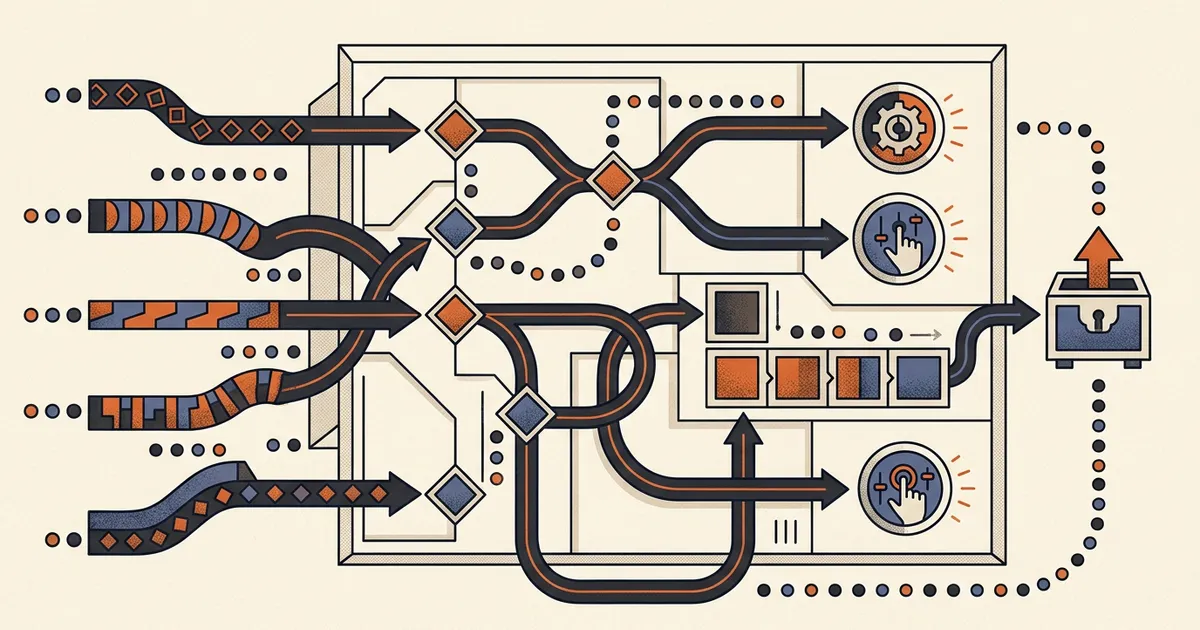
How we compared automation platforms
The comparison begins with one event and follows it until the destination is reconciled. A connector existing in a catalog does not prove that its trigger, fields, permissions, error semantics, or rate limits satisfy a production workflow.
Write one event-to-outcome contract
Name the trigger, event identifier, required fields, branching rules, state, destination actions, duplicate policy, timeout, completion evidence, and operator. Build exactly that contract in each finalist.
Sources: [zapier-zap-basics], [make-pricing], [n8n-pricing], [microsoft-triggers-actions], [pipedream-workflows]
Force transient and permanent failures
Expire a connection, return a rate limit, send invalid input, time out one provider, and retry after a partial write. Confirm which step restarts, whether earlier actions repeat, and how the operator finds unresolved work.
Sources: [zapier-replay], [make-retries], [n8n-executions], [microsoft-errors], [pipedream-errors]
Inspect evidence and export the definition
Find the run, inputs, outputs, errors, configuration changes, and actor evidence the plan retains. Export or serialize the workflow and list what remains outside that artifact, including credentials, secrets, history, and provider state.
Sources: [zapier-history], [zapier-export], [make-blueprints], [make-history], [n8n-cli], [microsoft-audit], [microsoft-export], [pipedream-events], [pipedream-git]
Price a production month and its operating owner
Estimate events, successful actions, module credits, complete executions, request allocations, compute segments, memory, retries, polling, seats, environments, history retention, premium connectors, gateways, and staff time. Include the person who responds when the run is incomplete.
Sources: [zapier-pricing], [make-pricing], [n8n-pricing], [microsoft-pricing], [microsoft-request-limits], [pipedream-pricing]
What this automation-software comparison owns
This owner serves buyers selecting an event-driven automation runtime that connects systems and executes actions. It keeps software selection separate from human work tracking, implementation tutorials, and a future custom AI workflow-builder decision.
Included
- Polling, webhook, schedule, email, application, and other documented trigger models plus actions, connectors, APIs, code, branching, and state.
- Failures, automatic and manual retries, incomplete runs, run history, logs, audit evidence, configuration export, source control, and recovery boundaries.
- Vendor-hosted, self-hosted, hybrid, gateway, and code-forward operating models where first-party documentation supports them.
- Current public subscription prices, tasks, credits, executions, requests, compute, seats, retention, concurrency, environment, connector, and overage meters.
Not included
- Project and work-management product selection. That human work-record owner is /blog/best-workflow-management-software-2026.
- A step-by-step workflow implementation tutorial or approval-process design guide. This page compares products rather than teaching one build.
- Custom AI workflow-builder intent. The reserved future owner for that transactional decision is /ai-workflow-builder.
- Reliability, latency, support, security, migration, or recovery results that require a paid plan and production-shaped testing we did not perform.
Eight criteria for production automation
Treat every criterion as an acceptance test for one real workflow. Catalog size matters less than whether the selected trigger and action behave correctly under your provider, permission, volume, and failure conditions.
Trigger model
Instant webhooks, polling, schedules, queues, email, and app events have different latency, delivery, batching, ownership, and missed-event behavior.
Actions and connectors
A catalog entry must expose the exact event, fields, authentication, pagination, rate limits, and write semantics the workflow needs.
Logic, state, and code
Branches, loops, delays, variables, data stores, transformations, subflows, and code determine whether edge cases remain visible and maintainable.
Retries and recovery
A retry can recover a transient failure or duplicate an earlier side effect. Operators need precise restart behavior, idempotency, and unresolved-work queues.
Audit and observability
Run inputs, outputs, status, duration, actor, configuration changes, retention, search, and external log streams answer different operational questions.
Export and ownership
Workflow definitions, code, credentials, secrets, run history, stored data, and provider state rarely leave in one portable and restorable package.
Hosting and operation
Vendor-hosted, self-hosted, hybrid, gateway, and dedicated-worker choices change security, networking, upgrades, scaling, and incident ownership.
Production pricing meter
Tasks, module credits, full executions, API requests, compute segments, memory, seats, retention, concurrency, connectors, and overages scale differently.
Five workflow-automation products, compared by fit
The following verdicts explain operating-model fit from current first-party evidence. They are not scores, paid placements, or a claim that one platform wins every automation.
Zapier
Best for: Business teams that prioritize a broad no-code integration catalog, fast app-to-app setup, and managed automation over infrastructure control.
Zapier combines trigger-and-action workflows with 9,000+ app connections, visual branching, webhooks, code, shared app connections, run history, and replay. Its accessible operating model is strong for SaaS handoffs, while task multipliers, retention, ownership, and replay semantics need production modeling.
| Criterion | Finding |
|---|---|
| Trigger model | Zaps start from one trigger. Zapier documents polling and instant webhook triggers, and the trigger type is fixed by each app API; polling intervals vary by plan, from 15 minutes on Free to 1 minute on Team and Enterprise. Sources: [zapier-zap-basics], [zapier-triggers] |
| Actions and connectors | The pricing and product docs advertise 9,000+ app connections. Multi-step paid workflows can use premium apps, webhooks, API requests, custom actions, JavaScript, Python, and the developer platform when a packaged action is insufficient. Sources: [zapier-pricing], [zapier-advanced] |
| Logic, state, and code | Filters stop a linear workflow when conditions fail, while Paths route among branches. Paid plans include multi-step workflows, code runtime, Tables, Forms, built-in data tools, delays, loops, and sub-Zaps. Sources: [zapier-paths], [zapier-pricing] |
| Retries and recovery | Manual replay is available for errored runs. Autoreplay can be enabled account-wide or per Zap and attempts failed steps up to five times on an increasing schedule; failed-step replay never reevaluates Filter or Paths steps. Sources: [zapier-replay] |
| Audit and observability | Zap history exposes run status, per-step inputs and outputs, timestamps, and task usage. Zapier guarantees at most 60 days and shows up to 10,000 runs, while Enterprise advertises observability, annual task limits, and advanced admin controls. Sources: [zapier-history], [zapier-pricing] |
| Export and ownership | Account-data export includes a Zapfile.json for undeleted Zaps and links to run-history data. Treat app credentials, provider-side state, deleted workflows, and a tested restore procedure as separate inventory items. Sources: [zapier-export] |
| Hosting and operation | Zapier is a vendor-hosted automation platform. Team adds 25 users, shared workflows, folders, and app connections; Enterprise adds advanced administration, deployment options, observability, and unlimited users. Sources: [zapier-pricing] |
| Production pricing meter | Checked 2026-09-05: Free includes 100 tasks monthly, Professional starts at $19.99 per month, and Team starts at $69 per month with 25 users. Each successful action normally counts as a task, but code runtime, AI, MCP, SDK, and connector type can change usage rates. Sources: [zapier-pricing] |
Tradeoffs
- Successful action steps consume tasks, and the 2026 pricing page says AI, code, SDK, MCP, and external connector calls can use the shared pool at different rates.
- Zap history guarantees at most 60 days and displays up to 10,000 runs; longer evidence requires regular export or an external observability design.
- Autoreplay retries failed steps, not the whole business transaction, and Paths are not replayed during failed-step replay. Test duplicate and stale-branch behavior explicitly.
Make
Best for: Teams that want a visual scenario canvas for multi-step data routing, transformation, branching, and explicit incomplete-execution handling.
Make models automation as visual scenarios composed of modules, routers, filters, data transformations, webhooks, and error routes. Its canvas makes bundle flow and branching tangible, while module-level credit consumption, execution storage, and scenario recovery require careful volume and failure design.
| Criterion | Finding |
|---|---|
| Trigger model | Scenarios can poll on a schedule or start from instant webhooks and app events. Plan tiers set the minimum schedule interval, execution duration, webhook queue, and parallel-processing boundaries. Sources: [make-pricing] |
| Actions and connectors | Make lists 3,000+ standard apps, HTTP and custom-app paths, an on-prem agent, and a public API. Each module must still be checked for the exact action, bundle behavior, field coverage, and connection model. Sources: [make-pricing] |
| Logic, state, and code | The visual builder includes routers, filters, iterators, aggregators, data stores, subscenarios, scenario inputs and outputs, variables, and a code app for JavaScript or Python. Code consumes two credits per second on the displayed plans. Sources: [make-pricing] |
| Retries and recovery | Make can store failed state as an incomplete execution, retry supported transient errors on an exponential backoff schedule, restart from the module that failed, and route other failures through error handlers such as the Retry handler with automatic run completion. Operators must choose whether partial writes are safe. Sources: [make-retries], [make-incomplete] |
| Audit and observability | Scenario history and execution details support diagnosis; plan tiers publish 7 to 60 days of detailed execution-log storage. Pro adds full-text log search, while higher governance surfaces include analytics and audit logs. Sources: [make-pricing], [make-history] |
| Export and ownership | A scenario blueprint exports modules, settings, and mapped values as JSON for backup or reuse. Imported users must recreate account connections, and teams should separately preserve data stores, execution evidence, secrets, and restore instructions. Sources: [make-blueprints] |
| Hosting and operation | Make hosts the automation service on AWS in EU or North America regions. Enterprise documents an on-prem agent for reaching local networks, but this is a hybrid connector path rather than self-hosting the Make runtime. Sources: [make-pricing] |
| Production pricing meter | Checked 2026-09-05 at 10,000 credits monthly: Core displays $9 per month, Pro $16, and Teams $29; verify billing interval at checkout. Most module actions consume one credit, code uses a time-based multiplier, and data transfer, storage, incomplete executions, and webhook queues scale with allowance. Sources: [make-pricing] |
Tradeoffs
- Most module actions consume credits, so one business event can use from a few credits to thousands depending on iterations, transformations, searches, code time, and route shape.
- Incomplete executions are disabled by default and storage is allowance-limited. Recovery depends on enabling and operating the correct error-handling settings.
- Blueprint JSON includes modules, settings, and mapped values but not live account connections. A blueprint alone is not a restorable production environment.
n8n
Best for: Technical teams that want visual automation with code, custom nodes, execution-based pricing, and a genuine self-hosting path.
n8n combines a node-based editor with JavaScript, Python, API requests, custom nodes, data tables, queues, error workflows, CLI management, and hosted or self-hosted deployment. Its flexibility can reduce connector dead ends, while infrastructure, upgrades, secrets, scaling, and security become team responsibilities when self-hosted.
| Criterion | Finding |
|---|---|
| Trigger model | n8n supports webhooks, schedules, queues, app triggers, chat, forms, email, subworkflows, and manual execution. Pricing guidance says each scheduled run or webhook event becomes a production execution. Sources: [n8n-pricing], [n8n-docs] |
| Actions and connectors | All listed plans include every integration node. Workflows can also call HTTP or GraphQL, import cURL, run JavaScript or Python, and use custom nodes in self-hosted installations. Sources: [n8n-pricing] |
| Logic, state, and code | Core nodes cover conditionals, merging, loops, waiting, subworkflows, code, data tables, transformations, and custom execution data. Self-hosted deployments can add command execution and custom nodes, which expands both capability and security scope. Sources: [n8n-pricing], [n8n-docs] |
| Retries and recovery | The executions view filters failed, running, successful, and waiting runs. A failed workflow can be retried with the currently saved definition or the original definition and prior execution data; error workflows provide a separate failure path. Sources: [n8n-executions], [n8n-pricing] |
| Audit and observability | Execution logging, error workflows, saved-execution limits, retention, search, insights, audit logging, and external log streaming are documented with plan boundaries. Self-hosted operators can also configure logs, metrics, and tracing. Sources: [n8n-pricing], [n8n-security] |
| Export and ownership | Workflows are JSON and can be exported from the editor or CLI; source-control environments can version selected workflow changes on higher plans. Credentials and workflow definitions are separate exports, and decrypted credential export is sensitive. Sources: [n8n-cli], [n8n-pricing] |
| Hosting and operation | Starter and Pro are hosted by n8n, Business is self-hosted, Enterprise can be hosted or self-hosted, and Community Edition is available for self-hosting. The self-host path supports Docker, npm, databases, queue workers, and custom infrastructure configuration. Sources: [n8n-pricing], [n8n-docs] |
| Production pricing meter | Checked 2026-09-05: Starter is EUR 20 per month billed annually for 2,500 executions, Pro EUR 50 for 10,000, and self-hosted Business EUR 667 for 40,000. n8n counts a full workflow run as one execution regardless of steps, while concurrency, saved history, AI credits, and plan features remain separate limits. Sources: [n8n-pricing] |
Tradeoffs
- Self-hosting adds control and transfers responsibility for availability, upgrades, database and binary-data durability, workers, encryption keys, monitoring, and incident response.
- Collaboration, environments, Git source control, audit logging, log streaming, longer retention, and scaling features vary across Cloud, Business, and Enterprise boundaries.
- A full-workflow execution meter is simpler than per-step billing for some flows, but frequent polling, chat messages, webhooks, retries, and subworkflows can still increase execution volume.
Microsoft Power Automate
Best for: Organizations centered on Microsoft 365, Dynamics, Dataverse, Azure, governed environments, and cloud plus desktop automation.
Power Automate spans cloud flows, attended and unattended desktop flows, standard, premium, and custom connectors, Dataverse, environments, solutions, gateways, analytics, DLP policies, and Microsoft governance. The breadth fits Microsoft estates, while licensing, requests, connector policies, ownership, and environment operations require specialist review.
| Criterion | Finding |
|---|---|
| Trigger model | A cloud flow starts from one trigger, the event that defines the conditions under which the flow runs, followed by one or more actions. Connectors define available events, and polling, concurrency, trigger conditions, and service limits affect delivery behavior. Sources: [microsoft-triggers-actions], [microsoft-flow-limits] |
| Actions and connectors | The free trial uses standard connectors, while paid automation plans include standard, premium, and custom connectors. Custom connectors, HTTP actions, desktop flows, Dataverse, and on-premises gateways expand reach with additional policy and licensing boundaries. Sources: [microsoft-pricing], [microsoft-gateway] |
| Logic, state, and code | Cloud flows provide loops, variables, expressions, scopes, child flows, and solution-aware components within documented limits. Data can live in connected systems or Dataverse, so the authoritative record and transaction boundary must be explicit. Sources: [microsoft-triggers-actions], [microsoft-flow-limits], [microsoft-export] |
| Retries and recovery | Retry policies send a documented number of retries at exponentially increasing intervals, and action settings can change the defaults within published limits. Run history shows failed actions, and Microsoft guidance recommends fixing connection, permission, DLP, rate-limit, or input causes before replaying or resubmitting. Sources: [microsoft-flow-limits], [microsoft-errors] |
| Audit and observability | Cloud-flow run history shows per-step inputs and outputs, and the current limits page publishes 30-day run retention. Purview records flow creation, edit, deletion, and permission changes; runtime monitoring uses analytics, Dataverse run records, or Application Insights. Sources: [microsoft-run-history], [microsoft-flow-limits], [microsoft-audit] |
| Export and ownership | Solution-aware cloud flows can be exported by exporting their Power Platform solution as managed or unmanaged packages. Connections, environment variables, credentials, external data, run history, and a validated import path remain separate recovery work. Sources: [microsoft-export] |
| Hosting and operation | Cloud flows run in Microsoft Power Platform. On-premises data access uses a separately installed and maintained gateway, while Hosted Process includes a Microsoft-hosted Azure virtual machine for unattended desktop automation. Sources: [microsoft-pricing], [microsoft-gateway] |
| Production pricing meter | Checked 2026-09-05: Premium is $15 per user per month paid yearly, Process $150 per bot, and Hosted Process $215 per bot. Premium has an official 40,000 requests per user per 24 hours and Process 250,000 per license, with separate five-minute and connector limits. Sources: [microsoft-pricing], [microsoft-request-limits] |
Tradeoffs
- License price is not the only meter. Successful and failed connector, HTTP, and built-in actions, plus retries and pagination, can count toward Power Platform request allocations.
- Purview audit logs cover lifecycle and permission events, not individual runs. Runtime investigation uses run history, analytics, Dataverse run records, or Application Insights depending on setup.
- Cloud flows are Microsoft-hosted, while on-premises access requires a gateway and desktop automation may require attended, unattended, or hosted bot capacity with separate operations.
Pipedream
Best for: Developers who want managed event triggers, prebuilt actions, inline Node.js or Python, API-first automation, and Git-backed workflow definitions.
Pipedream combines app, webhook, schedule, email, and RSS triggers with reusable actions, code steps, event inspection, auto-retry, data stores, APIs, and GitHub synchronization. It is managed rather than self-hosted and rewards code familiarity; compute credits, memory, segment boundaries, retention, and paid Git features need modeling.
| Criterion | Finding |
|---|---|
| Trigger model | Workflows can start from app event sources, HTTP or webhook requests, schedules, email, or RSS. Event sources are separate resources that can trigger multiple workflows, while HTTP endpoints run the workflow for each request. Sources: [pipedream-triggers] |
| Actions and connectors | Pipedream offers prebuilt actions and triggers plus custom Node.js, Python, Golang, and Bash code steps. Prebuilt actions connect to hundreds of APIs without code, and code steps take over when a packaged action is insufficient. Sources: [pipedream-workflows] |
| Logic, state, and code | Workflows run steps in order and can branch, delay and resume runs, share step exports between steps, persist records in data stores, and run code. These primitives favor developers who can make state and idempotency explicit. Sources: [pipedream-workflows], [pipedream-triggers], [pipedream-pricing] |
| Retries and recovery | Unhandled errors surface stack traces and notifications. Paid-plan auto-retry resumes from the failed step up to eight times over a ten-hour exponential schedule; Event History can replay selected events after the cause is fixed. Sources: [pipedream-errors], [pipedream-events] |
| Audit and observability | The Inspector and Event History show status, step configuration, performance, results, errors, stack traces, and logs, filterable by workflow, status, and time. Retention varies by plan and can be disabled for sensitive workflows. Sources: [pipedream-triggers], [pipedream-events] |
| Export and ownership | GitHub Sync serializes workflows to YAML and custom code to files, supports branches, diffs, commits, pull requests, and production merges. Secrets, connected accounts, event history, data stores, and a runnable Pipedream environment are not contained in that repository alone. Sources: [pipedream-git] |
| Hosting and operation | Pipedream hosts the workflow runtime and event sources. Git-backed projects support local editing of definitions, but execution, connected-account management, event retention, workers, and platform availability remain Pipedream-operated. Sources: [pipedream-workflows], [pipedream-git] |
| Production pricing meter | Checked 2026-09-05: Pipedream documentation defines one credit per 30 seconds of compute at 256 MB for each workflow segment, with more memory multiplying credit use. Paid plans combine a platform fee, included credits, and billed additional credits; verify the current dollar tier in the live pricing flow. Sources: [pipedream-pricing] |
Tradeoffs
- Workflow credits are based on compute time and memory per segment, so delays, branches, larger memory, dedicated workers, and code duration can change usage independently of step count.
- The runtime is vendor-hosted. GitHub Sync preserves serialized workflow configuration and code, but it is not a self-hosted Pipedream runtime or a full export of secrets and event data.
- Auto-retry can rerun a failed step up to eight times over about ten hours. The workflow must make duplicate-sensitive side effects idempotent and account for changed provider state.
Choose from the non-negotiable constraint
Start with the first operating requirement the team cannot safely compromise. Then prove that requirement with one end-to-end event, one duplicate, one provider outage, and one export rehearsal.
A business team needs the broadest managed no-code app catalog and fast SaaS handoffs
Choose: Shortlist Zapier and verify the exact trigger, premium-app status, task multipliers, polling interval, owner, replay path, and history retention for the workflow.
Tradeoff: Catalog breadth and accessible setup reduce initial friction, while task usage, branch replay, plan gates, and shorter retained evidence can increase operating work.
Operators need to see complex routes, bundles, transformations, and error paths on a visual canvas
Choose: Shortlist Make and model credits for every module, iteration, code segment, and retry. Enable and rehearse incomplete-execution recovery before production.
Tradeoff: Visual routing makes data flow concrete, while module-level credit growth and partial-route recovery require careful bundle accounting.
Technical control, custom nodes, and self-hosting are mandatory
Choose: Shortlist n8n and price both its execution plan and the infrastructure owner for upgrades, encryption, database durability, workers, logs, security, and incident response.
Tradeoff: Self-hosting expands control and code flexibility, but the team inherits the runtime responsibilities a managed platform would otherwise hold.
Microsoft identity, Dataverse, desktop automation, environments, DLP, and procurement are central
Choose: Shortlist Power Automate and have the platform owner map user or process licenses, requests, connectors, environments, gateways, DLP, solutions, and runtime evidence.
Tradeoff: Microsoft integration and governance depth can fit the estate, while the combined licensing and platform model is harder to reduce to one headline price.
Developers want managed triggers and connectors with inline code and Git-backed definitions
Choose: Shortlist Pipedream and test compute segments, memory, retries, retention, connected accounts, Git serialization, and the boundary between stored workflow code and platform state.
Tradeoff: Code-forward composition and managed infrastructure accelerate API work, while compute metering and vendor-hosted execution limit infrastructure ownership.
PROVE THE FAILURE PATH
Test one production-shaped automation before buying
Use the same event, connected accounts, branches, provider failures, retry, reconciliation, export, retained evidence, and monthly volume in every finalist. Record what remains manual.
Review webhook and API behaviorThis exposes delivery and recovery assumptions before connector breadth or a headline price decides the purchase.
Need software for human work records instead?That separate guide compares Asana, monday.com, ClickUp, Smartsheet, and Jira for work management rather than event-driven integration execution.
What this comparison cannot prove
First-party documentation establishes the published product contract, not whether a connector or runtime will behave correctly for the reader. The following remain trial, security, architecture, and procurement questions.
- We did not benchmark trigger delay, connector uptime, queue behavior, throughput, execution latency, region performance, support, or incident recovery.
- We did not prove exactly-once delivery, ordering, idempotency, transactionality, replay safety, rate-limit recovery, or provider reconciliation for the reader's workflow.
- Catalog counts do not establish action parity. The same named connector can expose different triggers, fields, permissions, pagination, and API versions across products.
- Public prices exclude taxes, currency conversion, negotiated contracts, implementation, migration, external API fees, staff operations, and higher-volume overages.
- Exports are not equivalent. Definition files, source repositories, credentials, secrets, run history, data stores, audit records, provider state, and a restorable runtime are separate artifacts.
- Playcode is the publisher and is not ranked in this packaged automation roster. A custom application is a separate build-versus-buy decision, not an automatic winner.
First-party workflow-automation sources
Every finding cites official vendor pricing or documentation checked on 2026-09-05. Pricing and other volatile product facts expire on 2026-10-06 and must be refreshed before later publication.
[zapier-pricing] Zapier:Zapier plans and pricing
Checked September 5, 2026. Supports: Plan prices, task tiers, app count, seats, polling, workflow steps, code runtime, replay, governance, observability, retention controls, and task-meter definitions.
[zapier-zap-basics] Zapier Help Center:What is a Zap?
Checked September 5, 2026. Supports: Trigger, action, step, dynamic-field, and multi-app workflow fundamentals.
[zapier-triggers] Zapier Help Center:How Zap triggers work
Checked September 5, 2026. Supports: Polling and instant trigger behavior, fixed app trigger types, and test records.
[zapier-paths] Zapier Help Center:Add branching logic with Paths
Checked September 5, 2026. Supports: Path rules, branch behavior, filters, nested paths, built-in tools, and task treatment.
[zapier-advanced] Zapier Help Center:Build advanced workflows using code and APIs
Checked September 5, 2026. Supports: Python, JavaScript, webhooks, custom actions, API requests, and developer-platform paths.
[zapier-replay] Zapier Help Center:What is replay?
Checked September 5, 2026. Supports: Manual replay, Autoreplay attempts and schedule, failed-step behavior, task use, and replay limitations.
[zapier-history] Zapier Help Center:View and manage Zap history
Checked September 5, 2026. Supports: Run details, task usage, filters, ownership, 60-day maximum guarantee, and 10,000-run display cap.
[zapier-export] Zapier Help Center:Export or delete Zapier account data
Checked September 5, 2026. Supports: Account data export, Zapfile.json contents, and run-history download links.
[make-pricing] Make:Make pricing and plan comparison
Checked September 5, 2026. Supports: Displayed plan prices, credits, modules, apps, code, schedules, execution limits, logs, audit, hosting regions, and usage allowances.
[make-retries] Make Help Center:Automatic retry of incomplete executions
Checked September 5, 2026. Supports: Retryable error types, exponential schedule, restart point, parallel retry limits, and unresolved status.
[make-incomplete] Make Help Center:Manage incomplete executions
Checked September 5, 2026. Supports: Incomplete-run details, manual and bulk retry, resolution, deletion, and original-input behavior.
[make-history] Make Help Center:Scenario history
Checked September 5, 2026. Supports: Scenario execution and change-history visibility and export boundaries.
[make-blueprints] Make Help Center:Scenario blueprints
Checked September 5, 2026. Supports: JSON blueprint export, included modules and mappings, reuse, and recreated connection requirement.
[n8n-pricing] n8n:n8n plans and pricing
Checked September 5, 2026. Supports: Cloud, Business, Enterprise, and Community boundaries, prices, executions, retention, concurrency, code, integrations, retries, logs, Git, and hosting.
[n8n-docs] n8n Docs:n8n documentation overview
Checked September 5, 2026. Supports: Cloud, npm, Docker, self-hosting, custom nodes, API connectivity, and integration model.
[n8n-executions] n8n Docs:All executions and failed-workflow retry
Checked September 5, 2026. Supports: Execution filtering, retry with saved or original workflow, previous execution data, and deletion behavior.
[n8n-cli] n8n Docs:n8n CLI commands
Checked September 5, 2026. Supports: Workflow and credential import and export commands, formats, and sensitive decrypted export boundary.
[n8n-security] n8n Docs:n8n security audit
Checked September 5, 2026. Supports: CLI, API, and workflow audit paths plus credential, database, file-system, node, and instance risks.
[microsoft-pricing] Microsoft:Power Automate pricing
Checked September 5, 2026. Supports: Premium, Process, and Hosted Process prices, cloud and desktop flows, connectors, bots, and hosted virtual machine.
[microsoft-triggers-actions] Microsoft Learn:Work with triggers and actions
Checked September 5, 2026. Supports: Trigger and action definitions, cloud-flow structure, trigger replacement, and trigger conditions.
[microsoft-flow-limits] Microsoft Learn:Limits for automated, scheduled, and instant flows
Checked September 5, 2026. Supports: Flow duration, throughput, concurrency, request, retry, custom connector, and run-history limits.
[microsoft-request-limits] Microsoft Learn:Power Platform request limits and allocations
Checked September 5, 2026. Supports: Counted actions, retries and pagination, official per-license allocations, transition limits, and reporting.
[microsoft-errors] Microsoft Learn:Fix connection failures in cloud flows
Checked September 5, 2026. Supports: Run-history diagnosis, suspended flows, permissions, DLP, retry with backoff, and connection failures.
[microsoft-run-history] Microsoft Learn:Create and manage a cloud flow
Checked September 5, 2026. Supports: Cloud-flow management, run-history access, and per-step inputs and outputs.
[microsoft-audit] Microsoft Learn:View Power Automate activity logs in Microsoft Purview
Checked September 5, 2026. Supports: Lifecycle and permission audit events, runtime-monitoring alternatives, access, and limitations.
[microsoft-export] Microsoft Learn:Export a Power Automate solution
Checked September 5, 2026. Supports: Solution-aware flow export, versioning, and managed or unmanaged package types.
[microsoft-gateway] Microsoft Learn:About on-premises gateways
Checked September 5, 2026. Supports: Hybrid connectivity, gateway service operation, encryption, access, monthly updates, and recovery key.
[pipedream-pricing] Pipedream:Pipedream plans and pricing documentation
Checked September 5, 2026. Supports: Compute-credit calculation, memory multiplier, segments, free development, included and additional credits, and plan changes.
[pipedream-workflows] Pipedream:What are Pipedream workflows?
Checked September 5, 2026. Supports: Workflow structure, triggers, actions, code steps, data flow, connected accounts, and developer model.
[pipedream-triggers] Pipedream:Pipedream workflow triggers
Checked September 5, 2026. Supports: App, HTTP, schedule, email, and RSS triggers, source behavior, logs, event retention, and execution identifiers.
[pipedream-errors] Pipedream:Handling workflow errors
Checked September 5, 2026. Supports: Unhandled errors, stack traces, notifications, custom handlers, automatic retry, and conditional handling.
[pipedream-events] Pipedream:Pipedream Event History
Checked September 5, 2026. Supports: Central event filtering, step details, errors, performance, replay, deletion, permissions, and plan retention.
[pipedream-git] Pipedream:Pipedream GitHub Sync
Checked September 5, 2026. Supports: Workflow serialization, bidirectional sync, branches, commits, diffs, pull requests, production merge, and local editing.
Workflow-automation software questions
What is workflow automation software?
Workflow automation software receives an event, evaluates rules, transforms data, and performs actions across systems. Production use also requires credentials, permissions, limits, failure handling, retries, run evidence, export, recovery, and an operator who owns incomplete outcomes.
Which workflow automation tool is easiest for non-developers?
Zapier emphasizes straightforward trigger-and-action setup, while Make exposes more of the route and data flow on a visual canvas. Ease depends on the actual connector, branch count, error path, and operator. Build the same complete workflow in both before choosing.
Which automation platform is best for developers?
n8n and Pipedream offer strong code-forward paths. n8n adds custom nodes and self-hosting, while Pipedream combines managed triggers with inline code and GitHub-synchronized definitions. The better fit depends on infrastructure ownership, language, connector gaps, deployment controls, and billing volume.
How do workflow automation platforms charge?
They use different units. Zapier meters tasks, Make meters module credits, n8n meters full workflow executions on listed plans, Power Automate combines licenses and requests, and Pipedream meters compute credits by time, memory, and segment. Translate one real monthly workload into every unit.
Can an automation retry safely after an error?
Only when the workflow makes retries safe. Determine which step restarts, whether earlier writes repeat, how provider idempotency keys work, and whether the destination already changed. Inject rate limits, timeouts, invalid data, expired credentials, and partial writes during the trial.
Can workflow definitions be exported completely?
A definition can often be exported as JSON, YAML, a blueprint, or a solution package, but that rarely includes credentials, secrets, run history, stored data, audit evidence, provider-side records, and a working runtime. Rehearse import and reconcile every required artifact.
How often should automation pricing and limits be checked?
Recheck this guide by 2026-10-06 and verify live pricing before purchase. Plans, tasks, credits, executions, requests, compute rates, retention, concurrency, connectors, AI usage, overages, and enterprise controls can change independently.
WHEN AUTOMATION NEEDS AN APPLICATION
Build the bounded operational system around the workflow
Describe the authoritative records, roles, transitions, provider boundaries, credentials, failure states, evidence, monitoring, export, and recovery path. Playcode can build and run the web application around that contract.
Build a custom internal toolCustom software is a separate build-versus-buy choice. Your team still owns the business process and provider access.