Yes. As of July 2026, ChatGPT builds websites three ways: it writes the code for a site you host yourself (works on any plan), ChatGPT Sites generates and hosts simple sites for paid ChatGPT Work plans with real limits, or an AI website builder like Playcode designs the site, hosts it, and lets you keep editing visually.
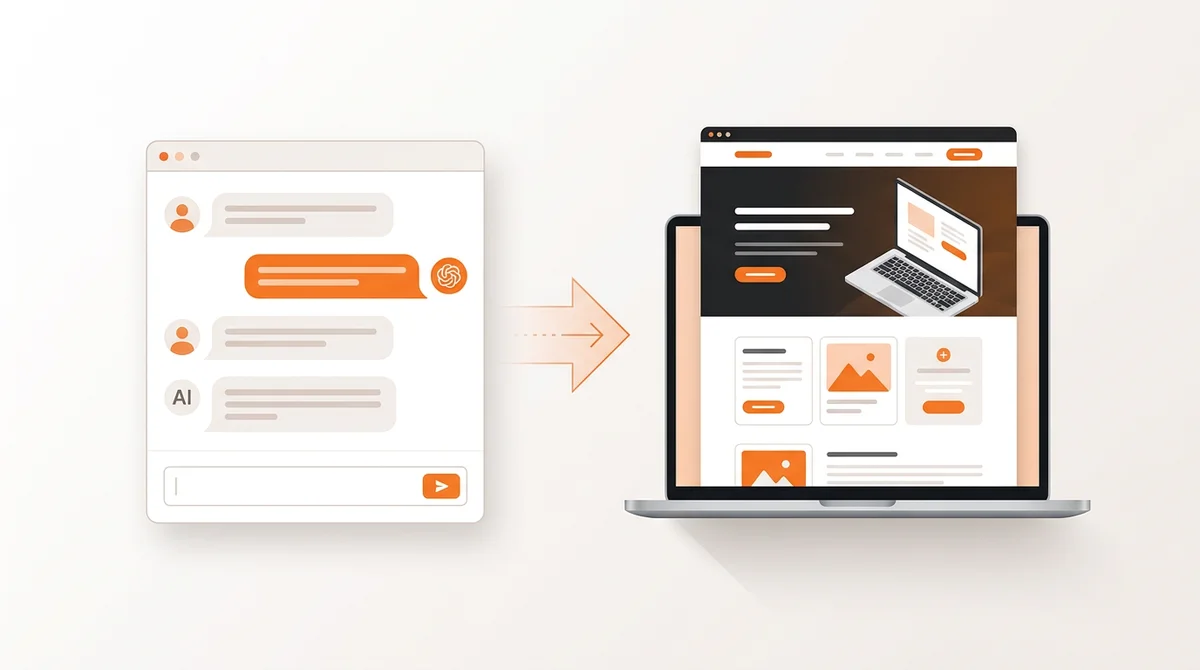
Most answers to this question online are stale. They were written when ChatGPT could only hand you a block of HTML and wish you luck with hosting. On July 9, 2026, OpenAI launched ChatGPT Sites in public beta, and ChatGPT started hosting websites itself for the first time. That changes the answer, but not as much as the headlines suggest, because Sites ships with hard restrictions on who can use it, where, and for what.
Here are the three paths, in order of how much ChatGPT does for you:
1. Chat-generated code. Ask ChatGPT to write HTML, CSS, and JavaScript in the chat, then copy the code to your own hosting. Works on every plan, including the unpaid tier. You handle hosting, domains, and every future edit.
2. ChatGPT Sites. ChatGPT generates, hosts, and publishes the site at a URL. Requires a paid ChatGPT plan inside ChatGPT Work, usage is metered, commerce is banned, and it is not available in the EEA, UK, or Switzerland as of July 2026.
3. An AI website builder. A dedicated tool like Playcode designs the site from a prompt, hosts it in production, supports commerce and custom domains, and lets you keep editing visually or through chat.
The rest of this article explains what changed, what each path can and cannot do, and which one fits your project.
What Is ChatGPT Sites and What Changed in July 2026?
ChatGPT Sites is OpenAI's website creation and hosting feature, launched in public beta on July 9, 2026 as part of ChatGPT Work. You describe the website you want in a chat, or mention @Sites in your prompt, and ChatGPT generates it, shows you a private preview, refines it based on your feedback, and publishes it at a URL when you are ready. OpenAI's own examples of what to build with it are revealing: dashboards, project trackers, launch calendars, prototypes, internal portals, and interactive reports. It is aimed at teams making internal tools, not at businesses launching public websites.
Availability, as of July 2026:
- Paid plans only. Sites is available on paid ChatGPT plans except Free and Go. Pro, Pro Lite, Enterprise, and Edu got it first; Plus and Business follow over the following days.
- Not in Europe. Sites is not available in the EEA, Switzerland, or the United Kingdom at launch.
- Admin-gated in workspaces. Workspace admins can control who creates and publishes Sites. In Enterprise workspaces, public publishing is off by default until an admin enables it.
- Metered usage. Beta usage is included up to plan-specific limits that OpenAI says may change during the beta. Hit a limit and you may be unable to create a new Site or keep a high-usage Site publicly available until usage drops.
Why this matters for the question in the title: before July 2026, "can ChatGPT build a website" had a two-part answer - it can write the code, but it cannot put the site online. The second part is no longer flatly true. For a specific slice of users, on specific plans, in specific regions, for specific kinds of sites, ChatGPT now hosts. Our ChatGPT Sites explainer covers the feature in depth.
Can ChatGPT Host a Website Now?
Yes, with qualifications. Through ChatGPT Sites, ChatGPT hosts websites on infrastructure it manages: a Cloudflare Workers-based edge runtime, with D1 (a SQLite-based relational database) for structured data and R2 object storage for files. When you deploy, ChatGPT generates a Site URL, and every deployment URL is a production URL - if you want to review a build before it goes live, you save a version first and deploy it after review.
Custom domains are supported where available on your plan. Sites does not register a domain for you: you must already own one and be able to edit its DNS records, then add the values Sites provides through your domain provider. Custom domains are not available in Enterprise workspaces at launch.
The qualifications, all current as of July 2026:
- Hosting requires a qualifying paid plan inside ChatGPT Work - not Free, not Go.
- It is unavailable in the EEA, the UK, and Switzerland.
- Usage is metered against beta limits that apply across all Sites on your account.
- The runtime hosts lightweight sites and apps, not traditional server stacks. No Node.js servers, no Postgres, no background services.
If you are on the unpaid tier, in Europe, or building something the Sites terms exclude, the hosting question reverts to the old answer: ChatGPT writes the code, and you host it elsewhere - or you use a builder that includes hosting.
What Are ChatGPT Sites' Limitations?
The limits fall into three groups: contractual bans, technical constraints, and availability gaps. This table summarizes them, based on OpenAI's own documentation as of July 2026.
| Limitation | What it means in practice |
|---|---|
| No commerce | The terms prohibit enabling financial transactions, and Sites must not process payment-card data. No store, no checkout, no paid bookings, no donations. |
| No traditional backend | The Cloudflare Workers runtime does not run Node.js servers, Postgres or other external databases, background services, or private networks. Data lives in D1 (SQLite) and R2. |
| Regional exclusion | Not available in the EEA, Switzerland, or the UK at launch. |
| Plan and admin gates | Excluded from Free and Go plans. Workspace admins control creation and publishing; in Enterprise, public publishing is off by default. |
| Metered beta usage | Usage counts against plan-specific limits that may change during the beta. At the limit, you may be unable to create Sites or keep a high-usage Site public. |
| Content restrictions | No Protected Health Information, no targeting children under 13, plus the general OpenAI usage policies. OpenAI can remove Sites that risk violating them. |
| No data residency | Sites does not support data residency or inference residency at launch - including deployed Sites, code, D1/R2 data, and logs. |
None of these are edge cases if you are building a business website. A site that sells something, serves European visitors, or needs a real backend hits a wall on the first day. For those projects, see our rundown of ChatGPT Sites alternatives.
How Do I Build a Website with ChatGPT, Step by Step?
The workflow is the same conversation loop on both paths:
- Describe the site. State the audience, the purpose, the pages you need, and the one action visitors should take. On ChatGPT Sites, include the word "website" or mention @Sites; on other plans, ask for complete code files.
- Review the result. Sites shows a private preview; chat-generated code you paste into a local file or editor and open in a browser.
- Refine through conversation. Ask for changes to copy, layout, colors, forms, and behavior until it looks right.
- Publish. On Sites, choose the audience and deploy. With chat-generated code, upload the files to your own hosting and connect your domain.
Three copy-paste prompts to start from:
"Build a website for [business name], a [what you do] in [city]. Audience: [who]. Pages: home, services, about, contact. Style: clean and modern. Primary action: [call, book, email]."
"Build a project request dashboard for my operations team. Let team members submit requests, see who owns each one, update the status, and filter the list. Keep the request data saved between visits."
"Write a responsive single-page HTML site for [business] with a fixed navigation bar, a hero section, a three-column services grid, and a contact form. Use modern CSS. Give me the complete code in one file."
The first fits any path, the second is the internal-tool shape ChatGPT Sites is designed for, and the third is the classic code-you-host-yourself request.
ChatGPT vs AI Website Builders: Which Should You Use?
The honest framing is not "which tool is better" but "which job are you doing." Here is the side-by-side across the three paths.
| Factor | ChatGPT (chat code) | ChatGPT Sites | AI builder (Playcode) |
|---|---|---|---|
| Hosting | You arrange it yourself | Included, on OpenAI-managed infrastructure | Included, production hosting with CDN |
| Who can use it | Any plan, worldwide | Paid ChatGPT Work plans; not EEA/UK/Switzerland | Anyone with a browser, worldwide |
| Commerce | Only what you wire up on your own hosting | Contractually banned | Supported - stores, checkout, payments |
| Backend | Whatever your host supports | Workers runtime, D1 (SQLite), R2; no Node.js or Postgres | Full-stack apps with a backend and persistent database |
| Editing after launch | Edit code by hand or re-prompt and re-upload | Chat prompts, preview, redeploy | Visual editor (click to edit) plus AI chat |
| Custom domains | Through your hosting provider | Bring your own, where available; not Enterprise at launch | Supported, with automatic SSL |
| Cost model | ChatGPT plan plus separate hosting costs | Paid plan plus metered usage with beta limits | Flat subscription with AI credits included |
ChatGPT is genuinely the right choice in these cases:
- You want to learn or own the code stack yourself. Chat-generated code is a real education, and you control every line and every hosting decision.
- Your team already runs on ChatGPT Work and needs an internal tool. A dashboard or tracker with workspace sign-in, shipped without leaving the chat, is exactly what Sites was built for. No new vendor, no procurement conversation.
- You need a quick prototype, not a product. Sites' preview-refine-deploy loop gets a demo in front of colleagues fast, and the metered beta limits rarely matter for a one-off.
An AI website builder wins when the site is the business:
- Public websites meant to be found on Google - a bakery, a law firm, a SaaS landing page. Playcode is built around public hosting, custom domains with automatic SSL, and pages designed to rank.
- Anything that takes money. Stores, bookings with payment, and checkout flows are supported on Playcode and banned on Sites.
- European businesses and audiences. Playcode works worldwide, including the EEA, the UK, and Switzerland, today.
- Apps that need a real backend - a persistent database, background jobs, a long-running server. Playcode Cloud runs full-stack apps that Sites' runtime cannot host.
- Owners who edit after launch. Changing a headline should be a click, not a prompt round-trip. Playcode pairs a visual editor with the AI chat.
To see how ChatGPT Sites works and where it stops, read ChatGPT Sites explained, and if you are surveying the whole field, our comparison of the best AI website builders covers every serious option.
Build the website, not the workaround
Describe your website in plain language and Playcode AI designs it, hosts it, and lets you keep editing visually - commerce, custom domains, and a real backend included when you need them. Available worldwide.
Build your website with AIFAQ
Can ChatGPT build a website without a paid plan?
Partially. On any ChatGPT plan, including the unpaid tier, ChatGPT can write the HTML, CSS, and JavaScript for a website - but it cannot host it, so you must copy the code to your own hosting provider and maintain it yourself. Hosting through ChatGPT Sites requires a paid plan (it is not available on Free or Go), and usage is metered against plan-specific beta limits.
Is ChatGPT Sites available in Europe or the UK?
No. At launch (July 9, 2026), ChatGPT Sites is not available in the EEA, Switzerland, or the United Kingdom. Users in those regions can still ask ChatGPT to write website code to host elsewhere, or use an AI website builder with hosting included, such as Playcode, which is available worldwide.
Can I sell products on a ChatGPT Site?
No. The ChatGPT Sites terms prohibit enabling financial transactions, and Sites must not process payment-card data. If you need to sell products, take bookings with payment, or accept donations, you need a platform that supports commerce, such as a dedicated AI website builder or an ecommerce platform.
Does ChatGPT Sites support custom domains?
Yes, where custom domains are available on your plan. Sites does not register a domain for you: you must already own the domain and be able to edit its DNS records, then add the DNS values Sites provides through your domain provider. Custom domains are not available in Enterprise workspaces at launch.
What technology does ChatGPT Sites run on?
ChatGPT Sites runs on a Cloudflare Workers-based edge runtime with D1 (a lightweight SQLite relational database) and R2 (object storage for files). It does not support traditional Node.js servers, Postgres or other external databases, background services, or private networks. Every deployment URL is a production URL.
What is the difference between ChatGPT Sites and an AI website builder?
ChatGPT Sites turns a chat into a hosted site, but it is built for internal tools, dashboards, and prototypes inside ChatGPT Work: paid plans only, no commerce, metered usage, and no visual editor. A dedicated AI website builder like Playcode is built for public business websites: it designs the site, hosts it with a real backend and database, supports custom domains, and lets you keep editing visually or through chat on a flat subscription.