QUICK ANSWER
Should you choose Figma Make or Lovable?
Choose Figma Make when structured Figma context, interface fidelity, and design-team feedback are the starting point. Choose Lovable when a prompt-to-full-stack workflow, built-in backend path, and app operations are the starting point. Neither is a universal winner. Run the same bounded brief and verify source, data, publishing, recovery, and usage in your intended accounts.
Figma Make and Lovable both generate working web experiences, but they organize the work differently. Figma Make keeps structured Figma designs, libraries, comments, and Make files close to the generation loop. Lovable starts from a natural-language app brief, adds design guidance when useful, and documents a built-in full-stack path with Lovable Cloud or a Supabase option.
This page owns both “Figma Make vs Lovable” and “Lovable vs Figma Make”. It does not own general Figma alternatives, design-tool lists, Lovable replacement lists, v0 comparisons, generic site-builder rankings, or instructions for connecting Figma to another product.
Disclosure: Playcode publishes this comparison and is an AI app builder that may appear in adjacent searches. Playcode has no affiliate relationship with Figma or Lovable. We reviewed first-party sources but did not reproduce the same brief in either product; no hands-on output, speed, fidelity, security, or performance result is claimed.
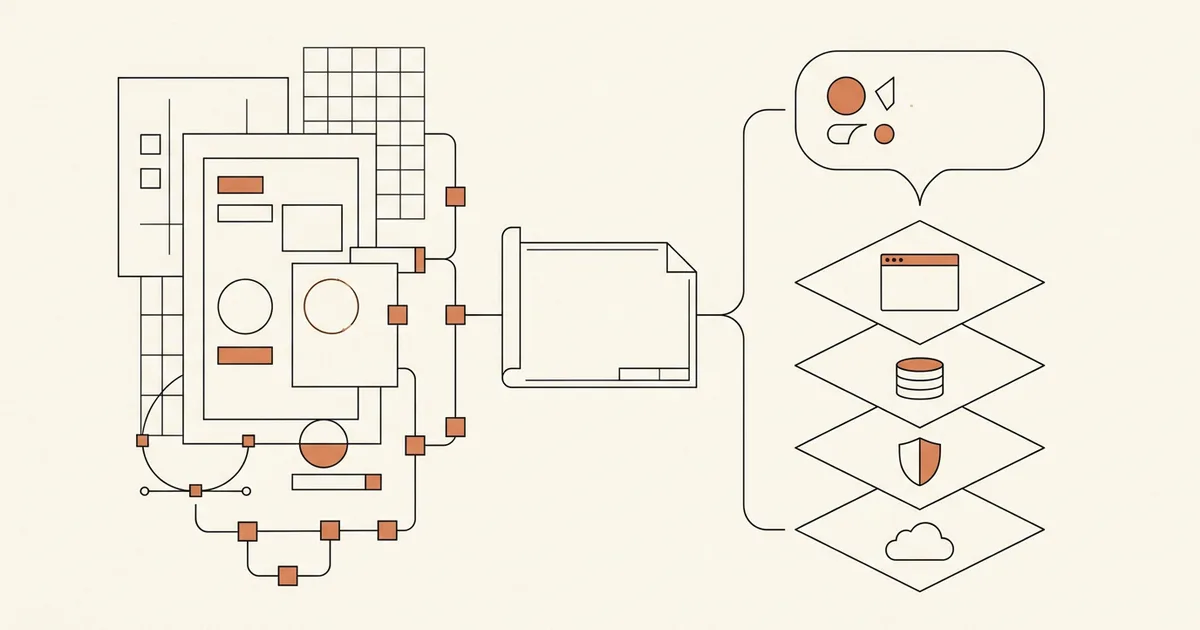
Use one service-request portal as the proof
The brief below is an editorial test plan, not an executed benchmark. No project, output capture, prompt log, or artifact hash exists for either product.
Freeze one fictional app brief
Specify a facilities service-request portal with a responsive intake form, staff sign-in, requester and manager roles, persistent request records, status changes, a denied manager-only action, and accessible loading, empty, validation, and error states.
Sources: [figma-create], [figma-backend], [lovable-welcome], [lovable-cloud]
Freeze the handoff and publishing checks
Require a reviewable source copy, a named repository direction, a production URL, a custom-domain answer, and a written restore plan for code and live records. Treat each as a separate result.
Sources: [figma-code], [figma-export], [figma-faq], [lovable-git], [lovable-publish]
Record build evidence without scoring polish
Save prompts, inputs, screenshots, generated files, source revision, account plan, credits used, and observed errors. Do not convert subjective visual preference into an unqualified fidelity or quality ranking.
Sources: [figma-create], [figma-credits], [lovable-design], [lovable-credits]
Test recovery and team ownership
Revert one source change, repair one failed publish, restore one test record from the documented data path, and identify who owns the design context, repository, backend, domain, and production incident.
Sources: [figma-edit-history], [figma-backend], [lovable-faq], [lovable-cloud], [lovable-collaboration]
What this comparison owns
This is the canonical bilateral buyer decision for Figma Make and Lovable in either query direction. It compares current documented workflows, not brand reputation or unverified output quality.
Included
- Figma Make vs Lovable and the reverse Lovable vs Figma Make query intent
- Starting context, generation and edit loops, source portability, backend, publishing, collaboration, integrations, recovery, credits, and team fit
- One neutral fictional app brief that a buyer can run in both products
- Dated first-party findings with unknown and not-evidenced states left visible
Not included
- A universal winner, numerical score, output ranking, benchmark, or claim that either generated the brief successfully
- General Figma alternatives, design-tool comparisons, and Figma plugin or connector setup intent
- Lovable replacement intent, v0 versus Lovable, and other bilateral builder comparisons
- Generic best-builder category intent and broad website-generation roundups
- A legal opinion about generated-code ownership, a security audit, or a production-readiness certification
Eleven criteria for a design-to-app decision
Read every row as a workflow and operating boundary. Similar feature labels do not make the implementation, account, provider, or recovery model equivalent.
Starting context and design fidelity
Shows whether the team starts from structured Figma context, a written brief, a screenshot, or a broader app concept.
Generation and edit loop
Compares planning, prompting, direct visual changes, code editing, and the path from feedback to another build.
Same-brief proof boundary
Keeps one fictional app brief constant and separates documented capability from an output that was actually reproduced.
Source ownership and export
Distinguishes code visibility, download, Git sync, repository direction, and legal ownership instead of treating them as one promise.
Backend, data, and authentication
Tests where records, authorization, secrets, compute, storage, and operating responsibility actually live.
Publishing and hosting
Identifies the live URL, custom-domain path, release action, hosting boundary, and current access controls.
Collaboration and versioning
Separates multiplayer feedback and roles from source history, file history, database history, and production rollback.
Integrations and context
Shows how product documents, design systems, APIs, external services, and MCP tools enter the build or the deployed app.
Recovery and debugging
Tests what can be inspected or reverted and what still needs a separate data, provider, or incident-recovery plan.
Usage meter and current pricing
Compares the unit consumed by building with the separate cost and grant boundaries that appear after publication.
Team fit and handoff
Turns the feature matrix into a conditional choice based on the team that designs, builds, reviews, operates, and inherits the app.
Figma Make and Lovable evidence matrix
The findings summarize current official documentation. They do not report observed output quality, speed, reliability, design fidelity, generated-code quality, support quality, or security.
Figma Make
Best for: Design-led teams that want structured Figma frames, components, libraries, comments, and interface iteration close to a generated functional prototype or web app.
Figma Make accepts prompts, attached Figma designs, library style context, files, and connector context. It provides an interactive preview, point-and-edit controls, direct code editing, version history, code download, GitHub push, Supabase backend integration, and web publishing. Some capabilities vary by plan and seat.
| Criterion | Finding |
|---|---|
| Starting context and design fidelity | Figma Make can start from a prompt, attached Figma frames or components, pasted designs, images, and paid-plan library style context. Figma recommends frames over screenshots when structured design detail matters. Sources: [figma-create], [figma-faq] |
| Generation and edit loop | The documented loop combines AI chat, queued prompts, an interactive preview, point-and-edit changes, direct code editing, plan mode on paid plans, and continued conversation. Sources: [figma-create], [figma-code] |
| Same-brief proof boundary | Official docs describe functional prototypes, web apps, authentication, persistent state, and error-oriented iteration, but this article did not run the service-request brief. Output fidelity and completeness are not established. Sources: [figma-create], [figma-backend] |
| Source ownership and export | Full or Dev seats can download the generated files as a zip, and Figma Make can create a corresponding GitHub repository and push changes to it. External code changes do not automatically flow back into Make. A broader ownership warranty was not established by the reviewed sources. Sources: [figma-code], [figma-export] |
| Backend, data, and authentication | Figma Make integrates with a buyer-connected Supabase project for secret storage, compute, authentication, and Postgres. Figma currently documents basic key-value stores rather than setup of a full SQL database. Sources: [figma-backend] |
| Publishing and hosting | Publishing creates a public dedicated URL hosted on AWS with domain and routing through Cloudflare. Paid Full seats can publish, Starter publishing has a Community condition, organization admins can disable publishing, and custom domains are documented. Sources: [figma-faq] |
| Collaboration and versioning | Shareable Make files support multiplayer work, access controls, and comments when the creator and seat permit sharing. Figma creates a version after AI or user edits and lets users preview, name, favorite, or restore versions without deleting later history. Sources: [figma-faq], [figma-edit-history] |
| Integrations and context | Figma Make can use verified or custom MCP connectors for external context and actions, while designs and libraries provide native Figma context. Connector availability and administration vary by plan, seat, and organization policy. Sources: [figma-connectors], [figma-create] |
| Recovery and debugging | Users can inspect and edit code, revert code checkpoints, preview or restore file versions, and ask for code explanations. Deleting a published Make file unpublishes it and deletes file data; recovery of external Supabase records remains a separate responsibility not established by these sources. Sources: [figma-code], [figma-edit-history], [figma-faq], [figma-backend] |
| Usage meter and current pricing | Current USD pricing lists Starter with 150 AI credits per day up to 500 per month and a Professional Full seat at $16 per month with 3,000 credits. Make use varies by model, task complexity, and context. Hosting is documented as included while publishing is beta. A custom-domain note still refers to 2025, so any 2026 surcharge is unknown here. Sources: [figma-pricing], [figma-credits], [figma-faq] |
| Team fit and handoff | The documented fit is strongest when designers and product teams already organize source context, libraries, review, and handoff in Figma, and when the Supabase and publishing boundaries pass the same-brief proof. Sources: [figma-create], [figma-faq], [figma-export] |
Tradeoffs
- The documented Supabase path currently creates basic key-value stores rather than a full SQL schema, so a data-heavy application needs an explicit backend proof.
- Downloaded changes do not automatically return to Make, and the GitHub workflow described by Figma is a push from Make to a corresponding repository rather than documented two-way sync.
- The reviewed sources document export but do not establish a broad legal code-ownership warranty; review current terms if that distinction matters.
Lovable
Best for: Cross-functional teams that want to describe and iterate on a full-stack web app, connect a managed or Supabase backend, and carry the project through publishing and operation.
Lovable documents natural-language app generation with editable code, design guidance, visual edits, Plan and Build modes, a built-in Cloud backend or Supabase, Git sync, version history, collaboration, connectors, and snapshot publishing. Current plans use workspace credits and include separate daily, Cloud, and AI grants.
| Criterion | Finding |
|---|---|
| Starting context and design fidelity | Lovable can start from a natural-language brief, offer three design directions or guided typography, color, and layout choices, and use screenshots for visual context. Its desktop app can also read Figma Design context through Figma Desktop MCP, which is a separate integration workflow rather than the core bilateral decision. Sources: [lovable-design], [lovable-desktop-figma] |
| Generation and edit loop | Build mode generates or changes code, Plan mode discusses and saves an approach before implementation, and users can continue through chat, visual edits, the preview, and direct code editing on eligible plans. Sources: [lovable-welcome], [lovable-faq], [lovable-design] |
| Same-brief proof boundary | Lovable documents generation of frontend, backend, database, authentication, and integrations, but this article did not run the service-request brief. Output completeness, authorization correctness, and design quality are not established. Sources: [lovable-welcome], [lovable-cloud] |
| Source ownership and export | Lovable states that customers own their code. GitHub supports export and two-way sync, and paid plans can download the codebase. Existing repositories cannot be imported to start a Lovable project, and live data or secrets do not become portable merely because source is in Git. Sources: [lovable-pricing], [lovable-git], [lovable-faq] |
| Backend, data, and authentication | Lovable Cloud documents database, authentication, storage, edge functions, secrets, logs, and regional hosting. A team can instead connect Supabase. The chosen backend and its data, policy, region, and recovery controls remain part of the buyer proof. Sources: [lovable-cloud], [lovable-connectors] |
| Publishing and hosting | Lovable publishes a snapshot to a lovable.app URL, includes HTTPS, supports custom domains on paid plans, and requires an explicit publish action for later changes. Published-site access controls depend on plan and remain separate from editor access. Sources: [lovable-publish], [lovable-faq] |
| Collaboration and versioning | Workspaces support unlimited members and shared credits, with paid-plan roles and per-member limits. Project history can preview and revert code versions, but the documented revert does not roll back database data. Sources: [lovable-collaboration], [lovable-plans], [lovable-faq] |
| Integrations and context | Lovable distinguishes app and chat connectors, personal chat MCP context, per-user app connections, custom MCP servers, and arbitrary APIs. The built-in Cloud backend and Supabase option are separate from design-context integrations. Sources: [lovable-connectors], [lovable-desktop-figma] |
| Recovery and debugging | Lovable provides version preview and code revert, code inspection, backend logs, and publish failure guidance. Code revert does not restore database data, and removing Lovable Cloud permanently deletes that instance, so data backup and restore require their own evidence. Sources: [lovable-faq], [lovable-cloud], [lovable-publish] |
| Usage meter and current pricing | Current docs list Free at 5 daily build credits capped at 30 monthly, Pro from 100 subscription credits at $25 monthly, and Business from 100 at $50 monthly. Default Build usage varies by task complexity, Plan mode is 1 credit per message, and credits can cover building, Cloud, and in-app AI after included grants. Sources: [lovable-plans], [lovable-credits], [lovable-pricing] |
| Team fit and handoff | The documented fit is strongest when one workspace needs to plan, generate, visually edit, connect backend services, publish, and hand source to engineering, and when shared-credit and managed-runtime boundaries match team operations. Sources: [lovable-welcome], [lovable-collaboration], [lovable-plans] |
Tradeoffs
- A managed full-stack path reduces setup but makes Cloud region, database recovery, usage, and later portability explicit operating decisions.
- Lovable does not import an existing GitHub repository as a new project, even though current Git sync is two-way after Lovable creates or links its supported project repository.
- A code revert does not restore database records, so source history alone is not a production recovery plan.
Choose by the workflow that owns the first hard constraint
A conditional rule is more useful than a score. Pair the chosen fit with the operating obligation it creates.
Choose Figma Make when structured Figma frames, components, library context, and designer feedback are the non-negotiable starting point.
Choose: Run the brief from real design context, then prove the Supabase model, code handoff, publishing permissions, and restore path before treating the output as an application.
Tradeoff: The close design loop does not remove the need to validate full data modeling, authorization, source ownership terms, and production recovery.
Choose Lovable when the team wants one prompt-to-full-stack project workflow through backend setup, Git sync, publishing, and operation.
Choose: Run the brief with the chosen Cloud or Supabase path, connect source control, publish a snapshot, and measure both build and live usage.
Tradeoff: The integrated path makes shared credits, region, managed-service portability, database recovery, and provider ownership important dependencies.
Pause when “design fidelity” or “full stack” is still an assumption rather than a saved same-brief result.
Choose: Execute the neutral brief in the intended plans and retain inputs, source revisions, screenshots, usage records, errors, and restore notes.
Tradeoff: A controlled proof costs time and credits, but it replaces marketing shorthand with evidence the team can review.
Reopen the choice when code can be exported but live records, secrets, domain control, backend ownership, or incident recovery cannot be handed over.
Choose: Inventory source, data, configuration, credentials, domains, providers, logs, and restore procedures separately before expanding the application.
Tradeoff: A portable repository is useful, but it is not the same as a portable and recoverable production system.
Try a separate workflow
Describe the same bounded app and inspect what actually runs.
Playcode is not scored in this comparison. Use it only as a separate proof: describe the roles, record, denied action, error states, and handoff boundary, then inspect the result before choosing a platform.
Start BuildingNo ranking claim. The same brief and your operating constraints decide the fit.
See current Playcode pricing and usage boundaries.Use current plan terms for any separate Playcode proof.
Evidence and disclosure limits
This is an editorial buyer guide from Playcode. It supports a buyer-run proof and does not substitute for hands-on evaluation, procurement, legal review, or application security work.
- Playcode is an AI app builder and may be an alternative in adjacent searches. Playcode has no affiliate relationship with Figma or Lovable.
- We did not reproduce the service-request portal in either product, so there is no output artifact, prompt pack, runtime log, screenshot set, or hash to publish.
- We make no claim about observed generation speed, design fidelity, code quality, reliability, accessibility, security, support, or production performance.
- Figma plans, seats, AI-credit rates, model choices, beta hosting, and custom-domain terms can change. The reviewed FAQ still includes a custom-domain sentence tied to 2025, so current surcharge treatment is unknown here.
- Lovable prices, credit grants, task complexity, Cloud usage, regions, connectors, and plan controls can change before the October 6 review date.
- Code history and export do not automatically include database records, secrets, domains, provider accounts, runtime logs, or a complete restore procedure.
- Vendor security controls and scanners do not establish that a generated app has correct authorization, data policy, privacy behavior, or regulatory compliance.
Official sources checked September 5, 2026
Every product finding cites first-party documentation. Recheck volatile prices, credits, plan access, beta terms, and provider behavior in the intended accounts.
[figma-pricing] Figma:Figma plans and pricing
Checked September 5, 2026. Supports: Current USD seat prices, included AI credits, add-ons, and plan-level features.
[figma-faq] Figma Help Center:Figma Make FAQs
Checked September 5, 2026. Supports: Seat access, sharing, collaboration, publishing, hosting, custom domains, analytics, deletion, and design-loop limits.
[figma-create] Figma Help Center:Create a Figma Make file
Checked September 5, 2026. Supports: Prompting, attached designs, library context, plan mode, files, connectors, previews, queue behavior, and usage factors.
[figma-code] Figma Help Center:Edit the code of a functional prototype or web app
Checked September 5, 2026. Supports: Code editor, file explorer, checkpoints, direct edits, and zip download access.
[figma-export] Figma Help Center:Beyond the basics: Using Figma Make
Checked September 5, 2026. Supports: Design-layer copy limits, sharing choices, code download, GitHub push direction, and external-edit limits.
[figma-backend] Figma Help Center:Add a backend to a functional prototype or web app
Checked September 5, 2026. Supports: Supabase connection, authentication, secrets, compute, Postgres, key-value limitation, and ownership boundaries.
[figma-edit-history] Figma Help Center:Edit a Figma Make file
Checked September 5, 2026. Supports: Point and edit, direct code work, automatic versions, preview, naming, and restore behavior.
[figma-credits] Figma Help Center:How AI credits work
Checked September 5, 2026. Supports: Variable Make consumption by model, complexity, context, approximate examples, tracking, and exhaustion behavior.
[figma-connectors] Figma Help Center:Use verified partner MCP connectors with the Figma agent and Figma Make
Checked September 5, 2026. Supports: External context, connector authentication, tool permissions, and plan or admin limits.
[lovable-welcome] Lovable Docs:Welcome to Lovable
Checked September 5, 2026. Supports: Natural-language full-stack workflow, editable code, workspaces, Git handoff, deployment, and stated team fit.
[lovable-pricing] Lovable:Lovable pricing
Checked September 5, 2026. Supports: Current credit definition, build modes, grants, shared workspace balance, non-seat pricing, and code ownership statement.
[lovable-plans] Lovable Docs:Subscription plans
Checked September 5, 2026. Supports: Current Free, Pro, Business, and Enterprise features, exact credit tiers, monthly and annual prices, grants, roles, and export access.
[lovable-credits] Lovable Docs:Credits and usage
Checked September 5, 2026. Supports: Credit consumption, grants, tracking, rollover, top-ups, Cloud, and in-app AI usage.
[lovable-design] Lovable Docs:Design guidance
Checked September 5, 2026. Supports: Design directions, typography, color, layout questions, screenshot context, refinements, and limitations.
[lovable-cloud] Lovable Docs:Lovable Cloud
Checked September 5, 2026. Supports: Database, authentication, storage, edge functions, logs, regions, agent permissions, Supabase option, and deletion boundary.
[lovable-git] Lovable Docs:Sync a Lovable project with GitHub
Checked September 5, 2026. Supports: Two-way sync, code download, branch behavior, repository creation, disconnect behavior, and import limitation.
[lovable-publish] Lovable Docs:Publish a Lovable project
Checked September 5, 2026. Supports: Snapshot publishing, later changes, URLs, custom domains, access separation, security controls, and failure guidance.
[lovable-collaboration] Lovable Docs:Collaboration
Checked September 5, 2026. Supports: Project and workspace roles, unlimited members, shared credits, publishing rights, and per-member usage controls.
[lovable-faq] Lovable Docs:Lovable FAQ
Checked September 5, 2026. Supports: Code editing, publishing, hosting, screenshots, export, history, code-only revert, and repository import limits.
[lovable-connectors] Lovable Docs:Lovable connectors
Checked September 5, 2026. Supports: App and chat connectors, per-user connections, arbitrary APIs, Cloud, Supabase, credentials, and workspace controls.
[lovable-desktop-figma] Lovable Docs:Lovable desktop app
Checked September 5, 2026. Supports: Local MCP support, Figma Desktop connection, design-context access, permissions, and desktop or web account continuity.
Figma Make vs Lovable FAQ
Is Figma Make better than Lovable?
Not universally. Figma Make has the clearer documented fit when structured Figma designs, libraries, and design-team review drive the work. Lovable has the clearer documented fit when the team begins with a full-stack app brief and wants backend, Git, publishing, and operations in one project workflow. Run the same brief before deciding.
Is Lovable better than Figma Make?
The reverse query has the same conditional answer and belongs to this page. Lovable may fit a prompt-to-full-stack operating model, while Figma Make may fit a design-context-first model. Neither product was tested for this article, so there is no reproduced output winner.
Can Figma Make build a full-stack app?
Figma documents functional web apps plus a Supabase integration for authentication, secrets, compute, and Postgres-backed key-value storage. It also says Make does not currently set up a full SQL database. A buyer should prove the exact schema, authorization, data operations, export, and recovery needs of the intended app.
Can Lovable use Figma designs?
Lovable documents screenshots as design context and a desktop workflow that connects to Figma Desktop through local MCP so the agent can inspect designs and components. That setup has its own integration intent. It does not erase the core workflow difference evaluated here.
Which has the better code export path?
“Better” depends on the handoff. Figma Make documents zip download and pushes to a created GitHub repository, but external edits do not automatically return. Lovable documents paid-plan zip download and two-way Git sync after project connection, but it cannot start by importing an existing repository. Neither source path automatically moves live data or secrets.
Which costs less, Figma Make or Lovable?
Compare meters, not only headlines. Figma Make consumes variable Figma AI credits and is bundled by seat and plan. Lovable starts Pro at $25 monthly for 100 subscription credits and uses credits across build, Cloud, and in-app AI after grants. The cheaper option depends on prompts, context, team access, hosting, backend, and live usage.
Does this page also cover Lovable vs Figma Make?
Yes. The two word orders express one bilateral selection job, so one dated canonical page covers both directions. General alternatives, design-tool comparisons, plugin setup, and broader builder rankings have different user intent and should remain separate pages.
Press play on the proof
Build one slice that can fail, recover, and transfer.
Start with a responsive form, two roles, one durable record, a denied server action, explicit error states, a production publish, and a written source and data handoff.
Start BuildingKeep code export, live-data export, and whole-system recovery as separate checks.