Web Push is not one browser prompt plus a send button. A reliable implementation crosses permission UX, a service worker, an opaque browser subscription, VAPID identity, encrypted backend delivery, operating-system notification settings, endpoint retirement, and user-controlled unsubscribe. Each boundary can succeed while the next one fails.
This guide builds one portable standards-based path and names the current browser differences you must preserve. Playcode AI can help create the frontend, service worker, backend routes, and monitoring surfaces, while Playcode Cloud can host the HTTPS app under current limits. Browser push services, permissions, delivery, and display still require project code and real-device verification.
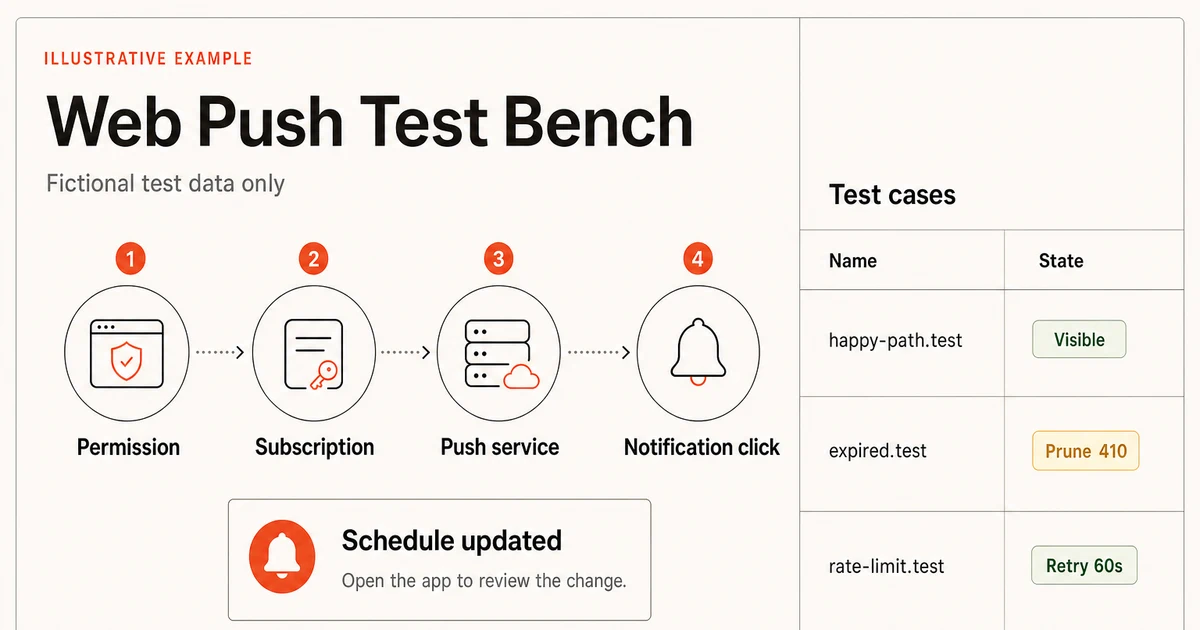
QUICK ANSWER
How do you add push notifications to a web app?
Serve the app over HTTPS, register a same-origin service worker, explain the notification benefit, and request permission only after a deliberate user action. Create a PushSubscription with userVisibleOnly and a VAPID public key, store the full subscription behind authenticated routes, send encrypted Web Push from the backend, display a visible notification in the worker, and reconcile expired subscriptions on every app return.
Define the notification contract before requesting permission
A browser permission is durable and user controlled. Ask only after the person understands the specific event, channel, cadence, destination, and way to turn it off. Build the core workflow so it remains usable when Push is unsupported, denied, expired, delayed, or suppressed by the operating system.
- One bounded event worth interrupting someone for: Choose an event with a clear owner and useful destination, such as a changed appointment that needs review. Name who may send it, who may receive it, the freshness window, duplicate rule, quiet-hours policy, and what the click opens. Do not begin with promotional broadcast volume.
- A normal HTTPS app with authenticated server state: The destination route, user session, authorization, and underlying record must work before Push is added. The notification may hint that state changed, but the opened app must re-authorize and load current server state rather than trusting the payload.
- A browser and real-device support matrix: Name the current Chrome or Edge, Firefox, Safari, Android, iOS, and iPadOS versions that matter. Record installed or tab context, permission state, service-worker release, subscription state, operating-system notification state, and whether a real encrypted push reached the device.
- An unsubscribe, retention, and fallback policy: Give people a settings control that removes the browser subscription and the server record. Define how long inactive subscriptions remain, which terminal send responses prune them, and whether an in-app inbox, email, or manual refresh covers unsupported or denied users.
- A deployment and key-rotation owner: Assign ownership for the stable worker URL, VAPID key custody, subscription schema, push response monitoring, incident pause, old-key retirement, and public-origin device smoke test. A private VAPID key is production infrastructure, not frontend configuration.
Credentials and access
| Credential | Minimum access | Storage and rotation |
|---|---|---|
| VAPID private key ECDSA P-256 application-server signing key | Backend send worker only; the browser receives only the matching public applicationServerKey. | Keep in a server-side secret manager or protected runtime secret. Never commit it, expose it in client bundles, URLs, logs, analytics, or screenshots. Version key pairs. Retain the previous private key while subscriptions created with its public key remain active, create new subscriptions with the new public key, reconcile returning clients, then retire the old key after the measured migration window. |
Direct Web Push or a managed provider?
Both choices still depend on browser permission, subscriptions, service workers for the portable path, and operating-system display. The choice is whether your backend owns Web Push encryption and response handling directly or delegates campaign and delivery operations to a provider.
| Approach | Best for | Tradeoff |
|---|---|---|
| Standards-based Web Push from your backend | Product notifications with a bounded event model, an existing backend, and a team willing to own VAPID, encryption, endpoint state, retries, monitoring, and key rotation. | It keeps the data flow and notification policy under your control, but the team owns every browser, push-service, subscription, retry, privacy, and operational boundary. |
| Managed push provider | Teams that need segmentation, delivery tooling, dashboards, or campaign operations and accept another processor, SDK, pricing model, credential surface, and vendor lifecycle. | It can reduce delivery plumbing, but it does not remove browser permission rules, iOS Home Screen requirements, consent, data mapping, unsubscribe, testing, or fallback ownership. |
Recommended:Use the direct standards-based path for the first transactional notification when your backend already owns the source event. Add a managed provider only after documenting the data it receives, current official setup, pricing and region limits, export and deletion behavior, credential rotation, and a tested reason its operations are worth the dependency. This guide does not claim a built-in Playcode provider integration.
Add Web Push notifications in 10 operational steps
Design permission, browser support, subscriptions, backend delivery, visible notifications, lifecycle recovery, testing, deployment, and monitoring as one system.
STEP 01
Specify the event, consent, and visible states
Define why the notification exists and what the person sees before, during, and after permission.
Write the source event, eligible recipient, destination route, freshness window, collapse or duplicate rule, quiet-hours behavior, and fallback. Keep the payload minimal and make the opened app load authorized current state.
Render your own pre-permission explanation first: what will be sent, how often, and where settings live. The browser prompt should appear only after a person chooses Enable notifications. Do not request on page load, hide the app behind permission, or repeatedly nag after denial.
The Notifications API guidance says permission should be requested from a user gesture and explains the default, granted, and denied states. Treat denied as a durable product state with instructions for browser settings, not an exception to loop.
Expected result: The settings surface explains one useful notification, shows unsupported, default, granted, denied, subscribed, paused, and failed states, and preserves the core app when Push is unavailable.
Verify it: Review every state without invoking the browser prompt, then confirm the prompt can be reached only from the explicit enable action and unsubscribe remains available after permission is granted.
STEP 02
Map the current browser support before coding
Use feature detection and a dated real-device matrix instead of one browser name or stale compatibility claim.
Checked July 19, 2026: Chromium browsers on supported desktop and Android platforms use the standard service-worker Push API path. Chrome and Edge require an applicationServerKey and require userVisibleOnly: true. Test the actual browser and operating-system versions in your audience.
Current Firefox desktop and Android use the standards-based service-worker path. Firefox has required subscribe calls to follow a user gesture since version 72. Test desktop and Android separately; do not infer one platform from the other.
Safari 16.1 on macOS Ventura and later supports standards-based Web Push without Apple Developer Program membership. WebKit advises feature detection and allowing push.apple.com subdomains when server egress is restricted.
On iOS and iPadOS 16.4 and later, Web Push is available to a Home Screen web app. Permission must be requested inside that installed app after direct interaction. Third-party browsers may offer Add to Home Screen, but the Home Screen app requirement remains. Focus and notification settings can suppress visible delivery. Read the WebKit platform boundary. For installability, offline caching, and the update lifecycle beyond Push, use the progressive web app guide.
WebKit also ships Declarative Web Push on newer Apple platforms, but it remains a WebKit-specific enhancement. Keep the portable service-worker handler and treat declarative delivery as an optional fallback-capable path, not the cross-browser baseline.
Expected result: The support matrix names browser, operating system, tab or installed context, required interaction, expected supported state, and fallback for every target platform.
Verify it: On each clean target device, record HTTPS, serviceWorker, PushManager, Notification, permission, getSubscription, installed context where applicable, and the operating-system notification state.
STEP 03
Register one stable, correctly scoped service worker
Install the portable background receiver on HTTPS without turning worker updates into an uncontrolled release.
Service workers require a secure context in production, must be same-origin, and default to the script directory as their scope. Review the service-worker registration rules before choosing /sw.js or a narrower path.
Serve the worker with a JavaScript MIME type and a stable URL that is not content-hashed or immutable-cached. Register once, await navigator.serviceWorker.ready before subscribing, and log only a bounded worker release and error class.
Let updates pass through the normal install, waiting, and activate lifecycle. Avoid unconditional skipWaiting when old pages and a new notification payload or click route could become incompatible.
export async function getPushRegistration() {
  if (!window.isSecureContext) throw new Error('push_requires_https')
  if (!('serviceWorker' in navigator)) throw new Error('service_worker_unsupported')
  if (!('PushManager' in window)) throw new Error('push_unsupported')
  if (!('Notification' in window)) throw new Error('notifications_unsupported')

  await navigator.serviceWorker.register('/sw.js', { scope: '/' })
  return navigator.serviceWorker.ready
}
Expected result: The public origin has one active registration with the intended scope, a stable script URL, a known release, and no dependency on a worker controlling the first page load.
Verify it: Open the worker response directly, confirm status and MIME type, inspect installing, waiting, active, and controlling states, then update the worker while an older controlled tab remains open.
STEP 04
Generate VAPID keys and design subscription storage
Separate the public browser key from the private backend signer and store full subscriptions as sensitive capability records.
VAPID uses an ECDSA P-256 application-server key pair to identify sends. The VAPID RFC defines authentication, while Web Push payload encryption is a separate protocol. Generate keys with a maintained server library or audited tool, never in browser code.
Expose only the URL-safe public key to the client. Keep the private key in a protected server secret and version it. A subscription record should bind authenticated user and tenant, endpoint, p256dh, auth, VAPID key version, created and last-seen times, optional expiration, status, and deletion time.
MDN describes each endpoint as a unique capability URL. Store the complete PushSubscription only on authenticated, CSRF-protected create and delete routes, and never place it in analytics, URLs, screenshots, or ordinary logs.
Expected result: The client can fetch one active public key version, the send worker alone can access the matching private key, and subscription rows are scoped, revocable, retained, and auditable without exposing raw capability data.
Verify it: Inspect the production client bundle and network logs for absence of the private key, create a fictional authenticated subscription fixture, reject cross-account reads and deletes, and verify redacted diagnostics cannot reconstruct an endpoint.
STEP 05
Subscribe only after a deliberate user action
Reuse an existing subscription when possible, request permission once, and persist the browser result atomically.
PushManager.subscribe must run in a secure context. Current guidance requires a user gesture, userVisibleOnly and applicationServerKey for the portable path.
First call getSubscription. If it exists, reconcile it with the authenticated server instead of creating duplicates. If permission is default, request it inside the enable-click handler. If denied, stop and show accurate browser-settings help.
Send subscription.toJSON() to an authenticated CSRF-safe route. Derive user and tenant from the session, upsert by a server-side digest of endpoint plus owner, and return a bounded record ID. Do not use the raw endpoint as a URL parameter or log key.
export async function enablePush(applicationServerKey: Uint8Array) {
  const registration = await getPushRegistration()
  const existing = await registration.pushManager.getSubscription()
  if (existing) return saveSubscription(existing.toJSON())

  const permission = await Notification.requestPermission()
  if (permission !== 'granted') throw new Error('notification_permission_not_granted')

  const subscription = await registration.pushManager.subscribe({
    userVisibleOnly: true,
    applicationServerKey,
  })
  return saveSubscription(subscription.toJSON())
}
Expected result: One deliberate click produces either a clear unsupported or denied state, or one browser subscription linked to one authenticated server record and the active VAPID key version.
Verify it: Exercise default, granted, denied, pre-existing, duplicate-click, signed-out, cross-account, CSRF-invalid, server-timeout, and save-response-lost cases without producing duplicate active rows.
STEP 06
Send encrypted Web Push from the backend
Create a durable delivery job, sign with the correct VAPID key, encrypt the small payload, and classify push-service responses.
Create a notification event and delivery row before sending. Give the logical event an idempotency key so a job retry cannot create duplicate notifications. Load only eligible active subscriptions in the authorized recipient scope.
Use a maintained server library that implements the Web Push protocol, payload encryption, and VAPID. Send a minimal versioned payload with notification ID, safe title and body, and a same-origin destination identifier. Do not put secrets or sensitive record content in the payload.
Treat 404 and 410 as terminal and retire the subscription. Treat 429 as transient and honor Retry-After. Diagnose 400, 401, and 413 rather than retrying blindly. Apply bounded attempts, jitter, payload-size limits, and expiry or time-to-live based on the event freshness window.
A 201 response proves only that the push service accepted or queued the request. It does not prove browser receipt, decryption, worker execution, notification display, user visibility, or click.
const result = await sendEncryptedWebPush({
  subscription,
  vapidKeyVersion: subscription.vapidKeyVersion,
  payload: { version: 1, notificationId, title, body, destination },
  ttlSeconds,
})

if (result.status === 404 || result.status === 410) {
  await retireSubscription(subscription.id, 'terminal_push_response')
} else if (result.status === 429) {
  await retryAfter(subscription.id, result.retryAfter)
} else if (result.status !== 201) {
  await failDelivery(subscription.id, result.status)
}
Expected result: Each eligible subscription has one durable delivery attempt with a bounded outcome: accepted, terminally retired, scheduled for a safe retry, or failed for operator diagnosis.
Verify it: Run fixture responses for 201, 400, 401, 404, 410, 413, 429 with and without Retry-After, timeout, duplicate job, response loss, and expired event; confirm only safe classes retry and one logical event remains one notification.
STEP 07
Display a visible notification and route clicks safely
Keep the service-worker handler deterministic, always extend its lifetime, and reopen only an allowed same-origin destination.
The portable path receives a push event in the service worker and calls registration.showNotification. Use event.waitUntil so the browser can keep the worker alive until the display promise settles.
Parse a versioned payload defensively. Use a generic safe fallback when data is absent or invalid. Put only a notification ID and allowlisted destination key in data; load sensitive current content after the click inside the authenticated app.
On notificationclick, close the notification, match an existing same-origin client when appropriate, focus it, and navigate or open only a destination constructed from an allowlist. Never open a payload-supplied absolute URL.
WebKit requires user-visible notifications for the original Web Push path and may revoke subscriptions when a push handler fails to display one. Silent background work is not a portable use of this channel.
self.addEventListener('push', (event) => {
  const message = readSafePushMessage(event.data)
  event.waitUntil(
    self.registration.showNotification(message.title, {
      body: message.body,
      tag: message.notificationId,
      data: { notificationId: message.notificationId, destination: message.destination },
    }),
  )
})

self.addEventListener('notificationclick', (event) => {
  event.notification.close()
  const path = allowedDestination(event.notification.data?.destination)
  event.waitUntil(focusOrOpenSameOrigin(path))
})
Expected result: A valid event displays one user-visible notification with a safe fallback, and a click focuses or opens the intended same-origin app route without trusting payload URLs or bypassing authorization.
Verify it: Test missing data, invalid JSON, unknown payload version, duplicate notification ID, stale destination, signed-out click, unauthorized record, existing client, no client, and worker termination while the display or click promise is pending.
STEP 08
Reconcile unsubscribe, expiry, replacement, and VAPID rotation
Assume subscriptions can disappear or change without a reliable background event and repair state whenever the app returns.
PushSubscription.expirationTime may contain a timestamp or null. Do not schedule cleanup only from that field. A subscription can be revoked, lost with site data, or retired by a push service.
The pushsubscriptionchange event has Limited availability and its server update can fail while offline. Handle it when available, but reconcile Notification.permission and getSubscription on app open, sign-in, settings open, and worker update.
For unsubscribe, call subscription.unsubscribe and an authenticated server delete. Make both retry-safe and show partial failure honestly. If the local unsubscribe succeeds but the server delete fails, terminal send responses must still retire the stale endpoint.
For VAPID rotation, publish a new public key version for new subscriptions while retaining the old private key for old rows. Recreate returning subscriptions under the new public key without changing the person's notification preference, measure migration, and retire the old key only after old active rows reach the defined floor.
Expected result: Local permission, browser subscription, server row, user preference, and VAPID key version converge after every app return, while unsubscribe and key rotation remain observable and recoverable.
Verify it: Test cleared site data, revoked permission, missing local subscription, missing server row, duplicate rows, local-only unsubscribe, server-only delete, null and past expiration, key mismatch, offline reconciliation, and two VAPID key versions in one migration window.
STEP 09
Test the real transport and device matrix
Separate worker-handler emulation from proof that the backend and browser push service can deliver an encrypted message.
Test current Chrome or Edge desktop and real Android, Firefox desktop and Android where supported, Safari on macOS, and an installed iPhone or iPad Home Screen web app. Record exact browser and operating-system versions, app and worker release, permission, subscription key version, send response class, display state, and click result.
Chrome DevTools can emulate a push event from the Service Workers panel, which is useful for the local handler. The DevTools workflow does not prove subscription creation, VAPID, encryption, backend delivery, push-service transport, or a real operating-system notification.
Send one real encrypted push to each fresh endpoint with the app foregrounded, backgrounded, and closed. Test display suppression from Focus or notification settings as an external user-controlled state, not a server delivery failure.
Expected result: Every supported matrix row has redacted evidence for opt-in, subscription, real send, visible display, click routing, unsubscribe, endpoint retirement, and the expected unsupported or suppressed states.
Verify it: Compare the durable delivery job, redacted push-service status, worker observation where available, operating-system display, and click event. Do not mark delivered from one of those signals alone.
STEP 10
Deploy gradually and monitor each boundary
Release the worker, subscription schema, send worker, key version, and settings UX as one reversible system.
Deploy over trusted HTTPS with the worker at its stable public URL, backend subscription routes protected, VAPID private keys available only to the send worker, database migration backward-compatible, and delivery jobs paused until the public-origin smoke test passes.
Start with internal fictional accounts and one event type. Confirm permission, subscribe, encrypted send, display, click, unsubscribe, 404 or 410 cleanup, retry, and rollback before widening the cohort. Keep notification creation kill-switchable without breaking the app.
Monitor support and permission outcomes, registration and worker releases, subscription create/delete/reconciliation, active rows by VAPID key version, job depth and age, response classes, retries, terminal pruning, display and click signals, and complaint or opt-out rate. Never log raw endpoints, keys, payload bodies, or private destination data.
Expected result: The production release can create and retire subscriptions, deliver one bounded event to the allowlisted cohort, distinguish accepted from displayed and clicked, pause new sends, and roll back without losing user preference.
Verify it: From a clean public-origin device in every target platform row, opt in, send one real event, open it, opt out, confirm no later sends, inspect redacted metrics, pause delivery, and rehearse worker, schema, and VAPID rollback steps.
What the result can look like
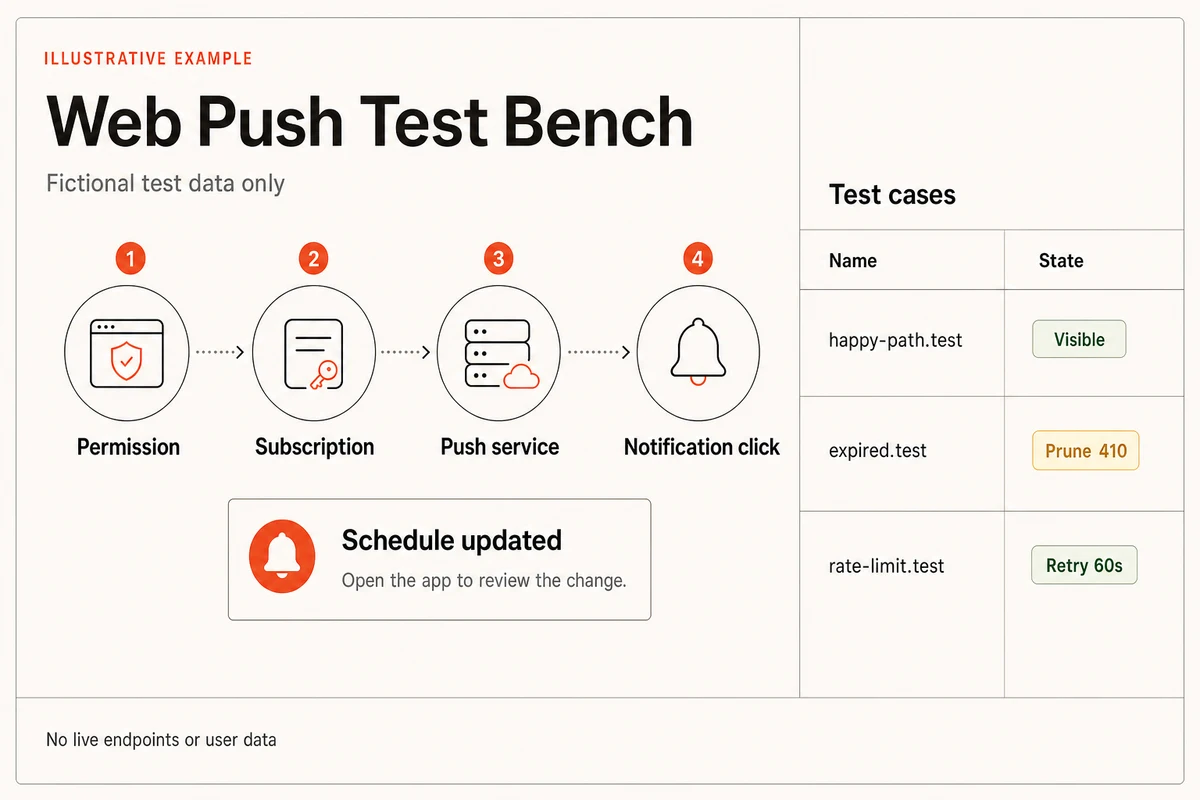
The minimum Web Push release matrix
Test observable boundaries, not just code paths. A green worker handler says nothing about permission, subscription persistence, backend encryption, browser push-service delivery, operating-system suppression, or click authorization.
| Test | Scenario | Expected result |
|---|---|---|
| happy path | A supported clean device enables notifications after the explanation, creates one subscription, receives one real encrypted transactional push while the app is closed, and opens the authorized current record. | Permission, local subscription, server row, 201 acceptance, visible display, click, and destination load are recorded as separate bounded events with no raw endpoint or private payload in telemetry. |
| invalid input | Exercise unsupported API, insecure context, denied permission, malformed public key, invalid subscription JSON, cross-account route, CSRF failure, oversized payload, unknown payload version, and unapproved click destination. | The app fails closed with a specific state, stores no unauthorized subscription, sends no invalid job, opens no external URL, and keeps the normal web workflow usable. |
| retry | Repeat enable clicks, lose the save response, run duplicate jobs, return 429 with Retry-After, time out after send, clear site data, replace a subscription, and mix old and new VAPID key versions. | Idempotency prevents duplicate logical notifications, only safe classes retry with bounds and jitter, 404 and 410 prune, returning clients reconcile, and rotation keeps old subscriptions sendable until measured retirement. |
| production smoke | On the public HTTPS origin, send one real encrypted push through every supported browser and device row with the app foregrounded, backgrounded, and closed, then click and unsubscribe. | The exact public app and worker release receive, display, route, and retire as designed. DevTools emulation may supplement diagnosis but is not accepted as transport proof. |
Diagnose the boundary that actually failed
Start with browser and operating-system version, public origin, installed context, app and worker release, permission, redacted subscription identifier, VAPID key version, notification event ID, delivery attempt, push-service response class, and visible result. Do not start by dumping endpoints or private payloads.
| Symptom | Likely cause | Check | Fix |
|---|---|---|---|
| The browser permission prompt never appears. | The request was not triggered by a user action, permission is already denied, the context is insecure, APIs are unsupported, or the iPhone or iPad site is not running as a Home Screen web app. | Check secure context, feature detection, Notification.permission, click-handler call stack, installed Home Screen context on iOS or iPadOS, and browser notification settings. | Keep a deliberate enable action, show the current permission state, provide platform-accurate settings or Home Screen help, and preserve a non-push fallback. |
| pushManager.subscribe rejects or returns no usable subscription. | The worker is not active, the VAPID public key has the wrong URL-safe encoding or curve, userVisibleOnly is missing, permission was denied, or the call lost its user gesture. | Inspect registration.active, scope, permission, public-key bytes, subscribe options, browser error name, and whether an existing subscription already exists. | Await serviceWorker.ready, pass the correct P-256 public key with userVisibleOnly: true, reuse getSubscription, and call only from the explicit user action. |
| The backend receives 400, 401, or 413 from the push service. | VAPID authentication is malformed or expired, the signing key does not match the subscription, required headers are invalid, or the encrypted payload is too large. | Record response class, push-service host category, VAPID key version, JWT age, header shape, and payload byte size without logging the endpoint or secret. | Use a maintained Web Push library, select the subscription's key version, keep JWT timing valid, reduce payload size, and do not blindly retry permanent request errors. |
| The push service returns 404 or 410. | The endpoint expired, the person unsubscribed, site data was cleared, the subscription was replaced, or the VAPID key no longer matches. | Compare the redacted subscription ID, key version, last reconciliation, unsubscribe state, and terminal response without probing or reusing the raw capability URL. | Retire the server row immediately, stop retrying it, and let a returning opted-in client reconcile or recreate its subscription through the supported path. |
| The push service returns 429 or delivery jobs keep backing up. | The sender exceeded a push-service rate limit, ignored Retry-After, retried too aggressively, or produced an unbounded broadcast. | Inspect queue depth and age, response-class rate, Retry-After distribution, event fan-out, attempt count, and per-subscription scheduling. | Honor Retry-After, add bounded exponential backoff with jitter, expire stale events, cap fan-out, and pause the source event when queue age breaches the notification freshness window. |
| The send returns 201 but no notification appears. | Acceptance did not become device delivery, payload decryption failed, the worker version or scope is wrong, showNotification was not awaited, permission or operating-system notifications changed, Focus suppressed it, or WebKit revoked a silent-push subscription. | Reconcile the subscription, inspect redacted send response, worker push and waitUntil observations, permission, active worker release, iOS Home Screen state, and operating-system notification or Focus settings. | Correct encryption and key selection, keep a versioned safe payload, call showNotification inside event.waitUntil, prune terminal endpoints, and report suppressed or unknown separately from delivered. |
| Clicking a notification opens the wrong route or an unauthorized record. | The payload carried a stale or absolute URL, destination validation was missing, an existing client was focused without navigation, or the app trusted payload state after sign-out or role change. | Inspect the notification ID, allowlisted destination key, client match, current session, server authorization result, and current record state without copying private payload data into logs. | Map destination keys to same-origin paths, re-authorize and reload current state after open, handle signed-out and deleted records, and never navigate to arbitrary payload URLs. |
| Unsubscribed users keep receiving attempts or rotation breaks older users. | Local and server deletion diverged, terminal responses were not pruned, reconciliation depends only on pushsubscriptionchange, or the old VAPID private key was retired before old subscriptions migrated. | Compare user preference, Notification.permission, getSubscription, active server rows, deletion events, key-version distribution, terminal responses, and last app-open reconciliation. | Make local and server unsubscribe retry-safe, reconcile on app return, prune 404 and 410, run old and new VAPID keys in parallel, and retire the old key only after measured migration. |
Deploy, monitor, and recover without guessing
Deploy
Publish app, worker, API, and settings over trusted HTTPS. Keep the worker URL stable, its cache policy update-friendly, and its scope no broader than needed. Apply backward-compatible subscription-schema changes before the new client writes them.
Load versioned VAPID private keys only into the backend send worker. Deploy subscription create and delete routes with authentication, CSRF protection, owner scoping, request limits, validation, and redacted errors before exposing the enable action.
Release to fictional internal accounts first. Pass one real public-origin device smoke for every supported matrix row, then widen one event type in bounded cohorts with a kill switch for new delivery jobs.
Monitor
Client: feature support, secure-context failure, worker registration and release, permission outcome, subscription reconciliation, enable and disable result, display and click signal, browser, operating system, and installed context. Never send raw endpoints, keys, or payload bodies.
Backend: source-event count, eligible recipients, active subscriptions by VAPID key version, create and delete outcome, job depth and age, attempt count, latency, 201 acceptance, 400, 401, 404, 410, 413, 429, timeout, pruning, and retry exhaustion.
Product: opt-in after explanation, denial, later opt-out, notification age at send, display or click where measurable, destination success, complaints, and fallback use. Do not infer display or satisfaction from push-service acceptance.
Recover
Pause creation of new delivery jobs first while preserving the core app and subscription settings. Let already-accepted events expire according to their freshness window rather than replaying stale notifications after recovery.
Roll back app and worker compatibly, keep both VAPID key versions available, and stop only the broken event type or cohort. Do not delete all subscriptions, unregister every worker, or rotate keys blindly as a first response.
After repair, reconcile returning clients, retry only bounded transient attempts, prune terminal endpoints, send one fictional canary per browser row, and document accepted, displayed, clicked, suppressed, expired, and unknown as separate outcomes.
Treat Push as a privileged cross-system channel
A subscription endpoint is a sensitive capability URL, the VAPID private key can authorize application-server sends, the worker runs outside the page lifecycle, and a lock-screen notification can expose information before authentication. Minimize every surface.
- Keep VAPID private keys server-side in protected runtime secrets, version access and rotation, restrict them to the send worker, and never expose them through client code, URLs, logs, analytics, support exports, or generated visuals.
- Require authenticated, CSRF-protected, rate-limited create and delete routes. Derive user and tenant from the session, validate the complete subscription shape, and deny cross-account list, update, delete, and send operations.
- Treat endpoint, p256dh, and auth values as sensitive. Store only what sending requires, restrict row access, use a digest for diagnostics and deduplication, set retention, and remove terminal or user-deleted records promptly.
- Keep payloads small and non-sensitive. Use a notification ID and allowlisted destination key; load current authorized state after click. Assume title and body may appear on a lock screen, notification center, paired watch, or shared display.
- Allow only same-origin click destinations constructed from server-reviewed keys. Re-authenticate and re-authorize the opened route, handle deleted records and role changes, and never trust an absolute URL or record body from the push payload.
- Protect the stable service-worker source and deployment path with review, integrity and release controls, a restrictive Content Security Policy where compatible, bounded parsing, and no remote code loading inside the worker.
- Honor consent, quiet hours, unsubscribe, deletion, and operating-system settings. Prevent duplicate or stale notifications with idempotency and expiry, cap rate and fan-out, and keep unsupported or denied users on a useful non-push path.
- Redact observability by design. Record release, browser and OS class, permission state, subscription digest, key version, event ID, response class, and timing, not endpoints, keys, full URLs, private payloads, or personal record content.
Web Push implementation questions
Do web push notifications work when the web app is closed?
On a supported platform with an active subscription and permission, the browser can start the service worker to handle a push even when the page is not open. Delivery is still best effort and can be delayed, expired, suppressed by operating-system settings, or lost after subscription or site-data changes. Test the exact real device rather than promising guaranteed delivery.
Do push notifications work on iPhone and iPad?
Yes, on iOS and iPadOS 16.4 and later for web apps added to the Home Screen. The person must open that installed web app and grant permission after direct interaction. A normal browser tab is not enough for this platform path. Focus and Notifications settings remain under the user's control.
Does Web Push require a service worker?
The portable standards-based path in Chrome, Edge, Firefox, and original WebKit Web Push uses a service worker for subscription and push handling. Newer WebKit platforms also offer Declarative Web Push without requiring an installed worker, but that is an optional WebKit enhancement. Keep the service-worker path as the cross-browser baseline today.
What are VAPID keys?
VAPID is the application-server identity used to authorize Web Push sends. The browser receives the P-256 public key as applicationServerKey; the backend signs with the private key. The private key is not the per-subscription payload-encryption key and must never ship to the browser. Version key pairs so old subscriptions remain sendable during rotation.
Should I request notification permission on page load?
No. Explain the concrete benefit first and request only after a deliberate enable action. Browsers increasingly require that gesture, and an unexpected prompt gives the person too little context for a durable decision. If permission is denied, show a useful non-push state and accurate settings guidance instead of asking again in a loop.
How do I know whether a push notification was delivered?
A push-service 201 response shows acceptance or queueing, not browser receipt or display. Keep separate signals for the backend attempt, push-service response, worker handling where observable, notification display or click, and destination success. Some user-controlled suppression states cannot be observed reliably, so keep an unknown outcome instead of inventing certainty.
How should expired push subscriptions be handled?
Prune subscriptions that return 404 or 410 and stop retrying them. Reconcile getSubscription and permission whenever the app returns because expirationTime may be null and pushsubscriptionchange has limited availability. If an opted-in returning browser has no active server row, save its current subscription or recreate it under the active VAPID key version.
Can Playcode build and host a web app with push notifications?
Playcode AI can help create the web UI, service worker, authenticated backend routes, durable records, send jobs, settings, and monitoring. Playcode Cloud can host a full-stack HTTPS app under current plan limits. Browser permission, subscriptions, VAPID custody, external push-service delivery, provider setup, real-device validation, and notification policy remain project-specific responsibilities.
Should I use a managed push provider?
Use one when segmentation, campaigns, delivery tooling, or operator workflow justify another processor and dependency. Verify current official documentation, plans, regions, SDK behavior, credential storage, data export and deletion, and rotation. A provider does not remove browser permission rules, iOS Home Screen requirements, unsubscribe, privacy, testing, or fallback ownership.
Build the complete notification path
Turn one useful event into a testable Web Push workflow
Use Playcode AI to build the settings UX, service worker, protected subscription routes, delivery jobs, and operational states around your real app workflow.
Build a web app with AIPush support, providers, browser behavior, consent, key custody, delivery, and real-device verification remain project-specific.