An MCP server is a protocol boundary: it lets compatible clients discover and call tools, read resources, and offer prompt templates over JSON-RPC 2.0. The hard part is not starting the SDK. It is making every capability typed, authorized, observable, and safe when a model chooses how to use it.
This guide follows the versioned Model Context Protocol specification dated November 25, 2025 and the official TypeScript SDK v1.x documentation, rechecked on July 19, 2026. It covers a generic server for any compatible MCP host. Building a ChatGPT app is a separate host-specific workflow with additional Apps SDK, UI, Developer Mode, and distribution requirements.
QUICK ANSWER
How do you build an MCP server?
Define a narrow capability contract, create an MCP server with an official SDK, register typed tools plus only the resources and prompts you need, and connect it through stdio for local clients or Streamable HTTP for remote clients. Then inspect capability negotiation, test schemas and errors, add least-privilege authorization, deploy behind HTTPS, and monitor protocol, dependency, and upstream failures separately.
Prepare the contract before installing the SDK
Start from the consumer and data boundary. A server that exposes every internal function is harder for clients to select correctly, harder to authorize, and much harder to operate.
- One client job and a capability inventory: Write the user requests the server should handle, the requests it must refuse, and whether each capability belongs in a model-controlled tool, application-controlled resource, or user-controlled prompt.
- A transport decision: Use stdio when a local client launches the server process. Use Streamable HTTP for remote servers. Treat the older HTTP+SSE transport as a compatibility requirement, not the default for a new server.
- Node.js, TypeScript, and current SDK versions: This walkthrough uses the official TypeScript SDK v1.x server API with @modelcontextprotocol/sdk 1.29.0 and Zod, the registry version checked July 19, 2026. Recheck the official branch and release notes before a later install.
- Data ownership and failure budgets: Name each upstream API, timeout, rate limit, cache rule, retry policy, sensitive field, retention period, and operator. Decide which failures are safe for a model to retry and which require a human decision.
Credentials and access
| Credential | Minimum access | Storage and rotation |
|---|---|---|
| Upstream service credential Server-side API key, workload identity, or OAuth client credential | Only the operations and records required by the registered capability | Process environment for local stdio or a deployment secret manager for remote HTTP; never source code, URLs, tool results, resources, prompts, or logs Follow the upstream provider schedule, support overlap where available, and revoke immediately after suspected exposure |
| MCP client access token, for protected HTTP servers OAuth 2.1 bearer token issued for the canonical MCP server resource | The smallest scopes required by the requested tool or resource | Validated only at the server boundary; do not persist or forward the inbound token to an upstream API Honor expiry and revocation, use short-lived access tokens, and return standards-based 401 or insufficient_scope challenges |
Choose the smallest transport and state model that fits
MCP separates server capabilities from transport. Build the same capability layer behind a transport adapter so local development does not lock the production design to a subprocess or HTTP implementation.
| Approach | Best for | Tradeoff |
|---|---|---|
| stdio | Local desktop clients and development where the client launches one server process. | No HTTP or OAuth surface, but stdout is reserved for protocol messages and each client owns process lifecycle and environment credentials. |
| Stateless Streamable HTTP | Remote request-response tools that do not need resumable streams or server session state. | Simple horizontal scaling, but server-to-client notifications, resumability, and session-scoped features need a different design. |
| Stateful Streamable HTTP | Notifications, resumability, or workflows that deliberately keep protocol session state. | Adds session IDs, shared persistence or sticky routing, cleanup, replay, and more complex multi-node recovery. |
Recommended:Start with stdio for the first local contract test. For a remote server, prefer stateless Streamable HTTP unless a named capability needs sessions or SSE notifications. Keep legacy HTTP+SSE only when an actual client still requires it.
Build, test, deploy, and operate an MCP server
Design a narrow protocol contract, implement typed capabilities, test them with Inspector and fixtures, then deploy and monitor a secure Streamable HTTP endpoint.
STEP 01
Write the capability and trust contract
Decide what the client can discover, read, and invoke before naming methods.
Tools are model-controlled actions. Resources are application-controlled, URI-addressed context. Prompts are user-controlled templates. Do not expose the same operation through all three just because the SDK permits it.
For each tool, record inputs, structured outputs, side effects, authorization, timeout, idempotency, rate limit, and safe error text. For each resource, record its URI pattern, MIME type, freshness, and access check. For each prompt, record arguments and which untrusted data can enter its messages.
Expected result: A one-page inventory in which every capability has one owner, one control path, and one explicit access rule.
Verify it: Review the inventory against five intended requests and five nearby requests the server must reject or leave to another capability.
STEP 02
Create a typed server and connect stdio
Build one narrow tool with input and output schemas before adding remote transport.
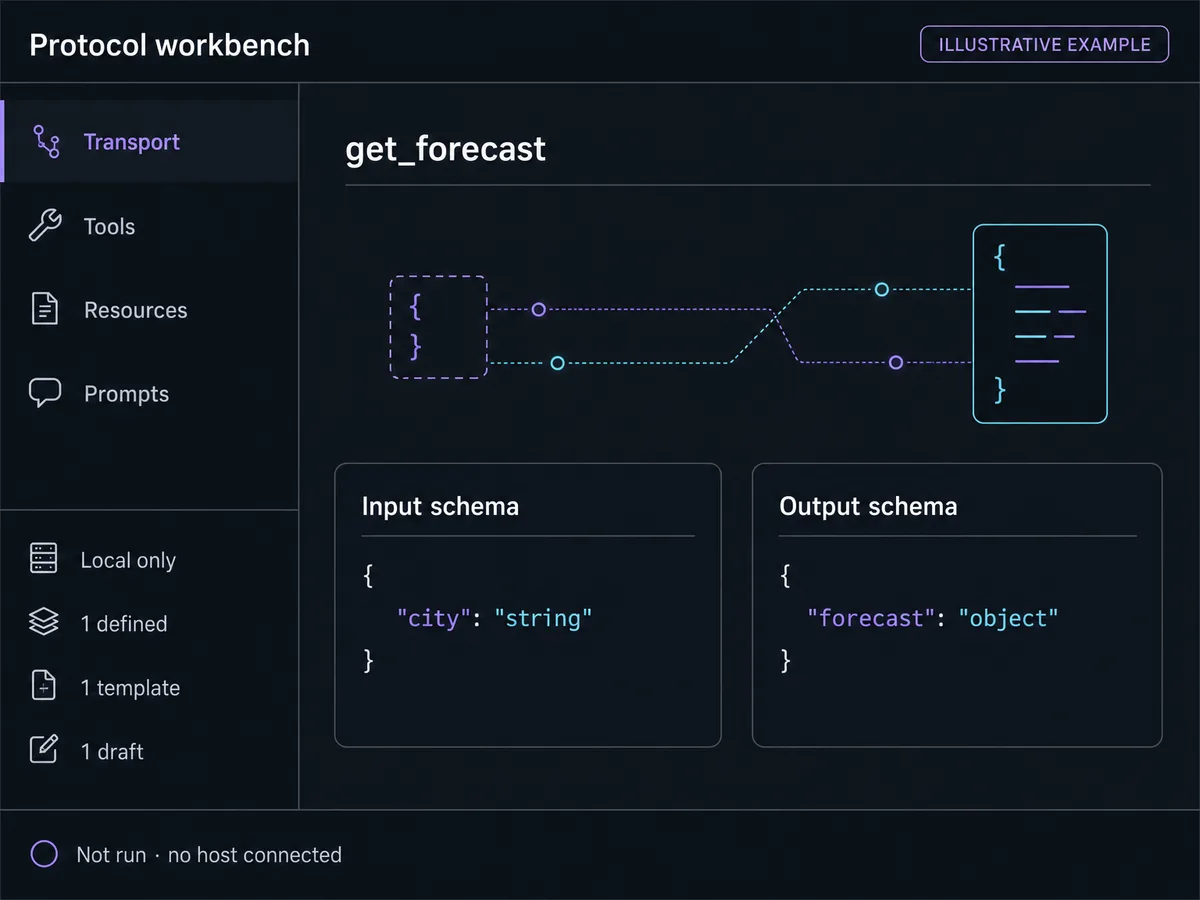
Run pnpm add @modelcontextprotocol/sdk@1.29.0 zod. JSON Schema is the wire contract; the current specification defaults to JSON Schema 2020-12 when $schema is omitted. Validate at the handler boundary even when the upstream service also validates.
For stdio, send only newline-delimited JSON-RPC messages to stdout. Send diagnostics to stderr. A stray console.log on stdout can corrupt the protocol stream.
import { McpServer } from '@modelcontextprotocol/sdk/server/mcp.js'
import { StdioServerTransport } from '@modelcontextprotocol/sdk/server/stdio.js'
import { z } from 'zod'

const server = new McpServer({ name: 'forecast-server', version: '1.0.0' })

server.registerTool(
  'get_forecast',
  {
    title: 'Get forecast',
    description: 'Return the latest read-only forecast for one supported city.',
    inputSchema: { city: z.string().trim().min(2).max(80) },
    outputSchema: {
      forecast: z.object({ city: z.string(), summary: z.string(), observedAt: z.string() }),
    },
    annotations: { readOnlyHint: true, destructiveHint: false, openWorldHint: true },
  },
  async ({ city }) => {
    const forecast = await forecastStore.get(city)
    if (!forecast) {
      return { content: [{ type: 'text', text: 'No supported city matched the input.' }], isError: true }
    }
    const output = { forecast }
    return {
      content: [{ type: 'text', text: JSON.stringify(output) }],
      structuredContent: output,
    }
  },
)

await server.connect(new StdioServerTransport())
Expected result: A local MCP client discovers get_forecast and sees matching typed input and output contracts.
Verify it: Run tools/list, call the tool with a supported city, and compare structuredContent with outputSchema. Then send an empty, oversized, and unknown city.
STEP 03
Add resources, prompts, and recoverable errors deliberately
Expose context and templates only when their control model fits the job.
Use a resource or resource template for read-only context a client chooses to fetch by URI. Validate the URI and authorization on every read. Use a prompt when a person should explicitly select a reusable message template and supply its arguments.
Reserve JSON-RPC errors for malformed requests, unknown methods, and protocol failures. Return a successful tools/call response with isError: true for invalid business input, upstream rejection, or a recoverable execution failure so the model can adjust. Keep messages specific but redact secrets and internal stack details.
import { ResourceTemplate } from '@modelcontextprotocol/sdk/server/mcp.js'
import { z } from 'zod'

server.registerResource(
  'forecast-notes',
  new ResourceTemplate('forecast://{city}/notes', { list: undefined }),
  { title: 'Forecast notes', mimeType: 'text/markdown' },
  async (uri, { city }) => ({
    contents: [{ uri: uri.href, mimeType: 'text/markdown', text: await notesStore.read(city) }],
  }),
)

server.registerPrompt(
  'plan-outdoor-work',
  {
    title: 'Plan outdoor work',
    description: 'Draft a weather-aware work plan after the user selects this prompt.',
    argsSchema: { city: z.string(), task: z.string() },
  },
  ({ city, task }) => ({
    messages: [{ role: 'user', content: { type: 'text', text: 'Plan ' + task + ' in ' + city + '.' } }],
  }),
)
Expected result: The client lists one URI template and one prompt, reads authorized notes, and receives actionable execution errors without a broken session.
Verify it: Exercise resources/templates/list, resources/read, prompts/list, and prompts/get. Try a malformed URI, unauthorized city, missing prompt argument, and upstream rejection.
STEP 04
Inspect negotiation and automate contract tests
Use Inspector for exploration, then make the same claims deterministic in tests.
Connect the server to the official MCP Inspector. Confirm initialization, declared capabilities, tools, resources, prompts, notifications, raw protocol messages, and error behavior. Inspector is a development tool, not production monitoring.
Add client-side tests that initialize a fresh server, list every capability, call valid and invalid inputs, assert output-schema conformance, enforce timeouts, cancel slow work, and confirm no credential fixture appears in content, structuredContent, resources, or logs.
Expected result: Inspector and automated tests agree on the negotiated capabilities, schemas, results, and error categories.
Verify it: Save a test report from a clean process and fail the build when a capability disappears, a schema changes unexpectedly, or a secret marker crosses the response boundary.
STEP 05
Move remote access to Streamable HTTP
Swap the transport adapter while keeping the capability contract unchanged.
Follow the official SDK stateless Streamable HTTP example: create a fresh McpServer and StreamableHTTPServerTransport per request, use sessionIdGenerator: undefined, and handle POST at one /mcp endpoint. Return explicit 405 responses for GET and DELETE when the stateless server does not support streaming or session termination.
Terminate TLS at a trusted edge, keep request bodies bounded, set application timeouts below platform timeouts, validate Origin, and restrict allowed host headers. Local servers should bind to 127.0.0.1 instead of every interface. Use the SDK Express helper or equivalent DNS-rebinding protection.
Expected result: A public HTTPS /mcp endpoint completes initialize, tools/list, and a read-only tool call without relying on in-memory session affinity.
Verify it: Test through the real hostname and proxy, not the container port. Send a valid Origin, a rejected Origin, an invalid Host, an oversized body, unsupported GET and DELETE requests, and a request that reaches the timeout.
STEP 06
Add OAuth, secret boundaries, and write controls
Protect the remote resource and authorize every capability independently.
For protected HTTP servers, implement the current MCP authorization specification as an OAuth 2.1 resource server. Publish protected-resource metadata, identify the authorization server, validate signature, issuer, expiry, audience, and scopes, and use WWW-Authenticate for 401 and insufficient-scope challenges.
Never accept a token intended for a different resource or pass the inbound MCP token to an upstream API. Use a separately issued upstream credential. Tokens belong in the Authorization header, never a URL. stdio servers should receive needed credentials from their environment rather than running the HTTP OAuth flow.
For write tools, separate preview from commit, require a user confirmation path in the client, check authorization again at execution time, use idempotency keys, and return an audit reference without exposing private records.
Expected result: Anonymous capabilities stay explicitly public, protected calls accept only correctly scoped tokens for this MCP resource, and upstream credentials never cross the protocol boundary.
Verify it: Test missing, expired, wrong-issuer, wrong-audience, insufficient-scope, and valid tokens plus repeated write requests using the same idempotency key.
STEP 07
Monitor the protocol, capability, and dependency layers
Make failures diagnosable without recording model conversations or secrets by default.
Record transport, negotiated protocol version, method, capability name, duration, result category, upstream dependency, retry count, and a correlation ID. Keep arguments and returned content out of logs unless a reviewed allowlist proves they are safe.
Alert separately on initialization failures, schema-validation errors, authorization failures, timeouts, upstream rate limits, tool isError rates, session-store failures, and dependency version drift. A single HTTP 5xx chart hides which contract is broken.
Expected result: An operator can tell whether an incident belongs to transport, protocol negotiation, authorization, capability execution, or an upstream service.
Verify it: Inject one failure at each layer and confirm the expected metric, redacted log event, trace correlation, alert threshold, and recovery runbook link.
The minimum MCP server test matrix
Test from a real MCP client boundary. Calling the handler directly misses initialization, capability negotiation, serialization, transport headers, cancellation, and error envelopes.
| Test | Scenario | Expected result |
|---|---|---|
| happy path | Initialize a fresh client, list all capabilities, read one authorized resource, get one prompt, and call get_forecast with a supported city. | Declared capabilities match the inventory, results conform to schemas, and model-visible content contains only allowlisted fields. |
| invalid input | Send missing, extra, oversized, wrong-type, malformed-URI, unauthorized, and injection-shaped values. | The server rejects each at the boundary with a specific safe error, performs no side effect, and exposes no stack, token, or hidden record. |
| retry | Repeat reads, repeat a write with one idempotency key, cancel a slow call, and simulate a transient upstream timeout. | Reads remain stable, the write occurs at most once, cancellation releases work, and only policy-approved transient failures retry with bounds and jitter. |
| production smoke | Through the public hostname, initialize, list tools, and call a harmless read using a least-privilege token while one instance is replaced. | TLS, proxy headers, Origin and Host checks, authorization, routing, shutdown, and the selected session model behave as designed. |
Common failures and the evidence that separates them
Start with the raw protocol exchange and transport logs. A client saying the server is unavailable can describe a corrupted stdio stream, a negotiation mismatch, a rejected HTTP header, or a crashed handler.
| Symptom | Likely cause | Check | Fix |
|---|---|---|---|
| A stdio client disconnects or reports invalid JSON immediately. | The server wrote logs or startup text to stdout and corrupted the JSON-RPC stream. | Capture stdout and stderr separately and inspect the first non-protocol line. | Reserve stdout for MCP messages. Send diagnostics to stderr or structured MCP logging. |
| Inspector connects, but a tool result fails validation or disappears. | structuredContent no longer matches outputSchema, or the registered capability differs from the tested handler. | Compare tools/list, the raw tools/call result, and the versioned schema fixture field by field. | Return one contract shape, include compatible text content when required by target clients, and version intentional breaking changes. |
| A model retries an execution failure without useful correction. | The server returned a generic protocol error instead of isError: true with a safe, actionable tool message. | Inspect whether the failure is malformed JSON-RPC, an unknown method, or a valid tools/call that failed during execution. | Keep protocol failures as JSON-RPC errors and return recoverable tool execution failures in the result with isError: true. |
| A protected remote call returns 401 after a successful login. | The token has the wrong resource audience, issuer, expiry, or scope, or the challenge metadata is inconsistent. | Log only validation categories and correlation IDs, then compare the canonical MCP URI, protected-resource metadata, token claims, and WWW-Authenticate challenge. | Issue a token for the exact MCP resource, validate it locally, and request only the scopes challenged for the capability. |
| The server works on one instance but loses notifications or sessions after scaling. | Stateful Streamable HTTP state is local while requests are routed to multiple nodes. | Trace one session ID across instances and inspect session persistence, event replay, and routing. | Use stateless mode, shared persistent session state, or explicit message routing. Do not rely on accidental process affinity. |
Deploy and operate the server as a protocol product
Deploy
Pin SDK and runtime versions, build an immutable artifact, run as a non-root user, expose only HTTPS /mcp and a separate shallow health endpoint, and keep admin or debug routes private.
Use readiness only after dependencies needed for safe requests are available. Drain active requests on shutdown. If sessions are stateful, preserve or explicitly terminate them before replacing an instance.
Monitor
Track initialize success and negotiated versions, method latency, schema errors, isError categories, authorization outcomes, rate limits, timeouts, cancellations, session count, event-replay lag, and upstream health.
Run a scheduled production smoke with a harmless read capability and a dedicated least-privilege identity. Do not use a write tool as the heartbeat.
Recover
Keep the previous artifact and capability schema available for rollback. If a schema change breaks clients, restore the old contract first, then introduce the replacement under a versioned capability or coordinated release.
Revoke exposed credentials, rotate the separate upstream secret, invalidate affected sessions, and audit by correlation ID. Never relax audience or scope validation to make a failing client connect.
Security controls that belong in the first version
MCP makes capabilities discoverable; it does not make them trustworthy. Treat every client field, resource URI, prompt argument, upstream response, and returned link as untrusted at the server boundary.
- Validate tool inputs and outputs against explicit schemas, reject unknown fields when the contract does not need them, and bound strings, arrays, payload sizes, and execution time.
- Authorize every tool and resource independently. Discovery visibility is not permission to execute or read.
- For HTTP, validate Origin and Host, use HTTPS, bind local servers to loopback, enforce rate limits, and protect against DNS rebinding and cross-client token misuse.
- Validate token audience for the canonical MCP resource and never pass the inbound token through to an upstream service.
- Keep secrets out of source control, URLs, stdout, tool content, structuredContent, resources, prompts, traces, screenshots, and generated error text.
- Sanitize upstream content, defend against prompt injection in resources and templates, and do not let model-provided paths, URLs, or shell fragments reach privileged operations unchecked.
- Require confirmation and idempotency for writes, isolate destructive tools, retain a minimal audit reference, and make rollback or compensation explicit.
MCP server questions
What is an MCP server?
It is a program that exposes capabilities to compatible MCP clients through JSON-RPC 2.0. Servers can provide tools, resources, and prompts, while clients and servers negotiate which optional capabilities are available during initialization.
Should I use stdio or Streamable HTTP?
Use stdio when a local client launches the server process. Use Streamable HTTP for remote access. Start stateless unless you specifically need sessions, resumability, or server-to-client notifications. New servers should not choose legacy HTTP+SSE by default.
What is the difference between tools, resources, and prompts?
Tools are actions a model can select, resources are URI-addressed context an application can read, and prompts are reusable templates a person selects. The distinction is about control and intent, not just return type.
Does an MCP server automatically become a ChatGPT app?
No. A generic MCP server can serve compatible hosts, but a ChatGPT app adds host-specific Apps SDK requirements, optional embedded UI conventions, Developer Mode testing, privacy and policy work, and a separate distribution path.
How should an MCP server report errors?
Use JSON-RPC errors for malformed requests, unknown methods, and protocol failures. For a valid tool call that fails during execution, return a tool result with isError: true and safe, specific content so the model can correct the request when appropriate.
Does every remote MCP server need OAuth?
No. Public capabilities may be anonymous, but user-specific data and protected actions need an authorization design. For protected HTTP servers, follow the MCP OAuth 2.1 resource-server specification, validate audience and scopes, and keep upstream credentials separate.
Can I deploy an MCP server as a normal web service?
Yes. Streamable HTTP is designed for remote servers. Put the endpoint behind HTTPS, select stateless or stateful operation deliberately, enforce Origin and Host validation, bound requests, drain cleanly, and test through the real proxy and hostname.
Build the product around your protocol
Turn the capability contract into a working app
Describe the interface, data flow, and constraints. Playcode AI can help create and iterate on the surrounding web application while you keep the MCP server boundary narrow and testable.
Start building with Playcode AIKeep credentials server-side and review generated authorization and write paths before deployment.