A useful membership website is not a public page with a hidden link. It needs a real member identity, an organization or workspace context, explicit access grants, protected resources, an invitation lifecycle, and an operator path for revocation and recovery.
This guide builds the smallest complete version first: one public page, one authenticated member area, one protected resource, and one invitation that can be accepted, expired, retried, and revoked. Billing and email remain optional provider integrations rather than hidden requirements for the core access model.
QUICK ANSWER
How do you create a membership website?
Separate public content from authenticated member content, model the member, workspace membership, invitation, resource, and access grant as distinct records, then enforce access on the server. Build one invite-to-revoke lifecycle, test it signed out and across two accounts, publish over HTTPS, and monitor denied requests and state changes without logging tokens or personal content.
Decide the access rules before you build screens
Prepare a small, fictional membership scenario. Real names, emails, payment data, and private resources are unnecessary during design and can make early logs or screenshots unsafe.
- A public and protected content map: List every first-release page, resource, file, and action. Mark each as public, any signed-in member, a named membership level, a workspace role, an explicit resource grant, or operator only.
- One member lifecycle: Write the allowed path through invited, accepted, active, expired, suspended, and revoked states. Define who triggers each transition and what happens to existing sessions.
- An identity and organization rule: Choose whether a person may belong to one or several organizations and whether access comes from a workspace role, a membership level, a cohort, or a direct resource grant.
- Retention and support ownership: Name who may inspect member data, how corrections are recorded, when expired invitations and inactive profiles are deleted, and how a member requests export or deletion where applicable.
Credentials and access
| Credential | Minimum access | Storage and rotation |
|---|---|---|
| Optional payment-provider API secret Server-side secret API credential from the provider you select | Only the customer, checkout, or subscription operations required by the documented flow; never broad account access by default | Server-side secret configuration only, never browser code, source control, screenshots, URLs, or routine logs Create a replacement in the provider dashboard, update the server configuration, verify the new credential, then revoke the old one |
| Optional webhook signing secret Provider-issued signature-verification secret for the exact webhook endpoint | Verification for only the endpoint and environment that receives membership-related events | Server-side secret configuration, separate for development and production and never returned to the browser Use the provider overlap procedure when available, verify both during the transition, then remove the previous secret |
Use roles for broad access and grants for precise access
The access model decides how many records and authorization checks the application needs. It also determines whether changing one course, cohort, client space, or premium library affects unrelated members.
| Approach | Best for | Tradeoff |
|---|---|---|
| Membership-level or workspace role | Programs where every member at the same level can see the same collection of resources. | It is simple to operate, but exceptions can lead to too many custom roles or accidentally broad permissions. |
| Explicit resource access grant | Client portals, cohorts, courses, files, or partner spaces where each person receives a different set. | It is precise, but the admin view and tests must explain why each grant exists and when it ends. |
| Role plus exception grants | Mature memberships with common collections plus a small number of special resources. | It is flexible, but precedence between the role, grant, denial, expiry, and revocation must be explicit. |
Recommended:Start with one broad membership level if all first-release members receive the same resource set. Start with explicit grants if resources differ by customer, cohort, or purchase. Do not add role-plus-exception logic until a real exception exists and its precedence can be tested.
Create a membership website step by step
Define the record model, build public and authenticated states, enforce server authorization, implement invitations, test account boundaries, publish, and operate the membership lifecycle.
STEP 01
Write the first complete member journey
Bound the first release around one protected resource and one invitation-to-revocation lifecycle.
Describe the public page, invitation issue, invite acceptance, sign-in, member home, protected resource, session expiry, and revoke outcomes in order.
For every screen, name the account state and the server result. Include signed-out, loading, empty, denied, expired, and recoverable-error states rather than only the active-member view.
Expected result: The brief has one observable result for a visitor, invited person, active member, expired member, revoked member, and operator.
Verify it: Ask another person to walk the fictional member through the flow. If they need to invent a state or permission, add it before building.
STEP 02
Define member, workspace, invite, resource, and access records
Model identity, organization membership, invitation state, and resource access as separate facts.
Give each record a stable ID, owner or workspace scope, status, created timestamp, updated timestamp, and version where concurrent operator changes matter.
Do not store a provider billing status as the only authorization flag. The application needs an explicit local access state it can explain and enforce even when a provider is delayed.
type Member = {
  id: string
  userId: string
  displayName: string
  status: 'active' | 'suspended' | 'inactive'
  createdAt: string
  updatedAt: string
}

type WorkspaceMembership = {
  id: string
  memberId: string
  workspaceId: string
  role: 'member' | 'operator'
  status: 'active' | 'revoked'
}

type AccessGrant = {
  id: string
  memberId: string
  workspaceId: string
  resourceId: string
  status: 'active' | 'expired' | 'revoked'
  startsAt: string
  endsAt?: string
  version: number
}
Expected result: Revoking one resource does not delete the member, remove unrelated workspace membership, or alter another access grant.
Verify it: Create two fictional members, two resources, and three grants on paper or in seed data, then remove one grant and confirm every unrelated relationship remains valid.
STEP 03
Build public, signed-in, and denied states
Make the route behavior understandable before filling the member library with more content.
Ask Playcode to build the public membership page, sign-in entry, member shell, protected resource page, and operator view from the same state model.
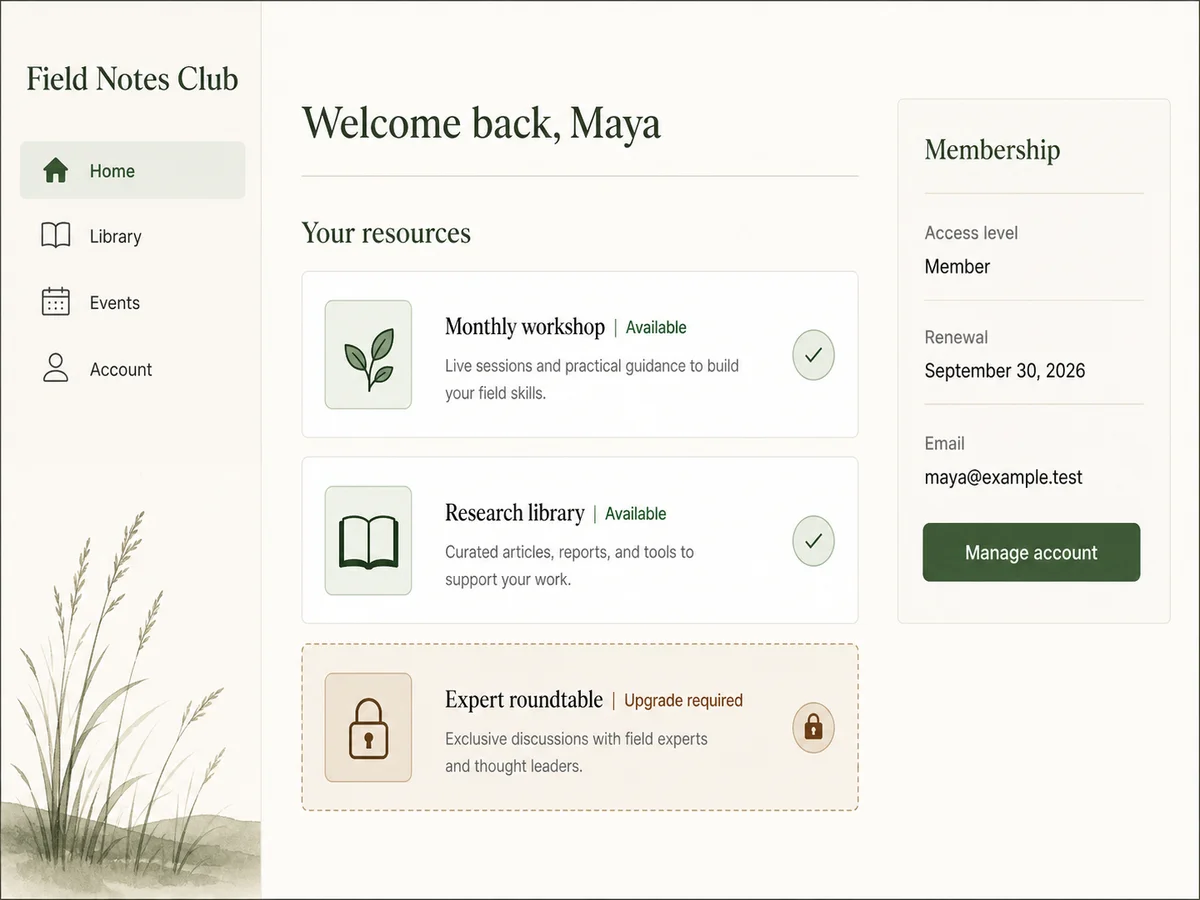
A signed-out person should be asked to sign in without receiving private resource data. A signed-in person without access should see a denial or next action, not another member's data or a misleading empty page.
Expected result: The same protected URL renders the intended signed-out, denied, and active-member states without changing the resource ID.
Verify it: Open that URL in a private window, an ordinary account without access, and an authorized fictional account. Compare both the visible page and network response.
STEP 04
Enforce authorization on the server
Treat every protected read, write, download, and export as a separate authorization boundary.
Resolve the current identity from the server session, then verify workspace membership, resource scope, active access, expiry, and the requested action before retrieving private data.
Apply the check to collection lists, detail routes, files, updates, comments, exports, and operator actions. Browser-only conditions improve presentation but never grant permission.
Expected result: A known resource ID remains unreadable and unchangeable to a signed-out person or the wrong ordinary account.
Verify it: Copy the authorized resource request into a private session and a second account. Confirm the server denies both without returning private fields in the response body.
STEP 05
Implement invitation acceptance, expiry, and revocation
Make invite use retry-safe and keep the invitation lifecycle distinct from member identity.
Issue an unguessable, time-limited invitation token and store only the safe server-side representation needed to verify it. Bind it to the intended workspace and access outcome.
On acceptance, check expiry and revocation, create or reuse the intended member, and create the workspace membership or grant once. Return the existing successful result when the same safe request is retried.
Expected result: One invitation can produce at most one intended membership outcome, and an expired or revoked link cannot restore access.
Verify it: Accept one fictional invitation twice, retry after interrupting the response, revoke the result, and compare invitation, member, membership, and grant counts after each action.
STEP 06
Keep optional payment events outside the request boundary
Add payments only after core access works, and reconcile verified provider state into local access state.
A payment provider requires its own account, plan, API or hosted-checkout path, server-side credentials, webhook endpoint, signing secret, event selection, and external review requirements. This guide does not claim that integration was reproduced.
Verify the webhook signature against the raw server request, store each provider event ID once, and map it to an explicit local transition. Do not grant protected content merely because a browser returned from a checkout page.
Expected result: Duplicate or delayed provider events cannot create duplicate access, and the operator can reconcile provider state with the local membership history.
Verify it: With fixture events only, replay the same event ID, send an older event after a newer one, and confirm the local state changes once according to documented precedence.
STEP 07
Test account boundaries, retries, expiry, and privacy
Exercise the cases that a single owner-account demo cannot reveal.
Test signed out, private session, invited but unaccepted, active member, wrong ordinary account, expired member, revoked member, and operator. Repeat direct resource requests, not only menu clicks.
Test invitation reuse, interrupted acceptance, concurrent operator updates, session expiry, provider-event replay when applicable, and a notification failure after the member record is already saved.
Expected result: Unauthorized reads and writes stay denied, retries stay single, stale operator changes are detected, and external notification failure never loses or duplicates membership state.
Verify it: Record member, invitation, membership, and access counts before and after each case, then inspect the server response and final records rather than trusting the visible success message.
STEP 08
Publish and run a production access smoke test
Verify the final HTTPS environment with fictional accounts before inviting real members.
Publish the site, create one clearly labeled fictional invitation, accept it in a private browser, open one protected resource, sign out, sign in again, and revoke access from the operator view.
Check the custom domain or final link, session cookie behavior, expiry time, server denial after revocation, error pages, and whether any routine log contains an invite token or private resource content.
Expected result: One fictional member completes the published flow once, and the protected resource becomes unavailable immediately according to the documented revocation and session policy.
Verify it: Save the fictional member and request IDs, repeat the resource request after sign-out and revocation, then delete or archive the test records under the retention policy.
STEP 09
Monitor decisions and make recovery explicit
Track enough context to explain access without turning logs into a copy of the member database.
Monitor sign-in failures, invite failures by reason, denied resource requests, access changes, provider-event failures when applicable, and operator corrections with bounded request, member, workspace, resource, and event IDs.
Provide an operator path to resend or replace an invite, correct an access state, revoke a session, and reconcile an external event. Treat source-code export, member-data export, and whole-app restore as separate recovery contracts.
Expected result: An operator can explain and correct a fictional access problem without reading secrets or private member content from logs.
Verify it: Rehearse one failed invite, one accidental revoke, and one delayed provider event or notification, then document the exact record and recovery action used for each.
Minimum membership test matrix
Run these against stable fictional accounts and inspect stored records after each action. A correct screen can still hide an unauthorized response or duplicate write.
| Test | Scenario | Expected result |
|---|---|---|
| happy path | Issue one invite, accept it, sign in, open the assigned resource, and sign out. | One member and one intended access outcome exist; the resource loads only in the authorized session. |
| invalid input | Use an expired invitation and request the protected resource signed out and from a second ordinary account. | No access is created and every protected server response is denied without private data. |
| retry | Accept the same invitation twice, interrupt one response, and replay one optional fixture provider event ID. | The final member, membership, and grant counts remain single and deterministic. |
| production smoke | Complete the fictional invitation, resource, session-expiry, and revoke path on the published HTTPS site. | The final environment grants the intended access once and denies it after expiry, sign-out, and revocation. |
Membership failures and exact checks
Diagnose the stored identity, workspace, resource, invitation, and access state before changing UI text or adding a retry.
| Symptom | Likely cause | Check | Fix |
|---|---|---|---|
| The wrong account can open a protected resource | The client hides controls but the server checks only sign-in, not workspace, resource scope, and active access. | Request the known resource ID from a second account and inspect the raw server response and authorization context. | Apply the full server-side access check to every read, write, download, and export path. |
| Accepting an invite twice creates duplicate member access | The acceptance path inserts before checking the invitation outcome or lacks a uniqueness rule for the intended membership. | Compare invitation ID, member ID, workspace ID, resource ID, and created timestamps across the duplicate records. | Make acceptance idempotent, enforce the final relationship uniqueness, and return the existing accepted result on retry. |
| Revoked access remains usable in an old session | Authorization is cached only in browser state or a long-lived session claim and is not checked when the resource is requested. | Repeat the protected server request from the same session immediately after revocation. | Re-check active access server-side and define how revocation invalidates or bounds cached session authorization. |
| Provider and local membership states disagree | A duplicate, delayed, unsigned, or out-of-order event was applied without an idempotency or reconciliation rule. | Compare provider event ID and timestamp with the local transition history, without logging the signature or personal payload. | Verify signatures, store event IDs once, define ordering, and give an operator a reconciliation action. |
| Member data appears in logs or generated screenshots | Routine diagnostics serialize request bodies, invitation URLs, resource content, or full member profiles. | Search the bounded development log and media assets using only fictional identifiers before production data exists. | Log stable IDs and reason codes, redact secrets and personal fields, then rotate any credential or token that was exposed. |
Deploy and operate the member lifecycle
Deploy
Publish over HTTPS and verify the final domain, session cookie behavior, invite URL, protected resource response, operator route, expiry, sign-out, and revocation with fictional accounts.
If email or payments are added, configure separate development and production credentials on the server. Verify the exact webhook endpoint and provider environment before enabling real events.
Monitor
Track sign-in failures, invite outcomes, denied access by reason, access-state changes, operator corrections, and optional provider-event processing with stable bounded IDs.
Do not log passwords, session cookies, invite tokens, signing secrets, payment payloads, private resource contents, or full member profiles.
Recover
Support replacing an invite, revoking sessions and grants, correcting access with an audit note, and replaying or reconciling a verified external event without duplicating the member.
Document code export, member-record export, and whole-app restore separately. A restored whole-app point may also restore older member data, so compare recovery options before acting.
Membership security and privacy checklist
Authorization must live at the server boundary. Minimize personal data and make every long-lived access or invitation state revocable.
- Use the application authentication flow; never store raw passwords, session tokens, or invite tokens in article examples, analytics, URLs beyond the required invite path, or routine logs.
- Authorize every resource action against current identity, workspace, resource scope, access status, expiry, and role or grant on the server.
- Use time-limited, unguessable, revocable invitations and keep only the safe server-side token representation required for verification.
- Verify provider webhook signatures against the raw server request, process each event ID once, and store secrets only in server-side configuration.
- Collect only member fields the workflow needs, bound text lengths, name a retention owner, and provide correction or deletion handling appropriate to the audience and jurisdiction.
- Use stable IDs and reason codes for monitoring while excluding private resource content and personal payloads from routine logs and generated assets.
Questions about creating a membership website
What is the minimum viable membership website?
One public page, one sign-in or invitation path, one protected resource, one private operator view, and one complete invite-to-revoke lifecycle. Build and test that boundary before adding a large content library or payment integration.
Do I need a payment provider to create a membership website?
No. Invitation, approval, customer, employee, association, and free community memberships can work without payments. Add a provider only when payment truly determines access, using your own provider account, plan, server credentials, and signed webhook path.
Should billing status and access status be the same field?
No. Keep provider billing state and local application access state separate. Verified provider events can trigger explicit local transitions, but the protected resource should be authorized from the application record you can inspect and reconcile.
How do I stop members from sharing a private URL?
A URL should not grant access by itself. Require an authenticated session and check the current member, workspace, resource, and active grant on the server for every protected request.
How should membership invitations work?
Use an unguessable, time-limited, revocable token bound to one intended workspace and access outcome. Make acceptance idempotent so a retry or repeated click returns the existing result instead of creating another membership.
What happens when a member session expires?
The next protected request should require authentication again and preserve only safe navigation context. Test expiry while a resource is open and during an update so the user gets a recoverable message without an unauthorized write.
Can Playcode build the website, member area, and admin view?
Playcode can build a general full-stack workflow with public pages, authentication, database-backed records, protected resources, an operator view, tests, and hosting. This guide does not claim a native membership, billing, or email product or a reproduced provider integration.
Build the smallest complete lifecycle
Turn Your Membership Rules Into a Working App
Describe the public pages, member records, protected resource, invitation states, and operator checks. Playcode can build the first version and help you test each account boundary.
Start Building with PlaycodeNo native billing or email service is implied. External providers require their own accounts, credentials, and setup.