Most guides answer a different question than the one you asked. You want to know what to actually do on Monday morning, and they hand you a list of tools. The first real decision is not which builder to use. It is what "an app" means for your idea, because a link people open in a browser, an icon on a phone home screen, and a listing in the App Store are three different products with three different amounts of work behind them.
This guide walks the whole arc: decide what the app has to do, pick the delivery route on capability rather than ambition, build one complete loop, test the paths that break first, publish, and then improve one thing at a time. It names where Playcode shortens the work and where it does not. It does not repeat the iOS or Android release checklists, the web-versus-native comparison table, or the budgeting model; those have their own guides and are linked where the decision comes up.
QUICK ANSWER
How do you make an app?
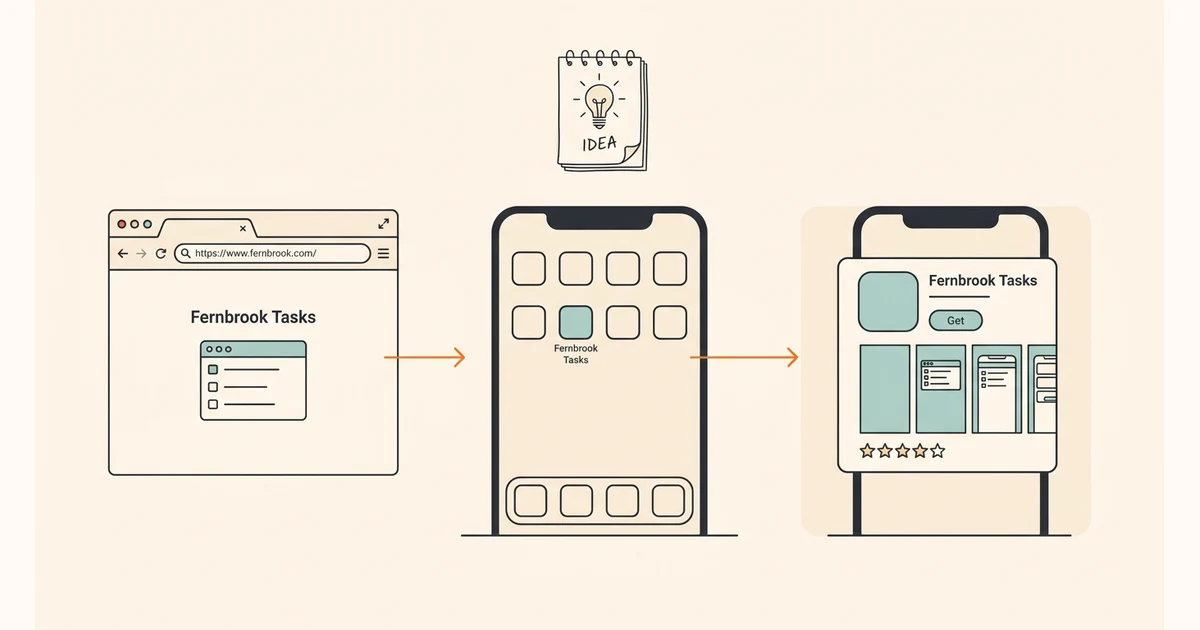
Decide what the app must do, then pick how it reaches people: a web app on a link, an installable web app on the home screen, or a native app in the stores. Build one complete loop, put real data behind it, test the failure paths, publish the web version first, and add the store route only when the app does something on the device.
Five answers to have before you open any builder
None of these need a developer, and every one of them changes what gets built. Skipping them is how a first app becomes six screens that do not connect to anything. Write them in a document you can hand to a person or paste into an AI prompt.
- One job, written as a sentence with an outcome: "A customer books a slot and gets a confirmation" is a job. "A booking app" is a category. The sentence has to name who does it, what they end with, and how you know it worked. Everything else is version two.
- The one thing the app has to remember: Bookings, orders, members, jobs, submissions. Name the record, its fields, and the states it moves through. An app that remembers nothing is a website; an app that remembers the wrong thing is a rebuild.
- Who is allowed to see what: List the kinds of people involved: the public, a signed-in customer, you. Write which of them can read and change each record. This decides whether you need accounts at all, and it is the single most expensive thing to add late.
- A capability list, not a platform preference: Write down what the app must do on the device: send a notification when the phone is closed, work with no signal, use the camera, be found in a store, charge money. Do not write "it should be native". The list picks the route in the next section.
- Who owns the accounts and the code: Whoever signs up for the Apple and Google developer accounts owns the listings, and whoever holds the source can move it. Put both in your own name from day one, even when someone else does the work, and keep the login recovery under your control.
The fork in the road: three ways an app reaches people
This is the decision the rest of the work hangs from, and it is decided by your capability list, not by taste. Read the three routes against that list. If you want the long version with a dimension-by-dimension table, the web app versus mobile app guide does that job and this guide will not repeat it.
| Approach | Best for | Tradeoff |
|---|---|---|
| A web app on a link | Anything people reach from a message, an email, a QR code, or a search result. Bookings, portals, dashboards, internal tools, order forms, anything where the work happens while the person is holding the link. | It cannot be found by browsing an app store, and offline use, background work, and device hardware are limited to what the browser exposes. You fix bugs by publishing again, with nobody waiting for a review. |
| An installable web app | The same web app when people come back often and you want a one-tap icon instead of a bookmark, plus offline reading and, on supported platforms, notifications. | Install behavior is not one feature; it differs by browser and by operating system, and each capability has to be checked per platform. It gets you the icon and the full-screen window, not a store listing. |
| A native app in the stores | Apps that need the store as a distribution channel, or that genuinely depend on the device: reliable notifications on a closed phone, camera and sensors, sustained offline work, background activity. | It adds developer accounts you pay for and maintain, a signed build, store listings, a review that can bounce, and a release cycle where a fix waits for approval. Apple explicitly rejects apps that only repackage a website. |
Recommended:Read your capability list. If nothing on it needs the device or the store, build the web app and stop; it is live today and you can change it this afternoon. If it needs an icon and offline reading, add the installable layer to that same web app - the PWA guide covers the manifest and service-worker work in detail. Take the store route when the app has to do something on the device, and take it after the web version has real users, because the store route costs the most and the store is the slowest place to learn you built the wrong thing.
Make an app in eight steps, from a sentence to a live link
Turn one written job into a working app with real data, tested failure paths, and a public link, then decide whether it earns a store listing.
STEP 01
Turn the sentence into a brief the builder cannot misread
Write the job, the record, the people, and the states in plain language before anything is generated.
Write four short blocks: the job sentence, the record with its fields, the kinds of people and what each may do, and the states the record moves through with what triggers each move. A booking might move from requested to confirmed to completed or cancelled, and each move needs an owner and a rule.
Add the boring parts on purpose, because they are what gets skipped: what happens when a required field is empty, when two people grab the same slot, when someone opens a link they should not have, and what the person sees in each case.
In Playcode this is what you paste into the first prompt. The agent will ask about the parts you left out; answering those questions is faster than fixing generated screens that guessed.
Expected result: A one-page brief that a stranger could read and describe the app back to you, including what it refuses to do.
Verify it: Read it to someone who has not heard the idea. If they ask what happens when something goes wrong and you do not have an answer in the brief, it is not finished.
STEP 02
Pick the delivery route from the capability list
Match each line on the capability list to what the route can actually do, and write the choice down.
Go line by line. "Found by browsing a store" only the store route gives you. "Notification when the phone is closed" needs the store route on some platforms and an installable web app on others, and it needs checking per platform rather than assuming. "Works on a bad connection" is achievable in a web app with deliberate offline work. "Opens from a link in a message" is what the web route is best at.
Write the decision and the reason in the brief: "web app first, because nothing on the list needs the device", or "web app now, native in month three, because field staff work with no signal". A written reason survives the first person who says the app should be native because apps are native.
Do not decide by budget alone at this stage. The budgeting model belongs in the app development cost guide, and it will make more sense once the route is chosen.
Expected result: One chosen route, one written reason, and a named condition that would change the decision later.
Verify it: Every line on the capability list is either covered by the chosen route or explicitly deferred with a date or a trigger. No line is unaddressed.
STEP 03
Build one complete loop before you build a second screen
Get one job all the way through, including the empty, loading, error, and refused states.
A complete loop is: a person arrives, does the thing, the app saves it, and both sides can see the result afterwards. Half of a first app is usually five beautiful screens where nothing is saved. One finished loop is worth more than all of them, because it is the only version you can put in front of a real person.
Insist on the unglamorous states while the loop is being built: nothing here yet, still loading, that did not work, you are not allowed to see this. Adding them later means touching every screen again.
In Playcode, ask for the loop and its states in one request, then look at the preview and describe what is wrong in normal words. The project is real code with a real backend behind it, so the fix changes the app rather than a mockup, and you can export the code at any point.
Expected result: One job can be completed from start to finish in the preview, and the result is still there after a reload.
Verify it: Do the job, reload the page, and find the record again. Then do it with a required field empty and confirm the app explains the problem instead of failing silently.
STEP 04
Put real data behind it and decide who may see what
Move from screens that look right to records that are stored, owned, and protected on the server.
The record has to live somewhere that survives the browser being closed, and the rule about who may read it has to be enforced on the server, not by hiding a button. Anyone can unhide a button. A Playcode project comes with its own backend and database for exactly this reason, so the rule has one place to live.
Create two fictional accounts and put a record in each. This is the cheapest test in the whole guide and it catches the most expensive bug: the one where every customer can see every other customer.
If the app takes payments, that is a separate decision with its own keys and its own rules; the agent can build the flow when you supply the provider keys and say what should happen on success and on failure. Do not bolt it on in the same change as the core loop.
Expected result: Records persist, each one belongs to somebody, and a person who should not see a record cannot reach it even with the direct link.
Verify it: Sign in as the first fictional account, copy the direct link to its record, open it in a second browser profile signed in as the other account, and confirm the app refuses.
STEP 05
Test the four things that break first apps
Run the happy path, bad input, a repeated submit, and the published link before anyone real touches it.
Happy path first, on a phone-sized screen and not only on your laptop. Then bad input: empty fields, a wrong email, a date in the past, text where a number belongs. Then the double submit, because people tap twice on a slow connection and you need one booking, not two.
Then the published link, opened outside your builder session, signed out, in a private window. A surprising number of apps work perfectly for their author and fail for everyone else, because the author is signed in and the visitor is not.
Write down what you did and what happened for each of the four. It takes ten minutes and it is the difference between "it works" and knowing which claim was checked.
Expected result: Four written results: the job completes, bad input is explained and refused, a repeated submit produces one record, and the public link works for a signed-out stranger.
Verify it: Repeat the double-submit case and count the records in the data view. Two records is a defect, not a retry.
STEP 06
Publish the web version and smoke-test the real link
Get a public HTTPS address in front of a small number of real people this week.
Publishing is where the app stops being a demo. In Playcode this is the built-in path: the project gets a live HTTPS link, you can point your own domain at it, and snapshots let you restore to a saved point if a change goes wrong.
Smoke-test from a device that has never seen the app, on mobile data rather than your own network: open the public address, complete the job, and check the record arrived. Then send it to three people who match your audience, and watch one of them use it without helping.
Keep the previous snapshot named and reachable before you make the next change. Knowing you can go back is what makes it safe to move quickly.
Expected result: A public HTTPS address where a stranger on their own phone can complete the job, and a named restore point from before the next change.
Verify it: Complete the job from a phone on mobile data, signed out, then confirm the record is visible in the app data as the owner.
STEP 07
Take the store route only when the app earns it
Store distribution adds accounts, a signed build, listings, and a review that can refuse you.
Read the bar before you start. Apple App Store Review Guideline 4.2, Minimum Functionality, read on 2026-08-16, says an app "should include features, content, and UI that elevate it beyond a repackaged website", and 4.2.2 says apps should not primarily be marketing materials, web clippings, or a collection of links. Check the current guidelines yourself.
Google Play sets a similar bar in its Functionality, Content, and User Experience policy, read on 2026-08-16: apps that lack "the basic degree of adequate utility as mobile apps" or lack engaging content are not allowed. Read the Play policy.
The accounts are yours and they are not instant: both Apple and Google charge for a developer account and both run identity, two-factor, and tax or banking checks, so start the enrolment before you need it and look up the current cost and requirements on their own pages rather than trusting a number from a blog. Building the binary does not need a Mac in the room: Expo Application Services builds Android and iOS binaries as a hosted cloud service and can manage the signing credentials, per the current EAS Build documentation read on 2026-08-16.
In Playcode the agent can add a React Native app to the same project as the web app, wired to the same backend and the same accounts, so a person who signed up on your site can sign in on the phone. It can also drive the cloud build and the submission and draft the listing. What it cannot do is be you: the developer accounts are in your name and you click the final submit yourself. Nobody can promise how long review takes or that it passes.
Expected result: A store listing in your own developer account, a signed build uploaded from a cloud build, and a submission you sent yourself with the review outcome still open.
Verify it: Confirm the app record and the build both sit under your own Apple and Google accounts, and that you can name at least one thing the app does on the device that a browser tab could not.
STEP 08
Watch the first week and change one thing at a time
Let real use decide version two instead of the roadmap you wrote before launch.
Track three things and no more at first: how many people started the job, how many finished it, and where the rest stopped. That is enough to find the one screen that is losing people, which is almost never the screen you expected.
Keep an obvious way for people to tell you something is broken, and answer it. The first ten reports are worth more than any analytics dashboard, because each one comes with a person you can ask a follow-up question.
Make one change, publish, watch. Batched changes hide which one helped. Snapshot before anything you would not want to explain, and keep the previous version restorable while the new one settles.
Expected result: A weekly number for started and finished jobs, a named drop-off point, and a list of changes in the order you shipped them.
Verify it: Point at last week and this week and say which single change moved the finish rate, or say honestly that you cannot tell yet.
The four tests to run before anyone real uses it
Each of these takes minutes and each one catches a class of failure that first apps ship with. Record the device, the account, what you did, and what happened, so "it works" becomes a thing you checked rather than a thing you believe.
| Test | Scenario | Expected result |
|---|---|---|
| happy path | On a phone-sized screen, a signed-out visitor opens the public link, completes the one job end to end, and you look for the result as the owner. | The job completes without help, the record appears with the right owner and state, and the visitor sees a confirmation that says what happens next. |
| invalid input | Submit with a required field empty, an impossible date, text in a number field, and an email that is missing its domain. | Each attempt is refused with a message naming the field and the problem, nothing is saved, and the visitor keeps what they already typed. |
| retry | Tap submit twice on a slow connection, then reload mid-submit and submit the same thing again. | One record exists, not two or three, and the second attempt tells the person the request already went through instead of quietly creating a duplicate. |
| production smoke | From a device that has never opened the app, on mobile data, outside your builder session, complete the job on the public HTTPS address and then try to open another account record by its direct link. | The public app works for a stranger, the record arrives, and the cross-account link is refused rather than rendered. |
What goes wrong, and what it usually means
Start every diagnosis with three facts: which address you opened, which account you were signed in as, and whether the same thing happens in a private window. Most "the app is broken" reports resolve inside those three.
| Symptom | Likely cause | Check | Fix |
|---|---|---|---|
| It works for you and shows nothing for everyone else | You are signed in and they are not, or the data belongs to your account and the page has no signed-out state. | Open the public address in a private window with no session and walk the same path. Compare what each view is allowed to read. | Give the signed-out visitor a real state: a sign-in prompt, a public version of the page, or a clear message. Never rely on the reader happening to be you. |
| The same booking or order appears twice | The submit button stays live while the request is in flight, so a second tap on a slow connection creates a second record. | Reproduce it deliberately: throttle the connection, tap twice, and count the records in the data view. | Disable the control while the request is running and make the server treat a repeat of the same submission as the same action rather than a new one. |
| One customer can see another customer’s data | The rule lives in the interface rather than on the server, so hiding the link is the only thing stopping the visit. | Copy the direct link to a record from one fictional account and open it while signed in as the other. If it renders, the check is not on the server. | Enforce ownership where the data is read, not where the button is drawn, then re-run the cross-account test after every change that touches records. |
| It works in the browser preview and fails on the phone | Something in the app is pointing at an address only your computer can reach, so the phone has nothing to talk to. | Open the same public address on the phone and on the laptop and compare. A phone is a different machine and cannot reach anything local to your machine. | Make every call go through the app’s configured public address instead of a hardcoded local one, then re-test on the phone over mobile data rather than your own network. |
| The store submission is refused as too much like a website | The app is a wrapper: the same pages, no device capability, nothing that could not be done in a browser tab. | Write down what the app does that a browser tab cannot. If the list is empty, that is the finding, and it is the same finding the reviewer had. | Either add a real device capability the app is built around, or drop the store route and put the effort into the installable web app, which needs no review at all. |
| A change broke something and you cannot get back | Several changes shipped together with no restore point, so there is no known-good version to return to. | Look for the last saved point before the change and check whether it is still reachable. Note which changes have shipped since. | Restore to the saved point, then reapply the changes one at a time with a publish and a check between each. Snapshot before anything risky as a habit, not as a reaction. |
Publish, watch, and recover
Deploy
Publish over HTTPS on an address you control, and point your own domain at it once the app is real. A live link people can open is worth more than a longer feature list on a staging URL.
Take a named restore point before every risky change, and know how to get back to it before you make the change. In Playcode a snapshot restores the project to a saved point rather than leaving you to reassemble it.
Ship one change at a time and re-run the four tests against the public address, not the preview. The preview proves the code; the public address proves the release.
Monitor
Count started jobs, finished jobs, and where the difference goes. Three numbers you look at weekly beat twenty you never open.
Watch for errors people did not report: failed submissions, refused sign-ins, requests that never completed. A quiet failure is the expensive kind because nobody tells you.
Give people one obvious way to report a problem and treat the first ten reports as the roadmap. Each one is a person you can ask a second question.
Recover
When something breaks in front of users, restore the last good saved point first and diagnose afterwards. Debugging in front of customers costs more than a rollback.
Keep the exported code somewhere you control. Owning real, exportable code is what makes every other recovery option available to you later.
After a bad release, write down what the change was and which test would have caught it, then add that test. One line in a checklist is cheaper than the same outage twice.
The security work a first app cannot skip
You do not need a security programme to launch, but four things are not optional, because each one turns into a real incident with real people in it.
- Enforce who can read and change each record on the server. Hiding a button is not a permission, and the direct link is always one copy-paste away.
- Serve everything over HTTPS, including the address you send to customers. A booking form on an unencrypted address is not something to fix later.
- Never paste API keys, passwords, or provider secrets into a chat, a screenshot, or the code itself. Put them in the project’s secret settings so they live in the environment and can be rotated without a rewrite.
- Collect the minimum personal information the job needs, say what you keep, and be able to delete it when someone asks. Both app stores ask you to declare this, and the honest answer is easier when the list is short.
- Put the developer accounts, the domain, and the code under your own name with recovery you control, so losing a collaborator does not mean losing the app.
Questions people ask before making their first app
Can I make an app without knowing how to code?
Yes, and the honest limit is that you still have to make the product decisions. An AI builder like Playcode turns a written brief into a real project with a backend, a database, and a live link. What it cannot decide for you is what the app remembers, who may see it, and what happens when something goes wrong. Those answers are the brief, and the brief is the work.
Should my first version be a web app or a native app?
Start from the capability list. If nothing on it needs the device or the store, build the web app, because it is live today and you can change it in an afternoon. Take the native route when the app depends on notifications to a closed phone, sustained offline work, the camera, or being found by browsing a store. The full comparison lives in the web app versus mobile app guide.
How long does it take to make an app?
One complete loop with real data and a public link is realistically an afternoon to a few days with an AI builder, and the useful measure is when a real person can finish the job. The store route adds account enrolment, a signed build, listings, and a review of unknown length. Nobody can promise a review duration or outcome, so plan the launch around the web version.
Do I need an Apple or Google developer account?
Only for the store route. A web app and an installable web app need neither. If you publish to the App Store or Google Play you need your own accounts in your own name, both charge for them, and both run identity and tax checks that take time. Look up the current cost and requirements on Apple’s and Google’s own pages, because those numbers change.
Can Playcode publish my app to the App Store for me?
No, and be suspicious of anyone who says otherwise. The agent can build the mobile app in the same project as your web app, drive the cloud build, draft the listing, and prepare the submission. The developer accounts stay in your name and you click the final submit yourself. Apple requires apps built through a service like ours to be submitted by the owner of the content.
Will Apple reject my app if it is just my website?
Very likely. App Store Review Guideline 4.2, read on 2026-08-16, requires features, content, and UI that "elevate it beyond a repackaged website", and 4.2.2 rules out web clippings and link collections. Google Play’s functionality policy sets a similar bar. If you cannot name something the app does that a browser tab cannot, build the installable web app instead.
Do I need one app for iPhone and another for Android?
Not two separate products. A web app runs on both from one address. A native app built with React Native runs on both from one project, which is what Playcode generates, so the screens and the logic are written once. What is not shared is the release work: two developer accounts, two listings, and two review processes.
What does it cost to make an app?
It depends almost entirely on the route and on who does the work, which is why a single number is always wrong. The store route adds developer-account fees on both platforms that you pay regardless of how the app was built. For a transparent model with role-hours, scenarios, and recurring costs, use the app development cost guide rather than an average from a listicle.
Do I own the app and the code?
You should, and it is worth checking before you commit to any tool. On Playcode the project is real code you can export, the listings sit in your own developer accounts, and the domain is yours. That combination is what makes it possible to move later. A builder that will not give you the code is a builder you cannot leave.
Start with one loop
Describe the job. Get a working app on a link.
Bring the brief from step one: the job, the record, who may see it, and the capability list. Playcode AI builds the project with a real backend and database, publishes it on an HTTPS link with your own domain, and hands you code you can export.
Build My AppNo credit card required. Store distribution needs your own Apple and Google developer accounts, and the final submit is yours to click.