QUICK ANSWER
What should a website accessibility checklist include?
Record the exact website version, evaluation scope, representative pages, complete flows, applicable WCAG 2.2 references, manual checks, automated findings, assistive-technology runs, environments, expected and observed behavior, reviewers, evidence, linked issues, and version-bound retests. Keep unrun work visible and treat the ledger as evaluation evidence, not proof of conformance, certification, or legal compliance.
A website accessibility checklist is useful when it preserves what was actually reviewed: the release, pages, complete flows, browsers, operating systems, viewports, assistive technology, expected behavior, observed result, evaluator, evidence, issue, and retest. A row without that context is difficult to reproduce and easy to overstate.
The downloadable pack keeps those records in one versioned ledger. Its fictional example deliberately includes passed, failed, fixed, open, and not-run checks. That mix shows the difference between evaluation evidence and a blanket claim about a website, law, certification, or WCAG conformance.
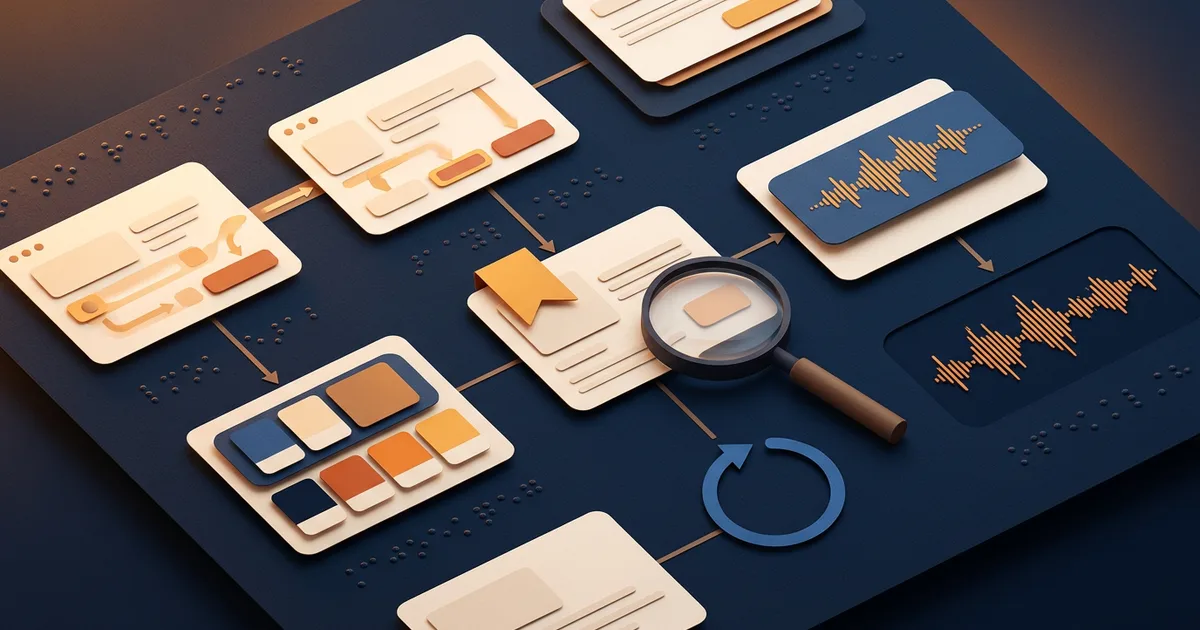
Build an evidence-led accessibility review
Use four passes. First freeze the target and boundaries, then select pages and complete processes, run distinct evaluation methods, and preserve findings plus retests without rewriting the original result.
Freeze the version, scope, and claim boundary
Name the target, canonical base URL, release, build, environment, date, evaluator, included areas, exclusions, and method basis. A result can become obsolete after a change, so keep it tied to the version that was observed. State before testing that the ledger records evaluation evidence and does not itself establish legal compliance, certification, or WCAG conformance.
Sources: [wcag-2-2], [wcag-em-2-0]
Select representative pages, states, and complete flows
Inventory common pages, distinct templates, essential functionality, important states, and complete processes. Explain why each sample belongs. Include every step of an essential flow, such as entering a booking task, correcting an error, submitting, and receiving confirmation. If a newly sampled page reveals a new content type or finding, expand the sample instead of assuming the original set was representative.
Sources: [wcag-em-2-0]
Run manual, automated, and assistive-technology checks separately
Record the method, tool, browser, operating system, viewport, assistive technology where applicable, expected behavior, observation, reviewer, time, and evidence for each check. Easy Checks can support a first review, while WCAG 2.2 evaluation depends on automated testing and human evaluation. Never copy a tool result into checks the tool did not perform or treat an automated scan as complete coverage.
Sources: [wcag-2-2], [w3c-easy-checks]
Preserve failures, issues, fixes, and version-bound retests
Link each failed check to one or more accountable issues and describe affected users, severity, owner, and state for each finding. After a change, keep the original failure and add a retest with the new ledger version, release, build, environment, reviewer, observation, and evidence. Mark an issue verified fixed only when its latest retest records a supported pass for that changed boundary.
Sources: [wcag-em-2-0]
What this accessibility ledger owns
Use the pack to coordinate and preserve a website evaluation. Keep release orchestration, security assessment, legal interpretation, and formal conformance work with their accountable owners.
Included
- Versioned website, release, build, environment, evaluator, scope, exclusions, and review state
- Representative pages, page types, selection reasons, complete flows, steps, and expected outcomes
- Manual, automated, and assistive-technology checks with distinct environments and evidence
- Not-run, pass, fail, not-applicable, and blocked check records without default successful states
- Failed-check issues, affected users, severity, owner, remediation state, and version-bound retests
- A fictional example.test ledger, strict JSON schema, deterministic verifier, tests, and reproducible ZIP
Not included
- Whole-release sequencing, domains, analytics, content freeze, rollback, and go-live coordination owned by the website launch checklist
- Threat modeling, authentication, authorization, secrets, data handling, dependencies, and security controls owned by the web-app security checklist
- A declaration that every page, state, technology, disability, user need, browser, device, or assistive-technology combination was evaluated
- WCAG conformance evaluation, certification, accessibility statement approval, procurement approval, or independent audit opinion
- Legal advice or conclusions about ADA, EAA, another law, regulation, contract, policy, jurisdiction, or enforcement outcome
- A guarantee that a website is accessible, compliant, conformant, usable for every person, free of barriers, or protected from a complaint
DOWNLOADABLE RESOURCE
Download the Website Accessibility Checklist Pack
The ZIP includes a Markdown checklist, strict JSON schema, fictional ledger, validator, and validator tests. Planned rows start as not_run. Replace the fictional target, environments, observations, reviewers, and evidence with your own reviewed records instead of inheriting the example outcomes.
Website accessibility evaluation ledger pack
A versioned page-and-flow evaluation pack with a checklist, strict schema, fictional mixed-state ledger, deterministic validator, and negative tests for evidence and retest integrity.
Format: ZIP with Markdown and JSON
Locally reproduced August 1, 2026. SHA-256: 0c0a2ca17c68df13bc5c2e8f1a3a23a12d76f72f5164f4d497b45326288ca919
Included
- Markdown workflow with no default passes and explicit page, flow, evidence, issue, and retest tables
- Strict JSON Schema 2020-12 contract with closed objects and typed statuses
- Fictional example.test ledger with manual, automated, screen-reader, and voice-control observations
- Deterministic validator that checks exact keys, real dates and timestamps, canonical target scope, safe evidence references, methods, issues, chronology, and latest-retest state
- Thirty-one validator tests covering successful parsing plus malformed, unsupported, incomplete, out-of-scope, out-of-order, and overstated states
Verification boundary
Rebuilt locally on 2026-08-01 from seven allowlisted files with fixed timestamps, then tested from a clean extraction. Archive entries are byte-identical to source; the fictional ledger passes 31 validator tests. Unrun checks cannot carry results or evidence, recorded results require safe evidence/ references, pages stay inside the canonical target, failed checks require accountable issues, and verified fixes require the latest retest to pass on a changed release or build after the original failure. Public HTTP and content-type verification remain pending deployment.
Three evaluation-ledger configurations
These configurations change the sample and method mix while preserving the same version, evidence, issue, and retest contract. They are planning examples, not findings or claims about a real website.
Service website page and inquiry review
Use when: A public website has repeated service templates, proof content, contact details, and a form that turns visitor intent into an inquiry.
Select the homepage, a representative service page, a proof or case page, contact page, privacy notice, and the complete inquiry flow. Record keyboard, focus, headings, alternatives, contrast, zoom, labels, errors, confirmation, and relevant assistive-technology observations on the named build.
Structure
- Page sample: common navigation, representative templates, text and media variations, form, policy, and confirmation states
- Manual checks: keyboard path, focus visibility, zoom and reflow, headings, labels, errors, motion, and media alternatives
- Tool evidence: machine-detectable findings recorded separately from manual and assistive-technology results
- Retest record: repaired finding linked to the changed build without deleting the original failure
Watch for: A small site can still have hidden states, third-party content, alternate locales, and error paths. Expand the sample when a new page type or finding appears.
Sources: [w3c-easy-checks], [wcag-em-2-0]
Booking or checkout complete-process review
Use when: The essential outcome spans search or selection, data entry, validation, review, provider boundaries, submission, and a clear acknowledgement.
Treat the process as one flow and include every page and state required to finish it. Evaluate visible and programmatic labels, keyboard interaction, error recovery, status messages, time limits, authentication, confirmation, and recovery in representative environments instead of passing isolated screens.
Structure
- Flow inventory: entry, selection, input, validation, review, submit, confirmation, cancellation, and recovery states
- Environment matrix: browser, operating system, viewport, zoom, keyboard, screen reader, voice control, and other applicable technology
- Evidence chain: expected behavior, observation, reviewer, timestamp, artifact references, issue, fix, and retest
Watch for: A complete process can include third-party pages or embedded providers outside direct control. Record the boundary and escalation path rather than silently omitting the step.
Sources: [wcag-2-2], [wcag-em-2-0]
Content library and template review
Use when: A site publishes many articles, resources, media formats, languages, or contributor-authored pages through a smaller set of templates.
Sample common templates, structurally different pages, different authors and media, long and short content, tables, downloads, search, filters, navigation states, and a random subset. Compare new findings with the structured sample and expand coverage when the random set reveals another content type or barrier.
Structure
- Structured sample: common pages, distinct templates, technologies, media, languages, and high-impact content
- Random comparison: fresh pages that can reveal types or findings missing from the planned sample
- Lifecycle record: content or template owner, issue reach, affected pages, changed version, monitoring rule, and retest sample
Watch for: One representative page does not prove every page generated by a template has the same content, authoring quality, state, or accessible behavior.
Sources: [wcag-em-2-0], [w3c-easy-checks]
Make the evaluation boundary explicit
Use these rules to decide what to test or record next. A missing method, evidence item, owner, or retest is a visible gap, not a reason to infer a successful result.
An automated scan reports no findings or produces a high score, but the page or flow has no manual and assistive-technology evidence.
Choose: Keep the relevant manual and assistive-technology checks at not_run, select applicable methods, and have named reviewers perform them in recorded environments.
Tradeoff: The review takes more time, but the ledger does not convert machine coverage into claims about interaction, content meaning, task completion, or user experience.
A new sampled page, state, or random selection reveals a content type, technology, flow, or finding absent from the structured sample.
Choose: Expand the inventory and sample, document the selection reason, and evaluate enough related pages or steps to understand the reach of the new finding.
Tradeoff: The evaluation boundary grows, but the sample becomes more representative instead of preserving a convenient but incomplete scope.
A failed check is repaired on a later release or build and the team wants to replace the original result with pass.
Choose: Preserve the failure, issue, environment, and evidence. Add a version-bound retest with the changed build, reviewer, observation, and evidence, then update the issue only from that retest.
Tradeoff: The ledger carries more history, but it remains reproducible and shows what changed between the failure and verified fix.
Planned checks remain not_run or blocked, unresolved issues remain open, or the recorded environments no longer match the current website version.
Choose: Keep the review in progress, findings recorded, or retest pending. Name the remaining checks, owners, environments, and version changes before independent review.
Tradeoff: A release decision may wait or accept a separately authorized risk, but the accessibility record does not hide missing work.
Someone asks the ledger to establish legal compliance, certification, a public accessibility statement, procurement acceptance, or formal WCAG conformance.
Choose: Escalate to the qualified legal, procurement, policy, accessibility, or independent-evaluation owner for that decision and keep this ledger as bounded supporting evidence only.
Tradeoff: The checklist cannot answer the broader question by itself, but evidence and accountability stay aligned with the decision being made.
Build from explicit requirements
Turn accessibility findings into reviewable changes
Bring one page, flow, failed observation, and expected behavior to Playcode. Describe the change, inspect the implementation in a real browser, and keep qualified accessibility review in the release loop.
Start building with PlaycodeGenerated output still needs manual, assistive-technology, evidence, user, policy, and legal review appropriate to your website.
Coordinate the broader website releaseUse the launch checklist for domains, redirects, analytics, content freeze, production smoke checks, rollback, monitoring, and go-live ownership.
What this checklist cannot prove
A structured ledger improves traceability and repeatability. Its value still depends on sample quality, evaluator expertise, method selection, environment fidelity, evidence, and how the website changes after review.
- Easy Checks cover only a small set of issues and are a first review, not a definitive or comprehensive evaluation.
- Automated tools can detect only some barriers and can produce false positives, false negatives, or results that require human interpretation.
- A representative sample can miss pages, states, content, technologies, complete processes, locales, user needs, and interactions outside the selected boundary.
- Assistive-technology behavior varies across product versions, browsers, operating systems, settings, input methods, user skill, and combinations not recorded in the ledger.
- WCAG 2.2 addresses many needs but does not address every need for every person with a disability, even when a formal target is met.
- A locally valid schema and passing validator prove record consistency only. They do not test the website, inspect evidence files, or establish accessibility outcomes.
- The pack is not legal advice and cannot establish ADA, EAA, another legal obligation, contractual compliance, certification, or immunity from complaints or enforcement.
- A result tied to one release can become obsolete after changes to code, content, design, configuration, providers, browsers, or assistive technology.
Primary W3C references
These sources support different parts of the ledger. The article preserves their separate roles and does not present the pack as a W3C report, tool, endorsement, or conformance evaluation.
[wcag-2-2] World Wide Web Consortium:Web Content Accessibility Guidelines (WCAG) 2.2
Checked August 1, 2026. Supports: Current WCAG 2.2 principles, guidelines, success criteria, conformance structure, the combination of automated testing and human evaluation, and the boundary that the guidance does not address every user need.
[w3c-easy-checks] W3C Web Accessibility Initiative:Easy Checks: A First Review of Web Accessibility
Checked August 1, 2026. Supports: A quick first review of titles, text alternatives, headings, contrast, resize, keyboard focus, forms, motion, media alternatives, and structure, plus the explicit boundary that these checks are not definitive or comprehensive.
[wcag-em-2-0] World Wide Web Consortium:WCAG Evaluation Methodology (WCAG-EM) 2.0
Checked August 1, 2026. Supports: Evaluation scope, product exploration, common views, essential functionality, representative samples, complete processes, documentation, reporting, and repeat-evaluation records.
Website accessibility checklist questions
Is an automated accessibility test enough?
No. Automated tools can help find some machine-detectable issues, but they do not replace manual review, content judgment, keyboard testing, assistive-technology evaluation, complete-flow testing, or work with people with disabilities. Record the automated result as its own method and keep every unperformed check visibly not_run.
Does completing this checklist prove WCAG 2.2 conformance?
No. The pack records a bounded sample, methods, observations, evidence, issues, and retests. A formal conformance evaluation has broader requirements and accountable judgment. This checklist also does not provide certification, legal advice, or a conclusion about ADA, EAA, procurement, policy, or contract obligations.
Do I need to test every page on a website?
The answer depends on the evaluation goal and governing requirements. WCAG-EM describes representative sampling for many evaluations, including common pages, essential functionality, varied page types, technologies, random selection, and complete processes. Expand the sample when another page or flow reveals a new content type or finding.
Which assistive technologies should I record?
Choose combinations that fit the target users, platform, browser support, essential tasks, and evaluation requirements. Record the exact assistive-technology version, browser, operating system, viewport, settings that affect the result, evaluator, time, and evidence. One screen reader or input method cannot represent every user or environment.
Why keep the original failure after a fix?
The original record shows the build, environment, observation, evidence, and affected users that justified the issue. A separate retest shows what changed and whether the issue was reproduced successfully on a later version. Replacing the failure with pass removes the audit trail and makes regression analysis weaker.
When should accessibility checks be rerun?
Rerun affected checks when code, content, templates, components, flows, providers, browser behavior, assistive technology, configuration, or the evaluation target changes. Periodic review can also monitor progress. Preserve comparable samples while adding fresh samples when that helps detect new coverage gaps.
How is this different from a website launch checklist?
This page owns accessibility evaluation evidence for named pages and complete flows. A website launch checklist owns broader release orchestration such as domains, analytics, content freeze, redirects, rollback, monitoring, and go-live decisions. Link their findings, but do not treat either artifact as a substitute for the other.
How is this different from a web-app security checklist?
This ledger records accessibility evaluation methods and observations. A security checklist owns threats, identity, authorization, secrets, data handling, dependencies, abuse, logging, recovery, and security-control verification. Accessibility and security can affect the same flow, but they require different expertise, evidence, and decision owners.
Fix one complete path
Build, inspect, record, and retest
Start with a named version and one essential flow. Use Playcode to implement the change and inspect it, then record manual and assistive-technology evidence before deciding what is ready for independent review.
Build with PlaycodePlaycode does not certify websites, provide legal advice, or replace qualified accessibility evaluation and user research.