QUICK ANSWER
Should you choose Wix or Squarespace?
Choose Wix when its visual or AI-assisted editor, app ecosystem, and site-level storage and business-feature limits fit the job. Choose Squarespace when its section-and-block design workflow and packaged website, content, and commerce system fit better. Before subscribing, build one representative page and verify the current regional plan, checkout, handoff, export, and migration boundaries.
Wix and Squarespace are both managed website platforms with hosting, visual editing, commerce, domains, and business tools. The useful choice is not which brand wins in general. It is which editor, site-level production meter, packaged feature set, ownership model, and migration boundary fit the website your team will operate.
This dated bilateral owner covers both “Wix vs Squarespace” and the reversed “Squarespace vs Wix” query. It does not replace the separate Wix and Squarespace cost guides, and it does not score either platform. The comparison uses current first-party documentation checked September 5, 2026; a controlled hands-on benchmark was not performed.
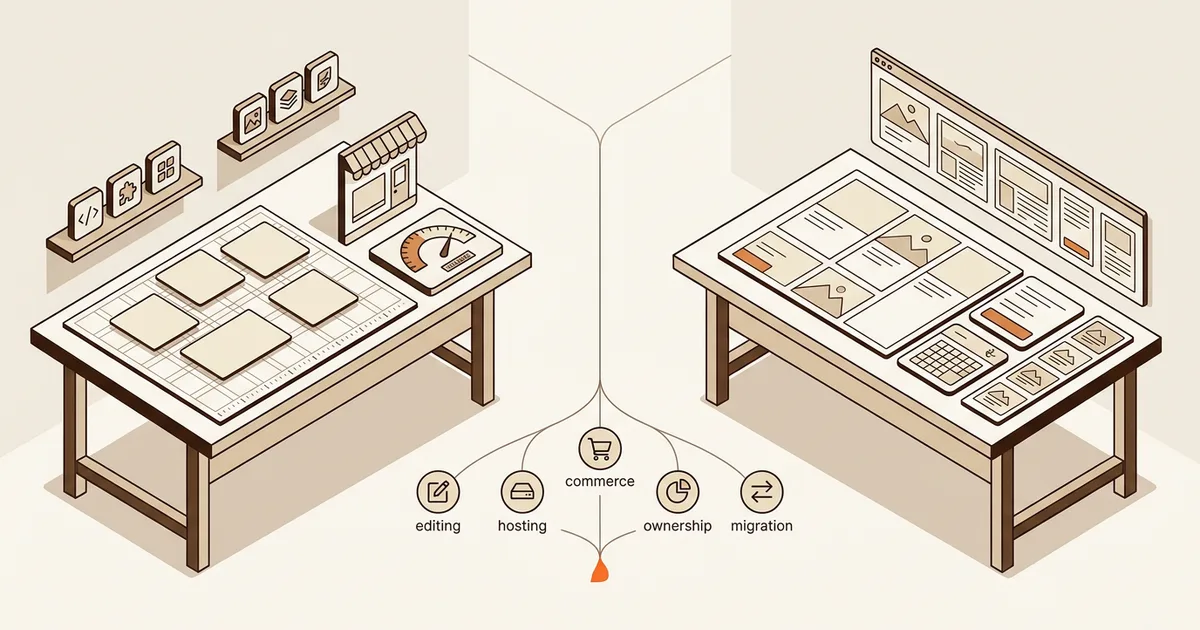
Compare One Real Website, Not Two Marketing Pages
Use the same content, store sample, contributors, domain, and exit exercise in both platforms. Record the result at account level because public plan pages can differ by region and rollout.
Freeze the representative site and team
List the pages, reusable sections, mobile behavior, media, forms, products, contributors, domain, and integrations required for the first year. Create the same homepage and one high-risk page in both editors before comparing ease of use.
Sources: [wix-ai-generated-site], [wix-plan-features], [squarespace-ai], [squarespace-fluid-engine], [squarespace-current-plans]
Model the production meter
Price one production site in the correct region and billing cycle. Include the paid site plan, storage or contributor limits, commerce and payment fees, domains, email, apps or extensions, and any separately billed service. Keep volatile dollar figures in the dedicated cost owners.
Sources: [wix-plan-pricing], [wix-storage-bandwidth], [wix-adding-apps], [wix-third-party-app-refunds], [wix-payments], [squarespace-multiple-sites], [squarespace-current-plans], [squarespace-transaction-fees], [squarespace-integrations]
Test ownership and the exit path
Transfer a non-production test site to the intended owner, inventory attached billing and services, export every supported data class, and document what must be rebuilt. Keep the existing site online until the replacement passes route, redirect, form, checkout, analytics, and DNS checks.
Sources: [wix-site-transfer], [wix-export-hosting], [wix-product-export], [squarespace-site-ownership], [squarespace-export], [squarespace-moving-from-wix]
Verify the published operating boundary
Publish a private or low-risk proof, confirm the intended host and domain path, run the real checkout where relevant, test collaborator permissions, and record the maintenance owner for content, integrations, billing, and future migrations.
Sources: [wix-hosting], [wix-payments], [wix-site-transfer], [squarespace-hosting], [squarespace-transaction-fees], [squarespace-site-ownership]
What this bilateral comparison includes
This page answers a direct platform-selection question in either word order. For current vendor-specific budgeting, use the Wix website cost guide and the Squarespace website cost guide. Replacement intent remains with the separate alternative owners.
Included
- Current first-party authoring, plan, hosting, commerce, integration, transfer, export, and migration documentation
- The Wix versus Squarespace and Squarespace versus Wix platform-selection job
- The production meter behind a live site instead of a promotional starting price alone
- Separate treatment of site, domain, billing, payment, content, product data, design, media, and hosted code
Not included
- A universal winner, score, rating, performance benchmark, uptime comparison, support-quality conclusion, or generated-site quality claim
- A complete regional price table, promotional price snapshot, tax analysis, enterprise negotiation, or agency quote
- Wix replacement, Squarespace replacement, generic best website builder, or AI website builder category intent
- A claim that either ownership transfer moves every payment account, domain, mailbox, app, extension, or external provider automatically
- A claim that exporting content or products reproduces the original site design, hosted code, settings, checkout, or full customer history
Nine Boundaries to Compare Before You Commit
Use all nine rows for both platforms. A polished editor is not enough if the live-site meter, commerce boundary, or exit path does not fit the operation.
Authoring workflow
Separates AI-assisted starting points from the editor used for daily page, layout, and content changes.
Site plan and production meter
Shows what is purchased per site and which limits, fees, add-ons, or separate subscriptions grow with production use.
Hosting boundary
Identifies who operates the published site, what the site plan includes, and whether the same site can move to another host.
Commerce model
Connects catalog, checkout, payment processing, transaction fees, digital products, and regional provider availability.
Integrations and extensions
Distinguishes built-in features, official integrations, marketplace extensions, third-party subscriptions, and custom code.
Ownership and handoff
Keeps site ownership, contributor access, billing, domains, payment accounts, and connected subscriptions from being treated as one transfer.
Portability and export
Tests page content, design, product data, customer data, media, domain, and hosted site code as separate assets.
Migration work
Makes rebuild effort, import limits, redirects, DNS, commerce data, and launch verification visible before a platform move.
Ongoing operating fit
Checks whether the chosen editor, packaged features, billing model, and change process still fit the team after launch.
Wix and Squarespace Production Boundary Matrix
The matrix reports documented behavior as of the evidence date. It does not claim observed speed, reliability, support quality, conversion performance, or ease of use.
Wix
Best for: Teams that want Wix’s AI-assisted and visual editing options, packaged site and business tools, and an app ecosystem inside a managed Wix-hosted site.
Wix offers several site-building workflows, including an AI-generated starting path and visual editors, then operates the published site on Wix hosting. The paid production unit is one plan per site, with the relevant plan controlling storage, collaborators, forms, payment acceptance, and other business features. Regional pricing and separately billed services still require an account-level check.
| Criterion | Finding |
|---|---|
| Authoring workflow | Wix documents an AI Website Builder that gathers requirements in chat, generates a new site design, and hands the result to the Wix Editor. The same guide says the AI Website Builder creates new sites rather than redesigning an existing site, although editor-level AI tools can change existing sections or themes. Sources: [wix-ai-generated-site] |
| Site plan and production meter | A Wix Premium plan applies to one site. Public prices can differ by geographic location, while plan selection controls storage, collaborators, forms, payment acceptance, ecommerce, and other business features. Domains, mailboxes, apps, and other subscriptions may add separate renewals. Sources: [wix-plan-pricing], [wix-plan-features], [wix-storage-bandwidth], [wix-third-party-app-refunds] |
| Hosting boundary | Wix includes hosting for sites and connects a custom domain on a paid plan. Wix also states that a Wix-built site relies on its proprietary SaaS services and must be hosted and operated on Wix servers rather than exported to another host. Sources: [wix-hosting], [wix-export-hosting] |
| Commerce model | Accepting payments requires a Premium or Studio plan that supports payments. Available payment providers and methods depend on location. Store operation therefore includes the eligible site plan plus payment-provider and any app or service costs, not the site-plan headline alone. Sources: [wix-plan-features], [wix-payments] |
| Integrations and extensions | Wix plans expose different business features and the platform supports apps and packaged services. Treat each app, custom API use, mailbox, domain, and payment provider as a separate dependency with its own billing, support, data, and migration owner. Sources: [wix-plan-features], [wix-adding-apps], [wix-third-party-app-refunds] |
| Ownership and handoff | A Wix site can transfer to another Wix account, with the recipient accepting ownership and future billing for transferred Premium services. Wix notes that a Wix Payments account cannot currently transfer this way, so the website and payment-account handoffs must be planned separately. Sources: [wix-site-transfer] |
| Portability and export | Wix says site content belongs to the customer but the site itself must run on Wix servers. Physical store products can export to CSV, currently up to 5,000 rows per file; the product-export guide says digital-product export is not supported. Audit other content and data classes separately. Sources: [wix-export-hosting], [wix-product-export] |
| Migration work | Leaving Wix is a controlled rebuild, not a hosted-site code move. Export supported records, inventory URLs and assets, recreate the design and behavior, preserve redirects, test forms and checkout, then change DNS only after the replacement passes. Sources: [wix-export-hosting], [wix-product-export], [squarespace-moving-from-wix] |
| Ongoing operating fit | Reopen the decision when storage, collaborator, form, payment, app, or site-count needs change, or when a required workflow no longer fits Wix’s editor and hosted-service boundary. Staying is usually lower risk while the current site and packaged features still meet the job. Sources: [wix-plan-features], [wix-storage-bandwidth], [wix-adding-apps], [wix-export-hosting] |
Tradeoffs
- A broad editor and app ecosystem can cover many site jobs, while adding more plan, app, and provider dependencies to the operating inventory.
- Wix states that the built site must be hosted on Wix infrastructure, so content ownership does not equal a portable copy of the hosted site implementation.
- Site transfer, domain, billing, media, products, contacts, payments, and third-party services have separate handoff or export rules.
Squarespace
Best for: Teams that want Squarespace’s template and section-based visual system, integrated website and commerce surfaces, and managed hosting with a focused set of official integrations.
Squarespace combines Blueprint AI starting points with a visual site system whose version 7.1 block sections use Fluid Engine. Each website is billed separately and current public documentation describes Basic, Core, Plus, and Advanced plans, while availability and plan transitions can vary. Hosting and bandwidth are included, and commerce fees depend on the plan, product type, payment processor, and country.
| Criterion | Finding |
|---|---|
| Authoring workflow | Squarespace documents Blueprint AI Builder and AI templates for creating a starting site, followed by the Squarespace visual system. On version 7.1, Fluid Engine is the primary drag-and-drop editing experience for block sections, while site-wide styles and supported page types remain part of the platform model. Sources: [squarespace-ai], [squarespace-fluid-engine] |
| Site plan and production meter | Squarespace bills each website separately and does not offer a multi-site plan. Current plan guidance describes Basic, Core, Plus, and Advanced, with differences in contributors, code features, commerce, video, and fees; plan availability and newer billing structures can vary during rollout. Sources: [squarespace-multiple-sites], [squarespace-current-plans] |
| Hosting boundary | All Squarespace plans include bandwidth and hosting for the Squarespace site and its content. Squarespace does not host a site built on another platform, so moving the published experience elsewhere requires exported content where supported and a rebuild on the destination. Sources: [squarespace-hosting], [squarespace-export] |
| Commerce model | Current plans can sell products and services, while Squarespace’s transaction-fee guide separates commerce, digital-product, payment-processing, invoice, Pay Link, and Scheduling fee paths. Rates and payment methods vary by plan, product type, processor, and country. Sources: [squarespace-current-plans], [squarespace-transaction-fees] |
| Integrations and extensions | Squarespace documents built-in and official integrations across commerce, forms, domains, social, analytics, and other website jobs. Some services require separate paid subscriptions, and Squarespace Extensions are third-party services with their own support and data boundaries. Sources: [squarespace-integrations] |
| Ownership and handoff | A Squarespace site has one owner and can transfer to an accepted contributor. Attached subscriptions, Squarespace domains, and attached Acuity subscriptions can follow the site ownership change, while billing information, connected-domain details, payment accounts, and prior-owner permissions still need explicit review. Sources: [squarespace-site-ownership] |
| Portability and export | Squarespace exports certain content in WordPress XML format, but not all page types, store pages, style settings, custom CSS, headers, footers, drafts, or media. Products have a separate CSV path, so content, commerce, media, design, domain, and connected services need separate inventories. Sources: [squarespace-export], [squarespace-product-export] |
| Migration work | Squarespace’s Wix migration guide explicitly describes choosing a new template, importing products where possible, recreating design and other content, moving or connecting the domain, and keeping the Wix site online until the new site is ready. It is a rebuild with selective import, not a layout transfer. Sources: [squarespace-moving-from-wix] |
| Ongoing operating fit | Reopen the decision when contributor, custom-code, commerce-fee, digital-product, integration, or multi-site needs change, or when the required layout and workflow no longer fit Squarespace’s section, block, and supported-service model. Sources: [squarespace-current-plans], [squarespace-transaction-fees], [squarespace-integrations], [squarespace-fluid-engine] |
Tradeoffs
- A cohesive section-and-block system can simplify a content-led site while asking bespoke workflows to fit Squarespace’s supported blocks, code paths, integrations, or external services.
- Commerce, digital products, payment processing, scheduling, email, domains, and extensions can have separate fee or subscription boundaries.
- The WordPress-format site export covers only certain content, not the complete design, store, style, media, and service state.
Decision Rules That Survive the Demo
Select the workflow that reduces the largest recurring operating risk for this site. Re-run the decision when the site, team, or revenue model changes.
The team wants several AI-assisted or visual creation paths and depends on a Wix app or packaged business feature.
Choose: Prototype in the intended Wix editor and verify the exact app, plan, storage, collaborator, payment, and regional billing boundary.
Tradeoff: The broader ecosystem can solve more jobs inside Wix while increasing the number of subscriptions and service-specific exit checks.
The site is content, portfolio, service, or commerce led and the Squarespace section-and-block system matches the desired design workflow.
Choose: Prototype in Squarespace and verify the current plan, contributor, code, commerce-fee, and separate-subscription boundaries.
Tradeoff: The cohesive system can reduce assembly work while custom behavior may need code, an extension, or another service.
The site must move between external hosts as a working codebase.
Choose: Do not treat either managed site as a portable code-hosting path. Evaluate a code-exporting builder or a self-managed stack before committing.
Tradeoff: A portable codebase creates more hosting and maintenance responsibility in exchange for a wider hosting exit path.
Commerce is the main business system rather than a supporting website feature.
Choose: Run a complete catalog-to-refund proof with the intended processor, region, shipping, tax, digital-product, and reporting requirements in both platforms.
Tradeoff: Packaged commerce can reduce setup work, but plan fees, processor fees, product-specific fees, extensions, and data migration remain separate constraints.
The current Wix or Squarespace site already meets the workflow and migration has no measured outcome.
Choose: Stay, document ownership and exports, and improve the existing site before starting a platform move.
Tradeoff: Staying preserves the known system; moving without a specific operational benefit adds rebuild, redirect, data, checkout, and DNS risk.
Need a custom workflow?
Describe the website and the software behind it.
If both managed platforms stop at the site layer, use Playcode to build a website that can grow into a portal, dashboard, or custom app. Review the result before publishing.
Start BuildingNo credit card required. AI credits included to start.
Compare the domain and hosting responsibilitiesUse this before moving DNS or treating a domain transfer as a website migration.
What This Comparison Does Not Prove
First-party documentation establishes current product rules, not the quality of a specific generated site or the result of a live migration.
- No controlled build, accessibility, Core Web Vitals, traffic, checkout-conversion, support, or migration benchmark was performed.
- Public prices, promotions, plan names, features, payment methods, taxes, and fee schedules can vary by region, billing cycle, account, and rollout.
- Official documentation does not prove that a third-party app, extension, code customization, or payment provider will fit a specific operation.
- Site ownership does not automatically settle ownership of domains, mailboxes, payment accounts, media rights, customer data, or external subscriptions.
- Export availability does not prove a complete, lossless, or automatically importable migration to the other platform or a new host.
- Neither platform is a universal winner; the recommendation changes with the representative page, commerce flow, team, and exit requirement.
Current First-Party Evidence
Every product finding maps to the official source IDs below. Pages without a revision date were accessed and checked on September 5, 2026.
[wix-ai-generated-site] Wix Help Center:Wix Editor: Creating an AI-Generated Site
Checked September 5, 2026. Supports: AI requirement chat, generated site design, handoff to the Wix Editor, and the new-site versus existing-site AI boundary.
[wix-plan-pricing] Wix Help Center:Wix Premium Plan Pricing
Checked September 5, 2026. Supports: Regional price variation, one Premium plan per site, custom-domain requirement, and plan-change guidance.
[wix-plan-features] Wix Help Center:Choosing a Premium Plan
Checked September 5, 2026. Supports: Current Wix Editor plan names and feature boundaries for storage, collaborators, forms, payments, ecommerce, and business tools.
[wix-storage-bandwidth] Wix Help Center:About Storage and Bandwidth
Checked September 5, 2026. Supports: Current storage allocations, free-site bandwidth, paid-plan bandwidth, and storage as a site production limit.
[wix-hosting] Wix Help Center:Wix Site Hosting
Checked September 5, 2026. Supports: Included Wix hosting, free-site hosting limits, and the paid-plan requirement for a custom domain.
[wix-payments] Wix Help Center:Accepting Payments: An Overview
Checked September 5, 2026. Supports: The payment-capable plan requirement and regional variation in payment methods and providers.
[wix-adding-apps] Wix Help Center:Adding an App to Your Site
Checked September 5, 2026. Supports: Wix App Market installation, Wix-built and third-party apps, plan requirements, developer-set third-party subscription fees, and app-specific support boundaries.
[wix-third-party-app-refunds] Wix Help Center:Refunds for Third-Party App Upgrades
Checked September 5, 2026. Supports: Separate third-party app subscriptions, the no-refund rule for third-party app upgrades, and cancellation as the way to stop the next renewal.
[wix-export-hosting] Wix Help Center:Exporting or Embedding Your Wix Site Elsewhere
Checked September 5, 2026. Supports: Content ownership, Wix-hosted SaaS operation, the external-hosting boundary, and domain portability.
[wix-product-export] Wix Help Center:Wix Stores: Exporting Your Product List
Checked September 5, 2026. Supports: Physical-product CSV export, the 5,000-row file limit, and the current digital-product export exclusion.
[wix-site-transfer] Wix Help Center:Accepting Transferred Site Ownership
Checked September 5, 2026. Supports: Site ownership acceptance, billing handoff for transferred Premium services, media access, and the Wix Payments transfer exclusion.
[squarespace-ai] Squarespace Help Center:Using Squarespace AI
Checked September 5, 2026. Supports: Blueprint AI Builder, AI templates, generated text and images, and the user review and publication responsibility boundary.
[squarespace-fluid-engine] Squarespace Help Center:Edit Your Site with Fluid Engine
Checked September 5, 2026. Supports: Fluid Engine as the version 7.1 block-section drag-and-drop editing system and its version boundary.
[squarespace-current-plans] Squarespace Help Center:Choosing the Right Squarespace Plan
Checked September 5, 2026. Supports: Current Basic, Core, Plus, and Advanced plan framing, contributor and code boundaries, and commerce availability.
[squarespace-multiple-sites] Squarespace Help Center:Managing Multiple Sites
Checked September 5, 2026. Supports: Separate billing per website, lack of a multi-site plan, and site-level plan and billing-cycle independence.
[squarespace-hosting] Squarespace Help Center:Is Hosting Included?
Checked September 5, 2026. Supports: Included site hosting and bandwidth, Squarespace domain hosting, and the external-platform hosting boundary.
[squarespace-transaction-fees] Squarespace Help Center:Transaction Fees and Payment Processing Rates
Checked September 5, 2026. Supports: Plan, country, processor, commerce, digital-product, invoice, Pay Link, and Scheduling fee boundaries.
[squarespace-integrations] Squarespace Help Center:Squarespace Integrations
Checked September 5, 2026. Supports: Official integration categories, included integrations, separately paid services, extensions, and custom-code paths.
[squarespace-site-ownership] Squarespace Help Center:Change the Site Owner
Checked September 5, 2026. Supports: Site-owner transfer, contributor prerequisite, attached subscription transfer, payment-account follow-up, and prior-owner access review.
[squarespace-export] Squarespace Help Center:Exporting Your Site
Checked September 5, 2026. Supports: WordPress XML export, supported and excluded content classes, active-site requirement, and media follow-up.
[squarespace-product-export] Squarespace Help Center:Exporting Products to a CSV
Checked September 5, 2026. Supports: The separate product CSV export path and its distinction from the partial WordPress XML site export.
[squarespace-moving-from-wix] Squarespace Help Center:Moving from Wix to Squarespace
Checked September 5, 2026. Supports: Template rebuild, selective product import, layout and design recreation, domain move, SEO transition, and old-site overlap guidance.
Wix vs Squarespace FAQ
Is Wix or Squarespace better for beginners?
That depends on the editing workflow. Wix offers AI-generated starting paths and several visual editing experiences. Squarespace combines Blueprint AI starting points with a section-and-block system. Build the same homepage and one difficult mobile section in both. The better fit is the workflow your actual content owner can maintain without repeatedly calling a specialist.
Is Wix or Squarespace cheaper?
There is no stable universal answer. Wix pricing varies by region and one paid plan applies to one site. Squarespace also bills each website separately, and plan availability and fee paths can vary. Compare the current account checkout with the same scope: site plan, renewal, domain, email, apps or extensions, commerce and processor fees, storage, contributors, and outside help.
Which platform is better for ecommerce?
Choose only after testing the exact store workflow. Wix requires a plan that supports payments and provider availability varies by location. Squarespace separates commerce, digital-product, payment-processing, and other fee paths by plan and country. Test catalog import, variants, tax, shipping, checkout, refunds, reporting, exports, and the payment-account handoff rather than comparing a feature checklist.
Does Wix or Squarespace include hosting?
Yes. Wix hosts Wix sites, and Squarespace plans include hosting and bandwidth for Squarespace sites. The portability boundary matters: Wix says a Wix-built site must operate on Wix servers, while Squarespace exports only certain content rather than a complete hosted site. A custom domain can move separately from the website implementation.
Can I move a Wix website to Squarespace automatically?
No complete automatic layout transfer is documented. Squarespace’s official guide treats the move as a new template and rebuild: import products where supported, recreate content and design that cannot import, move or connect the domain, preserve SEO details, and keep Wix online until the new site is ready. Test redirects, forms, checkout, analytics, and DNS before canceling the old service.
Can I export a Wix or Squarespace site to another host?
Not as a complete working copy of the hosted site. Wix states that its site implementation relies on Wix services and must run on Wix servers, although supported data such as physical products can export. Squarespace can export certain content to WordPress XML, but excludes many page, store, style, code, and media elements. Inventory each asset and data class separately.
Can I transfer ownership to a client?
Both platforms document site-owner transfer paths, but the handoff is not one object. On Wix, review transferred Premium services, media, future billing, domains, apps, and the separate Wix Payments account boundary. On Squarespace, review the accepted contributor, attached subscriptions, domains, billing, payment accounts, and the former owner’s remaining permissions.
Build beyond the template
Start with the site. Keep the custom workflow in reach.
Describe the pages, content, interactions, and business process you need. Playcode builds a working project you can review, publish, and keep changing as the website grows into software.
Start BuildingNo credit card required. AI credits included to start.