QUICK ANSWER
What is the best knowledge base software in 2026?
Help Scout fits support teams wanting a straightforward help center beside a shared inbox. Zendesk and Intercom fit broader service operations. Document360 fits documentation-led teams that need deeper publishing structure. Helpjuice fits organizations that prefer a dedicated knowledge base with user-and-storage bundles. Verify permissions, export, search quality, and the real production meter in a pilot before choosing.
The best knowledge base software is the one your team can keep accurate after launch. This comparison treats authoring, review, permissions, search, feedback, export, and recovery as one operating system. It does not award points for a long feature list or assume that an AI answer is trustworthy because the interface can generate one.
We reviewed official product, pricing, and support pages for Help Scout, Zendesk, Intercom, Document360, and Helpjuice on September 5, 2026. Prices and plan boundaries can change, so the table names the production meter behind each bill and the source registry shows exactly what was checked. No vendor account was purchased and no hands-on performance benchmark was run.
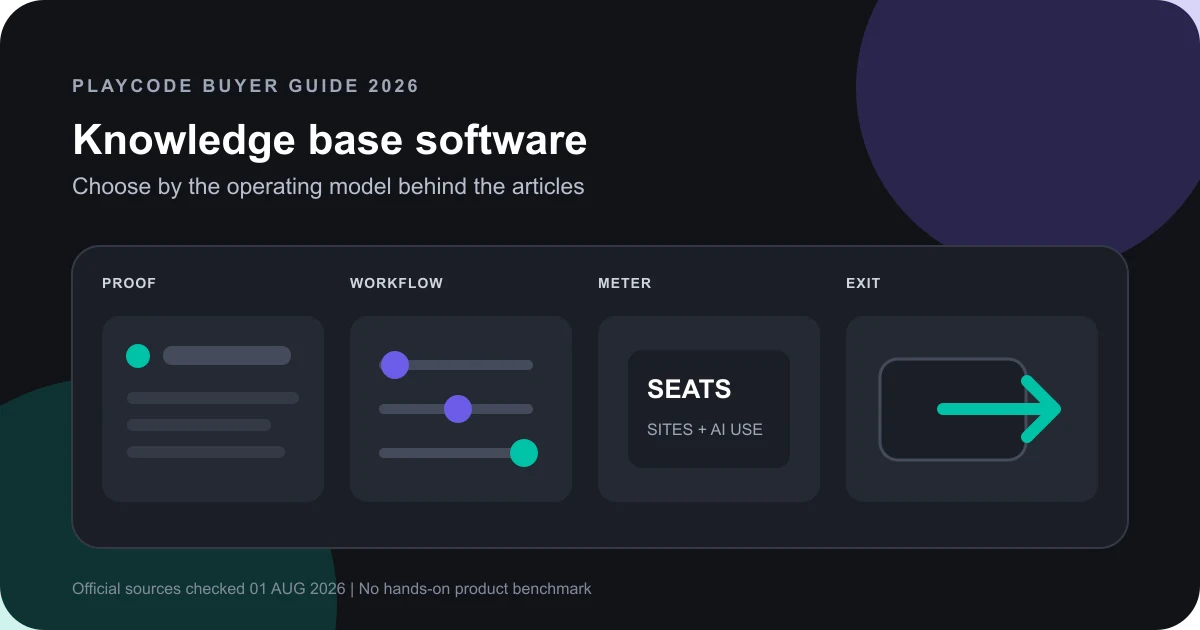
Build a shortlist from one controlled knowledge job
Run the same source set and operator tasks through every finalist. A demo with different content or permissions cannot support a fair decision.
Freeze the audience and source set
Choose one public, restricted-customer, or internal support job. Prepare the same 30 to 50 articles, attachments, redirects, audience groups, ownership fields, and deliberately stale pages for each pilot.
Sources: [helpscout-docs], [intercom-knowledge], [document360-features]
Run the author-to-reader workflow
Create, review, publish, correct, translate, restrict, search, rate, and retire the same articles. Record every manual handoff and every plan gate rather than scoring a feature that was only visible in marketing copy.
Sources: [zendesk-plans], [intercom-knowledge], [helpjuice-features]
Calculate the production meter
Price the real number of authors, agents, sites, workspaces, languages, storage, and AI outcomes. Include plan upgrades and add-ons required by the controlled job.
Sources: [helpscout-pricing], [zendesk-pricing], [intercom-pricing], [document360-pricing], [helpjuice-pricing]
Prove exit and correction before selection
Export the pilot, inspect article and attachment completeness, preserve redirects, correct a bad publication, and smoke-test the reader path. Treat undocumented export or restore behavior as an open procurement risk.
Sources: [document360-features], [helpscout-docs], [zendesk-plans]
What this knowledge base comparison covers
The shortlist focuses on maintained support and product knowledge, not every wiki, document editor, help desk, or AI chatbot.
Included
- Public help centers, restricted customer knowledge, and internal support sources
- Authoring, review, audience controls, search, feedback, AI assistance, export, and operating recovery
- Current first-party pricing and the meters that can change production cost
- A repeatable pilot that exposes plan gates and ownership risk
Not included
- A hands-on search-quality, latency, uptime, accessibility, security, or migration benchmark
- A universal ranking or fabricated aggregate score
- Employee intranet, project-document, developer-documentation, and generic wiki intent when knowledge support is not the primary job
- A custom knowledge base builder, AI knowledge base builder, or implementation tutorial
- Compliance, data-residency, or security approval for any vendor
- Guaranteed ticket reduction, resolution rate, cost savings, or customer satisfaction
Nine criteria that expose the operating contract
Every option covers the same nine rows. A missing public detail is recorded as a pilot question, not silently converted into a negative score.
Public, private, and internal audiences
A public help center, an authenticated customer library, and an internal agent source need different access and publishing controls.
Draft, review, version, and publish workflow
The useful unit is not the editor. It is the path from an owned draft through review, publication, correction, and retirement.
Author and reader permissions
Teams need to prove who can see, change, approve, and publish each source without relying on a hidden link.
Search and answer discovery
Readers need a dependable path from their question to a current source, while operators need failed-search evidence.
Freshness and feedback loop
A large library becomes a liability when owners, review dates, failed searches, and reader feedback cannot drive maintenance.
AI usage and grounding boundary
AI writing, search, and automated answers use different meters and do not remove source ownership or answer-review work.
Export and source ownership
Procurement needs a tested way to leave with articles, attachments, structure, redirects, and operating history.
Actual production meter
Seats, sites, workspaces, languages, storage, and AI outcomes usually determine the bill more than the starting price.
Recovery and operating proof
A publish button is not a recovery plan. Teams need a correction path, export rehearsal, owner, and public smoke check.
Knowledge Base Software Selection Matrix
The list is unordered. Each product is best for a different operating shape, and every finding is limited to the official pages in the source registry.
Help Scout Docs
Best for: Support teams that want a branded, searchable help center beside Help Scout inboxes, Beacon, contact forms, and support reporting.
Help Scout packages Docs inside its support platform rather than as a standalone knowledge product. Its public pages make the site, article, access, reporting, and per-resolution AI meters unusually easy to identify.
| Criterion | Finding |
|---|---|
| Public, private, and internal audiences | Docs supports public sites, restricted sites, and API-authorized readers; Beacon can surface articles inside a site or app. Sources: [helpscout-docs], [helpscout-pricing] |
| Draft, review, version, and publish workflow | The reviewed pages document article creation and organization. They do not define a multi-stage approval or version-restore workflow, so test those requirements directly. Sources: [helpscout-docs], [helpscout-pricing] |
| Author and reader permissions | Reader restriction is documented through API authorization. The pricing page lists team controls and restricted Docs sites; prove author and publisher separation in the chosen plan. Sources: [helpscout-docs], [helpscout-pricing] |
| Search and answer discovery | Docs is searchable, can be surfaced through Beacon, and reports failed searches so operators can see terms that returned no useful content. Sources: [helpscout-docs] |
| Freshness and feedback loop | Docs reports unique sessions, most-viewed articles, failed searches, and article ratings. The reviewed pages do not establish owner or scheduled-review fields. Sources: [helpscout-docs] |
| AI usage and grounding boundary | AI Assist supports editing and translation. AI Answers is a separate add-on measured at USD 0.75 per resolved conversation, with a documented monthly spending cap. Sources: [helpscout-docs], [helpscout-pricing] |
| Export and source ownership | Reporting data can be exported to CSV or Excel. A complete content, attachment, structure, and redirect export was not documented on the reviewed pages and needs a pilot. Sources: [helpscout-pricing] |
| Actual production meter | Paid plans are metered per user. Standard is USD 25 per user monthly and includes two Docs sites; additional sites are USD 20 monthly on annual billing. AI Answers adds a per-resolution meter. Sources: [helpscout-pricing] |
| Recovery and operating proof | The reviewed product and pricing pages do not define article rollback or whole-library restore. Rehearse correction, export, redirect, and public smoke paths before committing. Sources: [helpscout-docs], [helpscout-pricing] |
Tradeoffs
- A simple shared support stack reduces tool count, but Docs cannot be bought separately and deeper publishing-governance needs must be proved in a pilot.
- The reviewed pages document report export, not a complete knowledge-content and redirect export contract.
Zendesk Knowledge
Best for: Service organizations that want knowledge, ticketing, messaging, agent workspace, self-service, and AI-agent operations inside one suite.
Zendesk makes Knowledge part of the service stack. Current plan documentation distinguishes help-center counts, lifecycle tools, agent seats, and automated-resolution usage.
| Criterion | Finding |
|---|---|
| Public, private, and internal audiences | Zendesk supports customer help centers, agent-only knowledge, multiple help centers on higher plans, and a customer request portal inside the help center. Sources: [zendesk-plans] |
| Draft, review, version, and publish workflow | Current plan documentation names agent authoring, team collaboration, article lifecycle management, flexible hierarchies, and article multiplacement with plan-dependent boundaries. Sources: [zendesk-plans], [zendesk-knowledge-update] |
| Author and reader permissions | Agent seats govern Suite access; the plan matrix distinguishes agent-only knowledge and higher-plan role controls. Validate author, publisher, brand, and reader access in the intended plan. Sources: [zendesk-plans], [zendesk-pricing] |
| Search and answer discovery | Knowledge supports help-center self-service, federated search, and content surfaced to human and AI agents. Search relevance still requires a controlled corpus test. Sources: [zendesk-knowledge], [zendesk-knowledge-update] |
| Freshness and feedback loop | Zendesk describes knowledge-gap and content-health tooling plus analytics around self-service. Prove owner, review-date, and stale-content workflows in the selected plan. Sources: [zendesk-plans], [zendesk-knowledge] |
| AI usage and grounding boundary | AI writing and translation tools are available across current Suite and Knowledge plans. AI-agent usage is separately metered in automated resolutions, grouped since May 2026 into tiers drawn from a plan resolution allowance. Sources: [zendesk-knowledge-update], [zendesk-ai-meter] |
| Export and source ownership | The reviewed pricing and Knowledge pages do not establish a complete article, attachment, hierarchy, redirect, and history export. Require a sample export in procurement. Sources: [zendesk-pricing], [zendesk-knowledge] |
| Actual production meter | Suite Team is listed at USD 55 per agent monthly when paid yearly. Cost scales with agent seats; AI-agent usage adds automated-resolution limits and possible expansion. Sources: [zendesk-pricing], [zendesk-ai-meter] |
| Recovery and operating proof | Lifecycle tooling can govern publication, but the reviewed pages do not prove whole-library restore. Test bad-publish correction, role failure, export, redirect, and public response paths. Sources: [zendesk-plans], [zendesk-knowledge-update] |
Tradeoffs
- The surrounding service suite is valuable when knowledge drives support, but it is more platform than a documentation-only team may need.
- Plan and AI packaging have changed over time, so the exact account quote and current allotment must be captured before purchase.
Intercom Knowledge Hub
Best for: Support teams that want one knowledge layer to feed a public Help Center, teammates, Copilot, and Fin inside Intercom.
Intercom centralizes native, imported, and synced support content and lets operators decide which channels can use each source. Its cost model combines teammate seats with Fin outcomes.
| Criterion | Finding |
|---|---|
| Public, private, and internal audiences | Knowledge Hub manages public Help Center articles, internal articles, snippets, imported or synced sources, and audience targeting for self-service and AI use. Sources: [intercom-knowledge], [intercom-knowledge-docs] |
| Draft, review, version, and publish workflow | Operators can create, import, sync, organize, filter, and bulk-change content states. The reviewed pages do not establish a general multi-stage approval workflow for every content type. Sources: [intercom-knowledge], [intercom-knowledge-docs] |
| Author and reader permissions | All workspace teammates can view Knowledge, while full-seat teammates with the Knowledge permission can manage it. Public and Fin audiences are configured separately. Sources: [intercom-knowledge-access], [intercom-knowledge-docs] |
| Search and answer discovery | Knowledge provides search and filters across content, and operators can choose which sources feed the Help Center, Copilot, and Fin. Sources: [intercom-knowledge], [intercom-knowledge-docs] |
| Freshness and feedback loop | The Hub exposes content performance, gaps, filters, and source synchronization. Some imported internal sources re-sync every 24 hours, so staleness must be measured per source path. Sources: [intercom-knowledge], [intercom-knowledge-docs] |
| AI usage and grounding boundary | Content can be enabled separately for Fin and Copilot. Pricing lists Fin at USD 0.99 per outcome and Copilot as a separate per-agent add-on beyond included use. Sources: [intercom-knowledge], [intercom-pricing] |
| Export and source ownership | The reviewed Hub and pricing pages describe import and synchronization, but not a complete outbound content, attachment, folder, audience, redirect, and history export. Sources: [intercom-knowledge-docs], [intercom-pricing] |
| Actual production meter | The bill combines full seats, plan access, Fin outcomes, and optional add-ons or messaging channels. Essential lists at USD 39 per seat monthly, with an advertised 35 percent new-customer offer, plus USD 0.99 per Fin outcome. Sources: [intercom-pricing] |
| Recovery and operating proof | Source sync and bulk state control support operation, but the reviewed pages do not prove a whole-library restore. Test source outage, stale sync, bad publication, export, and reader fallback. Sources: [intercom-knowledge-docs], [intercom-knowledge] |
Tradeoffs
- Centralizing support content around Intercom is coherent for an Intercom-led service operation, but it increases dependency on that helpdesk and AI stack.
- Outcome-based AI billing and source synchronization need their own cost, freshness, and fallback tests.
Document360
Best for: Documentation-led teams that need dedicated public or private knowledge bases, structured editorial workflows, analytics, customization, and API access.
Document360 separates the contributor portal from the reader site and exposes workflows, analytics, API access, PDF export, SSO, and multiple knowledge-base projects as named product surfaces.
| Criterion | Finding |
|---|---|
| Public, private, and internal audiences | A contributor portal serves editors, writers, and reviewers while the reader site can be public or private with a custom domain. Sources: [document360-features] |
| Draft, review, version, and publish workflow | Document360 lists revision history, category management, reusable content, global find-and-replace, and a custom workflow builder. Sources: [document360-features], [document360-pricing] |
| Author and reader permissions | Pricing varies with team accounts, SSO, security needs, and public, private, or mixed knowledge models. Validate reviewer, publisher, project, and reader scopes in the quote. Sources: [document360-pricing], [document360-features] |
| Search and answer discovery | The product lists AI search, analytics, site customization, SEO controls, an embeddable assistant, and support-ticket deflection. Sources: [document360-features] |
| Freshness and feedback loop | Analytics, workflow, revision history, reusable content, and global replacement support maintenance. Test owner and review-date enforcement in the quoted setup. Sources: [document360-features], [document360-pricing] |
| AI usage and grounding boundary | Eddy AI and the AI Premium Suite are distinct surfaces, and pricing explicitly varies with AI Premium usage. Confirm which AI tools and meters are included in the quote. Sources: [document360-features], [document360-pricing] |
| Export and source ownership | The product lists PDF export and API read/write access. Procurement still needs a machine-readable sample covering articles, attachments, hierarchy, redirects, metadata, and history. Sources: [document360-features] |
| Actual production meter | There is no flat public price. The vendor says quotes vary with team accounts, workspaces, languages, SSO and security, privacy model, and AI Premium usage. Sources: [document360-pricing] |
| Recovery and operating proof | Revision history can correct article changes and API access can support bounded export. Whole-project restore and redirect recovery still need a documented pilot. Sources: [document360-pricing], [document360-features] |
Tradeoffs
- The documentation focus supports richer governance, but current pricing is quote-based and varies with configuration.
- PDF export is not the same as a complete machine-readable migration package with history and redirects.
Helpjuice
Best for: Organizations that want a dedicated, customized knowledge base with user-and-storage bundles and an optional bundled AI suite.
Helpjuice publishes three clear bundles based on users and storage. Its pages emphasize customized presentation, collaboration, localization, search, translation, and AI tools.
| Criterion | Finding |
|---|---|
| Public, private, and internal audiences | Helpjuice positions the product for both internal and external knowledge and includes customization and localization across its published plans. Sources: [helpjuice-features], [helpjuice-pricing] |
| Draft, review, version, and publish workflow | The pricing page lists live collaboration and workflows on every plan. The reviewed sources do not define approval states or version-restore semantics, so test them. Sources: [helpjuice-pricing], [helpjuice-features] |
| Author and reader permissions | User capacity is explicit, and SSO appears on AI and Unlimited plans. Detailed author, reviewer, publisher, reader, and collection scopes need pilot verification. Sources: [helpjuice-pricing], [helpjuice-features] |
| Search and answer discovery | Helpjuice advertises search and AI Search. Relevance, failed-query reporting, audience isolation, and no-answer behavior were not independently tested. Sources: [helpjuice-features], [helpjuice-pricing] |
| Freshness and feedback loop | The reviewed pages advertise analytics, collaboration, and workflows. They do not establish mandatory owners, review dates, or a measured stale-content process. Sources: [helpjuice-features], [helpjuice-pricing] |
| AI usage and grounding boundary | The USD 249 Knowledge Base plan excludes the AI Suite. The USD 449 and USD 799 plans list AI Writer, AI Search, chatbot, translation, and tutorial tools as included. Sources: [helpjuice-pricing] |
| Export and source ownership | The reviewed feature and pricing pages do not define a complete export of content, attachments, hierarchy, redirects, permissions, and history. Require a sample. Sources: [helpjuice-features], [helpjuice-pricing] |
| Actual production meter | Published monthly bundles are USD 249 for 30 users and 12 GB, USD 449 for 100 users and 24 GB with AI, and USD 799 for unlimited users and 38 GB with AI. Sources: [helpjuice-pricing] |
| Recovery and operating proof | The reviewed pages do not document article rollback or whole-library restore. Rehearse bad-publish correction, export, attachment integrity, redirect preservation, and public smoke. Sources: [helpjuice-features], [helpjuice-pricing] |
Tradeoffs
- The bundled pricing is easy to model, but the entry plan starts materially above lightweight help-center products.
- Several feature descriptions are broad vendor claims; permissions, workflow depth, export, search quality, and recovery require direct pilot proof.
Choose by the operating system around the articles
Start with the job that must stay reliable after month six. The winner is the product that completes that job with the fewest unowned gaps.
Knowledge is mainly a self-service extension of a shared support inbox and the team values a simple combined stack
Choose: Pilot Help Scout Docs first.
Tradeoff: You accept a helpdesk-led product boundary and must prove deeper publishing governance and full-content export.
Knowledge must feed omnichannel support, agent workflows, customer requests, analytics, and automated resolutions
Choose: Shortlist Zendesk and Intercom, then price one real support month.
Tradeoff: Both bring broader service operations, seat and AI meters, and more implementation choices than a documentation-only tool.
Documentation governance, multiple projects, structured editorial workflow, customization, and API access are primary
Choose: Pilot Document360 with an exact configuration quote.
Tradeoff: Quote-based pricing and add-on boundaries make public headline-price comparison impossible.
A dedicated knowledge base with a known user and storage bundle matters more than a helpdesk integration
Choose: Pilot Helpjuice against the exact author and reader population.
Tradeoff: The published entry price is higher than lightweight products, and broad feature claims still need direct proof.
No packaged product can model the required source permissions, workflow, domain records, or recovery path
Choose: Write the missing contract before considering a custom knowledge application.
Tradeoff: Custom software adds product ownership, maintenance, security, support, data migration, and recovery obligations.
RUN THE PILOT
Test one knowledge job before buying the feature list
Freeze the source set, audiences, workflow, search queries, export requirement, and monthly meter. Use the same acceptance sheet with every finalist.
Start BuildingUse Playcode when the result needs to become custom software, not as evidence that a packaged vendor passed this comparison.
Limits of this comparison
This is a dated source review and pilot design, not a laboratory benchmark or procurement approval.
- No vendor account was purchased, no production corpus was imported, and no search-relevance, permission, export, or restore test was run.
- Prices are public USD snapshots where available. Tax, currency, negotiated terms, minimums, add-ons, onboarding, migration, storage, and message charges can change the bill.
- Official pages can omit plan gates or use broad product language. Treat every undocumented field as a pilot question.
- AI writing and answer features were not evaluated for factual accuracy, citations, injection resistance, privacy, latency, or cost at scale.
- Security, privacy, accessibility, compliance, data residency, uptime, and support need separate review with current evidence.
- The roster is intentionally bounded to five products with clear first-party evidence; it is not an exhaustive market directory.
First-party vendor corpus reviewed September 5, 2026
Source IDs appear on every matrix row. Access dates are our verification dates, not invented vendor revision dates. Recheck every volatile source after October 6, 2026.
[helpscout-pricing] Help Scout:Help Scout pricing and plan comparison
Checked September 5, 2026. Supports: Per-user plan prices; users, contacts, inboxes, Docs sites, articles, AI Answers resolution price, spending cap, exports, API limits, and selected plan gates.
[helpscout-docs] Help Scout:Help Scout Docs knowledge base
Checked September 5, 2026. Supports: Docs authoring, branding, public or restricted access, Beacon placement, search, sessions, trending articles, failed searches, ratings, and AI editing claims.
[zendesk-pricing] Zendesk:Zendesk pricing
Checked September 5, 2026. Supports: Current public annual per-agent prices and the Knowledge Base inclusion on Suite Team.
[zendesk-plans] Zendesk:About Zendesk Suite plan types
Checked September 5, 2026. Supports: Help-center counts, self-service portal, agent-only knowledge, publishing lifecycle, analytics, multilingual content, and plan-dependent controls.
[zendesk-knowledge] Zendesk:Zendesk Knowledge product page
Checked September 5, 2026. Supports: Knowledge sources, help-center and agent delivery, content creation, AI assistance, knowledge gaps, and performance-reporting claims.
[zendesk-knowledge-update] Zendesk:Expanded Knowledge tools for Suite and Knowledge plans
Checked September 5, 2026. Supports: March 2026 availability of AI writing, translation, federated search, flexible hierarchies, and article multiplacement across current plans.
[zendesk-ai-meter] Zendesk:About automated resolution tiers
Checked September 5, 2026. Supports: Automated resolutions as the AI-agent usage meter and the May 2026 tier model that draws on a plan resolution allowance.
[intercom-pricing] Intercom:Intercom pricing
Checked September 5, 2026. Supports: Full-seat plan model, Essential list price and new-customer discount, USD 0.99 Fin outcome pricing, Copilot add-on, Lite-seat inclusion, and channel add-ons.
[intercom-knowledge] Intercom:Intercom Knowledge Hub
Checked September 5, 2026. Supports: Native, imported, and synced content; folders, search, filters, bulk action, audiences, performance, Help Center, Fin, and Copilot controls.
[intercom-knowledge-docs] Intercom Help:Knowledge explained
Checked September 5, 2026. Supports: Content types, source import and sync, channel enablement, folders, filters, bulk changes, audiences, and Knowledge permissions.
[intercom-knowledge-access] Intercom Help:Intercom Knowledge FAQs
Checked September 5, 2026. Supports: Knowledge availability across plans, workspace visibility, full-seat management boundary, and Knowledge permission control.
[document360-pricing] Document360:Document360 pricing
Checked September 5, 2026. Supports: Quote-based pricing drivers: team accounts, workspaces, languages, SSO and security, privacy model, AI usage, projects, revision history, and reusable content.
[document360-features] Document360:Document360 features
Checked September 5, 2026. Supports: Contributor portal, public or private reader site, analytics, workflow, export to PDF, SSO, API, customization, search, AI, and embedded assistant claims.
[helpjuice-pricing] Helpjuice:Helpjuice pricing
Checked September 5, 2026. Supports: Monthly user and storage bundles, collaboration, localization, SSO plan gates, and the published AI Suite inclusion boundary.
[helpjuice-features] Helpjuice:Helpjuice features
Checked September 5, 2026. Supports: Vendor-described internal and external knowledge, authoring, search, analytics, customization, collaboration, permission, localization, and AI surfaces.
Knowledge base software questions
What should I test before buying knowledge base software?
Use one controlled corpus. Test author and reader permissions, draft-to-publish workflow, correction and retirement, search success and no-result behavior, feedback, AI source controls, translation, content and attachment export, redirects, and a public smoke check. Price the exact people, sites, languages, storage, and AI usage needed by that job.
Is a knowledge base included with Help Scout, Zendesk, and Intercom?
Their current official pages include knowledge or help-center capability inside broader support plans, with different plan, seat, site, and AI-use boundaries. Inclusion does not prove that the workflow or export fits your team. Recheck the current plan page and run the same controlled pilot before purchase.
How should I compare knowledge base software pricing?
Model the production meter, not only the lowest plan. Count full authors or agents, reviewers, reader sites, projects, workspaces, languages, storage, AI outcomes, add-ons, migration, onboarding, and support. Capture billing cadence and plan gates, then rerun the model when the team or corpus changes.
Does AI make one knowledge base better than another?
Not by itself. Separate writing assistance, translation, search, agent suggestions, and customer-facing automated answers. Check which sources each feature can use, how audiences are enforced, what happens without strong evidence, how usage is billed, and whether operators can inspect and correct the underlying content.
What is the difference between a help center and an internal knowledge base?
A help center is normally a customer-facing self-service surface. An internal knowledge base serves employees or agents. One platform can support both, but the audiences, permissions, source set, search behavior, retention, analytics, and AI availability should remain explicit rather than sharing every article by default.
When should a team build a custom knowledge application?
Consider custom software only after a documented pilot shows that packaged products cannot model a required source, audience, approval, domain record, workflow, export, or recovery boundary. A custom application adds long-term ownership for product decisions, security, accessibility, hosting, migrations, support, monitoring, and recovery.
CUSTOM IS A SEPARATE DECISION
Describe the missing workflow, then prove the smallest custom slice
If the pilot exposes a real gap, give Playcode the records, roles, source boundaries, search behavior, failure states, export, and recovery requirement. Build one bounded path before replacing a packaged system.
Start BuildingNo credit card required. AI credits are included to start; production plan limits and operating responsibilities still apply.