QUICK ANSWER
Should you choose Framer or Webflow?
Choose Framer when a fast, design-led marketing-site workflow with managed hosting and simpler visual iteration is the priority. Choose Webflow when a larger structured CMS, more granular site roles, or a limited static code-export path matters more. Before committing, price the real site, test content publishing and recovery, and put the project in the long-term owner’s workspace.
Framer and Webflow are both capable visual website platforms, but the buying decision changes once the site has real content, traffic, collaborators, and a client handoff. Framer emphasizes a direct visual canvas, motion, managed publishing, and a compact paid-site model. Webflow combines its visual site builder with separate Site and Workspace plans, a larger documented CMS allowance, exportable static site code on paid Workspaces, and deeper role controls on qualifying plans.
This dated comparison owns both “Framer vs Webflow” and the reversed “Webflow vs Framer” query. It does not take the separate Framer-alternative or Webflow-alternative jobs, and it does not rank the wider website-builder market. The findings come from current first-party pages, not a hands-on performance or support benchmark.
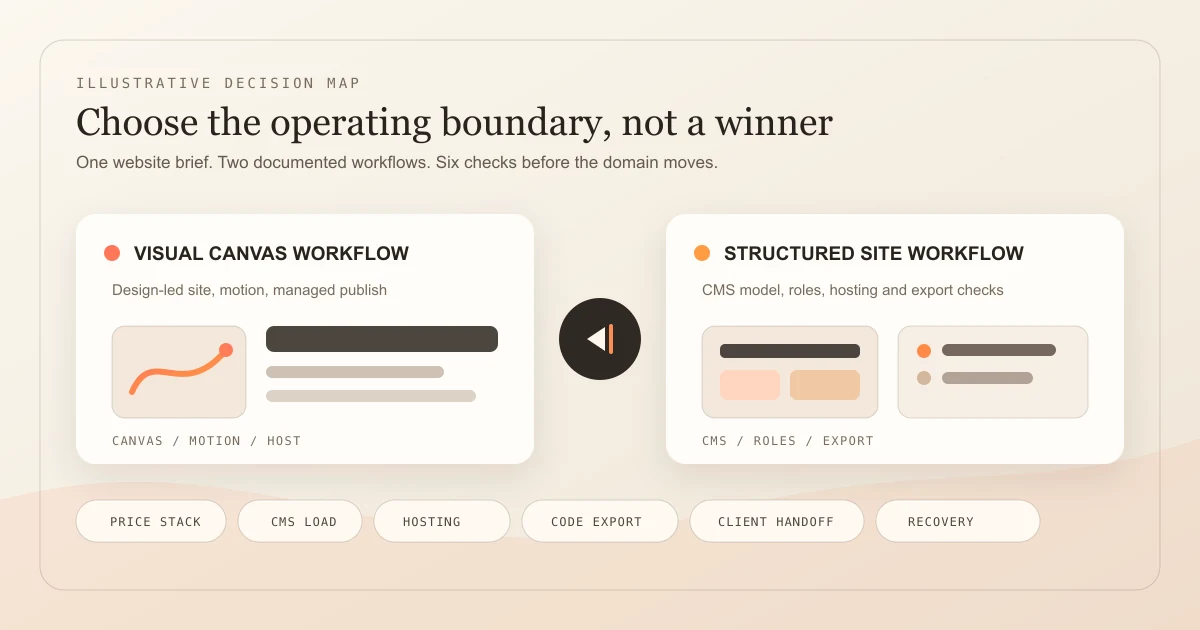
Compare the Same Production Site
Use one content model, traffic month, publishing workflow, and handoff scenario in both platforms. A polished homepage alone does not exercise the boundaries that create later switching cost.
Freeze the site and content model
List the static pages, CMS collections, item count, locales, forms, search, custom code, redirects, traffic, and update cadence. Mark which records must be editable by a content-only teammate.
Sources: [framer-pricing], [webflow-pricing], [webflow-cms]
Price the site and production meters
Calculate the annual site plan, workspace or editor seats, AI credits, bandwidth, CMS capacity, localization, and required add-ons. Use the intended account because Webflow plan transitions and Framer usage add-ons can change the checkout shown to an existing customer.
Sources: [framer-pricing], [framer-bandwidth], [framer-roles], [webflow-pricing], [webflow-plan-transition]
Exercise publish, export, and recovery
Publish to staging, make one reversible design and CMS change, inspect the documented restore path, then export every supported off-platform artifact. Record what is missing from the export and which restore actions can change identifiers or settings.
Sources: [framer-staging], [framer-version-history], [framer-export], [webflow-export], [webflow-backups]
Put ownership and access in writing
Create the project in the intended long-term workspace or document the transfer before launch. Confirm who owns the workspace, pays the plan, controls the domain, can publish, can restore, and retains access after the agency or employee leaves.
Sources: [framer-roles], [framer-transfer], [webflow-site-roles], [webflow-ownership], [webflow-client-payments]
What This Bilateral Owner Includes
This page compares the named platforms in either word order. Use the Framer alternative page or Webflow alternative page when the job is replacing one product with a broader shortlist. Generic best-builder intent stays with the existing category guides.
Included
- Current public annual site prices plus the separate workspace, editor, credit, bandwidth, CMS, and add-on meters visible in official sources
- The bilateral Framer-versus-Webflow selection job, including the reverse query Webflow vs Framer
- CMS, managed hosting, code export, ownership, client transfer, team access, publishing, and recovery boundaries
- A repeatable production-site check a buyer can run before moving a domain or content operation
Not included
- A universal winner, score, ranking, performance benchmark, Core Web Vitals result, uptime comparison, or support-quality conclusion
- Replacement intent owned by the Framer-alternative and Webflow-alternative pages
- A generic best website builder ranking, a tutorial for either product, or an agency-services comparison
- A claim that Webflow code export includes CMS, accounts, ecommerce, forms, localized content, or every hosted feature
- A claim that Framer provides an HTML export or that either platform’s editor history is an off-platform disaster-recovery copy
Ten Boundaries to Compare Before Launch
Read every criterion for both products. A simpler design workflow can increase hosting dependency, while a broader operating surface can add plan and governance complexity.
Design and build workflow
Shows whether the team wants a visual, motion-forward canvas or a structured site system with broader production controls.
CMS model and limit
Makes collection structure, item volume, API needs, and the content editor experience part of the decision.
Pricing stack
Separates the site subscription from workspace, seat, add-on, localization, and other charges.
Production meter
Identifies the bandwidth, CMS, page, AI-credit, and add-on limits that continue after launch.
Hosting and publishing
Clarifies the managed-hosting path, custom-domain requirement, staging path, and any separate application hosting surface.
Code export boundary
Prevents a downloadable frontend bundle from being confused with CMS data, forms, accounts, commerce, localization, or a complete migration.
Ownership and client handoff
Determines which workspace controls the site, billing, transfer, domain, and future access after an agency engagement ends.
Team access and publishing control
Separates viewing, design, content editing, billing, and production publishing permissions.
Version and recovery boundary
Distinguishes editor history, published-version rollback, site backups, CMS restore effects, and off-platform copies.
When to reopen the choice
Turns traffic, content, governance, ownership, and portability changes into a planned review instead of an emergency migration.
Framer and Webflow Production Boundary Matrix
These findings report documented behavior as of the verification date. They do not report observed output quality, reliability, speed, or support performance.
Framer
Best for: Design-led marketing teams that value fast visual composition, motion, managed publishing, and a compact site workflow more than off-platform HTML export.
Framer packages the visual editor, CMS, managed hosting, staging on Pro, AI-agent credits, and collaboration around a site subscription. Its current annual pricing starts at USD 10 per month for Basic and USD 30 per month for Pro. The important operating boundary is that published Framer sites depend on Framer hosting and are not exportable as standalone HTML.
| Criterion | Finding |
|---|---|
| Design and build workflow | Framer centers the workflow on a direct visual canvas, responsive breakpoints, components, motion, CMS content, and managed publishing. Pro adds staging and branching previews for production review. Sources: [framer-pricing], [framer-staging] |
| CMS model and limit | Current annual-plan pricing lists Basic with 2 CMS collections and 1,000 items, and Pro with 10 collections and 2,500 items. Pro add-ons can raise the documented ceiling to 40 collections and 40,000 items. Sources: [framer-pricing] |
| Pricing stack | The pricing page currently shows yearly-billed Basic at USD 10 per month and Pro at USD 30 per month. Additional editors are USD 20 each and content editors USD 10 each; localization, Convert, larger usage limits, and advanced hosting can add charges. Sources: [framer-pricing], [framer-roles] |
| Production meter | Basic currently includes 30 pages, 1,000 CMS items, 50 GB monthly bandwidth, and 1,000 monthly AI-agent credits. Pro includes 150 pages, 2,500 CMS items, 100 GB, and 3,000 credits, with published add-on ceilings and overage handling. Sources: [framer-pricing], [framer-bandwidth] |
| Hosting and publishing | Framer publishes to a managed Framer domain or connected custom domain. Pro supports a staged version on the base domain before deployment to the custom domain, and published versions can be selected for rollback. Sources: [framer-staging], [framer-export] |
| Code export boundary | Framer explicitly does not provide standalone HTML export for self-hosting because published sites depend on platform services including rendering, image optimization, font subsetting, and caching. Sources: [framer-export] |
| Ownership and client handoff | A project owner or workspace admin can transfer a project to another user. The site and connected custom domain remain live during transfer, but the existing site subscription is canceled on acceptance and the recipient selects a new plan when required. Sources: [framer-transfer] |
| Team access and publishing control | Framer separates workspace and project membership. Documented roles include Admin, Editor, Content Editor, Viewer, and project Owner, Editor, and Viewer; advanced permissions can separate Design, Content, and Deploy access. Sources: [framer-roles] |
| Version and recovery boundary | Framer file history stores view-only snapshots at decreasing frequency and lets teams copy prior content into the current canvas. Published versions can also be rolled back. Neither mechanism creates an independently hosted HTML copy. Sources: [framer-version-history], [framer-staging], [framer-export] |
| When to reopen the choice | Reopen the choice before CMS collections or bandwidth require material add-ons, before a self-hosting requirement appears, or before a client handoff if the current workspace and subscription owner are not the intended long-term owner. Sources: [framer-pricing], [framer-bandwidth], [framer-transfer], [framer-export] |
Tradeoffs
- The hosted workflow removes a separate hosting setup, but Framer explicitly does not provide HTML export for self-hosting.
- CMS, bandwidth, AI credits, editor seats, locales, testing, and advanced hosting can introduce separate limits or add-on charges.
- Version history, published versions, project transfer, and an off-platform copy are different recovery and ownership mechanisms.
Webflow
Best for: Teams that need a larger structured CMS, distinct content and publishing roles, client-workspace governance, or a bounded static site-code export path.
Webflow separates the hosted site from the workspace used to build and collaborate. Current new-site annual pricing lists Basic at USD 15 per month and Premium at USD 25 per month, while paid Workspace plans add staging capacity, AI credits, collaboration, and code export. That separation is powerful, but the buyer must price both layers when the workflow needs paid Workspace features.
| Criterion | Finding |
|---|---|
| Design and build workflow | Webflow combines a visual Designer with reusable classes, components, variables, CMS templates, interactions, and role-aware page building. Advanced page branching and approval controls depend on higher plan or enterprise access. Sources: [webflow-pricing], [webflow-site-roles] |
| CMS model and limit | The current Premium Site plan documents 40 CMS collections and 20,000 CMS items, plus CMS APIs and per-item publishing. Collection entries share a collection schema and generated template page. Sources: [webflow-pricing], [webflow-cms] |
| Pricing stack | Current annual pricing lists a Basic Site plan at USD 15 per month and Premium at USD 25 per month. Workspace Core is USD 19 per month and Growth is USD 49 per month when billed yearly; Site plans, Workspace plans, seats, and add-ons are distinct purchases. Sources: [webflow-pricing], [webflow-plan-transition] |
| Production meter | Basic currently includes 300 static pages and 10 GB bandwidth without CMS. Premium includes 300 static pages, 20,000 CMS items, 40 collections, and 50 GB bandwidth. Workspace AI credits currently step from 200 on Starter to 300 on Core and 400 on Growth. Sources: [webflow-pricing], [webflow-plan-transition] |
| Hosting and publishing | A paid Site plan connects a custom domain and managed Webflow hosting. Webflow also documents staging and controlled publishing, while its separate Webflow Cloud surface can deploy supported framework applications from GitHub with its own request, CPU, storage, and bandwidth meters. Sources: [webflow-pricing], [webflow-cloud], [webflow-site-roles] |
| Code export boundary | A paid Workspace can export HTML, CSS, JavaScript, and assets for external hosting. The export omits CMS, user accounts, ecommerce, localized content, code components, form processing, site search, and several hosted behaviors; CMS records can be exported separately as CSV. Sources: [webflow-pricing], [webflow-export] |
| Ownership and client handoff | Webflow treats the Workspace containing a site as its default owner. Client payments can let a client pay for the site and support transfer of an active plan to the client workspace, but billing responsibility alone does not grant ownership before transfer. Sources: [webflow-ownership], [webflow-client-payments] |
| Team access and publishing control | Workspace roles and site roles are separate. Site roles include Site manager, Designer, Marketer, Content editor, and Reviewer, with publishing controls and custom-role depth depending on the Workspace and enterprise plan. Sources: [webflow-site-roles], [webflow-pricing] |
| Version and recovery boundary | Webflow creates restore points automatically on every 50th autosave and allows manual backups. Paid Site plans have unlimited backups, but a restore can affect CMS item IDs, scheduled content, ecommerce inventory, reCAPTCHA keys, comments, and locale publishing state. Sources: [webflow-backups] |
| When to reopen the choice | Reopen the choice when bandwidth add-ons, CMS governance, Workspace collaboration costs, app-hosting usage, or the gap between a static code export and required hosted features becomes material. Sources: [webflow-pricing], [webflow-cloud], [webflow-export], [webflow-site-roles] |
Tradeoffs
- Separate Site and Workspace plans make hosting and collaboration explicit but can make the total harder to infer from one headline price.
- Static code export is useful, but it excludes CMS content and functionality, user accounts, ecommerce, forms, site search, code components, and localized content.
- Backups are integrated with the site and CMS, while restore can affect CMS identifiers, scheduled items, locales, comments, and other settings.
Decision Rules, Not a Universal Winner
Choose from the operating constraint that would be hardest to change later. Do not add scores across unrelated criteria.
The site is a motion-rich campaign, portfolio, or compact marketing site with a small content model.
Choose: Start with Framer and verify the exact page, CMS, bandwidth, credit, editor, and localization limits in the planned tier.
Tradeoff: The managed workflow is direct, but there is no standalone HTML export for self-hosting.
The site needs a larger structured CMS, content APIs, or more differentiated site roles.
Choose: Start with Webflow Premium plus the Workspace plan required for the team workflow.
Tradeoff: The larger operating surface can require separate Site, Workspace, seat, and add-on decisions.
Static HTML, CSS, JavaScript, and assets must be handed to another host.
Choose: Use Webflow only after a sample export proves that the required pages and interactions survive outside Webflow.
Tradeoff: CMS, accounts, ecommerce, forms, search, localized content, and other hosted behavior need separate replacement plans.
An agency is building a client-owned site.
Choose: Create the project in the client’s long-term workspace or complete and document the official transfer before launch.
Tradeoff: Transfer can change subscription or collaborator access, so domain, billing, and post-transfer editing must be rehearsed.
The site is becoming a stateful product with substantial server logic or operational records.
Choose: Treat that as a new application-platform decision rather than forcing the website-builder comparison to answer it.
Tradeoff: Both vendors have expanding application surfaces, but the required runtime, data, authorization, recovery, and export proof is a distinct job.
Test a third workflow
Describe one bounded site and the workflow behind it.
Playcode is not scored in this comparison. Use it only as a separate proof: name the pages, records, roles, denied action, publish path, and recovery test, then inspect what it builds and runs.
Start BuildingNo ranking claim. The site, content operation, ownership model, and next rung decide the fit.
See current Playcode pricing and plan boundaries.Use current plan terms for any separate Playcode proof.
Limits of This Comparison
Official documentation can define a product boundary without proving how well either vendor performs on a particular design, migration, or support case.
- No identical site was built, timed, operated, load-tested, migrated, or supported in both products for this article.
- Prices are public USD figures viewed on September 6, 2026; billing cycle, tax, region, legacy account status, add-ons, and negotiated terms can change checkout totals.
- CMS limits do not measure editorial usability, schema quality, migration effort, API reliability, or content-team satisfaction.
- A project transfer, editor history, published-version rollback, site backup, code export, and off-platform disaster-recovery copy are separate controls.
- Vendor security, performance, SEO, accessibility, or uptime statements are not an audit of the buyer’s published site.
Official Sources Checked September 6, 2026
Each price, product meter, export limit, ownership rule, team boundary, and recovery finding cites a first-party page. Recheck the sources and the intended account before purchase or migration.
[framer-pricing] Framer:Framer pricing
Checked September 6, 2026. Supports: Current annual site prices, pages, CMS collections and items, bandwidth, AI credits, editor pricing, seat limits, and add-ons.
[framer-bandwidth] Framer Help:Understanding bandwidth usage
Checked September 6, 2026. Supports: Monthly bandwidth measurement, included files, notification sequence, upgrades, and ongoing overage handling.
[framer-export] Framer Help:Can I export my website to HTML and self-host it?
Checked September 6, 2026. Supports: No standalone HTML export, platform-managed hosting dependency, custom domains, rendering, optimization, and caching.
[framer-staging] Framer Help:Staging and versions
Checked September 6, 2026. Supports: Version links, custom-domain staging, staged deployment, published-version selection, and rollback.
[framer-version-history] Framer Help:Revert to a previous working version
Checked September 6, 2026. Supports: View-only file snapshots, history cadence, and copying earlier content into the current canvas.
[framer-roles] Framer Help:Members, roles, and permissions
Checked September 6, 2026. Supports: Workspace and project membership, billed and free roles, granular Design, Content, and Deploy permissions, and publishing access.
[framer-transfer] Framer Help:Transfer a project to another user
Checked September 6, 2026. Supports: Transfer authority, site and domain continuity, recipient ownership, subscription cancellation, credit, and new-owner plan selection.
[webflow-pricing] Webflow:Webflow plans and pricing
Checked September 6, 2026. Supports: Current Site and Workspace prices, pages, CMS, bandwidth, AI credits, code export, collaboration, hosting, and add-ons.
[webflow-plan-transition] Webflow Help Center:Updated pricing and simplified plans for May 2026
Checked September 6, 2026. Supports: New Basic and Premium prices and limits, migration dates for existing accounts, bandwidth add-ons, Team bundling, and Workspace AI credits.
[webflow-cms] Webflow Help Center:Manage CMS Collections
Checked September 6, 2026. Supports: Collection schemas, items, generated Collection pages, URLs, fields, and structured content management.
[webflow-cloud] Webflow Help Center:Webflow Cloud overview
Checked September 6, 2026. Supports: GitHub-connected framework app hosting and separate request, CPU, storage, bandwidth, database, and plan limits.
[webflow-export] Webflow Help Center:Export Webflow site code
Checked September 6, 2026. Supports: Paid-Workspace code export, included files, excluded CMS and hosted features, separate CSV exports, and external-hosting behavior.
[webflow-backups] Webflow Help Center:Save and restore backups
Checked September 6, 2026. Supports: Automatic and manual restore points, plan limits, restore permissions, assets, CMS and ecommerce effects, comments, and locales.
[webflow-site-roles] Webflow Help Center:Site roles and permissions
Checked September 6, 2026. Supports: Workspace-to-site roles, Site manager, Designer, Marketer, Content editor, Reviewer, publishing controls, and backup access.
[webflow-ownership] Webflow Help Center:Site ownership
Checked September 6, 2026. Supports: Workspace-based site ownership, client-versus-agency control, billing distinction, transfer authority, and account-dispute limits.
[webflow-client-payments] Webflow Help Center:Client payments
Checked September 6, 2026. Supports: Client-paid Site plans and add-ons, active-plan transfer to a client Workspace, post-transfer access, billing continuity, and usage effects.
Framer vs Webflow FAQ
Is Framer better than Webflow?
Not universally. Framer is often the more direct documented fit for a design-led marketing site with motion and a compact content model. Webflow is often the stronger fit for a larger CMS, differentiated site roles, or bounded static code export. Test the actual site, meters, handoff, and recovery path before deciding.
Is Webflow better than Framer?
The reverse query has the same conditional answer and belongs to this page. Webflow may fit structured content and governance better, while Framer may fit a fast visual marketing workflow better. Neither conclusion is a universal product ranking or a substitute for the separate alternative pages.
Which costs less, Framer or Webflow?
Framer currently lists annual Basic at USD 10 per month and Pro at USD 30. Webflow lists annual Basic Site at USD 15 and Premium at USD 25, but a paid Workspace can be needed for code export and advanced collaboration. Add editors, AI credits, bandwidth, CMS, locales, and required add-ons before comparing totals.
Which has the larger CMS, Framer or Webflow?
Current public allowances favor Webflow Premium for larger structured content: 40 collections and 20,000 items. Framer Pro lists 10 collections and 2,500 items before add-ons, with published add-on ceilings of 40 collections and 40,000 items. Volume alone does not prove the better editorial workflow or migration path.
Can Framer or Webflow export website code?
Framer says it does not export standalone HTML for self-hosting. Webflow offers HTML, CSS, JavaScript, and asset export on paid Workspaces, but excludes CMS content and functionality, accounts, ecommerce, localized content, code components, forms, search, and other hosted behavior. A sample export should be part of procurement.
How do Framer and Webflow handle client ownership?
Both document transfer paths, but the account model matters. Framer can transfer a live project and domain while canceling the old subscription on acceptance. Webflow treats the containing Workspace as owner; client payments can support a paid-site handoff. Put the site in the client’s long-term workspace or document transfer before launch.
How do Framer and Webflow recover earlier versions?
Framer provides file version history plus published versions and rollback. Webflow creates automatic and manual site backups with preview and restore. Neither should be confused with a complete independent copy. Webflow restores can affect CMS identifiers and settings, while Framer does not provide an off-platform HTML export.
Does this page also target Webflow vs Framer?
Yes. “Framer vs Webflow” and “Webflow vs Framer” express the same bilateral platform decision, so one dated canonical owner serves both directions. The alternative pages remain separate because replacement intent asks for a broader shortlist, not only a two-product choice.
Press play on the proof
Build the smallest site that exercises the real operating boundary.
Start with one CMS collection, two roles, one denied publish action, one custom-domain path, and one recovery test. That evidence is more useful than a feature score.
Start BuildingKeep editor history, site backup, code export, data export, and whole-site recovery as separate checks.