QUICK ANSWER
Should you build a PWA or a native app?
Build an installable progressive web app when a browser install, a home-screen icon, and standard web capabilities cover the job. Build a native app when the workflow needs iPhone push without a home-screen install, local data that survives weeks without opening the app, deeper device access, or a store listing as the distribution channel. Many products ship the web app first and add native later.
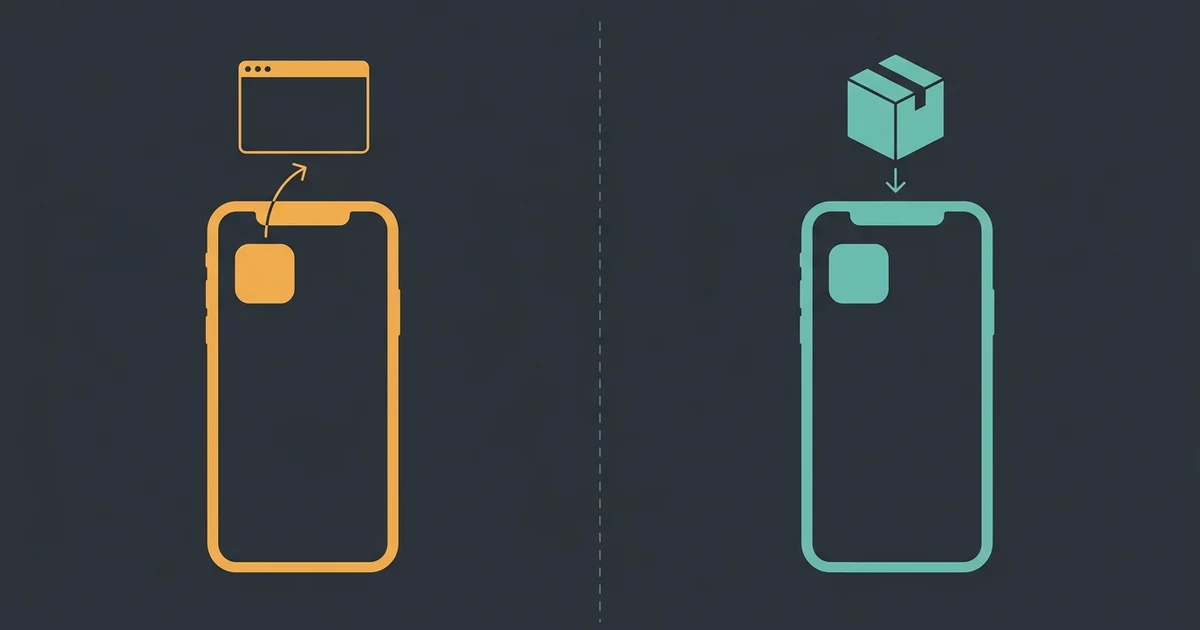
A progressive web app is a website that a supporting browser can install to the home screen, dock, or app list, where it launches in its own window. A native app is a signed binary distributed through the Apple App Store or Google Play. Both put an icon on a phone. They differ in who is allowed to install them, what they may do when closed, how long their local data survives, and who has to approve the next release.
This guide is narrower than the channel question. If you are still deciding whether the product should be a browser app at all, read web app vs mobile app first. This page assumes you want an app-like experience and are choosing how it gets onto the device.
Every capability statement below carries a dated first-party source, stated per browser and per platform. Install eligibility, display mode, push permission, offline storage survival, and background delivery are separate claims with separate support, and a capability that works in one Chromium browser is not evidence that the web platform supports it everywhere.
How to run this decision in four passes
Work from hard requirements to sourced capability checks to obligations. A preference is not a requirement, and a capability that exists somewhere is not a capability that exists on your users devices.
Name the capabilities the workflow cannot work without
Write down the specific behaviors, not the category. "Notifies the user when a shift changes, even if the app is closed" is a requirement. "Feels native" is not. Separate install, launch appearance, push, offline reading, offline writing, data survival, background delivery, and device sensors, because each has its own support story.
Sources: [mdn-pwa-install], [webkit-ios-web-push], [mdn-background-sync], [mdn-storage-eviction]
Check every capability per browser and per operating system
Resolve each requirement against the browsers and OS versions your users actually run, not against "the web platform". Install promotion, display mode, install prompts, push permission, and storage policy are decided by the specific browser on the specific operating system, and the same browser brand can behave differently on two platforms.
Sources: [mdn-pwa-install], [mdn-manifest-display], [mdn-push-api], [webkit-ios-web-push]
Decide whether the store is a channel or a requirement
A store listing is a distribution decision with a policy attached. Read the guideline that will be applied to your app before you commit to the path, especially the minimum-functionality rule, because an app that only repackages a website is the classic rejection and no amount of build work fixes it.
Sources: [apple-review-guidelines], [mdn-pwa-install]
Price the accounts, credentials, and release obligations
The native path adds developer accounts, signing credentials, store metadata, privacy declarations, and a release that other people approve. The web path adds HTTPS hosting, a manifest, and cross-browser testing. Count the recurring work, not just the first build.
Sources: [expo-eas-build], [expo-eas-submit-ios], [playcode-cloud]
What this comparison covers, and what it deliberately does not
The two options are both "an icon on a phone". The comparison is about the rules attached to each icon.
Included
- An installable progressive web app: served over HTTPS with a web app manifest, installed by a supporting browser to the home screen, dock, or app list
- A native app compiled into a signed binary and distributed through the Apple App Store or Google Play
- A staged path that ships the installable web app now and adds a native app when a named requirement forces it
- Install eligibility, display mode, push permission, offline storage survival, background delivery, store policy, release unit, and account obligations, each stated per browser and per platform
Not included
- The broad web app versus mobile app channel decision, which /blog/web-app-vs-mobile-app owns. This guide starts after you have decided you want an app-like experience
- How to implement a progressive web app. The manifest, service worker, caching, and offline data work live in /blog/how-to-build-a-progressive-web-app
- Desktop application packaging, installer signing, notarization, and desktop stores
- Any performance, battery, install-rate, or retention benchmark. None was run for this comparison
- Any prediction of an App Review or Google Play review outcome or duration
Eight criteria that actually separate the two
Read the whole matrix before choosing. Most bad decisions here come from resolving one criterion, usually push, and assuming the rest follow.
Install eligibility and the install path
Who can install, and whether the browser offers it or the person has to know a menu, decides how many people ever get an icon. The rules differ by browser and by operating system, not by "the web".
Launch surface and display mode
An icon that opens a browser tab is a bookmark. An icon that opens a separate window with its own app switcher entry is what people mean by an app, and it depends on a manifest value a browser may override.
Push notifications and permission
Re-engagement is the most common reason teams give for going native, and it is the claim with the sharpest platform split. iPhone behaves differently from Android and from desktop.
Offline behavior and whether stored data survives
Caching data is easy. Keeping it is the real contract, and one browser deletes script-written data for origins the user has not touched recently.
Device access and background work
Work that must happen while the app is closed is a different capability from work that happens while it is open, and browser support for the background case is uneven.
Distribution, discovery, and store policy
A URL is found by search; a store listing is found by store search. Choosing the store also means accepting a reviewer applying written policy to your app.
Release, update, and rollback unit
One path ships whenever you deploy. The other ships a binary that a reviewer approves and a user chooses to update, which means several versions of your app exist at once.
Accounts, ongoing obligations, and cost
Developer accounts, signing credentials, store metadata, and privacy declarations are recurring work that does not appear in a build estimate.
Install Rules Matrix
Three paths, eight criteria, every cell sourced. The third option exists because it is what most products should do, and because both halves are real work rather than a hedge.
Installable progressive web app
Best for: A product people reach from a link, use mostly while it is open, and want on their home screen. Internal tools, booking and ordering flows, dashboards, member portals, and anything discovered through search rather than through a store.
A normal HTTPS web app plus a manifest, installed by the browser. No store record, no signing, no review. What it may do is decided by the browser the person happens to use, which is the whole point of the matrix below.
| Criterion | Finding |
|---|---|
| Install eligibility and the install path | Install requires HTTPS, or localhost during development. Chromium browsers additionally require a manifest with name or short_name, icons including a 192px and a 512px entry, start_url, display or display_override, and prefer_related_applications either false or absent. Desktop: Chromium browsers install manifest-carrying apps on every supported desktop OS; Safari supports Add to Dock on macOS Sonoma with Safari 17 and later, with or without a manifest; Firefox does not support installing PWAs using a manifest file. Mobile: on Android, Chrome, Edge, Firefox, Opera and Samsung Internet all support installing; on iOS 16.3 and earlier only Safari can install, and from iOS 16.4 the Share menu in Safari, Chrome, Edge, Firefox and Orion can. A custom in-page install button using the beforeinstallprompt event is not supported on iOS at all, so on iPhone the install is always something the user does from a menu. Sources: [mdn-pwa-install] |
| Launch surface and display mode | The manifest display member chooses fullscreen, standalone, minimal-ui, or browser, and the default when it is absent is browser, which means a plain tab. A browser that does not support the requested mode falls back down the chain fullscreen, standalone, minimal-ui, browser, and may override the mode for its own reasons. On iOS and iPadOS a site whose manifest sets display to standalone or fullscreen opens as a web app with its own App Switcher entry; without that manifest value, or without the older web-app meta tag, adding to the Home Screen produces a bookmark that opens in the default browser instead. Style against the display-mode media feature rather than assuming the mode you asked for. Sources: [mdn-manifest-display], [webkit-ios-web-push] |
| Push notifications and permission | The Push API has been Baseline widely available across browsers since March 2023 and needs an active service worker to receive anything. On iOS and iPadOS, Web Push arrived in 16.4 and is only available to a web app the user has added to the Home Screen; the permission request must come from a direct user interaction such as tapping a subscribe button, and no Apple Developer Program membership is required. The same standards-based Web Push landed for macOS in Safari 16.1. Delivery limits differ: Firefox applies a quota to push messages, exempting those that generate a notification and refreshing it on each site visit, while Chrome applies no such limit. Sources: [mdn-push-api], [webkit-ios-web-push] |
| Offline behavior and whether stored data survives | Storage is generous and then conditionally deleted. Since macOS 14 and iOS 17, WebKit allows a browser-app origin roughly 60% of total disk, an origin inside another app WebView roughly 15%, and a site saved as a web app on the Home Screen or Dock gets the browser-app allowance. The catch is proactive eviction: Safari, with cross-site tracking prevention on, deletes an origin data created from script if the user has not clicked or tapped in that origin during the last seven days of browser use, and server-set cookies are the only exemption. Under storage pressure every browser evicts least-recently-used origins, skipping origins granted persistence through navigator.storage.persist. When an origin is evicted, all of its data goes at once, not part of it. Treat the server as authoritative and local storage as a cache you can lose. Sources: [mdn-storage-eviction] |
| Device access and background work | Work while the app is open is ordinary web work. Work while it is closed is not uniformly available: the Background Synchronization API, which defers a failed request to a service worker until connectivity returns, is documented by MDN as limited availability and explicitly not Baseline because it does not work in some of the most widely-used browsers. Push is the reliable background path, and it is a message that wakes a service worker, not a general background job. Design the queue so a user reopening the app is what flushes it, and treat any background completion as a bonus. Sources: [mdn-background-sync], [mdn-push-api] |
| Distribution, discovery, and store policy | Distribution is a URL. Anyone can open it, search engines can index it, and there is no reviewer between you and the user. A supporting browser promotes the install when the criteria are met, and the Android install prompt is the only one that shows the manifest description and screenshots to give people a reason to accept. If you later want a store listing, PWAs can be packaged for Google Play, the Microsoft Store, and the Meta Quest Store, and tooling exists for the iOS App Store, but packaging moves you under store policy rather than around it. Sources: [mdn-pwa-install], [apple-review-guidelines] |
| Release, update, and rollback unit | You deploy and everyone has the new version on next launch. There is no approval step and no per-user update decision, which also means there is no gate to catch a bad release for you. The real versioning hazard is the service worker: an installed client can keep serving an old cached shell against a new API until the worker updates, so version the client and server contract deliberately and make the update path visible. Sources: [playcode-cloud], [mdn-pwa-install] |
| Accounts, ongoing obligations, and cost | No developer accounts, no signing credentials, no store metadata, and no privacy declarations. The recurring cost is HTTPS hosting, a domain, and cross-browser testing, because the browser matrix is the thing that will surprise you. Playcode Cloud covers the hosting side: HTTPS, custom domains, a real backend and database, and snapshots that restore code, files, and database together. Sources: [playcode-cloud] |
Tradeoffs
- You keep URL distribution, search discovery, and one release for everyone, while accepting that install, push, and storage behave differently on iPhone than on Android and desktop.
- You avoid developer accounts and review entirely, while giving up the store as a discovery channel and giving up any capability the browser does not expose.
- Nothing stops you packaging the same web app for a store later, but a packaged web app inherits the store policy that rejects apps which only repackage a website.
Store-distributed native app
Best for: A product whose core job needs iPhone push without asking for a home-screen install, local data that must survive weeks of disuse, deeper device access, or a store listing because that is where the audience or a partner expects to find it.
A signed binary reviewed by Apple or Google and installed from a store. You gain the platform capability surface and the store as a channel; you take on developer accounts, signing, review, and several live versions of your app at once.
| Criterion | Finding |
|---|---|
| Install eligibility and the install path | Installation is a store transaction, not a browser decision, so there is no per-browser eligibility matrix to reason about. The gate moves earlier instead: Apple Developer Program membership is required to build for the App Store and Google Play Developer membership is required to distribute on Google Play, and both are accounts the app owner must hold before the first build. Sources: [expo-eas-build] |
| Launch surface and display mode | The app owns its window, its launch behavior, its app-switcher entry, and its icon by construction. There is no manifest to be overridden and no fallback chain. This is the one criterion where native wins outright and where the win is also the smallest, because a correctly configured standalone web app looks the same to most users. Sources: [mdn-manifest-display] |
| Push notifications and permission | Push works from a normal store install on both platforms, with no requirement that the user first add anything to the Home Screen. That is the substantive difference on iPhone: a web app can send push, but only after the person installs it from a Share menu and grants permission from a direct interaction, and only from iOS 16.4 onwards. If your re-engagement plan cannot survive that funnel, the requirement is real. Sources: [webkit-ios-web-push], [mdn-push-api] |
| Offline behavior and whether stored data survives | App storage is not subject to the browser eviction rules above. There is no seven-day tracking-prevention deletion of app data and no per-origin browser quota; the operating system reclaims space under its own policy and the user can clear or delete the app. If the requirement is that a field worker opens the app after three weeks and still finds their queued records, this is the honest reason to choose native, not a preference for it. Sources: [mdn-storage-eviction] |
| Device access and background work | Background execution and device access are platform capabilities with platform rules rather than a support matrix that varies by browser. They are still bounded: both platforms limit what runs when the app is closed, and both require declared permissions and a user grant. Choose native for this reason only when the background job is named and testable, not because background work sounds more possible. Sources: [mdn-background-sync] |
| Distribution, discovery, and store policy | You gain store search and store trust, and you accept written policy applied by a reviewer. Apple guideline 4.2 requires features, content, and UI that elevate the app beyond a repackaged website, and 4.2.2 excludes apps that are primarily web clippings or content aggregators. Guideline 4.2.6 states that apps created from a commercialized template or app generation service are rejected unless submitted directly by the provider of the app content, which is why the app must ship under your own account and you press submit yourself. Sources: [apple-review-guidelines] |
| Release, update, and rollback unit | A release is a binary that a reviewer approves and a user chooses to install, so several versions of your app are live at once and your backend has to keep serving all of them. Review takes days and can bounce, with no promised duration and no promised outcome. Cloud builds remove the machine constraint but not the approval constraint: Expo documents that EAS Submit runs on macOS, Linux, and Windows, so no Mac is needed to ship an iOS build. Sources: [expo-eas-submit-ios], [apple-review-guidelines] |
| Accounts, ongoing obligations, and cost | Two developer accounts, each with a fee set by the vendor and each with identity, tax, and banking checks that take time. Add signing credentials, store listings, screenshots, and privacy declarations per platform, then repeat a slice of that for every release. Check the current developer-account price on Apple and Google own enrolment pages; anyone quoting it from memory is quoting a number that has already changed. Sources: [expo-eas-build], [expo-eas-submit-ios] |
Tradeoffs
- You get uniform platform behavior and store discovery, while accepting two review processes, two sets of policy, and a release you do not fully control.
- You get notifications and background capabilities that do not depend on the user installing anything from a browser menu, while accepting that every fix now waits for review and for users to update.
- You own the app under your own developer accounts, which is both a cost and the reason you can leave any builder without losing the app.
Installable web app first, native app when a rule forces it
Best for: Most products. You do not yet know whether the push funnel on iPhone is acceptable, whether anyone will search the store for you, or whether the offline requirement is real, and the web app answers all three cheaply.
Ship the installable web app, keep the server authoritative, and record in advance the single measured condition that would trigger native work. When it triggers, the native app reuses the same backend and the same accounts rather than starting over.
| Criterion | Finding |
|---|---|
| Install eligibility and the install path | Meet the Chromium manifest requirements and serve over HTTPS so the install is available everywhere it can be, then instrument the funnel. On iPhone the install cannot be triggered from your own button, so measure how many people complete the Share-menu path before concluding anything about demand for an app. Sources: [mdn-pwa-install] |
| Launch surface and display mode | Set display to standalone from the start. On iOS that value is what makes the Home Screen icon open as a web app with its own App Switcher entry instead of a bookmark in the default browser, and it costs nothing to get right on day one. Sources: [mdn-manifest-display], [webkit-ios-web-push] |
| Push notifications and permission | Implement standards-based Web Push once and let it work where it works: desktop Safari from 16.1, iOS and iPadOS Home Screen web apps from 16.4, and Chromium and Firefox per the Baseline support the Push API has had since March 2023. Ask for permission from a real user action. If the measured iPhone opt-in through the Share-menu funnel is too low for the business, you now have the trigger for native rather than an argument about it. Sources: [mdn-push-api], [webkit-ios-web-push] |
| Offline behavior and whether stored data survives | Design as if local data will be deleted, because on Safari it will be if the user does not open the app for seven days of browser use. Keep the server authoritative, request persistence where it is available, make queued writes idempotent so a replay after eviction is safe, and show the user what is queued rather than pretending it is saved. Sources: [mdn-storage-eviction] |
| Device access and background work | Build the queue to flush on next open and treat any background sync as an optimization, since MDN records the Background Synchronization API as limited availability and not Baseline. If a named job genuinely must complete while the app is closed, that is a native trigger; if it can wait for the next launch, it is not. Sources: [mdn-background-sync] |
| Distribution, discovery, and store policy | Use search and links as the channel first, because that is the only channel where you own the outcome. Move to a store when there is evidence people look for you there, and read guideline 4.2 before you do: if the native app would be the same screens in a shell, it will be refused, and the fix is product work, not packaging. Sources: [apple-review-guidelines], [mdn-pwa-install] |
| Release, update, and rollback unit | Version the API from the first day rather than when the store forces you to. The web client can be updated in one deploy; a store client cannot, and the moment a native app exists your backend has to support versions you no longer ship. Building that contract early is what makes the later native release cheap. Sources: [playcode-cloud], [expo-eas-submit-ios] |
| Accounts, ongoing obligations, and cost | Pay for hosting and a domain now and open developer accounts when the trigger fires, not before. In a Playcode project the mobile app lives beside the web frontend and the same backend, so a person who signed up on the site signs in on the phone, and the native release adds accounts and review rather than a second product. Sources: [playcode-cloud], [expo-eas-build] |
Tradeoffs
- You get evidence before you buy developer accounts and review cycles, while accepting that the first version carries the browser matrix and its iPhone install funnel.
- You keep one backend and one set of user accounts across both surfaces, while accepting that you will eventually operate two clients and two release rhythms.
- You avoid rebuilding the product to go native, while accepting that a native app is genuine additional work rather than an export of the web one.
Six rules that resolve the choice
Each rule is a hard gate or a stop condition. If none of the gates fire, the third option is the answer.
Push to iPhone users is central to the product, and you cannot rely on people installing the app from the Safari Share menu first
Choose: Choose the native app. This is the single clearest capability gate in the comparison, because iOS Web Push exists only for Home Screen web apps and only from iOS 16.4.
Tradeoff: You gain notifications from a normal store install, and you take on two developer accounts, signing, review, and a release that other people approve.
Local data must still be there when someone opens the app after weeks of not touching it, including on iPhone and Safari
Choose: Choose the native app, or redesign so the server is authoritative and the client can rebuild its state from it after a wipe.
Tradeoff: Native removes the browser eviction rule; the server-authoritative redesign keeps you on the web path but requires the app to be usable while it refetches.
The store itself is the distribution channel, because your audience searches it or a partner, employer, or procurement process requires a listing
Choose: Choose the native app and budget the store work as a permanent line item, not a one-off launch task.
Tradeoff: You gain a channel you do not control and lose the ability to fix a bug in one deploy.
The proposed native app would be the same screens in a shell, with nothing that uses the device
Choose: Stop. Apple guideline 4.2 refuses apps that do not elevate beyond a repackaged website, and 4.2.2 excludes web clippings. Ship the installable web app and find the device-side feature that would justify a binary.
Tradeoff: You postpone the store listing and avoid paying for accounts, build work, and a rejection that no amount of resubmission fixes.
Nobody on the team can name the specific capability that the browser cannot provide
Choose: Ship the installable web app and write down, in advance, the measured condition that would trigger native work. An install-funnel number or a push opt-in rate is a trigger; a feeling is not.
Tradeoff: You reach real users faster and accept that if the trigger fires you will do the native work later, at full price.
You need the app-like launch experience and nothing else on the list applies
Choose: Ship the installable web app with display set to standalone, and check the display-mode media feature rather than assuming the browser honored it.
Tradeoff: You get the icon and the separate window for the cost of a manifest, and you accept that Firefox on desktop will not install it and that iPhone users install from a menu.
TEST THE GATE, NOT THE OPINION
Ship the installable web app and measure the one thing that would force native
Describe the product and Playcode builds the web app with a real backend, a database, HTTPS, and a custom domain. Add the manifest, install it on a phone, and see whether the install funnel and the push opt-in clear your bar before you buy developer accounts.
Start BuildingThe manifest, service worker, and offline behavior are project code you own and can export.
What this comparison cannot tell you
The matrix is a capability and obligation model built from documentation. It is not a measurement of your product.
- Browser and operating-system behavior changes. Recheck each first-party source and test the exact browser and OS versions your users run before you commit.
- A capability in one Chromium browser is not proof of web-platform support. Install, display mode, push, storage survival, and background delivery are separate claims with separate support, and this guide states them separately for that reason.
- The iOS statements here start at specific versions: install from third-party browsers and Web Push from iOS and iPadOS 16.4, and the WebKit storage quotas from macOS 14 and iOS 17. Older versions behave differently and were not tested.
- No performance, battery, install-rate, push opt-in, retention, or revenue benchmark was run. Where the guide says to measure a funnel, that is because nobody can give you the number.
- Store policy is written text applied by a human reviewer. Citing a guideline explains the rule; it does not predict an outcome, a duration, or an appeal result.
- Playcode statements describe what the product does. They are not a promise about your review, your rankings, or your adoption.
Primary sources, per claim, with the date each was read
Each finding above cites the source that supports it. All were read on 2026-08-16; the vendor pages themselves carry their own publication dates.
[mdn-pwa-install] MDN Web Docs:Making PWAs installable
Checked August 16, 2026. Supports: Chromium manifest requirements including the 192px and 512px icons; the HTTPS, localhost, or loopback requirement; desktop support for Chromium, Safari Add to Dock on macOS Sonoma with Safari 17, and the absence of manifest-based install in Firefox; Android install support across Chrome, Edge, Firefox, Opera, and Samsung Internet; iOS 16.3 Safari-only install and iOS 16.4 Share-menu install from Safari, Chrome, Edge, Firefox, and Orion; beforeinstallprompt not being supported on iOS; description and screenshots showing in the install prompt on Android only; and the app-store packaging routes for PWAs.
[mdn-manifest-display] MDN Web Docs:display: web app manifest reference
Checked August 16, 2026. Supports: The fullscreen, standalone, minimal-ui, and browser display modes; browser as the default when display is absent; the fullscreen to standalone to minimal-ui to browser fallback chain; the browser right to override the mode; and the display-mode media feature reflecting the mode actually applied.
[webkit-ios-web-push] WebKit, 16 February 2023:Web Push for Web Apps on iOS and iPadOS
Checked August 16, 2026. Supports: Web Push arriving for Home Screen web apps in iOS and iPadOS 16.4; the requirement that the permission request follow a direct user interaction; no Apple Developer Program membership being needed for Web Push; the same standards-based Web Push having shipped in Safari 16.1 for macOS Ventura; a manifest with display set to standalone or fullscreen being what makes a Home Screen icon open as a web app rather than a bookmark; and third-party browsers gaining Add to Home Screen in 16.4.
[mdn-push-api] MDN Web Docs:Push API
Checked August 16, 2026. Supports: The Push API being Baseline widely available and supported across browsers since March 2023; the requirement for an active service worker before a subscription can exist; the endpoint being a capability URL that must be kept secret; and the delivery-quota difference where Firefox limits push messages, exempting those that generate a notification, while Chrome applies no limit.
[mdn-background-sync] MDN Web Docs:Background Synchronization API
Checked August 16, 2026. Supports: Deferring failed requests to a service worker until connectivity returns, and the MDN baseline status of limited availability, explicitly not Baseline because the API does not work in some of the most widely-used browsers.
[mdn-storage-eviction] MDN Web Docs:Storage quotas and eviction criteria
Checked August 16, 2026. Supports: WebKit quotas from macOS 14 and iOS 17 of roughly 60% of disk per origin in a browser app, roughly 15% in an embedded WebView, and the browser-app allowance for a site saved as a web app on the Home Screen or Dock; Safari proactive eviction of script-created data for origins with no user interaction in the last seven days of browser use when cross-site tracking prevention is on, with server-set cookies exempt; least-recently-used eviction under storage pressure skipping origins granted navigator.storage.persist; and eviction deleting all of an origin data at once.
[apple-review-guidelines] Apple Developer:App Store Review Guidelines
Checked August 16, 2026. Supports: Guideline 4.2, which requires features, content, and UI that elevate an app beyond a repackaged website; 4.2.2, which excludes apps that are primarily marketing materials, web clippings, content aggregators, or a collection of links; and 4.2.6, which rejects apps created from a commercialized template or app generation service unless submitted directly by the provider of the app content.
[expo-eas-build] Expo Documentation:Create your first build with EAS Build
Checked August 16, 2026. Supports: Apple Developer Program membership being required to build for the Apple App Store and Google Play Developer membership being required to distribute on the Google Play Store, and EAS generating or reusing the app signing credentials for both platforms.
[expo-eas-submit-ios] Expo Documentation:Submit to the Apple App Store with EAS Submit
Checked August 16, 2026. Supports: EAS Submit running on macOS, Linux, and Windows so that no Mac is required to ship an iOS build, the upload landing in App Store Connect, and releasing to production being a separate submission for App Review carried out in App Store Connect.
[playcode-cloud] Playcode:Playcode Cloud
Checked August 16, 2026. Supports: The current Playcode web runtime boundary used in the matrix: a real backend and database per project, persistent files, HTTPS publication, custom domains, preview links, and snapshots that restore code, files, and database together, within current plan limits.
PWA and native app questions
Can a PWA send push notifications on iPhone?
Yes, with two conditions. Web Push arrived for iOS and iPadOS in 16.4 and works only for a web app the user has added to the Home Screen, and the permission request must come from a direct user interaction such as tapping a subscribe button. No Apple Developer Program membership is needed. If your product cannot survive that install funnel, treat it as a native requirement rather than an argument.
Is a PWA the same thing as a mobile app?
No. An installed PWA can look like one: it gets an icon and, with display set to standalone, its own window and app-switcher entry. It is still web code running in a browser engine, so its capabilities are whatever that browser exposes on that operating system. A native app is a signed binary with platform capabilities and a store listing.
Will my PWA install on every browser?
No, and this is the most common wrong assumption. Chromium browsers install manifest-carrying apps on desktop and Android. Safari supports Add to Dock on macOS Sonoma with Safari 17 and later. Firefox does not support installing PWAs using a manifest file on desktop, though Firefox for Android does. On iOS the install happens from the Share menu, and from 16.4 third-party browsers can offer it too.
Can a PWA work offline like a native app?
It can cache and queue, but the data contract is different. Safari with cross-site tracking prevention deletes script-created data for an origin the user has not interacted with in the last seven days of browser use. Design for that: keep the server authoritative, make queued writes safe to replay, show what is queued, and request storage persistence where the browser offers it.
Do I need a developer account for a PWA?
Not for a browser install, and not for Web Push. You need HTTPS, a manifest, and a domain. Developer accounts become necessary the moment you want a store listing: an Apple Developer Program membership to build for the App Store and a Google Play Developer account to distribute on Play. Both charge a fee set by the vendor.
Will Apple reject a native app that is really just my website?
That is the classic rejection. Guideline 4.2 requires features, content, and UI that elevate the app beyond a repackaged website, and 4.2.2 excludes apps that are primarily web clippings or content aggregators. The fix is product work on the device side, not a different packaging tool. No one can predict a review outcome or a review duration.
Does Playcode build PWAs or native apps?
Both, and they are different jobs. Playcode builds and hosts the web app, with HTTPS, a custom domain, a real backend and database, and snapshots; the manifest, service worker, and offline behavior are project code you own. Playcode also builds React Native apps in the same project, sharing the same backend and the same user accounts.
If I start with a PWA, do I have to rebuild to go native?
You rebuild the client, not the product. The backend, database, business rules, and user accounts carry over, which is most of the work. In a Playcode project the mobile app sits beside the web frontend and calls the same backend, so someone who signed up on the site signs in on the phone with the same account.
Who submits the app to the store?
You do, from your own developer accounts. Apple guideline 4.2.6 states that apps created from a commercialized template or app generation service are rejected unless submitted directly by the provider of the app content. An agent can configure the build, run it, draft the listing, and capture screenshots. Pressing submit is yours, and so is the app.
Build it on Playcode
One project, one backend, whichever client the decision points to
Playcode builds the web app that can be installed, and it builds real React Native apps in the same project against the same backend and the same user accounts. When the trigger fires, the native app is a new client, not a new product.
Start BuildingNo credit card required. Apple and Google developer accounts stay yours, and you press submit yourself.