Rork keeps turning up in searches for AI app builders, usually with no explanation attached. This guide answers the plain question first: what Rork is, who makes it, what it actually produces, and where its scope ends. Every statement about Rork below is quoted from its own published pages, read on 16 August 2026, and attributed so you can check it.
The second half is a procedure rather than an opinion. It is how to evaluate any AI mobile app builder in one afternoon, using your own idea, so you find out what a tool does before you find out what it costs. This article does not rank tools and does not claim Rork was tested.
QUICK ANSWER
What is Rork AI?
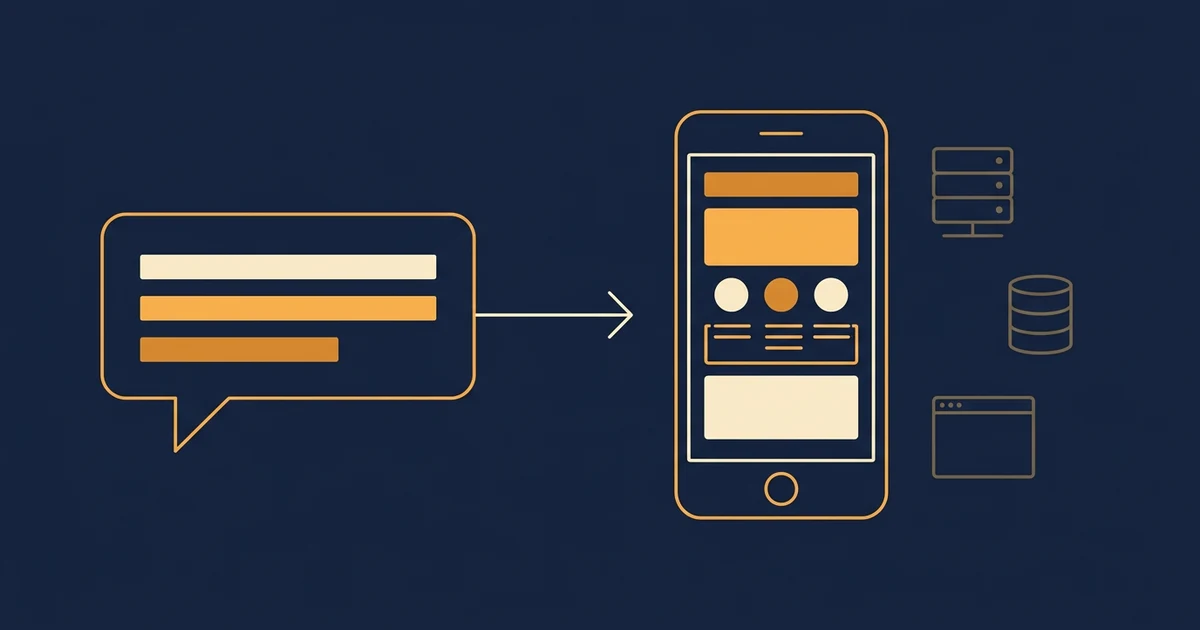
Rork is an AI app builder from Rork, Inc. that turns a plain-English description into a mobile app. Its published FAQ, read on 16 August 2026, describes two modes: Rork Pro, which builds cross-platform React Native and Expo apps for iOS, Android and web, and Rork Max, which builds native SwiftUI apps for Apple platforms.
Know these four things before you open any AI app builder
The tools differ far less on the first screen than on the third. These are the questions that decide which one fits, and none of them are answered by a pricing page.
- The one thing your app must do on a phone: Not the feature list. The single action a person opens the app to perform, written as a sentence with a person in it. If that action does not need a camera, a location, a notification or something saved offline, you may be describing a website rather than an app.
- Where the data is going to live: Every mobile app that remembers anything needs a server and a database somewhere. Some builders generate the app and expect you to connect a separate data service; others include one. Knowing which arrangement you want stops you discovering it halfway through.
- Whether the stores are the goal, and whose accounts they will use: Publishing to the App Store or Google Play means your own developer accounts, identity checks and paperwork, on any tool. Rork states in its FAQ, read 2026-08-16, that you will need an Apple Developer Account to publish, and that Rork Pro also needs an Expo account for the build.
- How much you will need to change it after launch: An app you ship once is a different purchase from an app you will edit weekly. Most AI builders meter the changing, not the running, so your real cost follows how often you expect to iterate.
Four shapes an AI-built mobile app can take
Before comparing tools, decide which of these you are buying. Rork describes itself as covering the first two: its FAQ says Rork Pro builds cross-platform apps with React Native and Expo, and Rork Max builds native SwiftUI apps for iPhone, iPad, Apple Watch and Vision Pro. Rork FAQ, read 16 August 2026.
| Approach | Best for | Tradeoff |
|---|---|---|
| Cross-platform app, data service connected separately | One codebase that runs on iPhone and Android, where you are comfortable wiring a data service to it. Rork places Rork Pro here: its FAQ says you can ask it to integrate Supabase or Firebase, and describes Rork Backend as serverless functions that can call third-party APIs or connect to external databases. | The app and the data are two accounts, two bills and two places to look when something breaks. That is a normal arrangement, but it is an arrangement you now own. |
| Native Apple-only app | iPhone-first products that want platform features. Rork says Rork Max builds SwiftUI apps compiled with Xcode on Macs it runs in the cloud, and lists widgets, Live Activities, Dynamic Island, Siri intents, HealthKit and ARKit among what it unlocks. | Rork states that Rork Max apps are iOS-only and cannot be published to Google Play, and that its Max tier sits on its $200+ per month plans. One platform, higher ceiling, higher price. |
| One project holding the app, the backend, the database and the website | A business where the phone app is one surface among several, and the same customer account has to work on the web and on the phone. | You are choosing a platform for more than the app, so the evaluation is bigger. If all you need is a standalone app, this is more than the job requires. |
| A website that works well on a phone | Most first versions, honestly. If your app does not need the camera, offline storage or notifications, a good mobile website reaches everyone immediately with no review queue and no developer accounts. | No store listing, no home-screen presence by default, and no access to the phone hardware. If those matter to your customers, you will be back here in six months. |
Recommended:Pick the smallest shape that covers the action you wrote down. Most people who think they need a native app need shape four for the first release and shape one or three for the second. Choosing the largest shape first is the most common and most expensive mistake in this category.
How to evaluate an AI mobile app builder in one afternoon
A tool-neutral procedure for finding out what an AI app builder actually produces, using your own idea rather than its demo.
STEP 01
Write the one-sentence app, and the thing it must never lose
Every evaluation goes wrong at the same place: the tester types a vague idea and grades a vague result.
Write one sentence with a person in it: "a customer books a table and gets a confirmation", "a runner logs a run and sees their week".
Underneath it, write the one record the app must never lose. That is the thing you will look for later, in whatever database the tool ends up using.
Resist adding a second sentence. An evaluation that covers two flows tells you less than one that covers one flow completely.
Expected result: Two lines of plain English on a piece of paper, which you will paste into every tool you try.
Verify it: Read them to someone who has not heard the idea. If they can repeat what the app does, the sentence is specific enough to grade a result against.
STEP 02
Generate the first version and read what it produced
The first output is not the product. It is a sample of the tool, and it tells you most of what you need.
Paste your sentence in unchanged. Do not help it. The point is to see what the tool infers when nobody guides it.
Then ask three questions: which framework did it use, where does the data go, and what did it invent that you did not ask for.
Rork answers the first of those in its own FAQ: Rork Pro produces a React Native and Expo project, Rork Max a native SwiftUI Xcode project.
Expected result: Screens that resemble your sentence, plus a clear answer about which technology the result is built on.
Verify it: Ask the tool to name the technology and to point at where your data is stored. A tool that cannot answer that in one reply will not answer it under pressure either.
STEP 03
Add the part that needs a server
Screens are the easy half. The moment two people need to see the same record, you find out what you actually bought.
Ask for sign-in, then for the record from your sentence to be saved and shown back on a second device.
Watch what the tool reaches for. Some generate their own backend; some connect an outside service; some ask you to bring one.
Rork documents the second and third pattern: its FAQ says you can ask it to integrate Supabase or Firebase, describes Rork Backend as serverless functions for paid users, and says authentication can be added by integrating Supabase Auth, with native Apple Sign In also supported on Rork Max.
Expected result: Two accounts, one shared record, and a clear picture of which company is holding your data.
Verify it: Sign in as the second person and check you see exactly what you should and nothing you should not. Wrong-person-sees-wrong-record is the defect that survives every demo.
STEP 04
Run it on a real phone and try to break it
A preview on a laptop tells you about the layout. A phone on mobile data tells you about the app.
Install or preview the build on a real handset and repeat the whole flow away from your office wifi.
Then behave badly on purpose: double-tap submit, kill the app mid-save, type an email with a typo, paste far too much text into a notes field.
Rork describes its own preview path in its FAQ: for Rork Pro you scan a QR code and open it in a preview app, and for Rork Max you connect an iPhone to a Mac running its companion app.
Expected result: The flow works on the phone, bad input produces readable messages, and a double submit produces one record rather than two.
Verify it: Count records before and after. One completed action makes exactly one row. Anything else is a defect you have just found for free.
STEP 05
Walk the publishing path far enough to see the paperwork
You do not have to publish to learn what publishing involves, and the paperwork is where timelines actually go.
Start the publish flow and read every prerequisite it asks for before you supply anything.
Expect your own Apple and Google developer accounts on any tool. Rork states in its FAQ that you need an Apple Developer Account, that Rork Pro also needs an Expo account for the build, and that for Android it generates an Android App Bundle which you upload in Play Console yourself.
Look up the current developer-account costs and enrolment requirements yourself on the day. They change, and nobody should quote them to you from memory.
Expected result: A written list of every account, fee and document standing between your build and a store listing.
Verify it: Check that the store listing would be created in your own account. If it would sit in an account you do not control, that is the single most important thing you learned today.
STEP 06
Try the exit before you commit
The cheapest day to test whether you can leave is the day you have nothing to lose by leaving.
Export the project and open it on your own machine. Look for the screens, the data definitions and the settings the project needs from outside.
Rork documents export in its FAQ: it says you own all generated code on paid plans and that export is done through a two-way GitHub integration, with Rork Pro exporting a React Native and Expo project and Rork Max a native SwiftUI Xcode project.
Note what does not travel. Secrets should not, by design, so keep a list of the setting names alongside whatever you exported.
Expected result: A folder on your own machine that you have opened at least once, and a written list of what was not in it.
Verify it: Point at the file that defines the record from your one sentence. If you can, the exit is real. If you cannot find it, ask before you build anything larger.
Four checks that separate a demo from an app
Run these against whatever any AI builder produces, including this one. They take twenty minutes and they find the defects that survive a polished first impression.
| Test | Scenario | Expected result |
|---|---|---|
| happy path | Two different people on two different phones complete the main action, one after the other. | Two records, each attached to the right person, and each visible to that person and not to the other. |
| invalid input | Submit the main form with a required field empty, then with a badly formed email, then with several thousand characters in a text field. | Three readable messages that say what to fix, nothing saved, and no raw error text on the screen. |
| retry | Kill the app halfway through saving, reopen it, and complete the same action again on a weak connection. | One record rather than two, and the person still signed in when the app reopens. |
| production smoke | On a phone that has never had the app, install the real build and run the whole flow from cold, on mobile data. | The flow finishes, any confirmation message actually arrives, and nothing depends on state left over from your testing. |
What usually breaks in an AI-generated mobile app
These are properties of the category rather than of any one tool. Knowing them turns a confusing afternoon into a short checklist.
| Symptom | Likely cause | Check | Fix |
|---|---|---|---|
| The app works in the browser preview and shows nothing on the phone. | A screen is calling an address that only exists on the machine that generated it. A phone is a different machine and cannot reach it. | Ask the tool which address that screen calls, and compare it with the public address of the service. | Have every call go through the shared client that reads the public address, then repeat the check on mobile data rather than wifi. |
| A feature the AI added refuses to load in the preview. | The package it chose carries its own native code, and a preview app can only run what it was built with. | Ask which package the failing screen imports and whether it contains native code. | Ask for an alternative that does not need native code, or accept moving to a full build of your own, which is a real decision with a real cost. |
| Everyone can see records that belong to other people. | The rule about who may read what was written in the app rather than on the server, so it disappears the moment someone talks to the server directly. | Sign in as a second person and try to open a record that belongs to the first person by changing what the app asks for. | Insist that the check lives on the server. This is the one defect in the list that is genuinely dangerous rather than merely annoying. |
| The store rejects the app for being a website in a wrapper. | The app does nothing on the device that a website could not do, which is a long-standing reason for refusal. | Read the rejection note and find the rule it names. | Give the app something the phone is for, such as a camera step, offline storage or a notification, and resubmit. Review takes days and can bounce, so leave room for it. |
| The AI gets stuck fixing its own error, repeatedly. | The model is looping on a change it cannot resolve from the context it has. | Look at whether each attempt is genuinely different or a restatement of the last one. | Go back to the last version that worked and describe the feature differently. Rork gives the same advice in its own FAQ, alongside a Restore feature for reverting to a previous version. |
Running the app after the build
Deploy
Expect two separate release paths. The App Store and Google Play have different review processes, different listing fields and different timings, and both need your own developer accounts.
Keep the version number visible inside the app. When a customer reports a problem, the first useful question is which build they are on.
Publish the privacy policy and support pages somewhere permanent before you start a listing. Store consoles ask for those links and check that they resolve.
Monitor
Watch the one action from your sentence, not a dashboard of vanity numbers. If bookings stop, you want to know within hours.
Check that the messages your app sends are arriving, not merely being sent. Delivery and dispatch are different things.
Watch how a list behaves as records accumulate. A screen that fetches everything is invisible at fifty records and painful at fifty thousand.
Recover
Know how to get back to the last version that worked, and try it once while nothing is wrong. Rork documents a Restore feature for reverting to a previous version.
Know separately how to recover the data, because reverting an app version is not the same as restoring records. Ask any tool this question directly and be suspicious of a vague answer.
Keep an exported copy of the project and a written list of the settings it needs from outside. That is the recovery path that works even if the tool does not.
Security questions worth asking about any generated app
AI generators are good at screens and inconsistent about rules. These four checks catch the problems that matter, and none of them need you to read code.
- Ask where the check lives. If the rule about who may read a record is enforced only in the app, it is not enforced. Have it moved to the server and test it as a second person.
- Ask what keys the app carries. Anything secret that ships inside the app can be read by anyone who installs it, so provider keys belong on the server side.
- Ask what personal data the app collects and where it is stored. You will need that exact list to answer the store privacy questions truthfully, and answering them from memory is how listings get rejected.
- Ask what happens on a lost phone. A session that never expires and is never revocable is a problem you can fix cheaply now and expensively later.
- Ask who else can see your project. Collaborators, shared links and public galleries are all normal features and all worth checking before your idea is in one.
Questions people ask about Rork
Who makes Rork?
Rork, Inc. Its site footer, read on 16 August 2026, lists San Francisco, Tbilisi and London. The product is sold directly through rork.com, with documentation, a blog and a support channel published on the same domain.
Does Rork build real native apps or web wrappers?
Rork states in its FAQ, read 2026-08-16, that its apps are fully native: Rork Pro uses React Native and Expo, and Rork Max uses SwiftUI compiled with Xcode. That is a claim from its own documentation, and this article did not exercise Rork to test it.
What is the difference between Rork Pro and Rork Max?
Per the Rork FAQ on 2026-08-16: Rork Pro builds cross-platform React Native and Expo apps that run on iOS, Android and web, and sits in its $25 to $100 per month band. Rork Max builds native SwiftUI apps for iPhone, iPad, Apple Watch and Vision Pro, sits on its $200+ per month plans, and is described as iOS-only and not publishable to Google Play.
Is Rork free?
Its FAQ, read 2026-08-16, describes a free tier to get started plus paid plans from $25 to $200+ per month with different credit limits. It also states that there is currently no way to buy additional credits separately: if you hit the limit you either upgrade or wait for the reset. Check the current pricing page before you rely on any of that.
Can you export the code from Rork?
Rork says yes on paid plans. Its FAQ states that you own all generated code on paid plans and that export runs through a two-way GitHub integration, with Rork Pro exporting a React Native and Expo project and Rork Max exporting a native SwiftUI Xcode project. Checked 2026-08-16.
Does Rork come with a database?
Its FAQ describes connecting one rather than including one: it says you can ask Rork to integrate Supabase or Firebase, and describes Rork Backend as serverless functions, hosted for paid users, that can securely call third-party APIs or connect to external databases. So the data service is a separate account you own. Checked 2026-08-16.
Can Rork publish to the App Store and Google Play?
Its FAQ describes built-in App Store publishing that needs your own Apple Developer Account, with Rork Pro also requiring an Expo account for the build. For Android it says Rork generates an Android App Bundle that you upload yourself in Play Console. Rork Max apps are described as iOS-only. No tool can promise you a review date or a review outcome. Checked 2026-08-16.
Can Rork build my website too?
Not as a hosted product. Its FAQ says Rork Pro apps can also run on the web, then states plainly: "We do not offer web hosting, but you can export the code and deploy to Vercel, Netlify, or any hosting provider." Rork Max apps are described as iOS-only and not running on the web. Checked 2026-08-16.
What should I use if I need the app, the backend and the website together?
That is a different purchase, and it is worth being honest that Rork is not aiming at it. If one customer account has to work on the phone and on the web, look at tools that build the app, its backend, its database and the website as one project. Playcode is one of them: you describe the product, it builds a React Native app alongside a backend, a database and a website that share the same accounts, and the project is exportable on a paid plan.
When the app is only part of it
One project: the app, the backend, the database and the website
If your product needs a phone app and a website that share one customer account, describe it once and get both, with a backend and a database of your own behind them. Preview it on your phone while you are still changing it.
Start BuildingNo credit card required.