QUICK ANSWER
What should a meeting agenda template include?
A meeting agenda template should state the purpose, expected outcome, participant roles, preparation, ordered topics, topic owners, timeboxes, participation methods, supporting materials, parking-lot rule, and close. Share it before the meeting, keep its item minutes equal to the scheduled duration, and hand minutes, decisions, approvals, and follow-up work to their separate authorized records.
INCLUDED EXAMPLE
Project kickoff template and checklist
A project kickoff template should confirm the meeting purpose, participant roles, pre-read, time-boxed agenda, scope questions, delivery shape, risks and dependencies, ways of working, stakeholder questions, parking lot, and named handoffs. The included 60-minute agenda covers those meeting-readiness checks. It does not replace the project charter, project plan, communication plan, RAID log, or RACI matrix, commit capacity, or prove delivery readiness.
A useful agenda is a facilitation contract, not a list of topics. It tells participants why a live conversation is needed, what outcome to prepare for, who owns each topic, how long it receives, how people will participate, what belongs in the parking lot, and where records go after the close.
The downloadable pack includes a blank Markdown template plus fictional 30-minute team-sync, 45-minute decision-workshop, and 60-minute project-kickoff examples. Matching JSON, a closed Draft 2020-12 schema, a dependency-free validator, forty-three mutation and security tests, and a deterministic ZIP make the structure inspectable. Meeting minutes, authoritative decisions, approvals, and action execution remain separate.
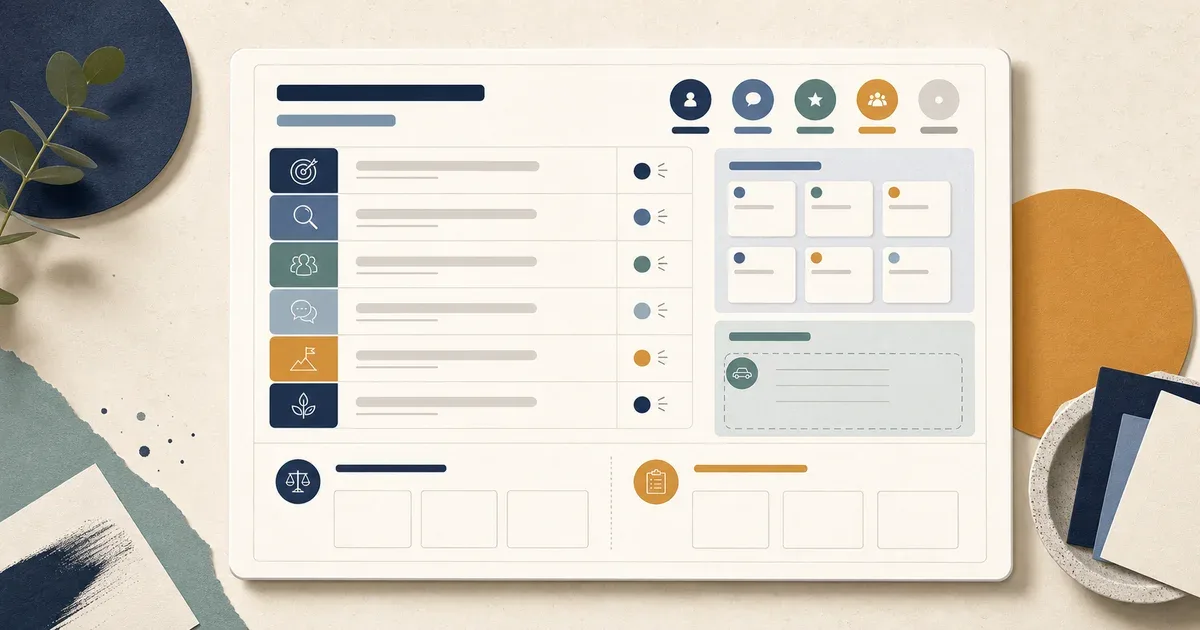
Build the agenda from purpose to record handoff
Design the meeting backward from the live conversation it needs. Make the participation and time contract visible before anyone joins, then close by routing durable records to their actual owners.
Write one purpose and one expected outcome
State why the topic needs synchronous attention and what participants should be ready to hand off when the timebox ends. Atlassian identifies objectives as a core agenda component. Avoid promising agreement or completion; a meeting can surface uncertainty and still be useful.
Sources: [agenda-pack], [atlassian-meeting-agenda]
Name roles, participants, and preparation
Assign a facilitator and timekeeper, name the role that owns each topic, and include only participants needed for the stated outcome. Share the agenda and minimum-purpose materials before the session. Microsoft Support describes adding an agenda before a Teams meeting so invitees can see and edit it while preparing.
Sources: [agenda-pack], [microsoft-meeting-notes], [atlassian-meeting-agenda]
Give every topic an owner, objective, method, and timebox
A topic label alone does not tell people how to engage. Add the question or objective, the owner who introduces it, the participation method, supporting material, and integer minutes. Keep the sum equal to the scheduled duration. Microsoft Teams can track time against agenda items when time allocations are present.
Sources: [agenda-pack], [microsoft-facilitator], [atlassian-meeting-agenda], [json-schema-2020-12]
Protect the sequence with a parking-lot rule
Decide before the meeting when an adjacent topic will be deferred. The timekeeper records only enough context to route it, then returns the group to the current objective. The pack requires exactly one parking-lot item and one closing item so overflow handling is part of the schedule rather than an improvised last minute.
Sources: [agenda-pack], [microsoft-facilitator]
Close by naming separate record owners
Check the expected outcome, read back unresolved questions, and name who owns the minutes, decision log, and action tracker after the meeting. Microsoft separates agenda, notes, and tasks within its meeting-note surface; this pack goes further by making the agenda a planning artifact only and keeping durable records authoritative elsewhere.
Sources: [agenda-pack], [microsoft-meeting-notes]
What this meeting agenda template owns
Use the pack to prepare and facilitate one bounded live conversation. It owns the meeting contract and record handoffs, not the evidence that people attended, agreed, approved, or completed work.
Included
- Five fictional participant roles and three agenda shapes with distinct purpose, expected outcome, duration, preparation, facilitation, parking-lot, close, and record handoffs
- Twenty-one consecutively ordered agenda items totaling exactly 30, 45, and 60 minutes with topic, objective, owner role, participation method, and materials
- Nine handoffs that point minutes, decisions, and follow-up work to separate records without storing those records in the agenda
- Blank and completed Markdown, matching fictional JSON, closed Draft 2020-12 schema, dependency-free validator, forty-three mutation and security tests, and deterministic ZIP build
Not included
- Meeting minutes, transcript, attendance record, consent evidence, vote count, discussion evidence, or proof that an invited person prepared or participated
- Authoritative decision record, decision rationale, delegated authority, approval, sign-off, policy, or permission to implement a choice
- Action-item execution, task status, due-date governance, project plan, roadmap priority, capacity commitment, or proof that follow-up work happened
- Automated facilitation, calendar invitations, conferencing, notifications, recordings, AI summaries, or a claim that the template guarantees an effective meeting
DOWNLOADABLE RESOURCE
Download the meeting agenda template pack
The ZIP contains one editable template, three completed fictional agendas, matching machine-readable examples, a closed schema, validator, tests, and a deterministic builder. Run the checks locally before adapting the pack to an authorized workspace.
Meeting agenda template pack
A provider-neutral planning and facilitation pack for purpose-led, role-owned, time-boxed meetings with explicit parking-lot and record-handoff boundaries.
Format: Markdown, JSON, JSON Schema, and dependency-free Node.js validator/tests in one ZIP
Locally reproduced August 1, 2026. SHA-256: e9c6032781fbfbda3cfe9e167ca91d3a5e7de12abe9b350037c8b6835e4a73be
Included
- Blank editable template plus completed 30-minute team-sync, 45-minute decision-workshop, and 60-minute project-kickoff agendas
- Matching fictional JSON with five roles, three agendas, twenty-one timed items, 135 total minutes, nine record handoffs, and six explicit false boundary flags per agenda
- Closed Draft 2020-12 JSON Schema, strict dependency-free validator, forty-three mutation and security tests, README, package commands, and deterministic allowlisted ZIP builder
Verification boundary
The eleven allowlisted source files were rebuilt across four time zones, extracted, byte-compared, and validated with fixed archive timestamps. This proves deterministic structure and internal consistency, not public availability before deployment, real preparation, attendance, authority, record accuracy, follow-through, or meeting outcome.
Three meeting agenda examples
Choose the smallest agenda that fits the live job. Preserve the purpose, ownership, participation, time, parking-lot, and handoff fields when you adapt an example.
30-minute team sync agenda
Use when: Several workstreams need short live coordination, but their normal status reporting already lives elsewhere.
A six-item agenda uses two minutes to open, eight for material changes, eight for blockers, seven for coordination, two for the parking lot, and three to close. Topic owners bring one change, blocker, and coordination request rather than replaying full reports.
Structure
- Purpose and update rule, timed round-robin, blocker clarification, cross-workstream coordination, parking lot, and record handoff
- Separate destinations for meeting minutes, authorized decisions, and accepted follow-up work
Watch for: Do not turn the sync into a duplicate status report or treat a verbal handoff as a completed decision or assigned task.
Sources: [agenda-pack], [microsoft-meeting-notes], [microsoft-facilitator]
45-minute decision-preparation workshop agenda
Use when: Participants need to compare bounded options against shared criteria before an authorized decision owner records a choice.
A seven-item agenda frames the question, clarifies context, compares options, evaluates criteria, prepares a recommendation handoff, parks adjacent work, and closes. It explicitly labels the group check as recommendation preparation, not approval.
Structure
- Published question and criteria, silent read, structured option comparison, criterion review, dissent and uncertainty handoff
- Separate decision-log owner and no final decision, approval state, or implementation task stored in the agenda
Watch for: A well-run workshop does not grant decision authority. Preserve the final choice, rationale, evidence, and consequences in the authorized decision log.
Sources: [agenda-pack], [atlassian-meeting-agenda], [json-schema-2020-12]
60-minute project kickoff agenda
Use when: A new project needs shared context, explicit working boundaries, and named owners for the records that govern later work.
An eight-item agenda covers purpose and roles, scope questions, delivery shape, risks and dependencies, ways of working, stakeholder questions, parking lot, and close. It routes the project plan, RAID register, minutes, decisions, and tasks to separate owners.
Structure
- Pre-read project brief, role and record map, bounded discussion of scope signals, sequence, dependencies, and working agreements
- Three-minute parking lot and three-minute close with named record owners and next communication point
Watch for: The kickoff does not approve scope, commit capacity, replace the project plan or RAID register, or prove that later delivery will match the discussion.
Sources: [agenda-pack], [microsoft-meeting-notes], [atlassian-meeting-agenda]
Decide whether the agenda is ready to share
Structural readiness means participants can tell why they are invited, how to prepare, how the time will be used, how they can participate, and where durable records will go. The validator cannot assess whether the meeting itself is necessary.
The purpose could be satisfied by a status update, recorded explanation, document review, or one owner making a reversible choice.
Choose: Replace or shorten the meeting, then keep only the questions that genuinely need live coordination or discussion.
Tradeoff: The organizer spends more time choosing the communication mode, but participants avoid a live session with no distinct job.
An agenda item lacks an objective, owner, participation method, material, or realistic timebox.
Choose: Keep the agenda in draft until the item says what participants will do and who will move the conversation forward.
Tradeoff: Preparation becomes more explicit, but the session is less likely to drift into unbounded updates or silent spectatorship.
The item minutes do not equal the scheduled duration or there is no protected parking-lot and closing time.
Choose: Reduce scope, revise timeboxes, or extend the invitation before sharing. Do not hide overflow inside an undefined close.
Tradeoff: Some topics move to another channel, but the published schedule remains credible and leaves time to route records.
The agenda contains minutes, attendance, a final decision, approval state, or task-execution status.
Choose: Move that content to its authorized record and keep only the handoff owner and destination in the agenda.
Tradeoff: The workflow has more explicit records, but planning cannot silently become evidence, authority, or an execution system.
BUILD THE WORKFLOW
Turn meeting handoffs into a workflow your team can run
Describe the record flow behind your meetings, from intake and preparation to separate minutes, decisions, and follow-up tracking. Playcode can build the internal tool while named humans keep authority and evidence.
Build an Internal ToolThis article and download do not grant AI signup credits. Human owners still control attendance, minutes, decisions, approval, and action execution.
Continue with the decision log templateUse the separate log only after an authorized decision owner records a choice.
What this template cannot prove
The pack validates fictional agenda structure, cross-references, time sums, order, handoffs, boundary constants, and archive bytes. It cannot observe the real meeting or organization.
- Cedar Vale, its roles, agendas, preparation, materials, workstreams, project, questions, and handoffs are fictional demonstration data.
- A named participant role does not prove invitation, identity, access, availability, preparation, attendance, consent, contribution, or accountability acceptance.
- A timebox does not prove that a topic started or ended on time, received balanced participation, reached clarity, or deserved synchronous discussion.
- A handoff prompt does not create meeting minutes, record a decision, grant approval, assign a task, establish a due date, or prove that an owner accepted work.
- The validator checks representation and internal references. It cannot judge whether materials are accurate, sensitive, current, sufficient, or available to authorized participants.
- This ordinary informational article and its download do not grant AI signup credits. Eligibility, if any, belongs to separately qualified commercial entry pages.
Sources and verification record
The same-release pack is the direct source for its fictional agendas and tests. Current Microsoft and Atlassian guidance supports pre-meeting sharing, objectives, roles, topics, materials, responsibilities, and time allocations. JSON Schema defines the validation vocabulary used by the closed machine-readable contract.
[agenda-pack] Playcode:Meeting agenda template pack
Checked August 1, 2026. Supports: The locally reviewed five roles, three fictional agendas, twenty-one timed items, 135 total minutes, nine handoffs, boundary flags, forty-three tests, and exact artifact hash. Public availability remains unverified until deployment.
[microsoft-meeting-notes] Microsoft Support:Take meeting notes in Microsoft Teams
Checked August 1, 2026. Supports: Current product guidance for adding an agenda before a meeting so participants can see, edit, and prepare, plus the explicit separation of agenda, notes, and tasks. Product-specific access behavior is not generalized to this pack.
[microsoft-facilitator] Microsoft Support:Facilitator in Microsoft Teams meetings
Checked August 1, 2026. Supports: Current product evidence that agendas can include timed topics and be tracked against those allocations during a meeting. The pack does not claim Microsoft licensing, automation, timing accuracy, or provider integration.
[atlassian-meeting-agenda] Atlassian:Free meeting agenda template
Checked August 1, 2026. Supports: Current official guidance naming meeting objectives, attendees and roles, agenda topics, topic leaders, time allocations, supporting materials, preparation, and advance distribution. It does not prescribe this exact provider-neutral pack.
[json-schema-2020-12] JSON Schema:JSON Schema Draft 2020-12
Checked August 1, 2026. Supports: The current Draft 2020-12 specification family and metaschema identifier used by the downloadable closed schema. Schema validation checks representation, not meeting quality, evidence truth, or organizational authority.
Meeting agenda template questions
What should a meeting agenda template include?
Include the meeting purpose, expected outcome, participant roles, preparation, ordered topics, owner for each topic, time allocations, participation method, supporting materials, parking-lot rule, and close. Make the sum of item minutes equal the scheduled duration and name the owners of separate records after the meeting.
Does the pack include a project kickoff template and checklist?
Yes. The completed 60-minute kickoff agenda includes a project brief and dependency pre-read, participant roles, eight timed topics, scope and success-signal questions, delivery-shape review, risks and dependencies, working agreements, stakeholder questions, parking lot, and named record handoffs. It is a meeting-readiness checklist, not project-charter authorization, an approved project plan, a communication plan, a capacity commitment, a RAID record, RACI assignments, or delivery proof.
What is the difference between a meeting agenda and meeting minutes?
An agenda plans and facilitates the meeting before and during the session. Meeting minutes preserve what happened, such as attendance, discussion evidence, decisions, and follow-up, according to the organization’s record rules. This pack points to a minutes owner but deliberately does not store minutes.
Should decisions and action items go in the meeting agenda?
The agenda can reserve time to prepare a decision or identify a follow-up, but the authoritative decision and managed task belong in separate records. Keep only the handoff owner and destination in the agenda so planning is not confused with approval or execution.
How long should each agenda item be?
Choose a timebox based on the item’s objective and participation method, then reduce scope if the item does not fit. The pack uses one- to twelve-minute blocks across 30-, 45-, and 60-minute examples. It does not claim those durations are universal.
Can I customize the meeting agenda examples?
Yes. Edit the Markdown directly or adapt the JSON model. Preserve unique IDs, known role references, consecutive item order, positive integer minutes, one opening, one parking-lot item, one close, exact duration sums, and false authority boundary flags if you want the validator to pass.
Does this meeting agenda template grant Playcode AI credits?
No. This is an ordinary informational article with a downloadable template pack, so it is intentionally AI-credit-ineligible. Any signup-credit eligibility is limited to separately qualified commercial entry pages under the current policy.
PRESS PLAY
Build the system behind the agenda
Create a role-aware internal workflow for preparation requests, record handoffs, and follow-up visibility without treating the agenda as proof or authority.
Start BuildingNo meeting template can guarantee attendance, agreement, approval, follow-through, or an effective outcome.