QUICK ANSWER
Should you choose WordPress or Shopify?
Choose self-managed WordPress.org when publishing flexibility, code and hosting control, and a team able to operate the stack matter most. Choose Shopify when catalog, checkout, orders, inventory, fulfillment, and managed hosting should share a commerce-first platform. Pilot the same products, content changes, payment, export, recovery, and ownership handoff before committing.
WordPress.org is downloadable open-source publishing software that you install with a host and extend into a store. Shopify is a managed commerce-first platform that bundles hosting and a core store operation behind a subscription. WordPress.com is a separate hosted service and is not the WordPress option evaluated in this guide.
The useful choice is not a generic feature count. It is whether your team wants to own the hosting, software stack, extensions, recovery, and code boundary, or operate inside a managed commerce platform with its own plan, checkout, app, export, and support boundaries. Playcode publishes this non-affiliate editorial comparison from first-party documentation. We did not reproduce a controlled store build, performance test, support case, security audit, or migration.
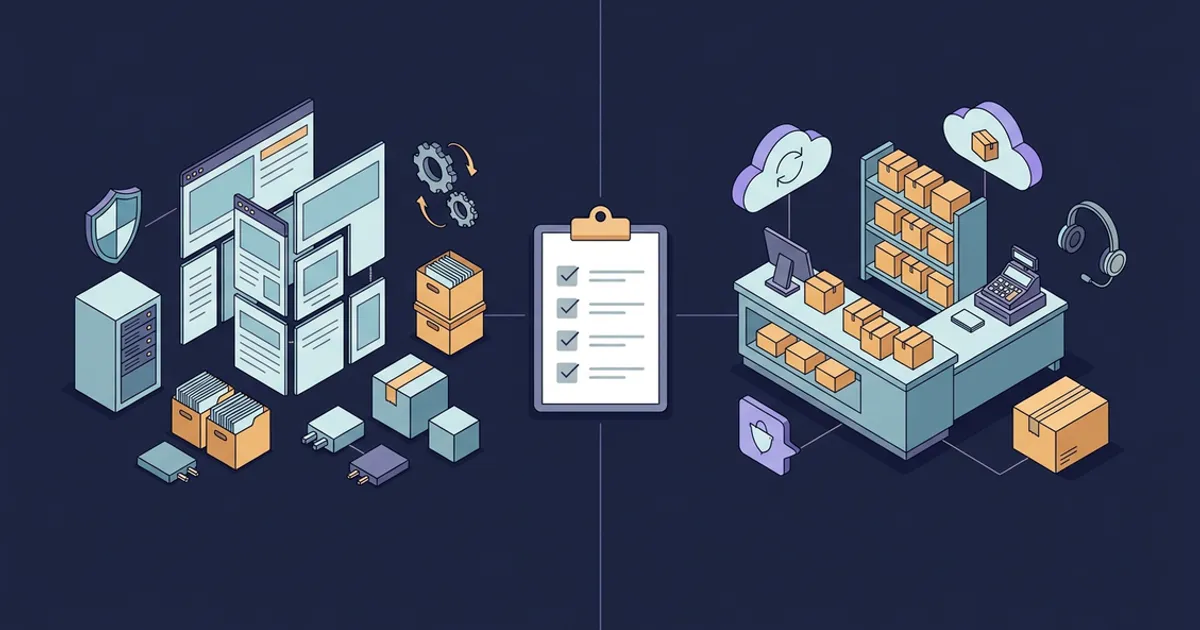
Run the Same Merchant Proof on Both Operating Models
Freeze one requirements sheet before opening either editor. Record observed pilot results, account terms, owners, and recovery evidence rather than awarding points for documentation alone.
Confirm which WordPress is in scope
Write “self-managed WordPress.org software” on the requirements sheet. Record the host, domain registrar, administrator, update owner, recovery owner, and commerce extension separately. Do not substitute WordPress.com plan facts for the WordPress.org stack in this comparison.
Sources: [wordpress-features], [wordpress-com-vs-org]
Freeze the same content and store workload
Use the same page types, editorial workflow, products, variants, collections, locations, promotions, payments, shipping regions, contributors, languages, and monthly change cadence. Include the hardest legitimate content layout and product configuration, not only a homepage demo.
Sources: [wordpress-site-editor], [shopify-theme-structure], [shopify-pricing]
Exercise one complete order and failure path
In non-production accounts, verify product setup, checkout, payment failure, inventory effect, fulfillment, refund, export, and permissions with the intended region and providers. WordPress behavior depends on the selected commerce stack; Shopify behavior depends on the account, plan, provider, and configuration.
Sources: [wordpress-plugins], [shopify-pricing], [shopify-payments]
Price the operating system, not the entry ticket
For WordPress.org, include hosting, domain, paid themes or plugins, commerce services, monitoring, backups, maintenance, security work, and support. For Shopify, recheck the regional plan and billing cycle, then include processing, transaction fees where applicable, apps, themes, domains, shipping, tax services, point-of-sale needs, and operating labor.
Sources: [wordpress-com-vs-org], [wordpress-updates], [shopify-pricing], [shopify-billing]
Rehearse export, recovery, and handoff
Export each required record class, restore a reversible change, rotate a test administrator, and produce an account inventory. A WordPress content export is not a files-and-database backup; a Shopify theme download or CSV set is not a complete store backup.
Sources: [wordpress-export], [wordpress-maintenance], [shopify-backups], [shopify-transfer]
What This Exact Comparison Owns
This page owns the direct WordPress.org versus Shopify platform choice. Use the WordPress website cost guide and Shopify website cost guide for broader dated budgets, and Shopify alternatives when the job is replacement rather than this bilateral decision.
Included
- Self-managed WordPress.org software versus the managed Shopify commerce platform
- Hosting, updates, security, content, commerce, extensions, design, checkout, SEO, domains, cost, export, recovery, support, and team fit
- Two paired fictional merchants evaluated against both operating models
- Dated first-party product facts plus explicit verification and ownership rules
Not included
- WordPress.com hosted plans, WordPress hosting recommendations, a WooCommerce product review, or a managed WordPress provider comparison
- A universal winner, rating, performance score, conversion claim, security certification of a configured store, support-quality conclusion, or migration success claim
- A reverse route or any alternate, plural, “versus,” or cost alias
- Generic best website builder, best ecommerce platform, Shopify alternative, AI versus WordPress, Wix versus Shopify, Wix versus WordPress, and Squarespace comparison intent
- A full cost estimate, implementation quote, affiliate recommendation, downloadable artifact, migration service, legal advice, tax advice, or payment-provider agreement
- A claim that Playcode is a native merchant system, payment processor, shipping carrier, tax authority, or drop-in replacement for WordPress or Shopify
Twelve Criteria for One Store Decision
Both options answer every row from first-party documentation checked September 6, 2026. Unknown provider, account, plugin, app, region, or migration behavior remains a pilot question.
Platform and ownership boundary
Separates downloadable WordPress.org software from a managed Shopify service and makes every external account visible.
Hosting, updates, and security
Names who operates hosting, certificates, software updates, plugin or app review, monitoring, and incident response.
Content and editor workflow
Tests daily publishing, reusable layouts, roles, revisions, campaign pages, and changes beyond the storefront.
Commerce and store operations
Checks whether catalog, inventory, orders, fulfillment, returns, and channels are native operations or assembled extensions.
Extensions and integrations
Exposes compatibility, permissions, billing, data access, support ownership, and update work behind each added capability.
Design and code control
Distinguishes theme-level editing from control over application code, runtime, server environment, and checkout surfaces.
Checkout and payments
Connects the payment provider, checkout boundary, regional eligibility, processing fees, refunds, disputes, and test orders.
SEO and domain controls
Verifies editable metadata, URL behavior, crawl controls, redirects, sitemap ownership, DNS, and domain portability.
Current operating cost meter
Prevents a software price or plan price from hiding hosting, extensions, processing, themes, recovery, and maintenance labor.
Export and data ownership
Treats content, products, inventory, orders, customers, files, themes, apps, domains, payments, and analytics as separate assets.
Recovery and support
Tests what can actually be restored, which provider owns each failure, and who coordinates a multi-system incident.
Team fit and merchant scenarios
Applies the operating model to two fictional merchants without turning illustrative fit into a universal recommendation.
WordPress.org and Shopify Operating-Model Matrix
The matrix describes documented responsibility boundaries, not observed ease, speed, reliability, support quality, search performance, or business results.
WordPress.org (self-managed software)
Best for: Content-led organizations that value publishing and code flexibility and have a named owner for hosting, updates, extension governance, monitoring, backups, security, and recovery.
WordPress.org provides open-source software, publishing tools, themes, plugins, and data control. The team selects and operates the host and assembles commerce through extensions and providers. WordPress.com is a different managed hosting service and is not this option.
| Criterion | Finding |
|---|---|
| Platform and ownership boundary | WordPress.org distributes open-source software that can be installed, modified, and extended without a software licensing fee. The site still depends on a separately selected host, domain, theme, plugins, commerce services, and operational owners. WordPress.com instead bundles managed hosting as a separate commercial service and must not be used as evidence for this option. Sources: [wordpress-features], [wordpress-com-vs-org] |
| Hosting, updates, and security | The WordPress.org team or its providers own hosting configuration, certificates, monitoring, backups, major updates, plugin and theme updates, compatibility checks, and incident coordination. WordPress documents one-click and background update paths, but also instructs operators to back up before upgrades and provides manual recovery steps when updates fail. Sources: [wordpress-updates], [wordpress-plugin-updates], [wordpress-maintenance] |
| Content and editor workflow | WordPress provides posts, pages, drafts, scheduling, revisions, media, roles, blocks, patterns, templates, template parts, global styles, and a block-theme Site Editor. The exact editorial experience varies with the chosen theme, plugins, custom code, roles, and hosting configuration, so test the real page types and contributors. Sources: [wordpress-features], [wordpress-site-editor] |
| Commerce and store operations | Core WordPress is a publishing system rather than a complete native merchant operation. A store requires a commerce plugin or custom integration plus payment, tax, shipping, inventory, and fulfillment decisions. Treat every extension and provider as part of the production architecture and prove the full order lifecycle in the selected stack. Sources: [wordpress-features], [wordpress-plugins] |
| Extensions and integrations | WordPress exposes a plugin system, hooks, APIs, custom content types, and a large plugin directory. That extensibility can support specialized workflows, but the site owner must review permissions, data handling, maintenance status, compatibility, update behavior, licensing, support, and removal for every production extension. Sources: [wordpress-features], [wordpress-plugins], [wordpress-plugin-updates] |
| Design and code control | A block theme enables site-wide editing with blocks, templates, patterns, styles, and theme export; developers can also create or modify themes and application code. The resulting control is bounded by the selected host, theme architecture, plugins, browser behavior, and the team’s ability to maintain custom work across updates. Sources: [wordpress-features], [wordpress-site-editor] |
| Checkout and payments | WordPress.org does not define one checkout or payment-fee model. Those facts come from the chosen commerce extension, gateway, region, currency, bank, fraud tooling, and contracts. Verify checkout states, authentication, failed payments, inventory effects, refunds, disputes, webhooks, and recovery with test credentials before launch. Sources: [wordpress-features], [wordpress-plugins] |
| SEO and domain controls | WordPress describes core search-friendly behavior and plugins that add fine-grained SEO controls. Because the site is self-hosted, DNS, certificates, redirects, canonical behavior, sitemaps, robots rules, caching, and URL migrations depend on the host, configuration, theme, plugins, and custom code. Verify the rendered result rather than assuming a plugin label proves indexing. Sources: [wordpress-features], [wordpress-com-vs-org] |
| Current operating cost meter | WordPress.org software can be downloaded and used without a license fee, but that is not the store’s total cost. The dated meter must include the selected host and renewal rate, domain, paid themes or plugins, commerce services, payment processing, monitoring, backups, security and compatibility work, support, development, and maintenance labor. Sources: [wordpress-features], [wordpress-com-vs-org], [wordpress-updates] |
| Export and data ownership | WordPress states that operators control their data and its Tools Export screen creates a WXR file for posts, pages, custom post types, comments, custom fields, taxonomies, and users. That content file does not by itself capture uploaded files, the database, server configuration, theme code, plugin state, credentials, commerce records, or third-party service data. Sources: [wordpress-features], [wordpress-export], [wordpress-maintenance] |
| Recovery and support | WordPress documentation recommends backing up both the hosted site and a separate copy, and its update guide points to restoration after problems. Recovery and support still cross the host, database, files, DNS, theme, plugins, commerce providers, and community forums. Give one owner authority to coordinate those boundaries and rehearse a restore. Sources: [wordpress-updates], [wordpress-maintenance], [wordpress-com-vs-org] |
| Team fit and merchant scenarios | For fictional Story Loom at storyloom.example.test, 420 editorial pages, custom publication types, a 24-item store, and an existing developer plus managed-host contract make WordPress.org a plausible pilot. For fictional Trail Kit at trailkit.example.test, 680 variants, two stock locations, frequent returns, and no internal web operator make WordPress viable only if a provider owns the assembled commerce stack and recovery runbook. These are illustrations, not recommendations. Sources: [wordpress-site-editor], [wordpress-plugins], [wordpress-com-vs-org] |
Tradeoffs
- Control over code, hosting, themes, plugins, and data widens the design and integration boundary while making the team responsible for the assembled system.
- The software has no licensing fee, but production cost still includes hosting, domain, extensions, commerce services, maintenance, monitoring, backups, security work, and specialist time.
- Support and recovery span the WordPress community, host, theme and plugin authors, commerce services, and the team that integrated them.
Shopify (managed commerce platform)
Best for: Commerce-led teams that want hosted catalog, checkout, inventory, orders, fulfillment, and channels to share one platform and accept its plan, theme, app, export, and checkout boundaries.
Shopify combines managed hosting with a commerce admin, storefront themes, checkout, payments options, inventory and order operations, domains, apps, and support. The team still owns configuration, data quality, provider eligibility, app governance, exports, recovery procedures, and merchant obligations.
| Criterion | Finding |
|---|---|
| Platform and ownership boundary | Shopify is a managed commerce platform sold by subscription. Current plans include hosted online-store and commerce capabilities, while the merchant configures the store and contracts with apps and outside providers where needed. Access to the service, admin, checkout, and platform APIs remains subject to Shopify account, plan, product, and policy boundaries. Sources: [shopify-pricing] |
| Hosting, updates, and security | Shopify’s current pricing documentation includes commerce hosting, bandwidth, and TLS/SSL for connected domains, and states that stores are PCI compliant by default. That managed platform boundary does not certify the merchant’s theme code, apps, staff access, business process, external providers, or legal compliance. The team still reviews permissions, apps, alerts, and incident handoffs. Sources: [shopify-pricing], [shopify-apps] |
| Content and editor workflow | Shopify themes use templates, sections, and blocks that pull from products, collections, pages, and other admin content. Editing a template affects the pages assigned to it, and available settings depend on the theme. Test campaign pages, long-form publishing, contributor roles, preview, localization, and recurring non-store content in the intended theme. Sources: [shopify-theme-structure] |
| Commerce and store operations | Shopify’s plan surface centers the product catalog, inventory, checkout, reporting, online channels, and in-person selling. Treat that integration as a hypothesis to verify with the actual variants, locations, order routing, returns, promotions, shipping, tax setup, staff roles, and external systems used by the merchant. Sources: [shopify-pricing] |
| Extensions and integrations | Shopify supports public and custom apps. Shopify notes that apps can access account information and additional personal data depending on function, and that charges may be recurring, usage-based, one-time, or billed directly by a developer. Review permissions, billing, data retention, support owner, API limits, uninstall behavior, and replacement before installation. Sources: [shopify-apps], [shopify-billing] |
| Design and code control | Shopify provides a theme editor with templates, sections, and blocks, plus theme-code editing for teams that know Liquid, HTML, CSS, JSON, and JavaScript. Theme settings and customizations can be unique to a version, and checkout customization varies by plan and platform capability. Confirm every required surface in the purchasing account. Sources: [shopify-theme-structure], [shopify-theme-management], [shopify-pricing] |
| Checkout and payments | Shopify supplies its checkout and offers Shopify Payments where eligible, plus third-party providers. Shopify documents that provider availability and fees vary, and that third-party transaction fees can apply when another provider processes an order. Test the intended country, currency, authentication, payment failure, refund, dispute, payout, and provider handoff. Sources: [shopify-pricing], [shopify-payments] |
| SEO and domain controls | Shopify automatically generates canonical tags, sitemap.xml, robots.txt, and SSL, while allowing edits to title tags, meta descriptions, URLs, and image alt text. Domains can remain at an outside registrar and connect by DNS or transfer to Shopify where eligible. Verify redirects, canonical output, crawl rules, domain ownership, email DNS, and migration behavior. Sources: [shopify-seo], [shopify-domains] |
| Current operating cost meter | On September 6, 2026, the official US-localized pricing page showed Basic at $39 USD monthly or $29 per month billed yearly, Grow at $105 or $79, and Advanced at $399 or $299. These are dated inputs, not a budget: recheck location, billing cycle, promotions, taxes, processing, transaction fees, apps, themes, domains, shipping, point of sale, and labor at purchase. Sources: [shopify-pricing], [shopify-billing] |
| Export and data ownership | Shopify documents CSV exports for selected products, customers, orders, gift cards, and discounts, plus separate theme copies. Its backup documentation also says store settings such as taxes, shipping, checkout, and payments must be reconfigured when duplicating a store. Inventory, content, files, apps, analytics, domains, payments, and provider data need an itemized migration test. Sources: [shopify-backups], [shopify-transfer] |
| Recovery and support | Shopify manages the hosted platform and provides plan-dependent support, but its documentation recommends CSV exports and theme copies for specific data and points to apps for broader backups. A recovery plan must still cover store configuration, apps, customer and order data, domains, payment accounts, outside services, and the decision owner when multiple providers are involved. Sources: [shopify-pricing], [shopify-backups], [shopify-transfer] |
| Team fit and merchant scenarios | For fictional Trail Kit at trailkit.example.test, 680 variants, two stock locations, recurring returns, and a small operations team make Shopify a plausible pilot because commerce is the organizing system. For fictional Story Loom at storyloom.example.test, 420 editorial pages and custom publication types make Shopify plausible only if its theme and content model pass the publishing proof. Neither fictional result replaces an account-level pilot. Sources: [shopify-pricing], [shopify-theme-structure], [shopify-apps] |
Tradeoffs
- Managed hosting and an integrated commerce model can reduce server and core-platform assembly while placing the store inside Shopify plan, account, checkout, API, theme, and regional boundaries.
- Apps, themes, domains, processing, third-party transaction fees where applicable, labels, tax services, point-of-sale requirements, and specialist work can add costs beyond the subscription.
- Theme copies and CSV exports cover specific assets, not a complete independently runnable store or a one-click recovery of every record and integration.
Selection and Verification Rules
Choose the smallest operating model that passes the real store proof and has a named owner for every external dependency. Reopen the decision when that evidence changes.
Content architecture, custom publishing types, hosting choice, or code-level control drives the decision, and a qualified team owns operations.
Choose: Pilot self-managed WordPress.org with the exact host, theme, commerce extension, payment provider, backup system, and update process intended for production.
Tradeoff: The team gains a wider code and infrastructure boundary and accepts integration, compatibility, security, monitoring, support, and recovery ownership.
Catalog, checkout, orders, inventory, fulfillment, or in-person commerce drives the decision, and the requirements fit Shopify’s current account boundaries.
Choose: Pilot Shopify with the intended plan, region, payment provider, theme, apps, locations, roles, shipping, tax setup, export process, and recovery procedure.
Tradeoff: The team reduces server and core-commerce assembly while accepting Shopify’s subscription, checkout, platform, plan, theme, app, API, and data-movement boundaries.
The team says WordPress but expects managed hosting, automatic backups, bundled security, and dedicated platform support.
Choose: Stop and compare the actual managed WordPress provider or WordPress.com plan separately before using this WordPress.org versus Shopify guide.
Tradeoff: Changing the hosting and support model changes the product being compared, its cost meter, and its responsibility boundary.
A must-have workflow needs a WordPress plugin or Shopify app, custom code, or an outside provider.
Choose: Require a written owner, permission review, data map, current price, support path, failure behavior, export test, uninstall or rollback plan, and replacement option.
Tradeoff: The extension can close a feature gap while adding another vendor, compatibility surface, bill, incident path, and migration dependency.
Checkout, payment, tax, shipping, inventory, or domain behavior differs by region, provider, account, or plan.
Choose: Keep the row unresolved until a non-production account in the intended configuration passes normal, failure, refund, export, and handoff tests.
Tradeoff: The decision takes longer, but avoids treating another merchant’s country, contract, app, gateway, or theme as proof for yours.
The choice is close after feature review.
Choose: Score named ownership and recovery first: who patches, monitors, pays, exports, restores, responds, and can replace each dependency without losing required records.
Tradeoff: This may favor a less exciting demo whose operating boundary the team can actually sustain.
Neither pilot can preserve the required data, behavior, performance budget, accessibility, compliance, or ownership handoff.
Choose: Choose neither for now. Revise the requirement, evaluate a different platform, or scope a custom system with explicit commerce providers and migration duties.
Tradeoff: A later launch is preferable to committing critical store operations to an unverified fit.
Prototype the requirement
Test the workflow before you commit the store.
Describe the pages, records, roles, rules, and provider integrations that make your case different. Playcode can turn that requirement into a working website or app you can inspect while external commerce dependencies stay explicit.
Start BuildingNo credit card required. AI credits included to start.
Compare Shopify alternativesUse this only when your search job is a broader replacement shortlist rather than the direct WordPress.org versus Shopify decision.
What the Evidence Does Not Prove
First-party documentation establishes current product claims and responsibility boundaries. It does not reproduce the result for a specific store.
- Playcode is the publisher of this guide. The source links are not affiliate links, and no vendor paid for placement or supplied a ranking.
- We did not build matched production stores, purchase plans, install the same extensions, process live payments, measure performance, audit accessibility, test support, or execute a migration.
- The two .example.test merchants, requirements, and selection outcomes are fictional editorial scenarios, not customer case studies or promises.
- Shopify prices were a US-localized snapshot checked September 6, 2026. Promotions, plan names, billing cycles, fees, taxes, and regional capabilities can change.
- WordPress.org has no single hosting, theme, plugin, commerce, security, support, performance, or cost result. Those facts belong to the selected stack.
- A platform’s PCI, hosting, backup, or security statement does not certify custom code, apps, staff behavior, external processors, merchant obligations, or the configured production store.
- Exports are capability-specific. No documented XML, CSV, theme download, or ownership transfer is treated as a complete independently runnable store backup.
- No universal winner, migration guarantee, search ranking, conversion uplift, uptime result, or cost saving is claimed.
Dated First-Party Sources
Playcode reviewed these first-party pages on September 6, 2026 and mapped each finding to its supporting source. The comparison is non-affiliate editorial synthesis and not reproduced product testing.
[wordpress-features] WordPress.org:WordPress Features
Checked September 6, 2026. Supports: Open-source licensing, publishing tools, themes, plugins, developer APIs, search-friendly behavior, customization freedom, and data-control claims.
[wordpress-com-vs-org] WordPress.com Support:WordPress.com vs WordPress.org
Checked September 6, 2026. Supports: The distinction between the WordPress.org self-hosted software path and the separate WordPress.com managed hosting service.
[wordpress-site-editor] WordPress.org Documentation:Site Editor
Checked September 6, 2026. Supports: Block-theme requirements, site-wide blocks, templates, patterns, styles, page management, preview, revisions, and theme export.
[wordpress-updates] WordPress.org Documentation:Updating WordPress
Checked September 6, 2026. Supports: Core update, backup, one-click, background, manual, file-ownership, failed-update, troubleshooting, and restore boundaries.
[wordpress-plugins] WordPress.org Documentation:Manage Plugins
Checked September 6, 2026. Supports: Plugin installation, activation, removal, compatibility review, update responsibility, and backup cautions.
[wordpress-plugin-updates] WordPress.org Documentation:Plugin and Theme Auto-Updates
Checked September 6, 2026. Supports: Per-plugin and per-theme automatic-update controls, notifications, scheduling dependencies, backup advice, and rollback preparation.
[wordpress-export] WordPress.org Documentation:Tools Export Screen
Checked September 6, 2026. Supports: WXR export for posts, pages, custom post types, comments, custom fields, taxonomies, and users.
[wordpress-maintenance] WordPress.org Documentation:WordPress Site Maintenance
Checked September 6, 2026. Supports: Separate host and local backups, maintenance planning, database backup, restoration, updates, and ongoing site-owner responsibilities.
[shopify-pricing] Shopify:Shopify Pricing
Checked September 6, 2026. Supports: US-localized monthly and yearly plan prices, hosting, TLS/SSL, PCI, commerce, inventory, checkout, staff, support, plan, and regional boundaries.
[shopify-theme-structure] Shopify Help Center:Templates
Checked September 6, 2026. Supports: Theme templates, sections, blocks, dynamic admin content, template assignment, preview, and shared-change behavior.
[shopify-theme-management] Shopify Help Center:Adding, Previewing, and Buying Themes
Checked September 6, 2026. Supports: Theme sources, trials, licensing, previews, code skills, developer support, version-specific settings, and feature review.
[shopify-apps] Shopify Help Center:About Apps
Checked September 6, 2026. Supports: Public and custom apps, app review, data access, developer ownership, Shopify-billed charges, and charges outside Shopify.
[shopify-billing] Shopify Help Center:Types of Charges on Shopify Bills
Checked September 6, 2026. Supports: Subscription, app, usage, shipping, transaction, domain, theme, tax, and separate payment-processing charge boundaries.
[shopify-payments] Shopify Help Center:Third-Party Payment Providers
Checked September 6, 2026. Supports: Direct and external payment providers, provider availability, external checkout, and third-party transaction-fee boundaries.
[shopify-seo] Shopify Help Center:Shopify SEO Overview
Checked September 6, 2026. Supports: Generated canonical tags, sitemap, robots file, SSL, and editable title, description, URL, and image-alt controls.
[shopify-domains] Shopify Help Center:Connecting vs Transferring a Domain
Checked September 6, 2026. Supports: Connected versus transferred domain ownership, DNS, billing, renewal, eligibility, support, timing, and downtime cautions.
[shopify-backups] Shopify Help Center:Backups and Duplication
Checked September 6, 2026. Supports: CSV backup coverage, theme copies, duplicate-store limitations, manual reconfiguration, and backup-app options.
[shopify-transfer] Shopify Help Center:Change or Transfer Ownership
Checked September 6, 2026. Supports: Store-owner transfer, permissions, domains, billing, payouts, tax details, apps, providers, contact data, and separate handoff duties.
WordPress vs Shopify FAQ
What is the main difference between WordPress and Shopify?
This guide compares self-managed WordPress.org software with Shopify. WordPress.org gives the operator broad hosting, code, theme, plugin, and data control while requiring an assembled commerce and operations stack. Shopify provides managed hosting and a commerce-first platform while keeping the store inside its plans, checkout, themes, apps, APIs, and service boundaries.
Is WordPress.org the same as WordPress.com?
No. WordPress.org is the home of downloadable open-source software and the self-hosted path evaluated here. WordPress.com is a separate commercial hosted service with managed hosting and plans. If you expect WordPress.com or a managed WordPress host, compare that exact provider and plan rather than substituting this WordPress.org model.
Is WordPress or Shopify cheaper?
There is no stable universal answer. WordPress.org has no software license fee but needs hosting and may need paid themes, plugins, commerce services, backups, security, support, and maintenance. Shopify has a dated plan price plus processing, transaction fees where applicable, apps, themes, domains, services, and labor. Use the dedicated cost guides.
Which is better for blogging and content?
WordPress.org is publishing-first and offers posts, pages, blocks, patterns, templates, revisions, custom content types, and broad extension options. Shopify also supports pages and blog content through its theme and admin model. The better fit is the one that passes your actual page types, roles, approvals, reuse, localization, preview, scheduling, and publishing cadence.
Which is better for ecommerce operations?
Shopify makes catalog, checkout, inventory, orders, fulfillment, and sales channels the platform center. WordPress.org can support commerce through plugins and providers, but the team owns the assembly. Test the same variants, locations, checkout failures, refunds, shipping, taxes, exports, permissions, and recovery instead of choosing from a generic feature list.
Can I migrate from WordPress to Shopify or Shopify to WordPress?
Migration is possible only to the extent that the selected tools and providers can move each required asset. Inventory content, products, variants, customers, orders, files, URLs, redirects, themes, apps, domains, payments, analytics, and credentials separately. Test imports and reconciliation on a non-production destination before changing DNS or canceling services.
Does either platform provide a complete store backup?
Do not assume so. A WordPress WXR export covers defined content but not the whole server, files, database, configuration, or third-party services. Shopify documents selected CSV exports and theme copies but requires separate store-setting reconfiguration and may rely on apps for broader backups. Define and rehearse recovery by record class.
Can Playcode replace WordPress or Shopify?
Not as a turnkey merchant platform. Playcode can build custom websites and applications when you provide requirements, credentials, and usable provider APIs. It does not supply a native catalog, payment processor, shipping carrier, tax authority, or automatic replacement for every WordPress plugin, Shopify app, checkout, store record, and merchant workflow.
Build beyond the platform checklist
Make the operating boundary visible in a working prototype.
Start from the merchant’s real content, records, permissions, failure paths, and provider APIs. Playcode builds custom web software you can inspect and change; payments, tax, shipping, catalog ownership, and production operations remain explicit dependencies.
Build with PlaycodeNo credit card required. AI credits included to start.